BACnet Network Explorer
In this menu, basic monitoring of BACnet networks can be performed. The other networks connected to the DC620 DUAL BACnet IoT Gateway and their router addresses can be viewed here. Some network layer messages can also be sent from here to diagnose and control the network. The view can be changed between the different ports of the DC620 DUAL BACnet IoT Gateway among the tabs:
- MSTP1 Network (RS485 1)
- MSTP2 Network (RS485 2)
- B/IP1 Network (Ethernet)
- B/IP2 Network (Wi-Fi)
Each tab shows the information related to that port. Below, the routing table for each port can be seen.
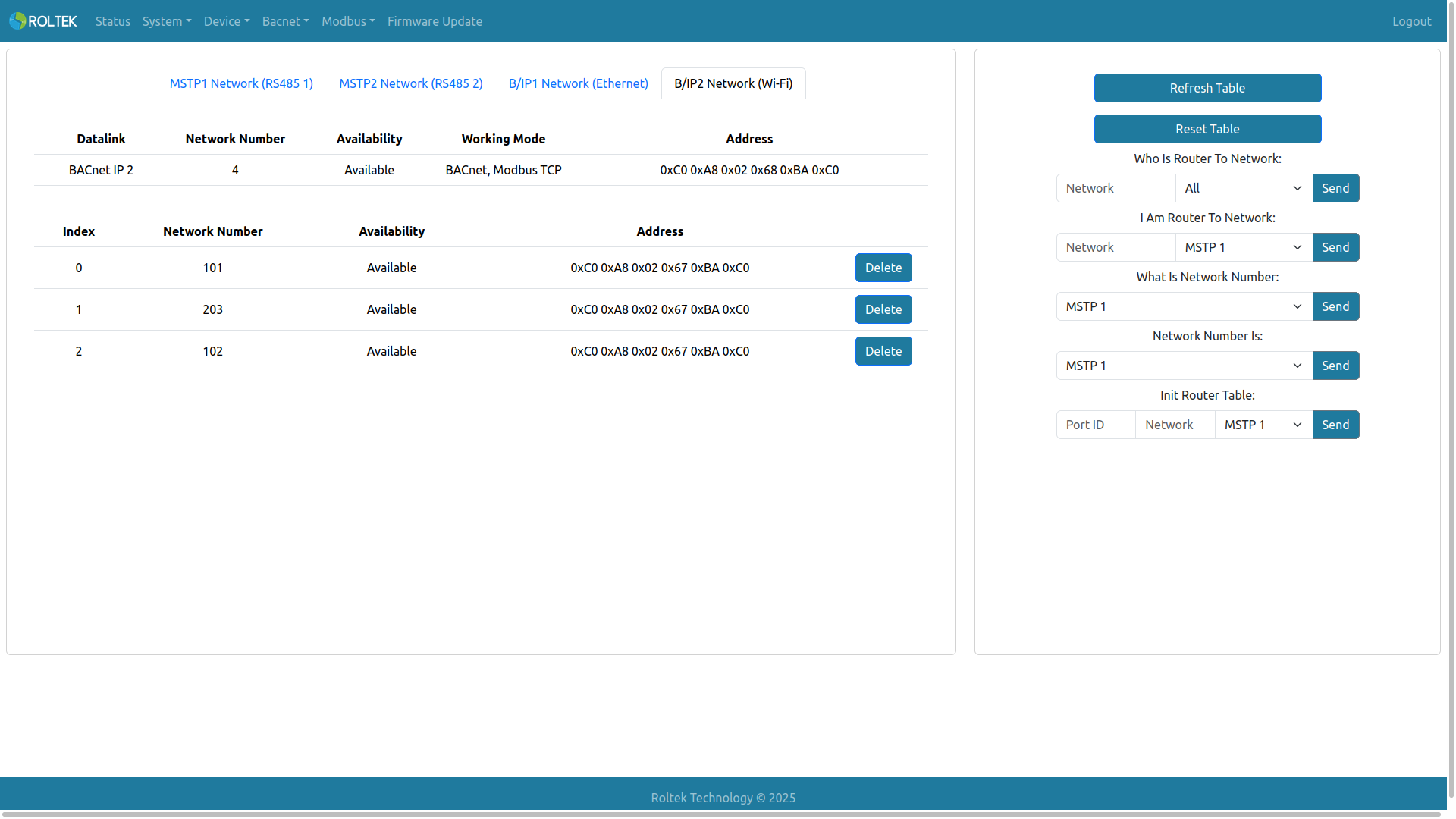
- Who Is Router To Network: The Network field can be left blank to query all networks or a specific network number can be entered (1 - 65534). Datalink options: MSTP 1, MSTP 2, B/IP 1, B/IP 2, All.
- I Am Router To Network: The Network field can be left blank to report our entire network table or a specific network number can be entered (1 - 65534). Datalink options: MSTP 1, MSTP 2, B/IP 1, B/IP 2, All.
- What Is Network Number: Datalink options: MSTP 1, MSTP 2, B/IP 1, B/IP 2, All.
- Network Number Is: Datalink options: MSTP 1, MSTP 2, B/IP 1, B/IP 2, All.
- Init Router Table: Both the Port ID and Network fields can be left blank. If left blank, the responding device returns its complete routing table. If the Port ID is zero, the network number is removed from the receiver's routing table. If the Port ID is not zero, the network number is added to the receiver's routing table. Datalink options: MSTP 1, MSTP 2, B/IP 1, B/IP 2, All.