BACnet IP Settings
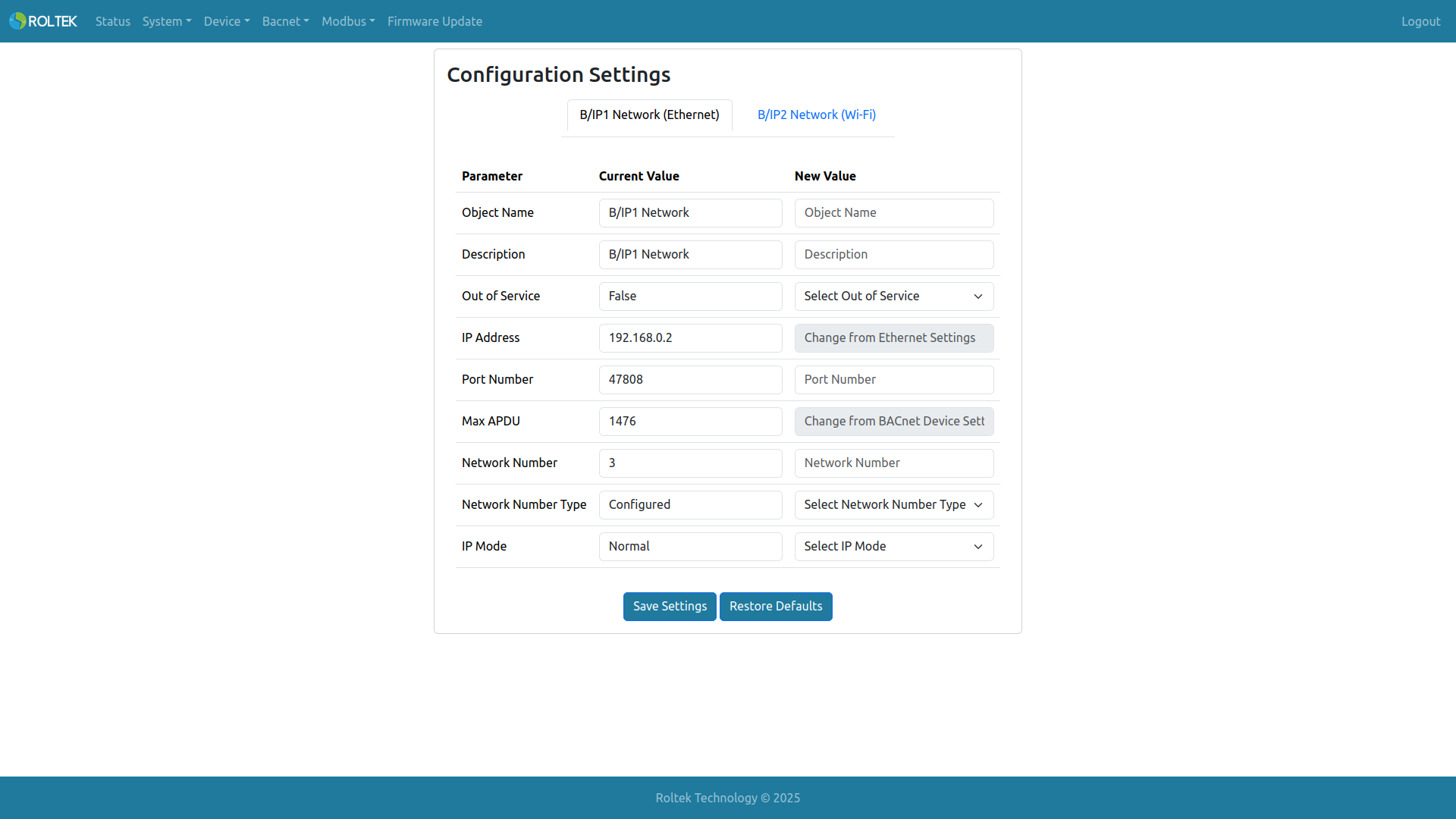
Here, the device's BACnet/IP settings can be configured. Tab 1 is for B/IP 1 (Ethernet); tab 2 is for B/IP 2 (Wi-Fi). Configuration Settings is used for B/IP network configurations. The Save Settings and Restore Defaults buttons update the configurations for both B/IP 1 and B/IP 2.
- Object Name: The object name property of the BACnet object (BACnet Network Port Object). The allowed length is 1-31. Only UPPERCASE letters, lowercase letters, digits 0-9, space, comma, and period can be used.
- Description: The description property of the BACnet object. The allowed length is 1-31. Only UPPERCASE letters, lowercase letters, digits 0-9, space, comma, and period can be used.
- Out of Service: The out of service property of the BACnet object. False: Starts BACnet communication on the Network Port. True: Stops BACnet communication on the Network Port.
- IP Address: The IPv4 address of the BACnet object. It needs to be changed from the Ethernet Settings menu.
- Port Number: The IPv4 port number of the BACnet object. The valid range is 47808 - 47823 and 49152 - 65535.
- Max APDU: The maximum APDU length of the BACnet object. It needs to be changed from the BACnet Device Settings menu.
- Network Number: The network number of the BACnet object. The range is between 1 - 65534. It must not be used by another network port.
- Network Number Type: The Network Number Type property of the BACnet object. Learned: The DC620 DUAL BACnet IoT Gateway learns the network number for that port over the network. Configured: The DC620 DUAL BACnet IoT Gateway uses the configured network number for that port.
- IP Mode: IP mode options: Normal, Foreign, BBMD.
- BBMD Accept FD Registrations: If BBMD is selected as the IP Mode, it will Accept or Reject Foreign Device Registrations.