BACnet Device Explorer
Users can see every device that the DC620 DUAL BACnet IoT Gateway can communicate with in this menu. The current tabs allow switching views between MSTP1, MSTP2, and Who Is - I Am. If the target device supports read property in the object list property of the device object and read property multiple all in all its objects, readings can be made from this menu.
- MSTP 1 Poll: Used to view devices on the MSTP 1 (RS485 1) network.
- MSTP 2 Poll: Used to view devices on the MSTP 2 (RS485 2) network.
- Who Is - I Am Service: Used to view devices connected to the DC620 DUAL BACnet IoT Gateway via Who - Is / I - Am. A Who - Is message can also be sent from this menu.
- Manual Binding: Used to manually bind a device. Slave proxy settings are made from here.
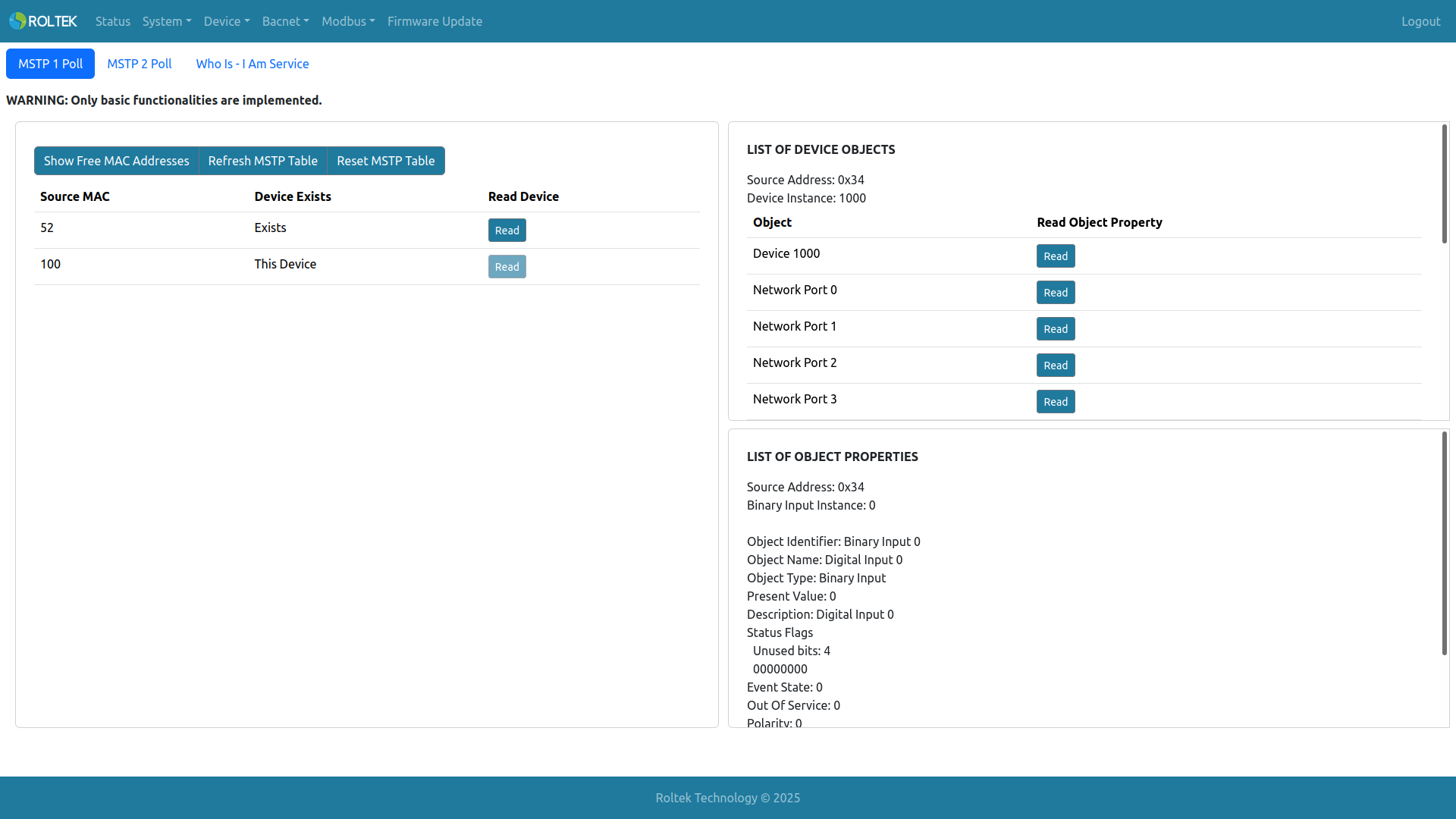
The MSTP 1 Poll and MSTP 2 Poll tabs have the same appearance in the Web UI. Refresh MSTP Table refreshes the table containing MSTP devices to update changes. Reset MSTP Table deletes all existing MSTP devices in the table.
In the second column, information about that MSTP device can be seen. This Device indicates that the MAC address belongs to our device. Exists means that another device is present in that MAC address slot. Free is an available MAC slot.
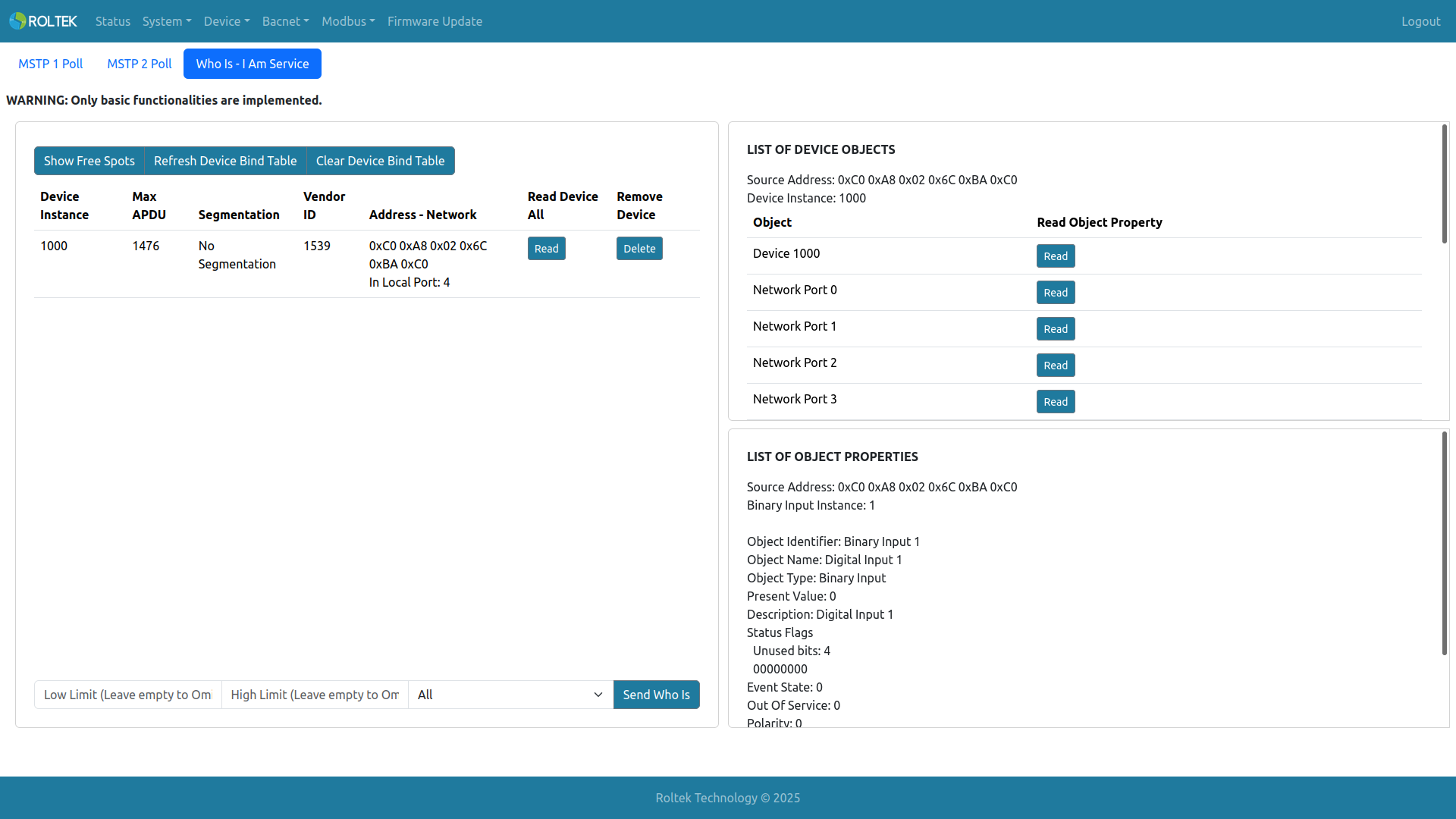
In the Who Is - I Am Service tab, all devices connected to us via this service are displayed. Up to 100 devices can be connected. Refresh Device Bind Table refreshes the table containing connected devices to update changes. Clear Device Bind Table deletes all currently connected devices in the table.
The Who Is message can be sent from the section below the table. This message can be sent as a global broadcast over any port or all ports. Optionally, a lower limit and upper limit can be entered for the service. If limits are not entered, the Who Is message will not include lower and upper limits.
If the user wants to perform basic monitoring of the desired device, objects and properties can be viewed from this menu. To be able to read, the target device must support read property in the object list property of the device object and read property multiple with the all property in all its objects.
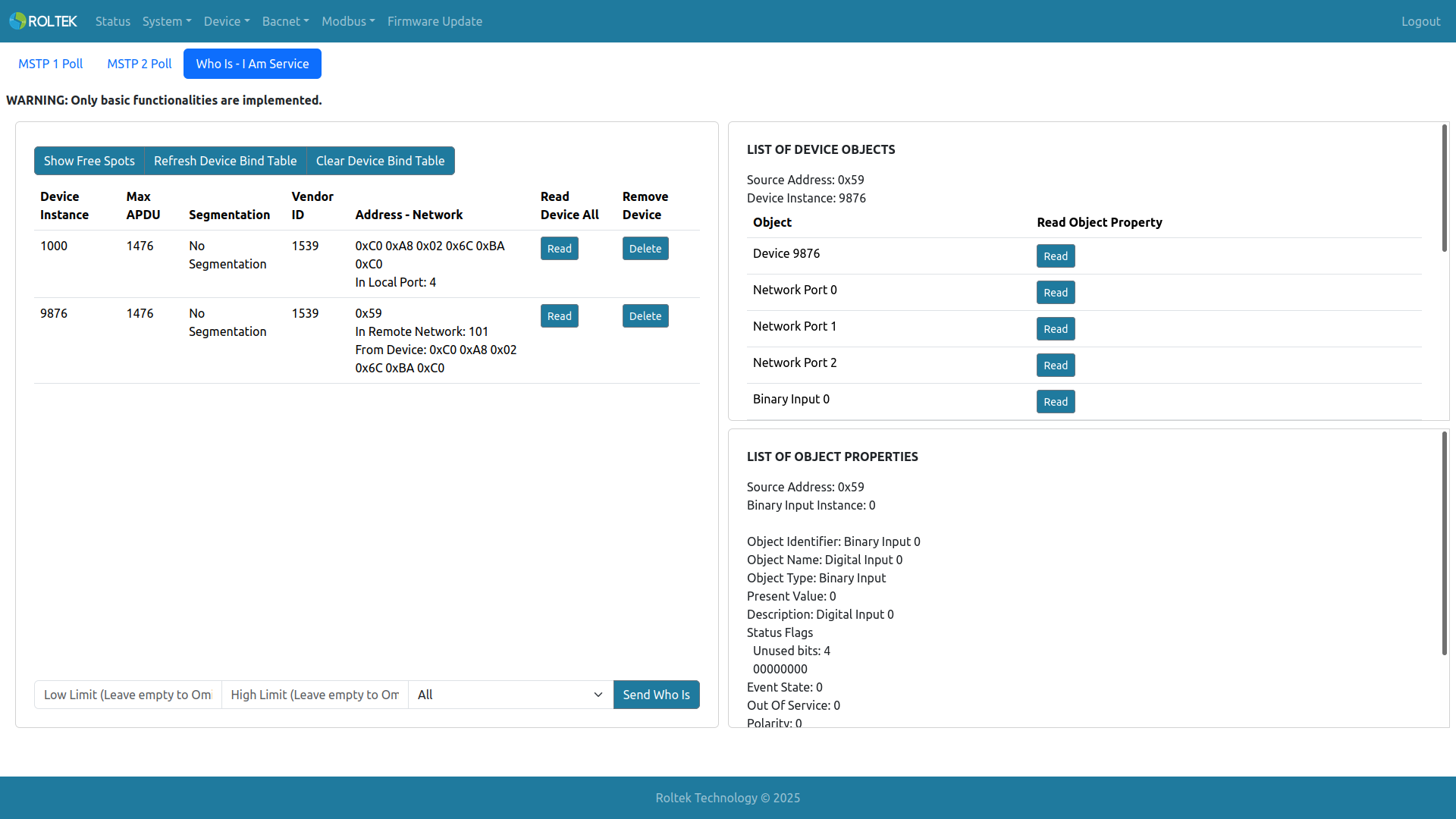
Below is another example of device readings taken from a remote network.
In the Manual Binding tab, manually bound devices are displayed. These devices can be added using the Add Device button. All devices can be deleted with Reset Devices, and the selected device can be deleted with Delete. The settings of the added device can be updated with Edit. A maximum of 50 manual devices can be added. A device from a remote network cannot be added.
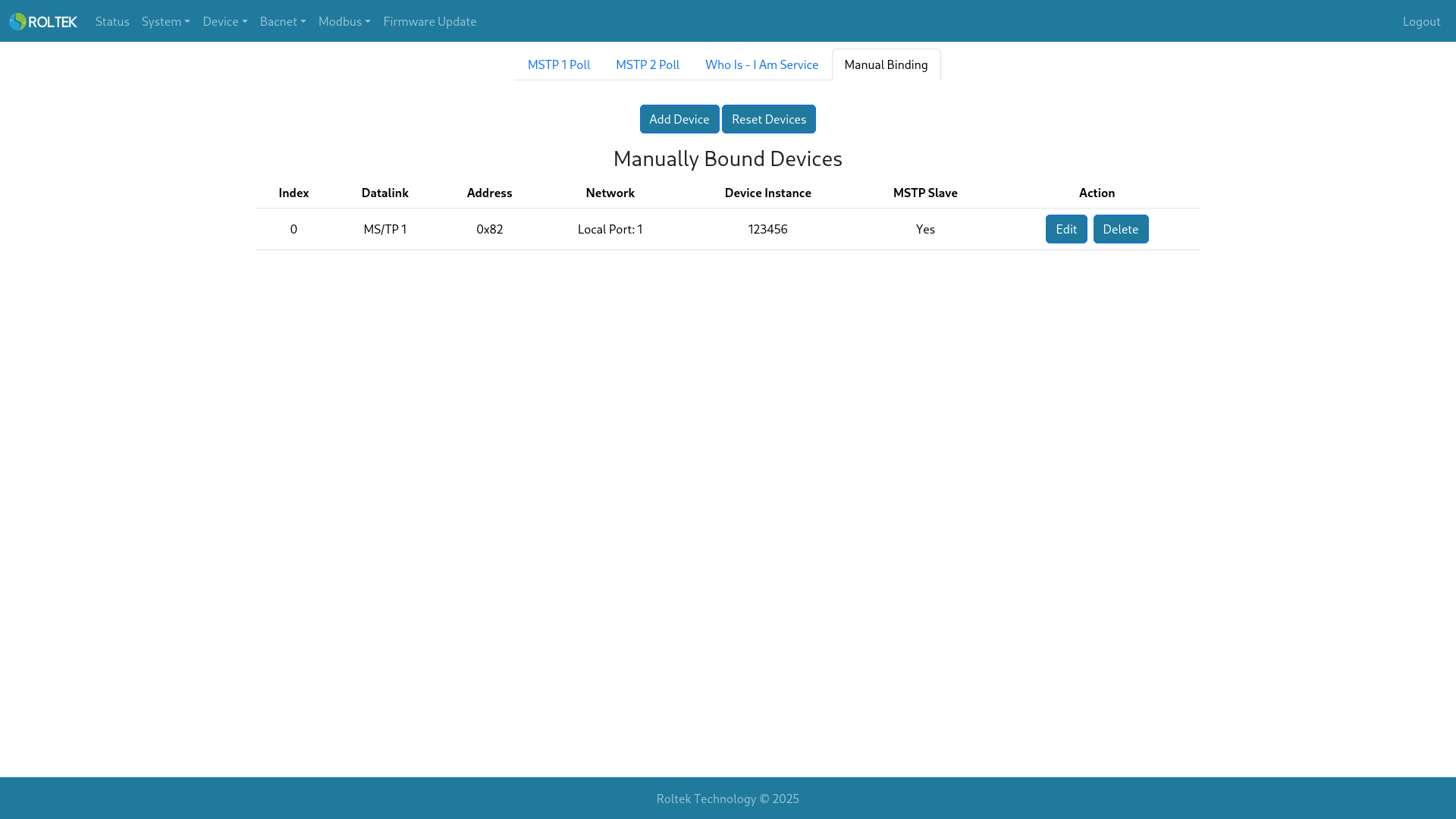
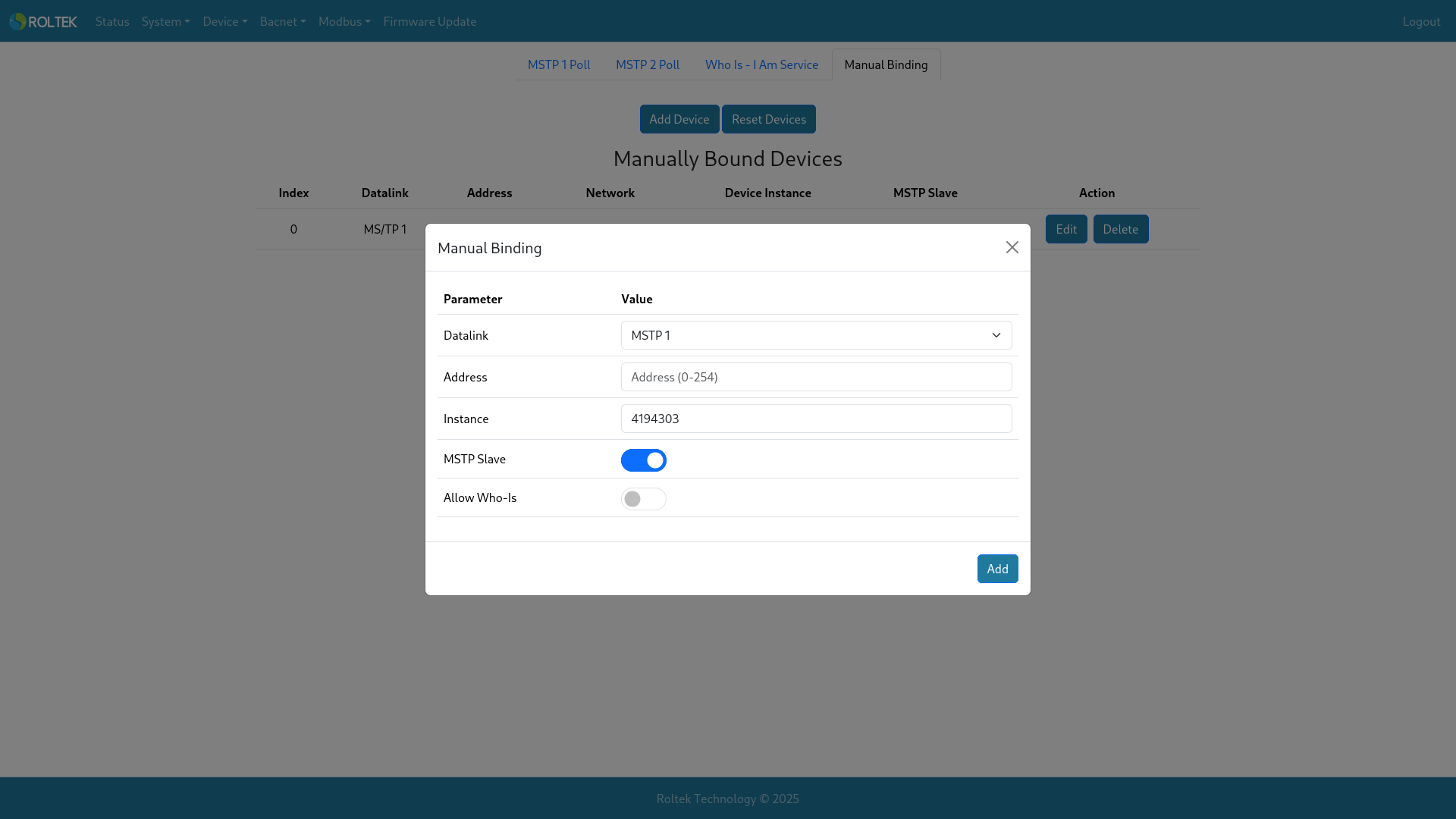
After clicking the Add Device button, a menu like the one below will appear.
- Datalink: Selects which datalink the device is on. Options: MSTP 1, MSTP 2, B/IP 1, B/IP 2.
- Address: If MSTP is selected, a MAC address between 0-254; if B/IP is selected, an address in the format IP:Port (192.168.0.2:47808).
- Instance: The Device Instance number of the device (0-4194303). If unknown, enter 4194303 and it will be discovered automatically.
- MSTP Slave: Only visible when MSTP 1/2 is selected. Used to add MSTP slave devices. A maximum of 16 MSTP slave devices can be added per MSTP port (32 in total).
After filling it out, the device is added by clicking the Add button.