BACnet Virtual Devices
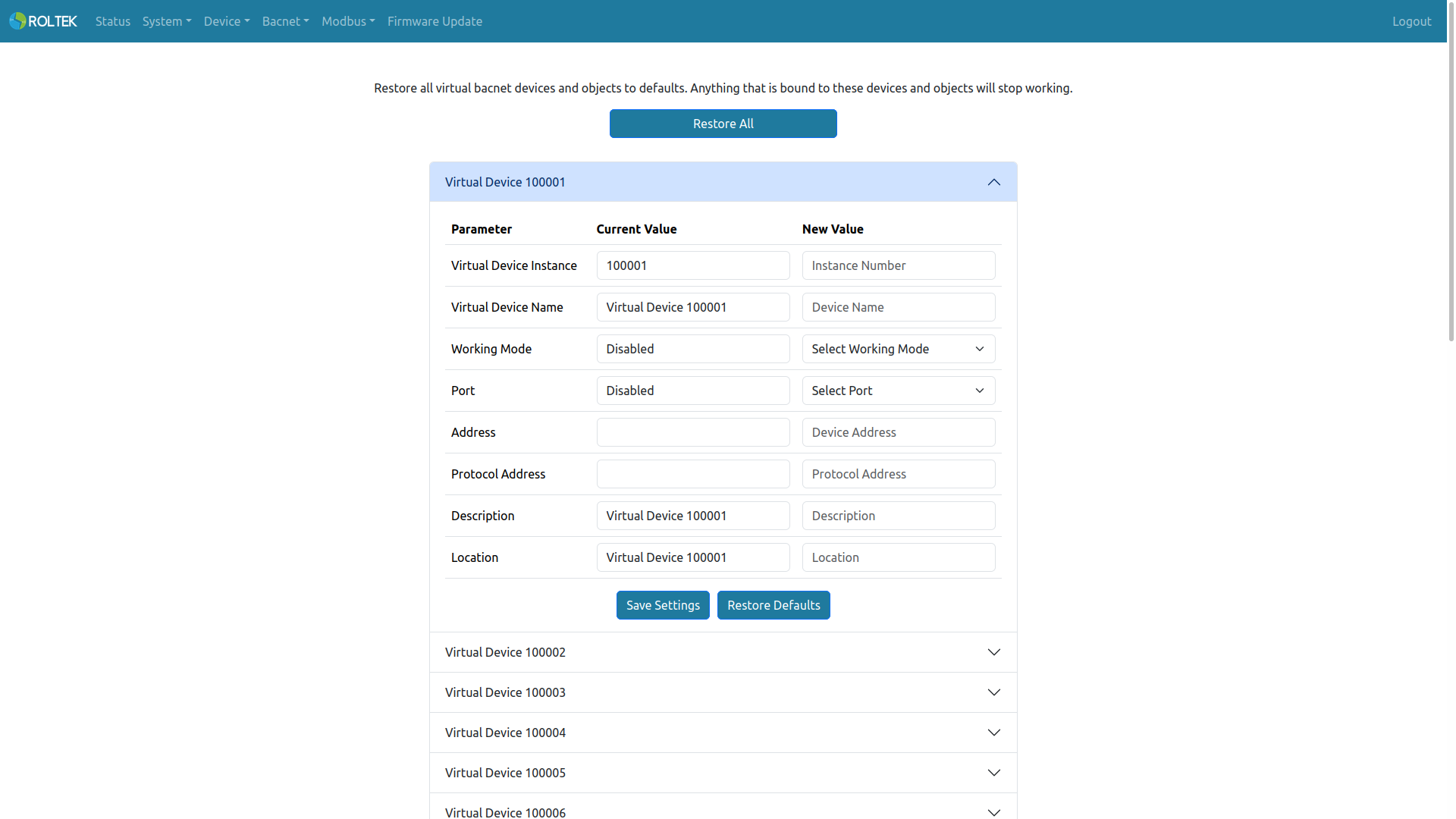
Virtual BACnet Devices are managed from this menu. To activate these devices, Working Mode and Port must be entered. For a virtual device to operate, the working mode of the corresponding port of the real device must match the working mode of the virtual device. A maximum of 20 BACnet Virtual Devices can be present.
- Virtual Device Instance: The object instance of the virtual device (BACnet Device Object). The allowed range is 0 - 4194303.
- Virtual Device Name: The name of the virtual device. The allowed length is 1-31. Only uppercase letters, lowercase letters, digits 0-9, space, comma, and period can be used.
- Working Mode: The working mode of the virtual device. Options: Disabled, Modbus RTU, Modbus TCP.
- Port: The communication port of the virtual device. Options: Disabled, RS485 1, RS485 2, Ethernet, Wi-Fi.
- Address (Slave ID): Valid when Working Mode is Modbus RTU or Modbus TCP. The valid range is 1 - 247.
- IPv4 Address & Port: Valid when Working Mode is Modbus TCP. XXX.XXX.XXX.XXX:XXXXX (e.g., 192.168.0.100:502)
- Location: The location of the virtual device. The allowed length is 1-31. Only uppercase letters, lowercase letters, digits 0-9, space, comma, and period can be used.
- Description: The description of the virtual device. The allowed length is 1-31. Only uppercase letters, lowercase letters, digits 0-9, space, comma, and period can be used.
Warning: The Restore All button resets all virtual devices and virtual objects to their default values. When used, everything connected to these virtual objects will be disrupted.
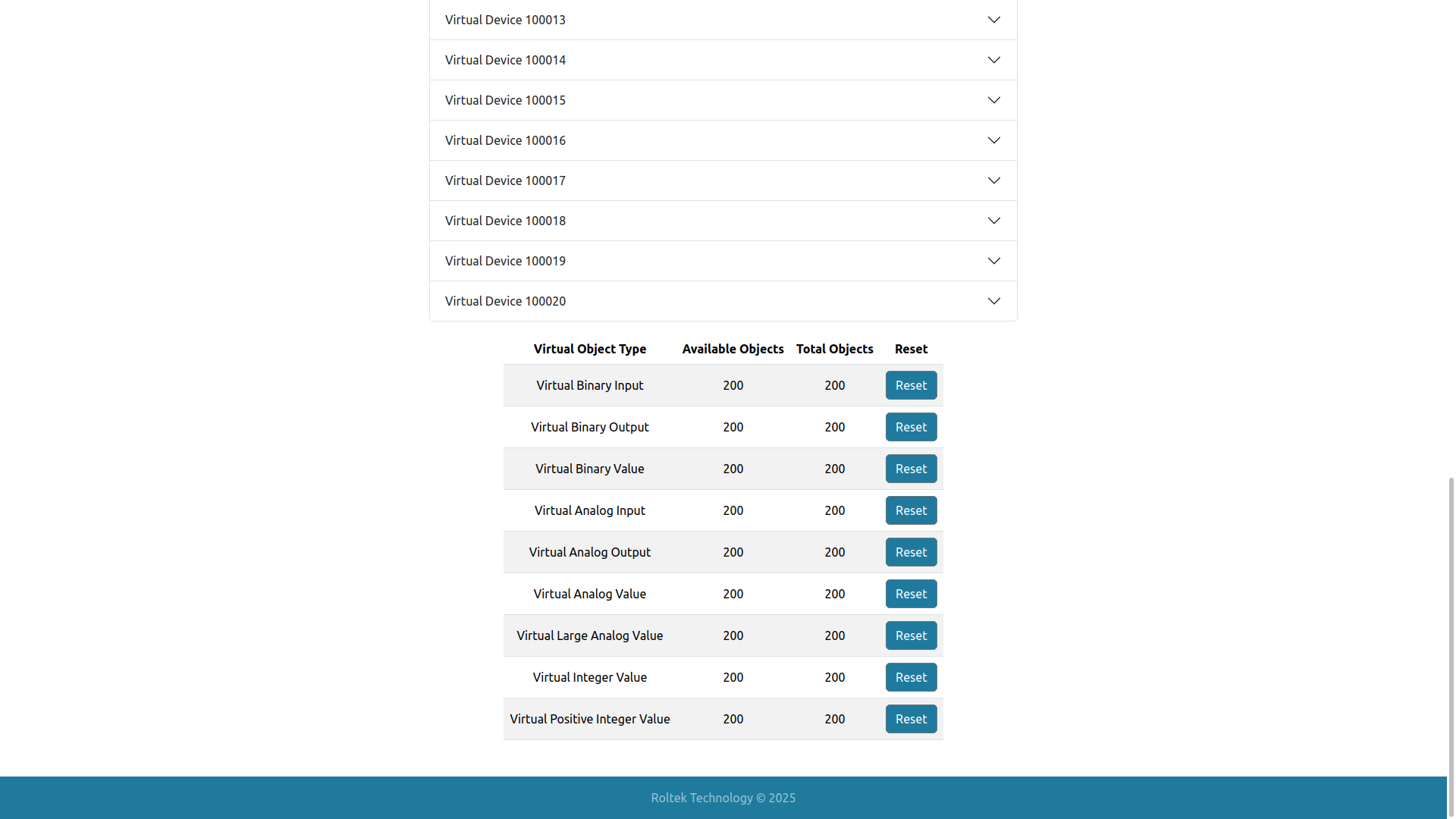
The supported Virtual BACnet Objects can be seen at the bottom of the page. This table shows how many objects there are and how many objects remain available. These objects can be reset using the Reset button. Supported objects:
- Binary Input
- Binary Output
- Binary Value
- Analog Input
- Analog Output
- Analog Value
- Integer Value
- Positive Integer Value
- Large Analog Value