LAN Interface
To view the local network settings of the RLTK430:
- Network
- LAN
menus can be followed. The LAN connection status will be visible. Reconnection can be attempted with the Connect button. The settings of the LAN network can be configured by clicking the Edit button.
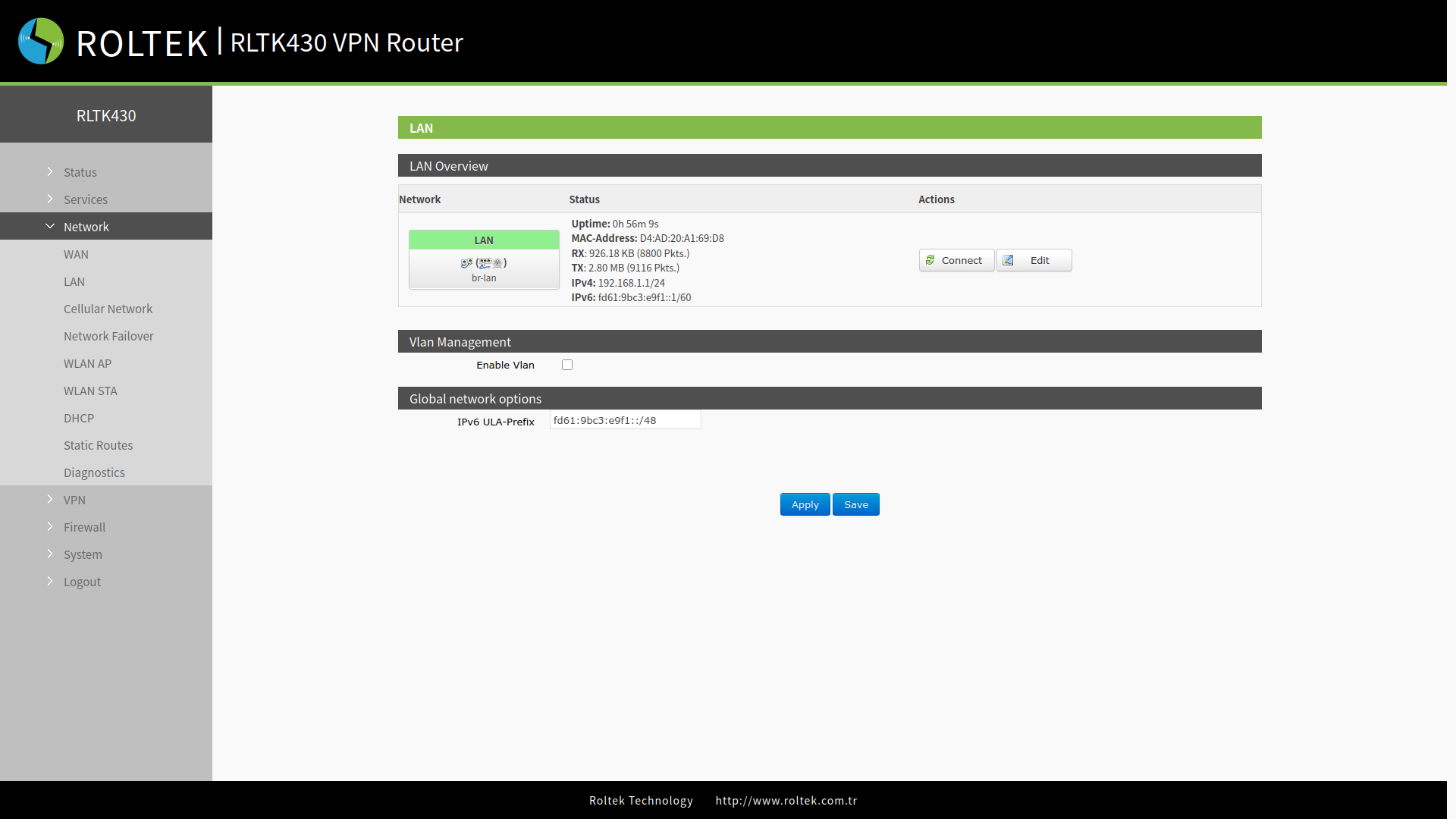
A value of uptime (operating time) of 0 on the interface indicates that the network card is not functioning normally.
| Parameter | Description |
|---|---|
| Uptime | Shows the duration this interface has been connected to the network. |
| MAC | Shows the MAC address of this interface. |
| RX/TX | Shows the amount of data received and sent after this interface is connected to the network. |
| IPv4 | Indicates that this interface uses the IPv4 protocol and shows the Network Address. |
LAN Settings
Settings can be accessed by clicking the Edit button located in LAN. The operating mode of the LAN interface can be selected from the Protocol section. By default, it is set to Static address. After making the settings, the Apply and Save buttons can be used to save the settings.
General Setup
Can be accessed by clicking the General Setup tab.
- The LAN interface uses the default static IP address of 192.168.1.1 and a subnet mask of 255.255.255.0. These parameters can be changed.
- The Wi-Fi interface (WLAN) and wired LAN are on the same LAN network.
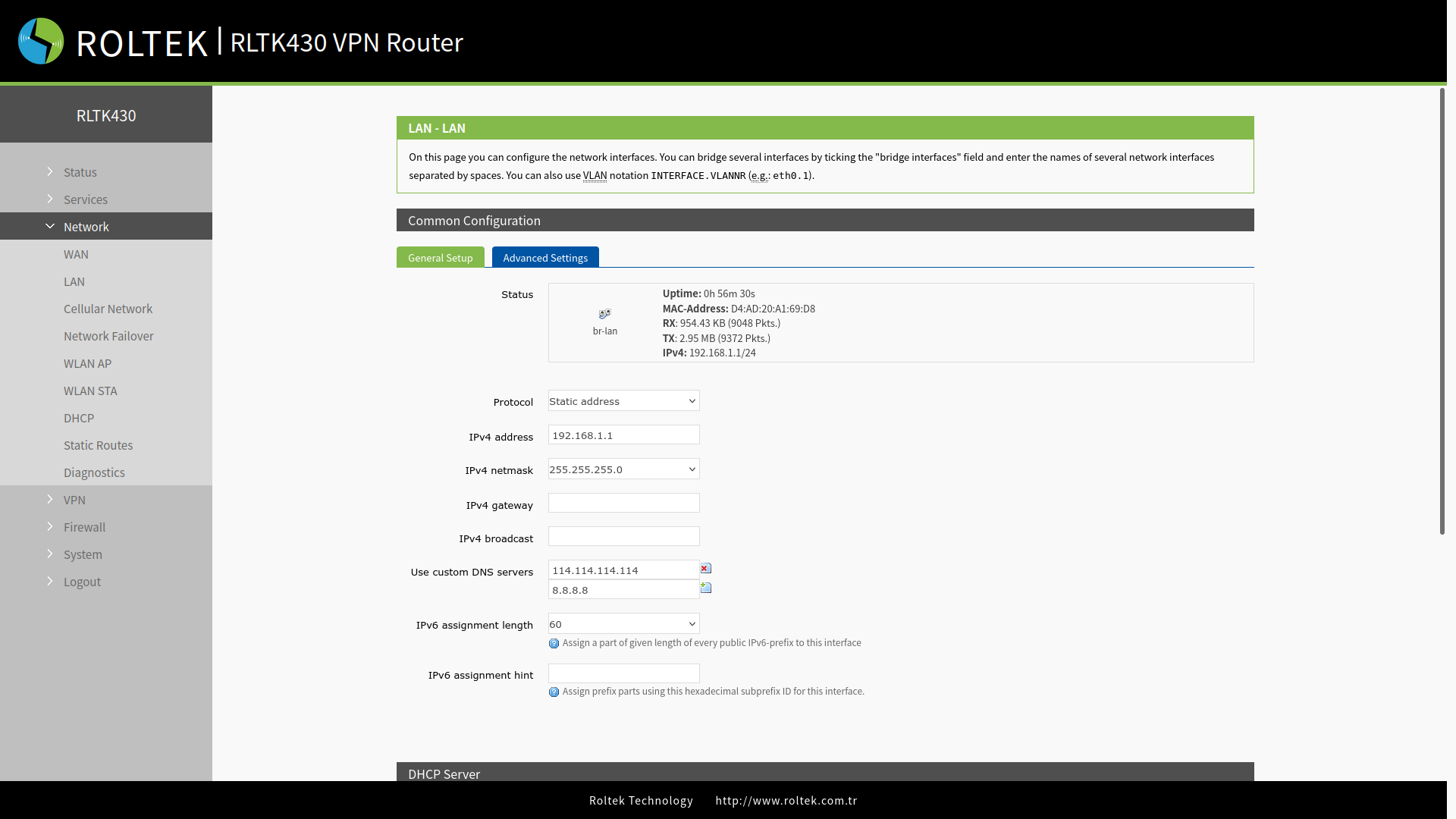
- IPv4 address: The static IP address of the RLTK430.
- IPv4 netmask: The subnet mask of the RLTK430.
- IPv4 gateway: The gateway IP address to which the RLTK430 will connect.
- IPv4 broadcast: The broadcast address that the RLTK430 will use.
- Use custom DNS servers: The DNS servers that the RLTK430 will use.
- IPv6 assignment length: A specific length of each public IPv6 prefix is assigned to this interface. The default value is 60.
- IPv6 assignment hint: Assign prefix segments for this interface using the entered hex subprefix ID.
Advanced Settings
Can be accessed by clicking the Advanced Settings tab.
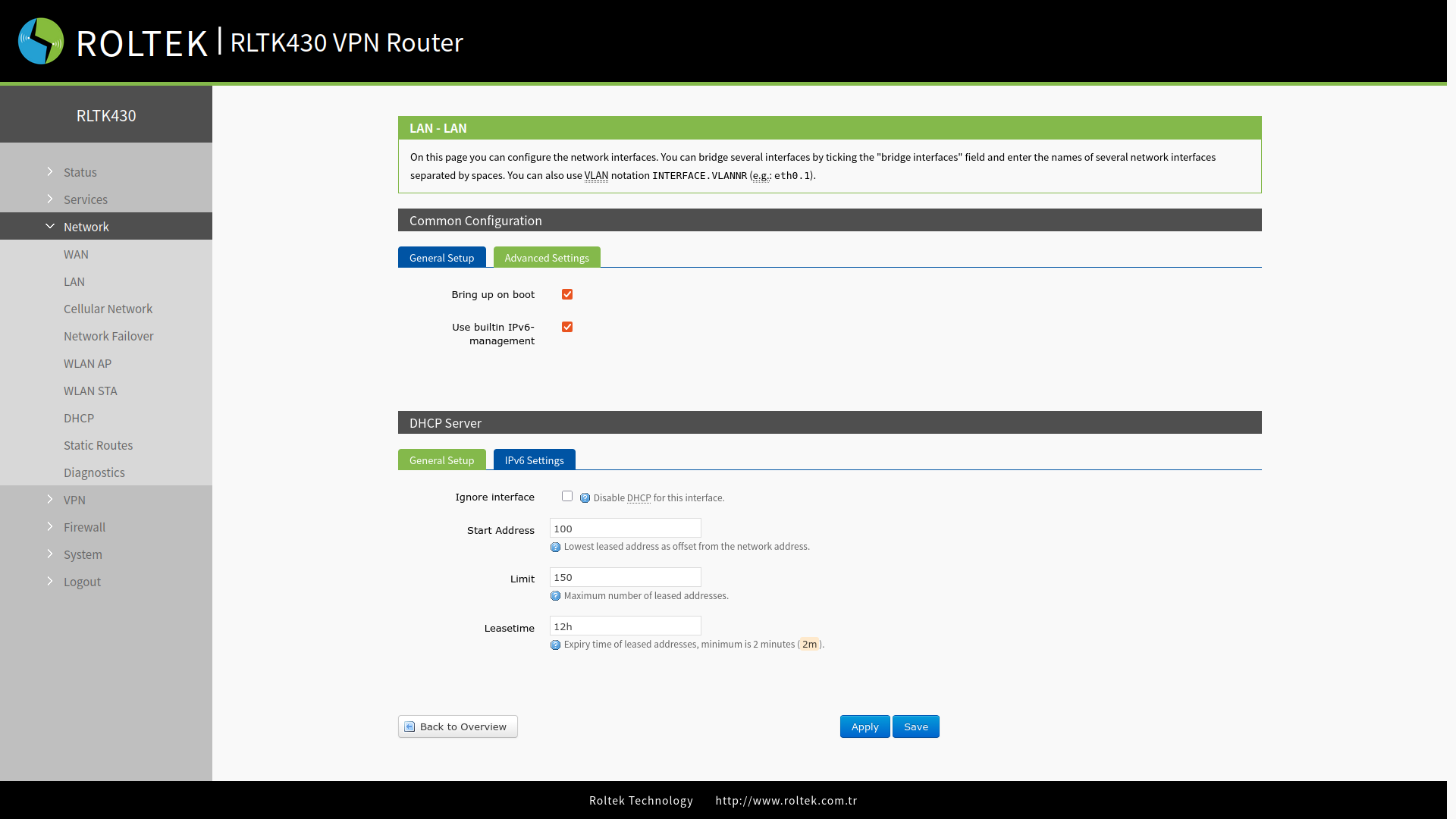
- Bring up on boot: Enable during boot.
- Use builtin IPv6-management: Use the built-in IPv6 management system.
DHCP Server
Located in the DHCP Server section. The DHCP server function is enabled by default, and all devices connected to the LAN port automatically receive an IP address (if the devices are set as DHCP Clients).
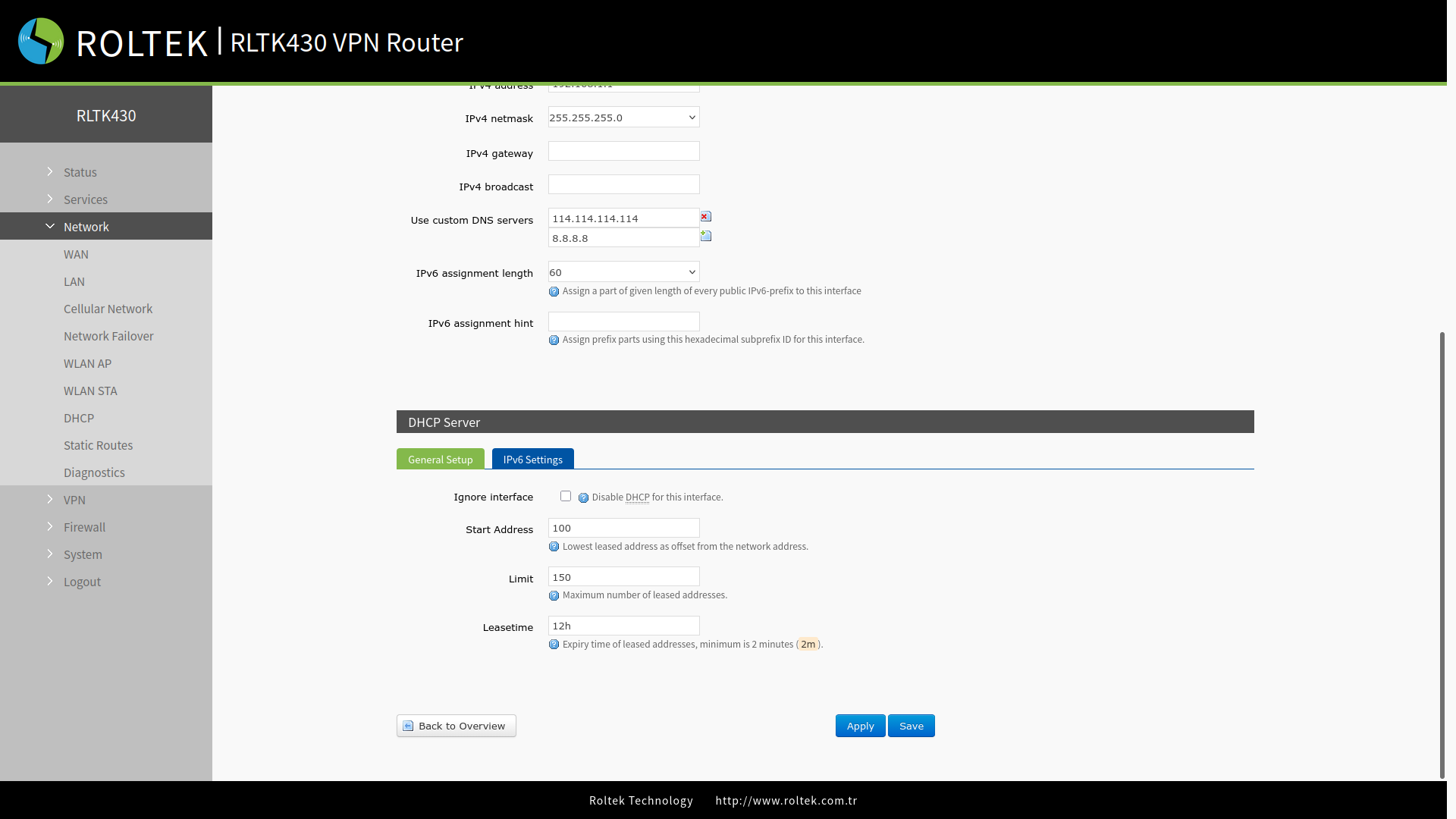
- Ignore interface: Ignore DHCP on this interface.
- Start Address: The starting address for DHCP assignments, assigned starting from 192.168.1.100 by default.
- Limit: The maximum number of addresses to be assigned by DHCP, set to 150 by default.
- Leasetime: The DHCP lease time, with a default lease time of 12 hours, and a minimum of 2 minutes can be selected.