4G Interface
The RLTK430 has a mobile/cellular interface that supports 4G/3G/2G for accessing the external network. To view it, you need to follow the menus:
- Network
- Cellular Network
After entering the settings, you must click the Save and Apply buttons to save the settings.
4G Settings
In the Config section, select the WAN_4G Settings tab.
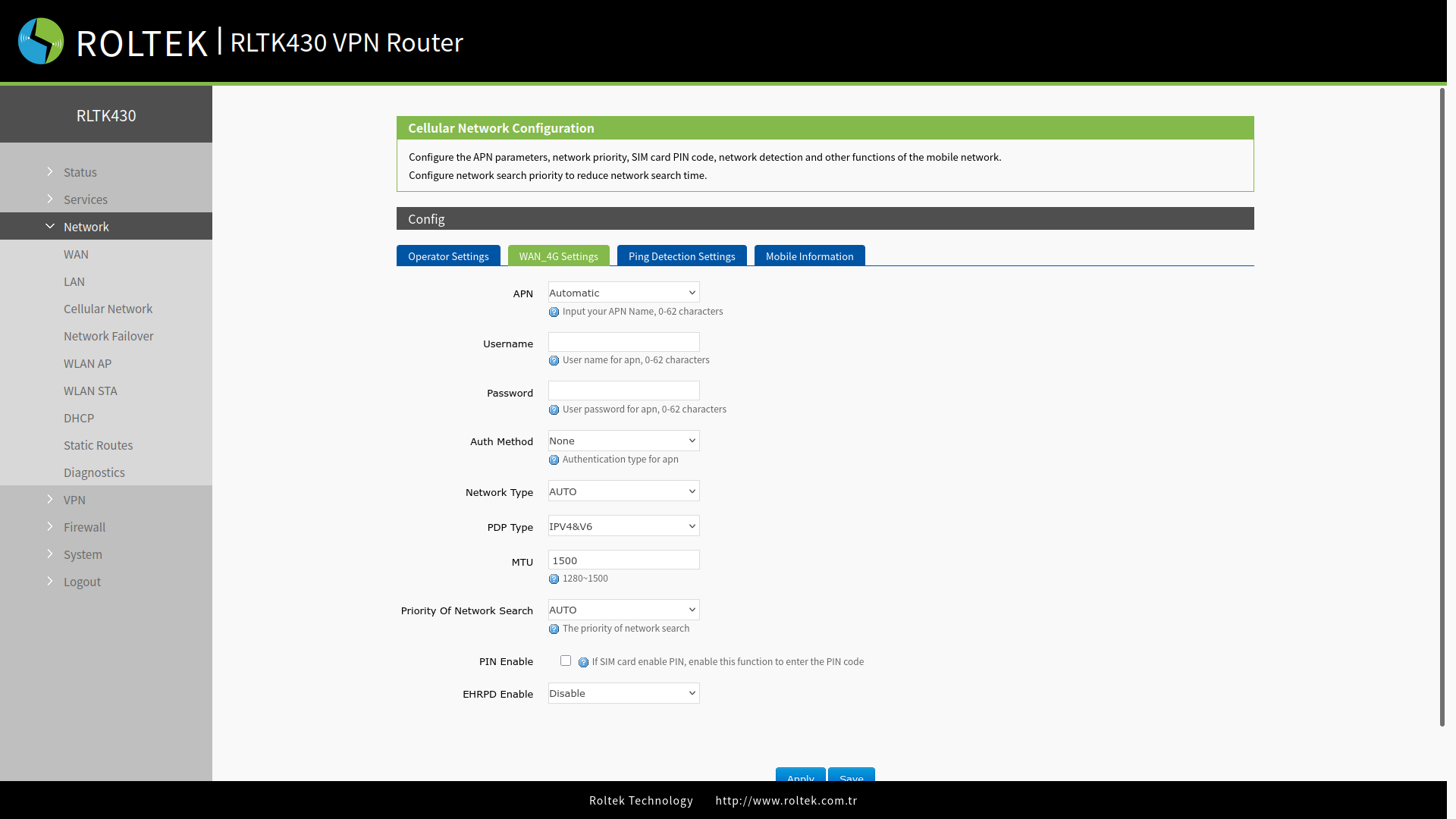
| Parameter | Description | Default Value |
|---|---|---|
| APN | Please set the correct APN address provided by the operator. | Automatic |
| Username | APN username. | None |
| Password | APN password. | None |
| Auth Method | APN authentication type: None / PAP / CHAP. | None |
| Network Type | Specifies the type of network to be used: AUTO / 2G / 3G / 4G. | AUTO |
| PDP Type | PDP type: IPV4 / IPV6 / IPV4&V6 | IPV4&V6 |
| MTU | MTU length can take a value between 1280 - 1500. | 1500 |
| Priority of Network Search | Allows you to set the network search priority: AUTO / 2G / 3G / 4G. | AUTO |
| PIN Enable | Enables the PIN code of the SIM card. | Disable |
| EHRPD Enable | Enables or disables the EHRPD feature when using a 3.5G network. | Disable |
Ping Detection Settings
In the Config section, select the Ping Detection Settings tab. After entering the settings, you must click the Save & Apply button to save the settings.
Ping detection is used to check the network status of the device and is disabled by default. After enabling this function, the device will attempt to ping the specified address and will retry after reaching the number of consecutive failures. It is recommended to enable this setting to avoid being disconnected from the network by the base station when no data is sent for a long time.
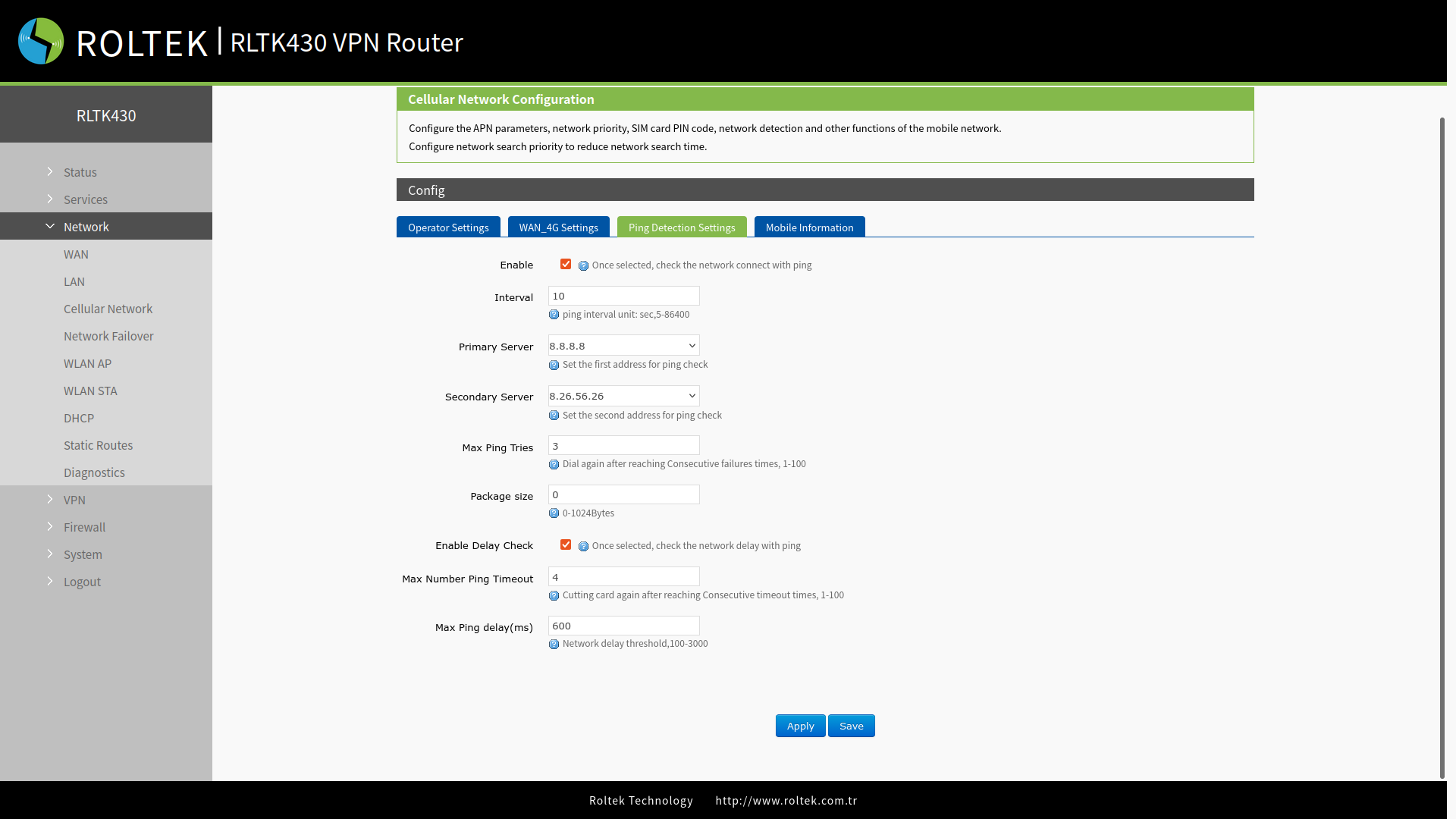
| Parameter | Description | Default Value |
|---|---|---|
| Enable | Enables or disables the ping monitoring feature. | Enabled |
| Interval | Time interval for sending pings (5–86400 seconds). | 10 |
| Primary Server | Primary address to ping (IP or domain name). | 114.114.114.114 |
| Secondary Server | Secondary address to ping (IP or domain name). | 8.8.8.8 |
| Max Ping Tries | Retry when the number of consecutive failed ping attempts reaches this value (a value between 1–100 can be entered). | 3 |
| Package size | Specifies the ping packet size (0-1024 Bytes) | 0 |
| Enable Delay Check | Enables or disables the network delay check with ping. | Enabled |
| Max Number Ping Timeout | When the number of consecutive timeouts reaches this value, the connection is re-established (1-100) | 4 |
| Max Ping delay (ms) | Threshold value for network delay. (100-3000 ms) | 600 |
Mobile Information
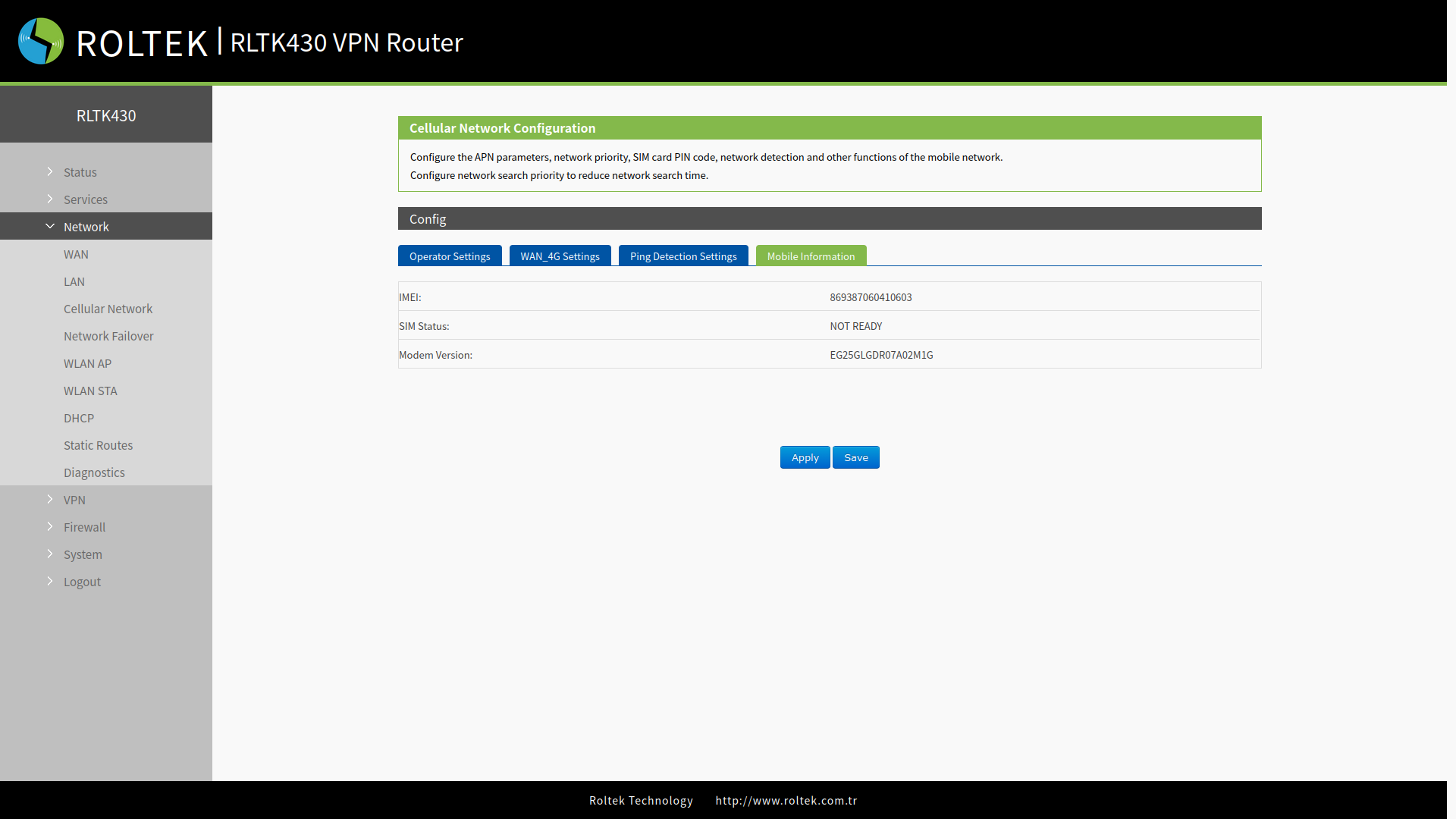
In the Config section, select the Mobile Information tab. Users can check detailed configuration information of their SIM card.
- The unit of signal strength is dBm and ASU. dBm is calculated as dBm=-113+2*ASU.
- The RLTK430 supports displaying signal strength via ASU. ASU values range from 1 to 31, and the higher the value, the better the signal strength.
- Generally, if dBm ≥ -90 dBm, ASU ≥ 12, the signal is normal.