WAN Interface
To view WAN settings:
- Network
- WAN
menus should be followed. WAN_WIRED corresponds to the wired WAN interface, while WAN_4G corresponds to the 4G WAN interface. The Connect button can be used to attempt reconnection. WAN network settings can be configured by clicking the Edit button.
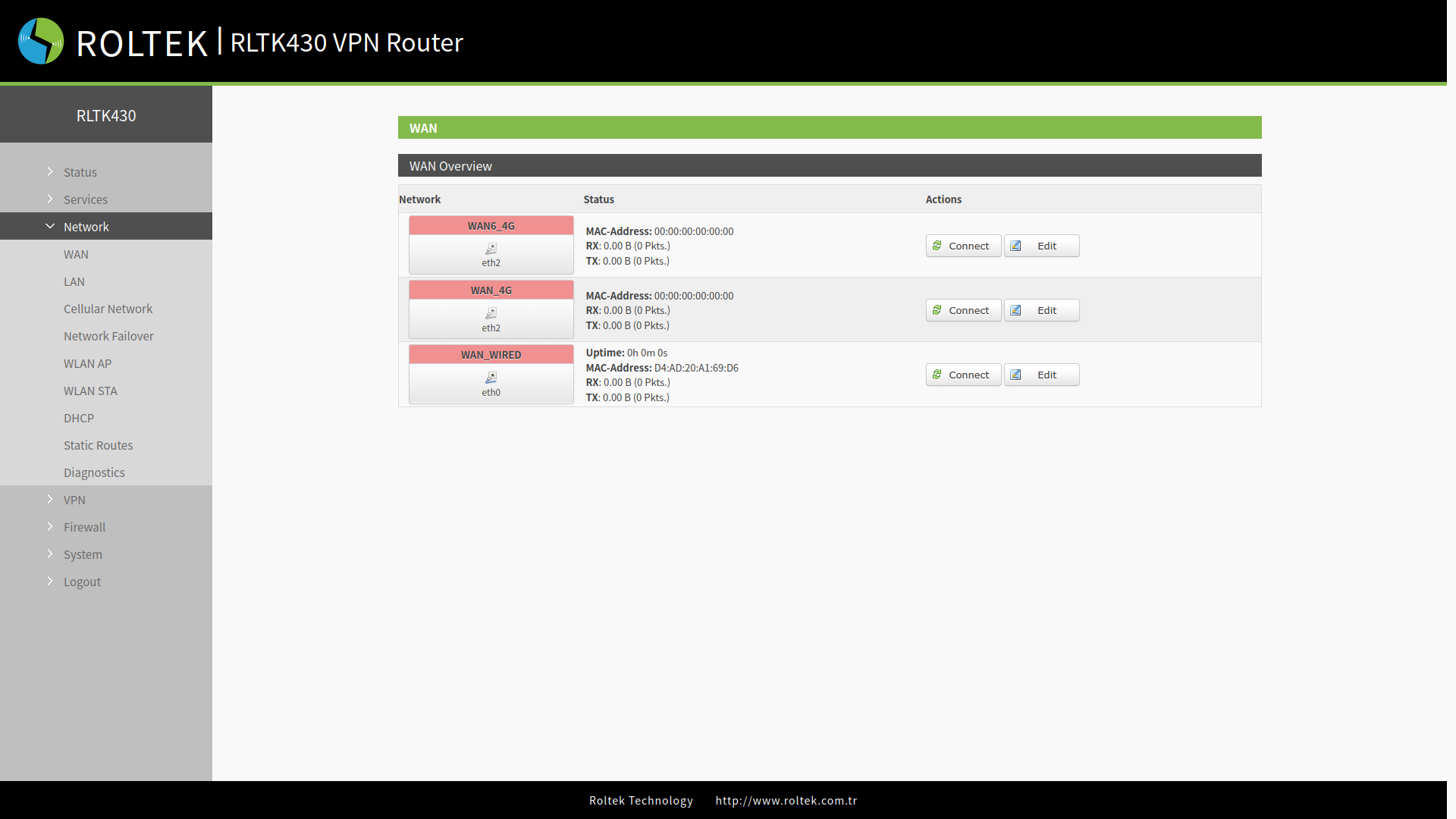
A value of uptime (operating time) of 0 on the interface indicates that the network card is not functioning normally.
| Parameter | Description |
|---|---|
| Uptime | Indicates the duration this interface has been connected to the network. |
| MAC | Shows the MAC address of this interface. |
| RX/TX | Indicates the amount of data received and sent after this interface is connected to the network. |
| IPv4 | Indicates that this interface uses the IPv4 protocol and shows the Network Address. |
WAN_4G Settings
Settings can be accessed by clicking the Edit button located in WAN_4G. For details, please check the 4G Interface section.
WAN_WIRED Settings
Settings can be accessed by clicking the Edit button located in WAN_WIRED. The operating mode of the WAN_WIRED interface can be selected from the Protocol section. By default, it is set to DHCP client. After making the settings, they can be saved using the Apply and Save buttons.
Advanced Settings
Can be accessed by clicking the Advanced Settings tab.
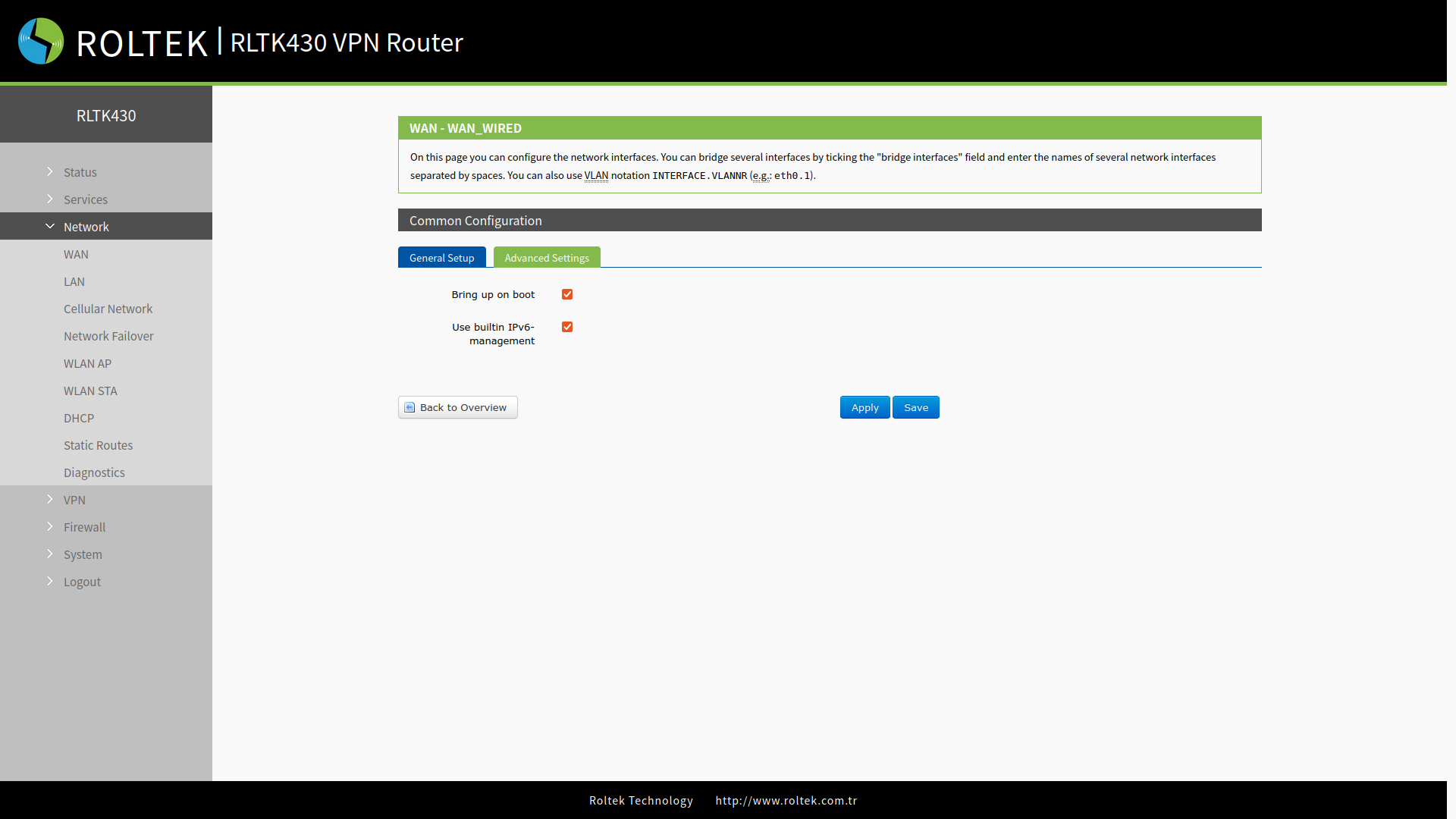
- Bring up on boot: Activate during boot.
- Use builtin IPv6-management: Use the internal IPv6 management system.
DHCP Client Mode
The IP address of the RLTK430 will be assigned by the connected router.
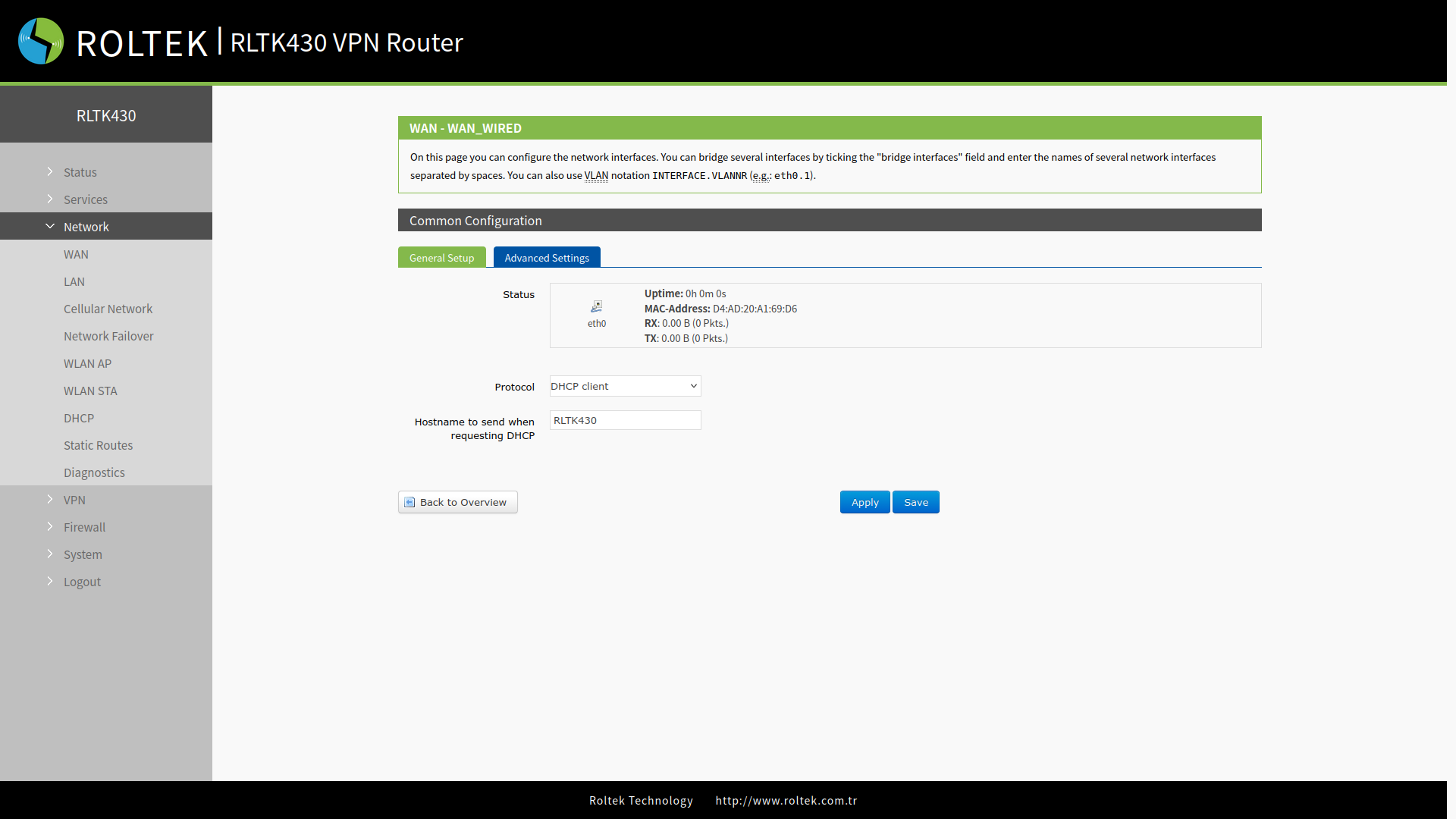
- Hostname to send when requesting DHCP: The hostname that RLTK430 will send when requesting DHCP.
Static Address Mode
The IP address of the RLTK430 will be set statically.
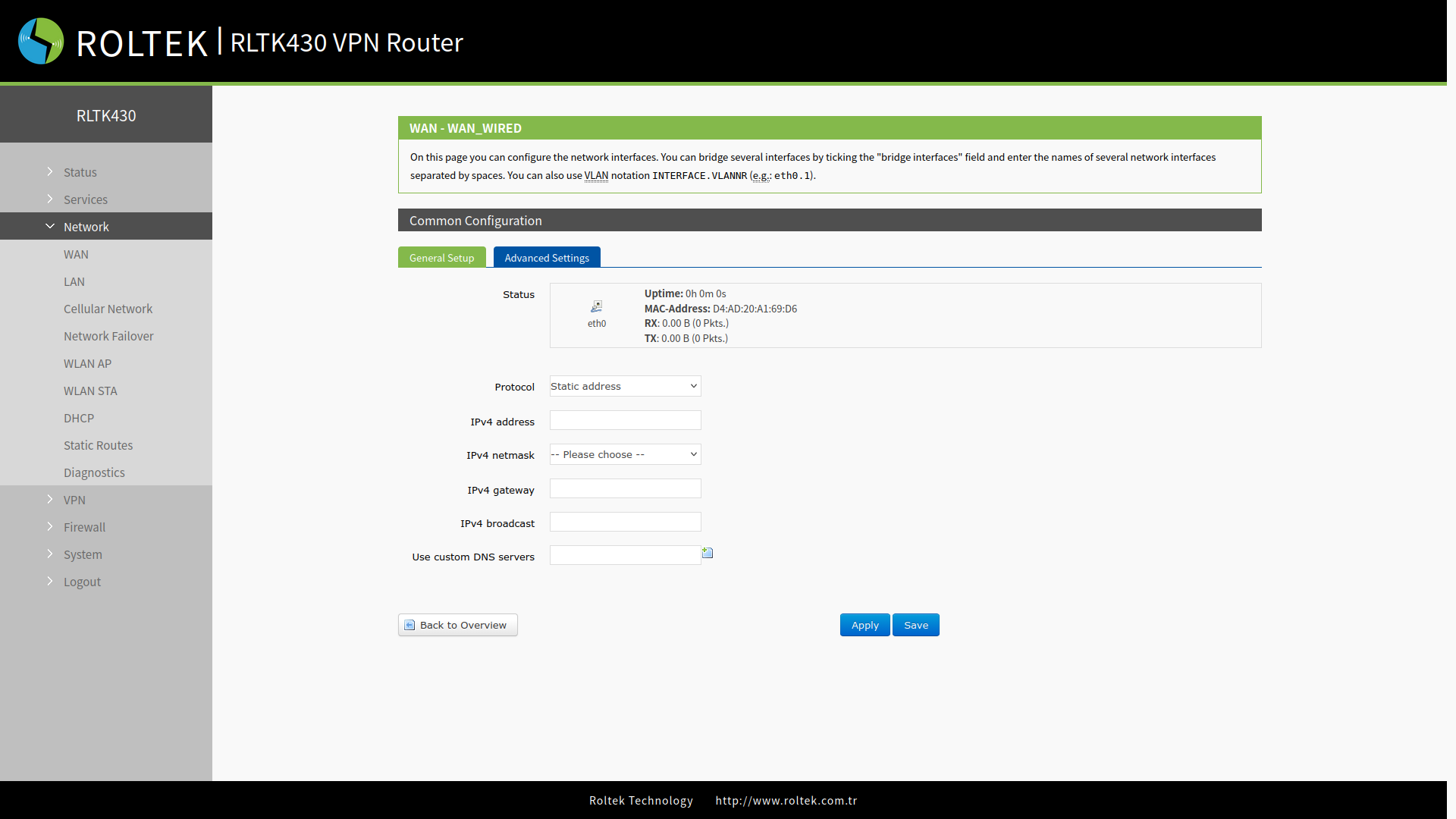
- IPv4 address: The static IP address of the RLTK430.
- IPv4 netmask: The network mask of the RLTK430.
- IPv4 gateway: The gateway IP address to which the RLTK430 will connect.
- IPv4 broadcast: The broadcast address that the RLTK430 will use.
- Use custom DNS servers: The DNS servers that the RLTK430 will use.
PPPoE
The username and password provided by the operator must be entered. This setting can be accessed from the General Setup tab.
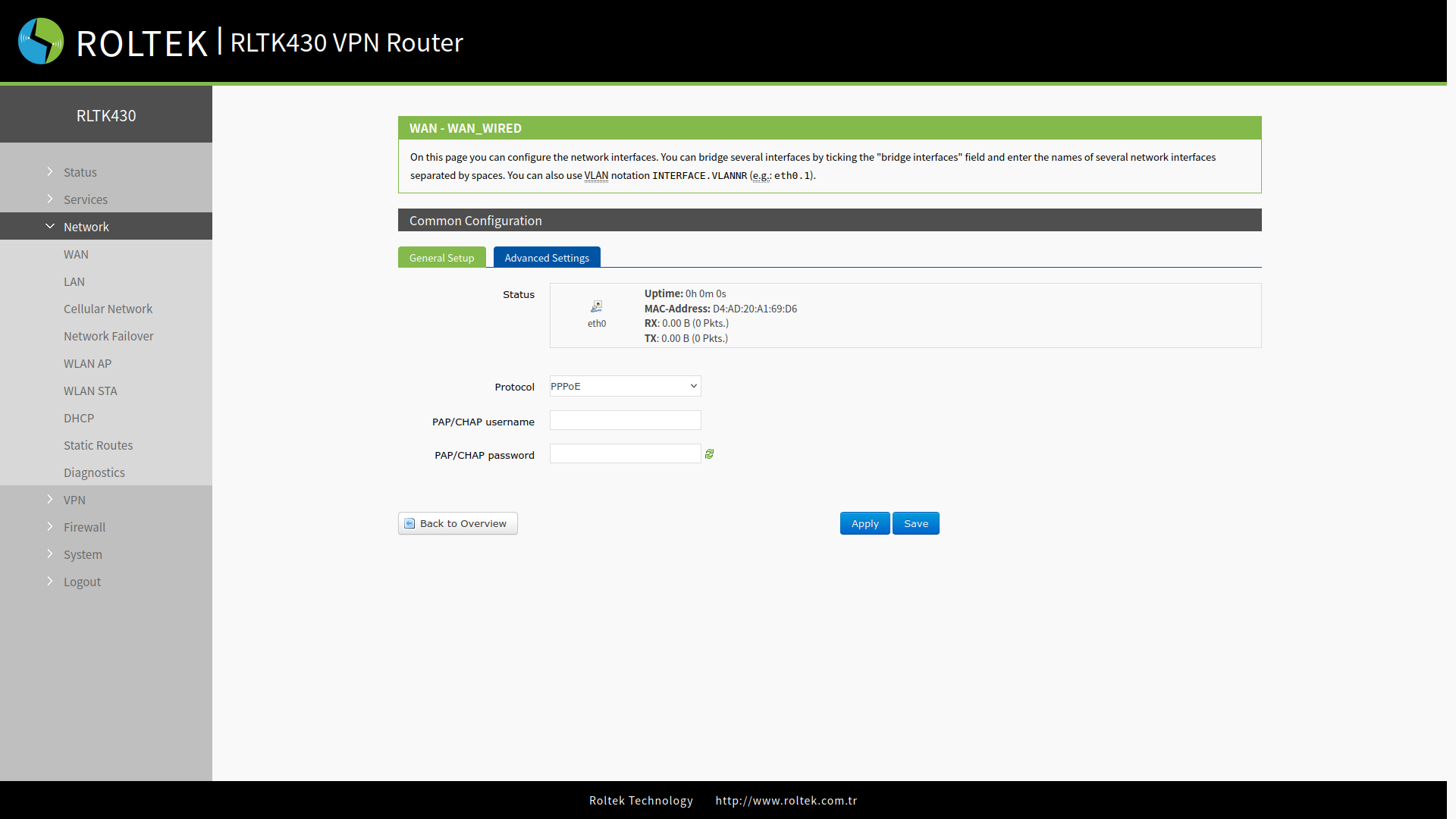
- PAP/CHAP username: Username.
- PAP/CHAP password: Password.
DNS and LCP settings are located in the Advanced Settings tab.
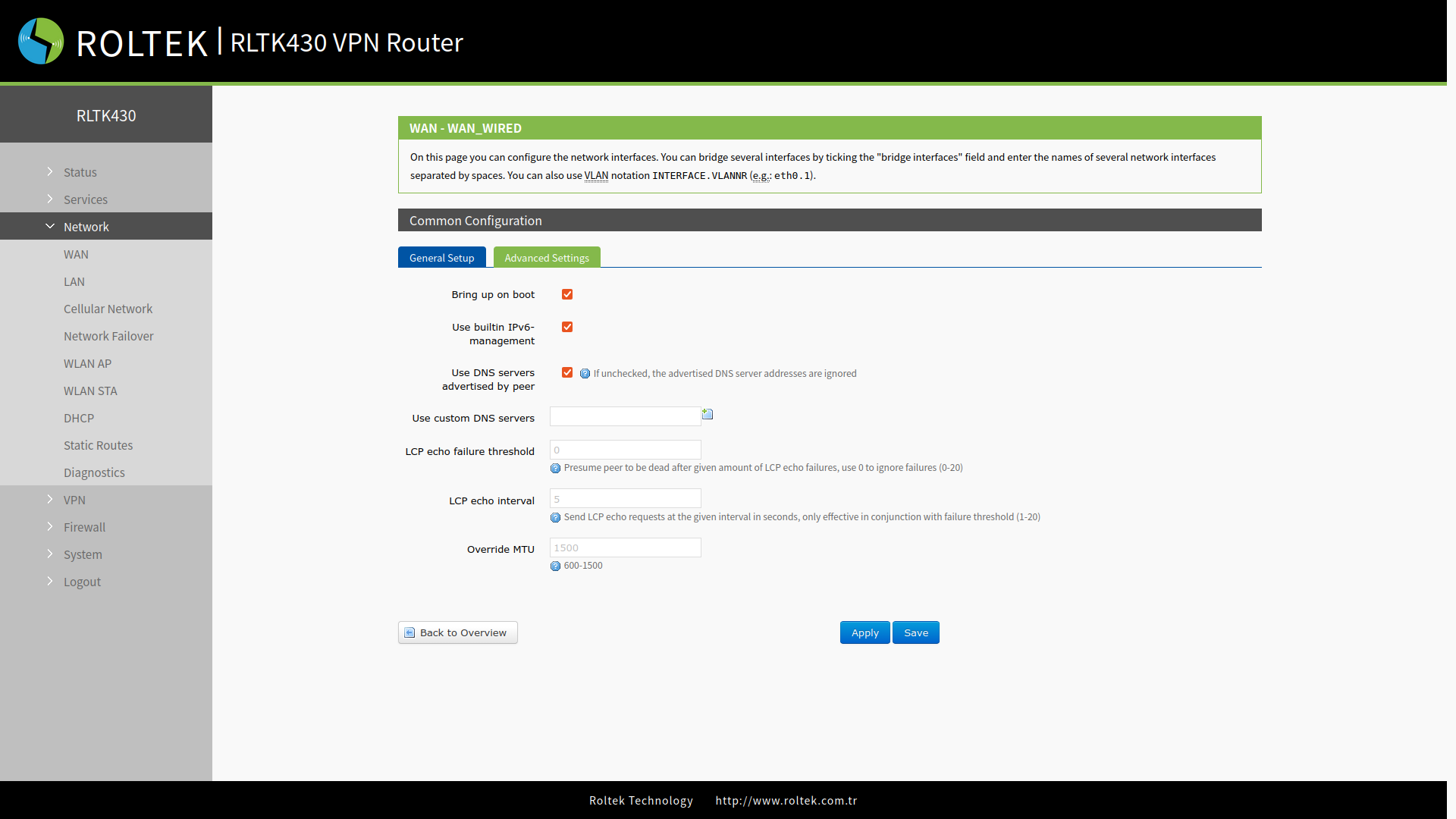
- Use DNS servers advertised by peer: If not selected, the advertised DNS server addresses are ignored.
- Use custom DNS servers: Custom DNS servers are added here.
- LCP echo failure threshold: After the specified LCP echo failure, the peer is assumed to be gone. It takes a value between 0 - 20. A value of 0 ignores errors.
- LCP echo interval: The interval for sending LCP echoes, measured in seconds. It is effective when the LCP echo failure threshold is triggered (1 - 20).
- Override MTU: Maximum Transmission Unit, the length of the payload. It takes a value between 600 - 1500.