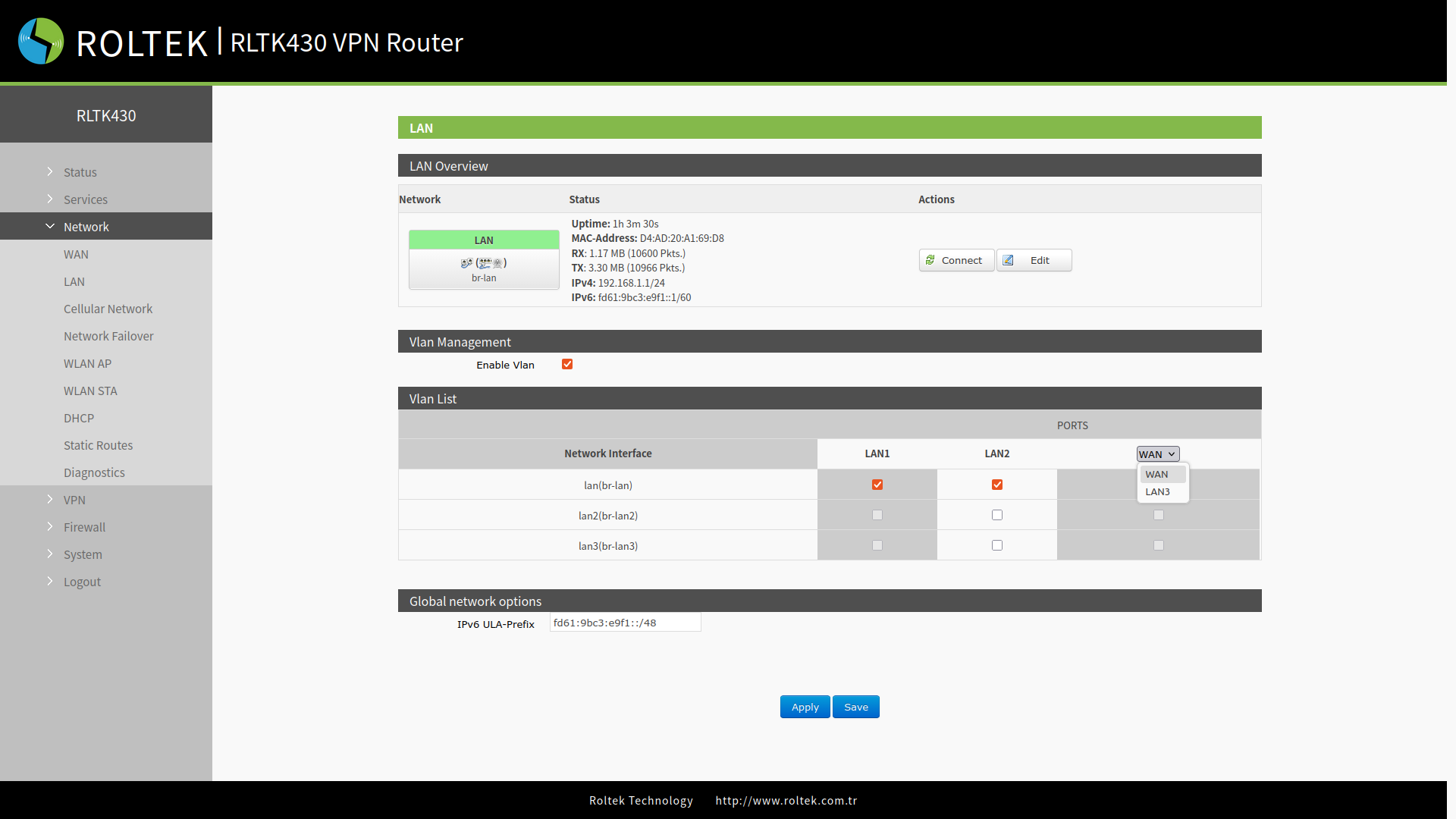
VLAN Settings
To view the VLAN settings of the RLTK430:
- Network
- LAN
sections should be followed, then Vlan Management section's Enable Vlan should be activated.
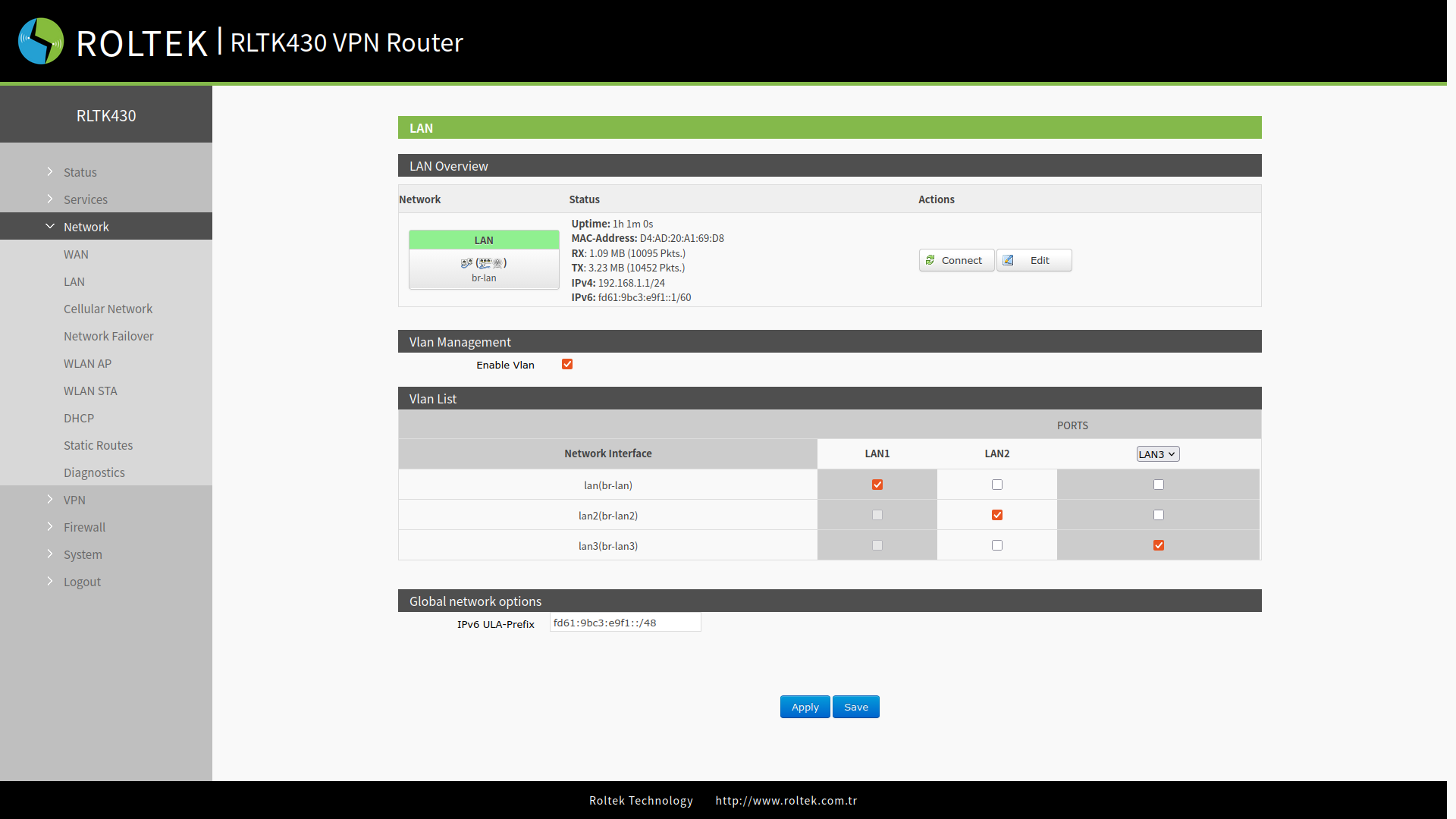
| Parameter | Description | Default Value |
|---|---|---|
| Enable VLAN | Enable or disable VLAN. | Disable |
| LAN 1 interface | Cannot be configured. | lan |
| LAN 2 interface | A selection can be made between lan - lan3. | lan |
| LAN 3 interface (First, WAN should be selected instead of LAN3) | A selection can be made between lan - lan3. | lan |
WAN/LAN3 Mode Selection
To configure the WAN/LAN3 settings of the RLTK430:
- Network
- LAN
sections should be followed, then Vlan Management section's Enable Vlan should be activated. In the table under PORTS, the WAN / LAN3 setting can be configured.