Network Failover
To view the settings:
- Go to Network
- Navigate to the Network Failover section
Network priorities are determined in this section. The descriptions of the relevant settings are provided in the table below. After making your settings, save your changes with the Save and Apply buttons.
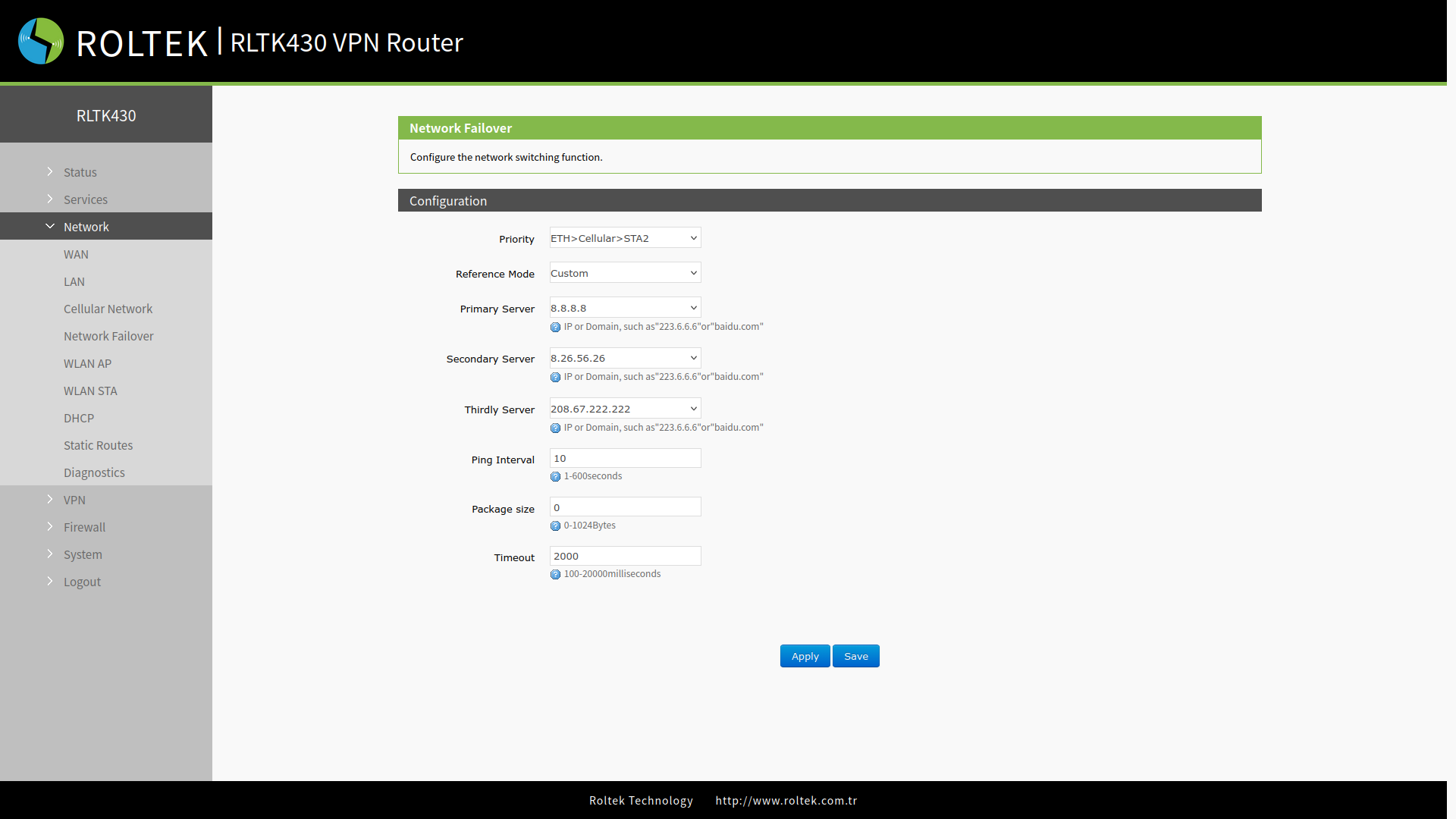
| Parameter | Description | Default Value |
|---|---|---|
| Priority | Specifies the priority of the networks to be used. Options: ETH>Cellular>STA2, Cellular>ETH>STA2, ETH>STA2>Cellular, STA2>ETH>Cellular, Disable | ETH>Cellular>STA |
| Reference Mode | Custom: The router will ping a custom reference address/domain name to check if the current connection is active. Gateway: The router will ping the gateway to check if the current connection is active. | Custom |
| Primary Server | IP Address / domain name | 8.8.8.8 |
| Secondary Server | IP Address / domain name | 8.26.56.26 |
| Thirdly Server | IP Address / domain name | 208.67.222.222 |
| Ping Interval (s) | Set the ping interval, 1-600s. | 10 |
| Package size(byte) | Set the packet size, 32-1024 bytes. | 100 |
| Timeout (ms) | Ping timeout, 100-2000ms | 2000 |
- If none of these three IP addresses/domain names can be pinged, the device will change the network connection and initiate the next ping detection cycle.