I/O
In the I/O menu, the status of digital inputs and digital outputs, as well as information and configuration related to BACnet, can be viewed. The Digital Inputs and Digital Outputs tabs are used to switch between input and output views.
Digital Inputs
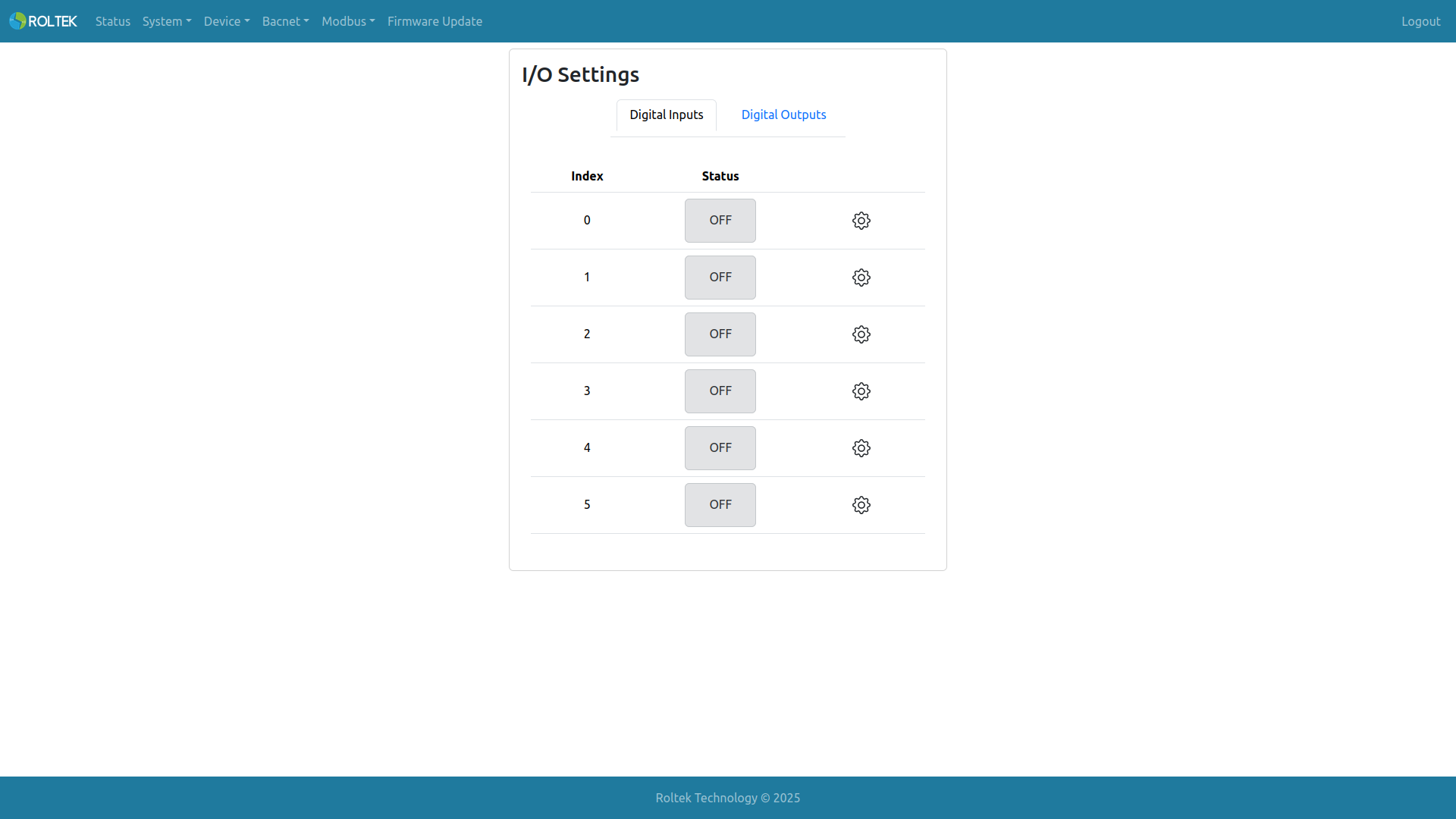
Here, the status of 6 digital inputs (from Digital Input 0 to Digital Input 5) is monitored. When the input is off, Status is indicated by a gray icon with OFF written inside. When the input is on, Status is indicated by a green icon with ON written inside. To configure the input, the user must click on the gear icon corresponding to the relevant index.
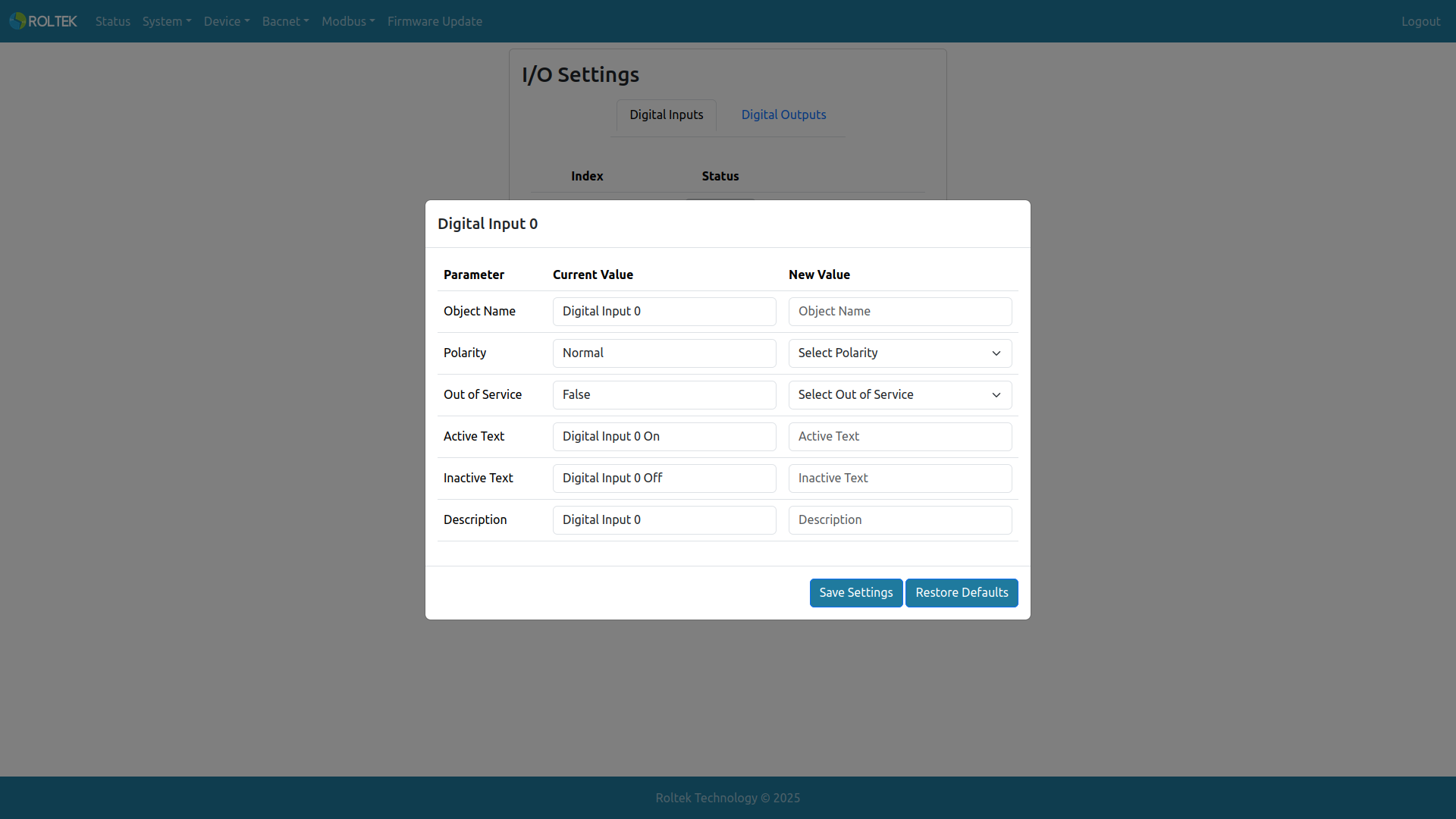
Here, digital input settings related to BACnet can be configured.
- Object Name: The object name of the digital input (BACnet Binary Input Object). The allowed length is 1-31. Only uppercase letters, lowercase letters, digits 0-9, space, comma, and period can be used.
- Polarity: The polarity feature of the BACnet object. Normal: Input readings are normal. Reverse: Input readings are inverted.
- Out of Service: The out of service feature of the BACnet object. False: Input is read directly from the hardware. True: The device stops reading from the hardware.
- Active Text: The active text feature of the BACnet object. The allowed length is 1-31. Only uppercase letters, lowercase letters, digits 0-9, space, comma, and period can be used.
- Inactive Text: The inactive text feature of the BACnet object. The allowed length is 1-31. Only uppercase letters, lowercase letters, digits 0-9, space, comma, and period can be used.
- Description: The description feature of the BACnet object. The allowed length is 1-31. Only uppercase letters, lowercase letters, digits 0-9, space, comma, and period can be used.
Digital Outputs
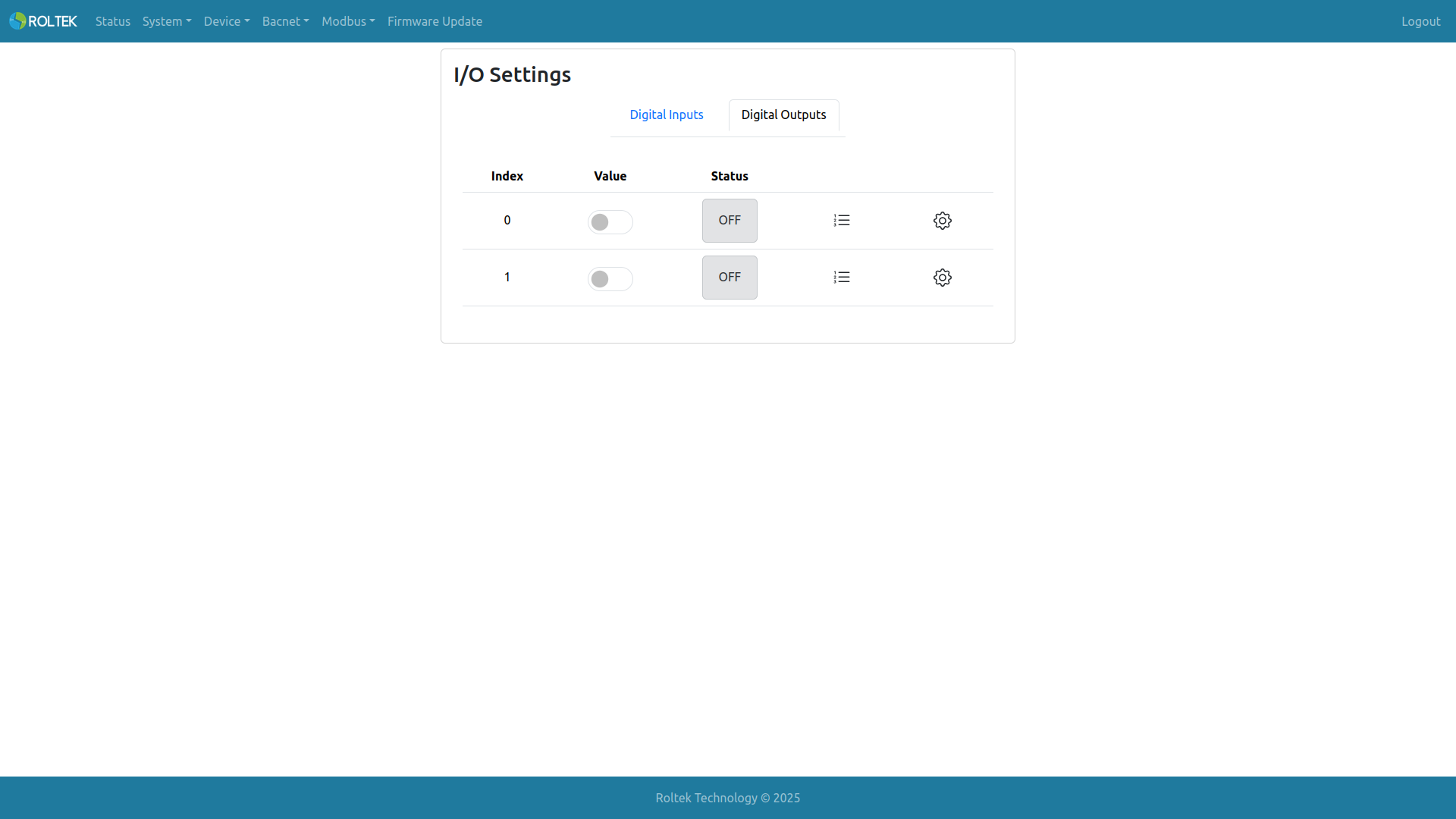
Here, the status of 2 digital outputs (Digital Input 0 and Digital Input 1) is monitored. When the output is off, Status is indicated by a gray icon with OFF written inside. When the output is on, Status is indicated by a green icon with ON written inside. If the current BACnet priority of the device's output is on, Value becomes active. If the current BACnet priority is off, Value becomes inactive. Depending on the priority values, Value and Status can take different values. To configure the output, the user must click on the gear icon corresponding to the relevant index.
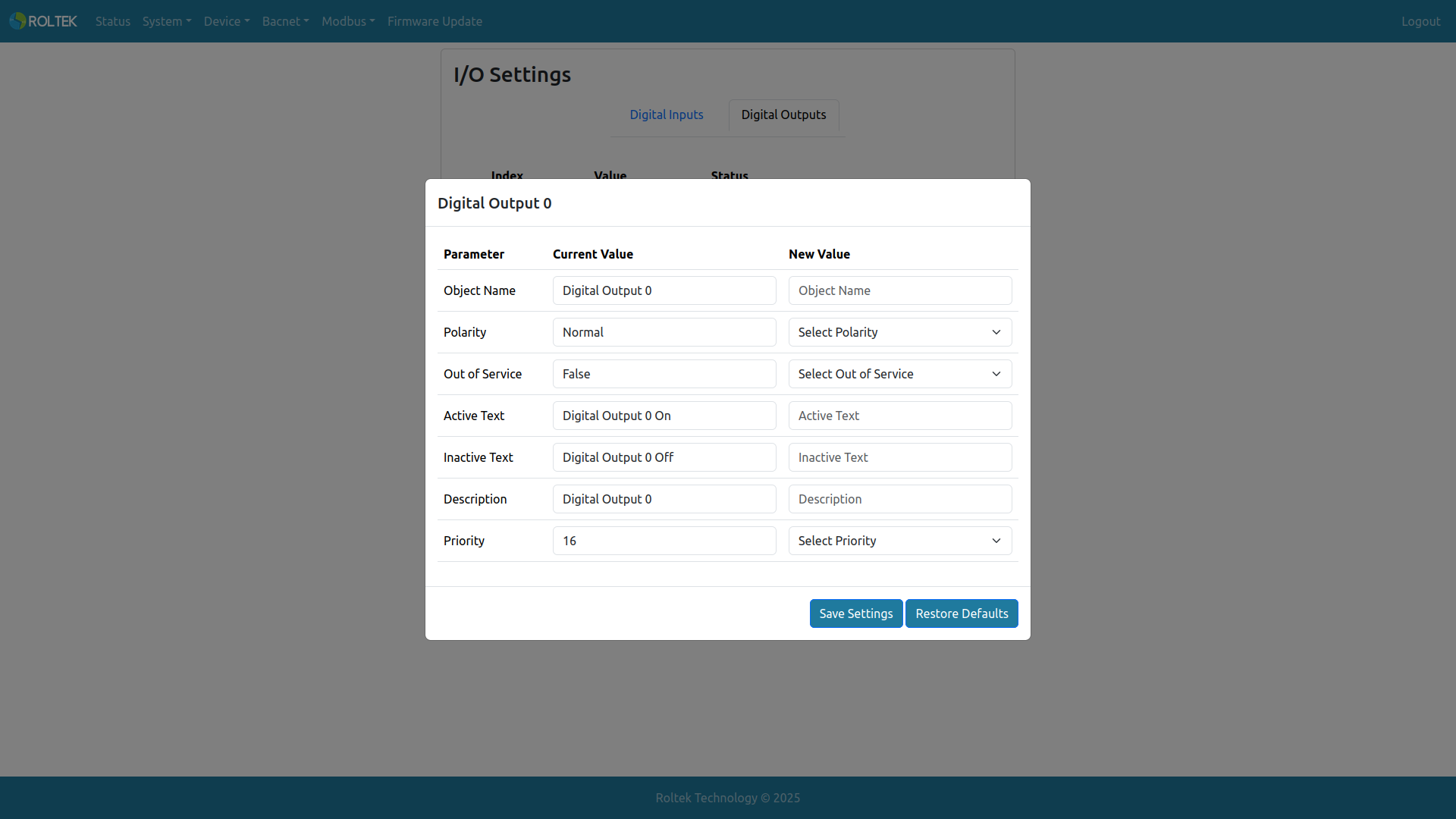
- Object Name: The object name of the digital output (BACnet Binary Output Object). The allowed length is 1-31. Only uppercase letters, lowercase letters, digits 0-9, space, comma, and period can be used.
- Polarity: The polarity feature of the BACnet object. Normal: Output is normal. Reverse: Output is inverted.
- Out of Service: The out of service feature of the BACnet object. False: Output is written directly to the hardware. True: The device stops writing to the hardware.
- Active Text: The active text feature of the BACnet object. The allowed length is 1-31. Only uppercase letters, lowercase letters, digits 0-9, space, comma, and period can be used.
- Inactive Text: The inactive text feature of the BACnet object. The allowed length is 1-31. Only uppercase letters, lowercase letters, digits 0-9, space, comma, and period can be used.
- Description: The description feature of the BACnet object. The allowed length is 1-31. Only uppercase letters, lowercase letters, digits 0-9, space, comma, and period can be used.
- Priority: The priority feature of the BACnet object. It is used to select the output priority for the web UI. It can take values between 1 - 16. 1 is the highest priority, and 16 is the lowest priority.
By clicking on the list icon, the priority array of the relevant index's digital output can be viewed.
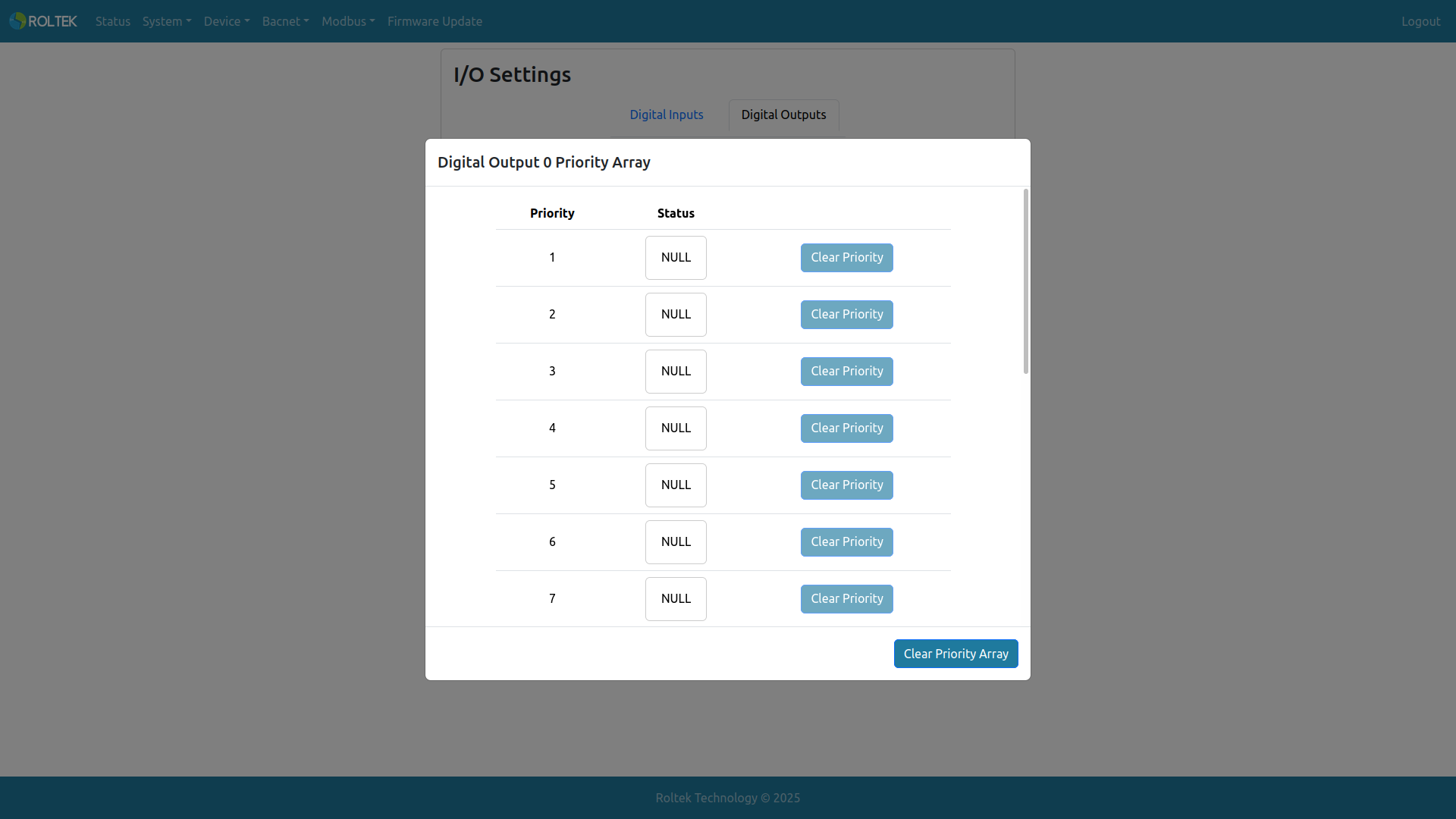
Here, Status can take the following values:
- If the relevant priority is active, ON with a green background
- If the relevant priority is inactive, OFF with a gray background
- If the relevant priority is null, NULL with a white background
All non-NULL values for any priority of an output can be cleared from here.