Wi-Fi Settings
The DC620 DUAL BACnet IoT Gateway comes with Wi-Fi and is configured as an Access Point (AP) in default mode. The device's SSID is dualbacrtrXXXXXX, and the password is passwordXXXXXX. XXXXXX is a unique HEX number for each device. When the device is in AP mode, only one client can connect to the device's AP. The Wi-Fi mode can be selected from the dropdown menu.
Wi-Fi Modes:
- Access Point
- Station
- Disabled
Current Value shows the current value of the parameter; a new value can be entered in the New Value section. Selecting Access Point or Station brings their own parameters. Selecting Disabled as the Wi-Fi mode displays the New Value section in gray. After new configurations are selected, settings can be saved with Save Settings. Restore Defaults resets the Wi-Fi settings to default. Changing settings will cause the logged-in user's connection to be interrupted.
Warning: Restore Defaults resets both the AP and Station configuration to default.
Access Point
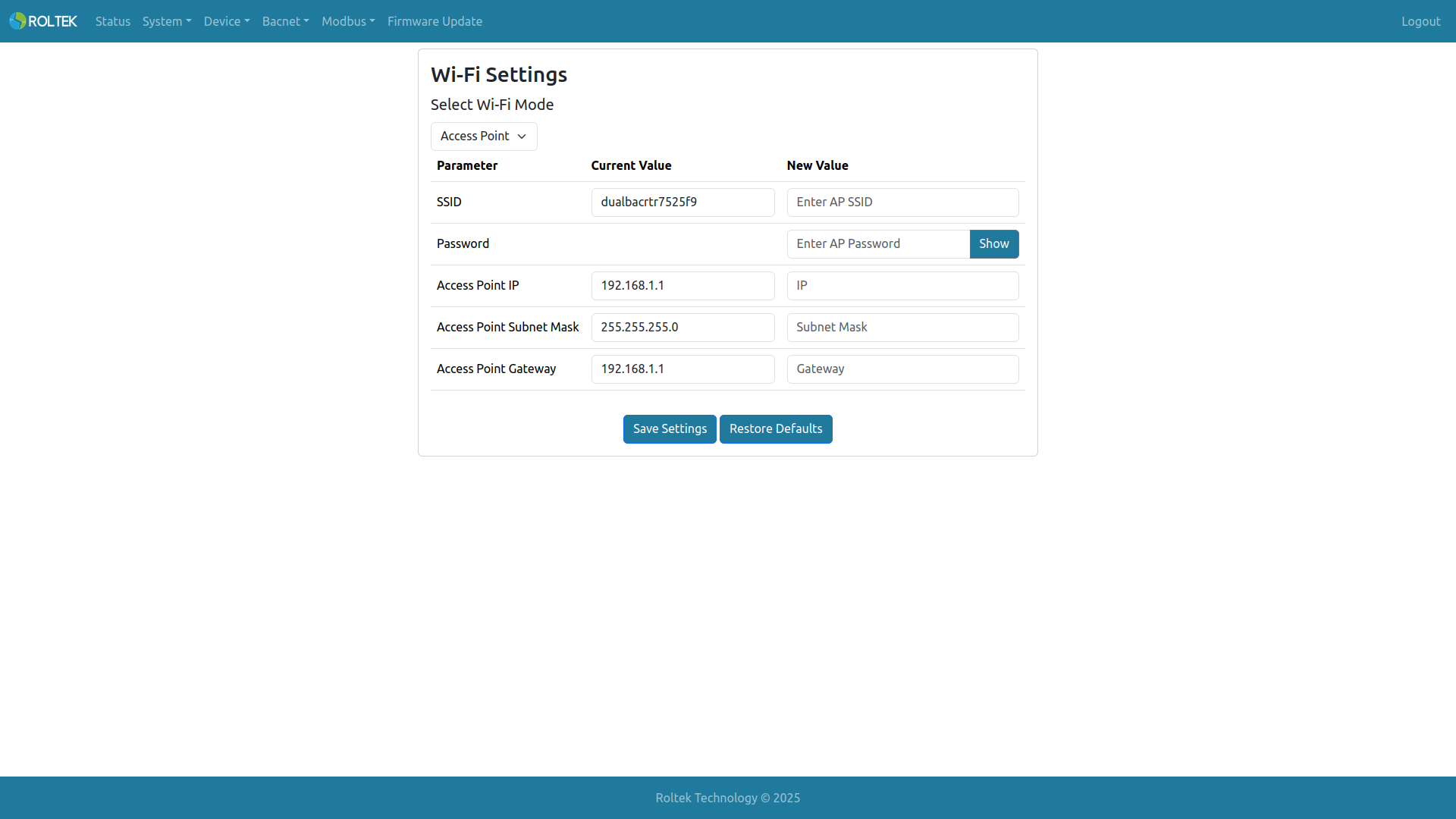
- SSID: The SSID of the AP. Allowed length is 0-31. Only ASCII characters are allowed.
- Password: The password of the AP. Allowed length is 0-63. Only ASCII characters are allowed. The user can click the Show / Hide button to display/hide the password.
- Access Point IP: XXX.XXX.XXX.XXX (e.g., 192.168.1.1)
- Access Point Subnet Mask: XXX.XXX.XXX.XXX (e.g., 255.255.255.0)
- Access Point Gateway: XXX.XXX.XXX.XXX (e.g., 192.168.1.1)
Warning: Leaving the password field empty when entering a new SSID will cause the device to accept no password for authentication (Open Authentication). Unless the user does not want a Wi-Fi password for the device, the password must be re-entered when the SSID is changed.
Station
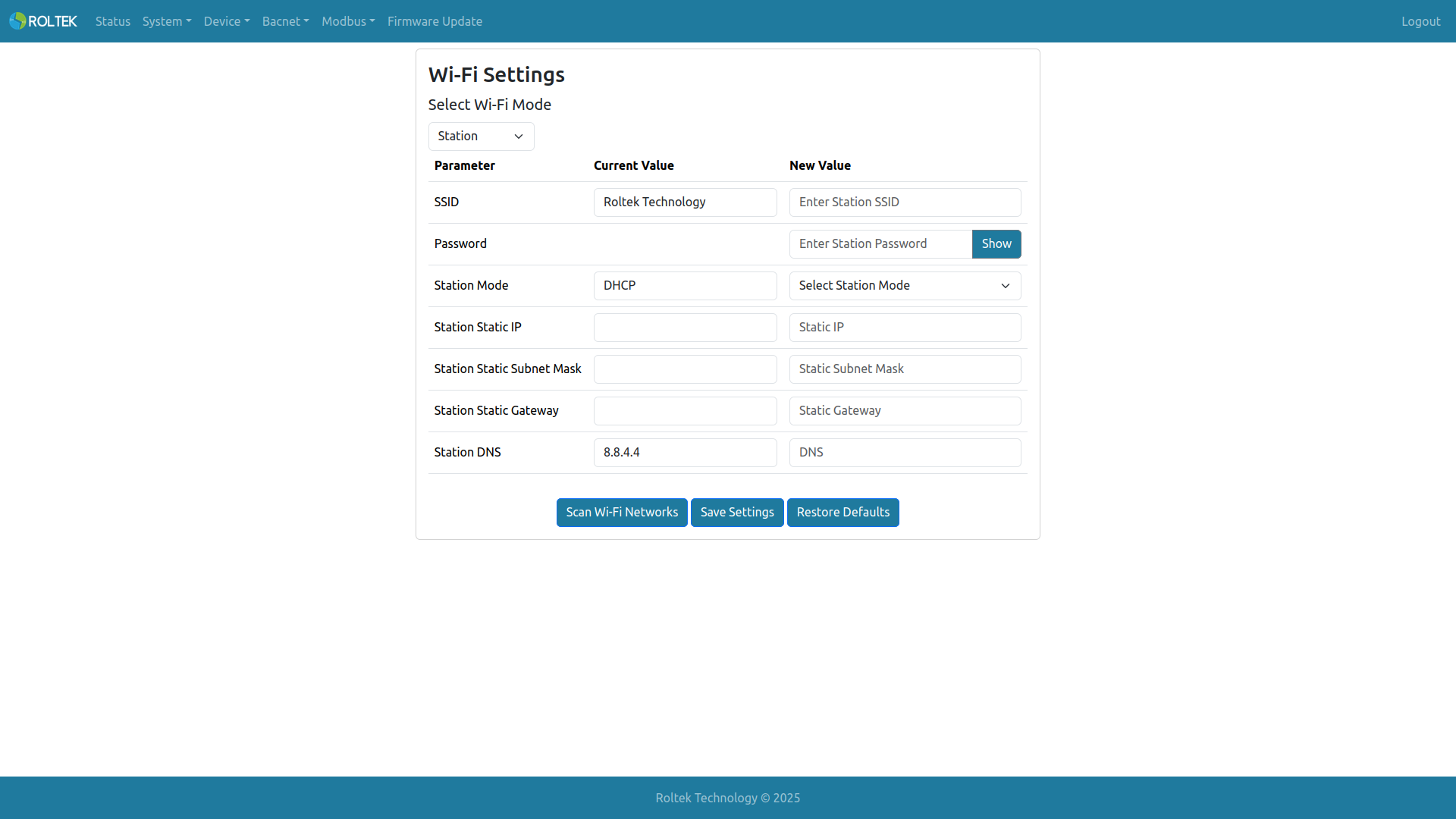
- SSID: The SSID of the AP. Allowed length is 0-31. Only ASCII characters are allowed.
- Password: The password of the AP. Allowed length is 0-63. Only ASCII characters are allowed. The user can click the Show / Hide button to display/hide the password.
- Station Mode: DHCP, Static
- Station Static IP: XXX.XXX.XXX.XXX (e.g., 192.168.1.2)
- Station Static Subnet Mask: XXX.XXX.XXX.XXX (e.g., 255.255.255.0)
- Station Static Gateway: XXX.XXX.XXX.XXX (e.g., 192.168.1.1)
- Station DNS: XXX.XXX.XXX.XXX (e.g., 8.8.4.4)
Warning: Leaving the password field empty when entering a new SSID will cause the device to attempt to connect to the AP without a password. Unless the AP does not require a Wi-Fi password for connection, the password must be re-entered when the SSID is changed.
Access Points in the area can be scanned using Scan Wi-Fi Networks. After scanning, all available networks are listed. The user can click on the desired SSID to automatically enter the SSID. The signal strength of the APs and authentication methods are also displayed.
If the device cannot connect to an AP while operating in Station mode, it temporarily opens its own AP. When the device's AP is open, the Wi-Fi LED turns white. The device attempts to reconnect to the original AP every 60 seconds. As long as the connection fails, the device's AP remains open. During the reconnection process, if the user logs into the Web UI from a client connected to the device's AP, the device skips the reconnection attempt.