LAN Interface
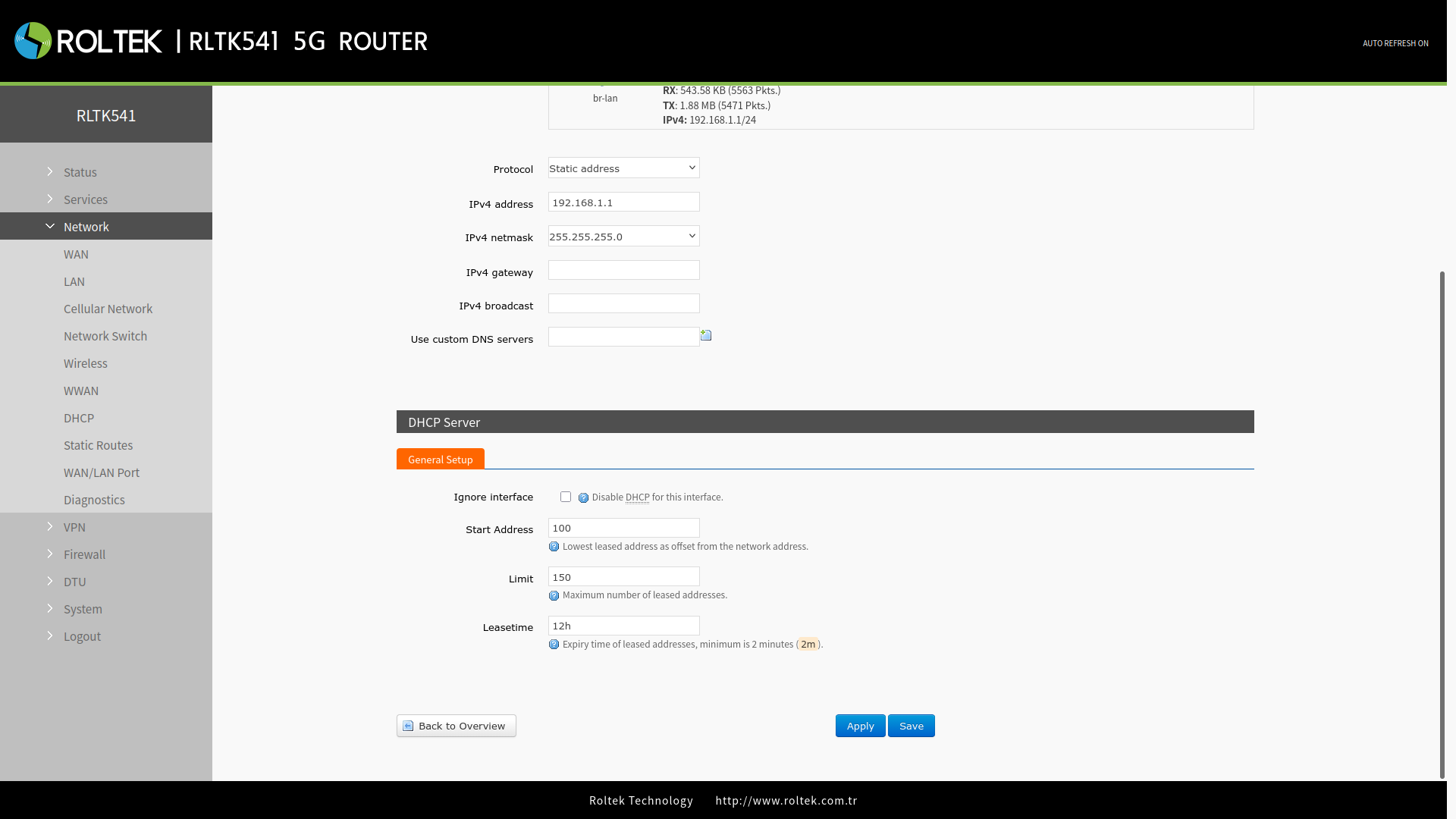
To view the local network settings of the RLTK541:
- Follow the menus:
- Network
- LAN
Connection details: Uptime, MAC-Address, RX/TX, IPv4 can be examined on this page. You can try reconnecting with the Connect button. The settings of the LAN network can be configured by clicking the Edit button. After making your settings, save your changes with the Save and Apply buttons.
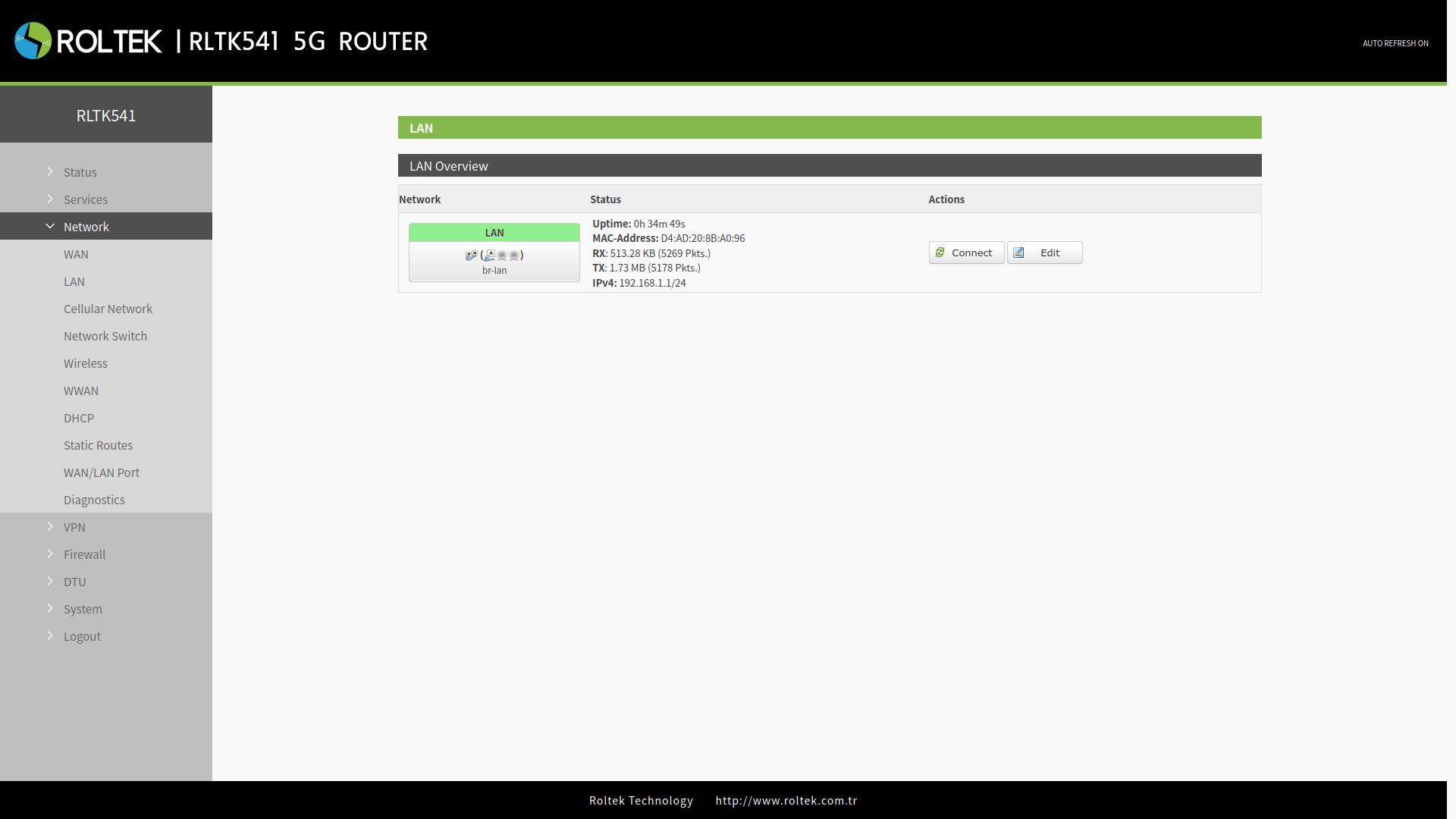
The section under Common Configuration is where the IP settings of the LAN network are configured. The section under DHCP Server contains the settings related to the device's DHCP server.
Common Configuration
- The LAN interface uses the static IP address 192.168.1.1 and the subnet mask 255.255.255.0 by default. These parameters can be changed.
- Protocol: DHCP / Static address.
- IPv4 address: The static IP address of the RLTK541.
- IPv4 netmask: The subnet mask of the RLTK541.
- IPv4 gateway: The gateway IP address that the RLTK541 will connect to.
- IPv4 broadcast: The broadcast address that the RLTK541 will use.
- Use custom DNS servers: The DNS servers that the RLTK541 will use.
After entering the settings, you should click the Save & Apply button to save the settings.
DHCP Server
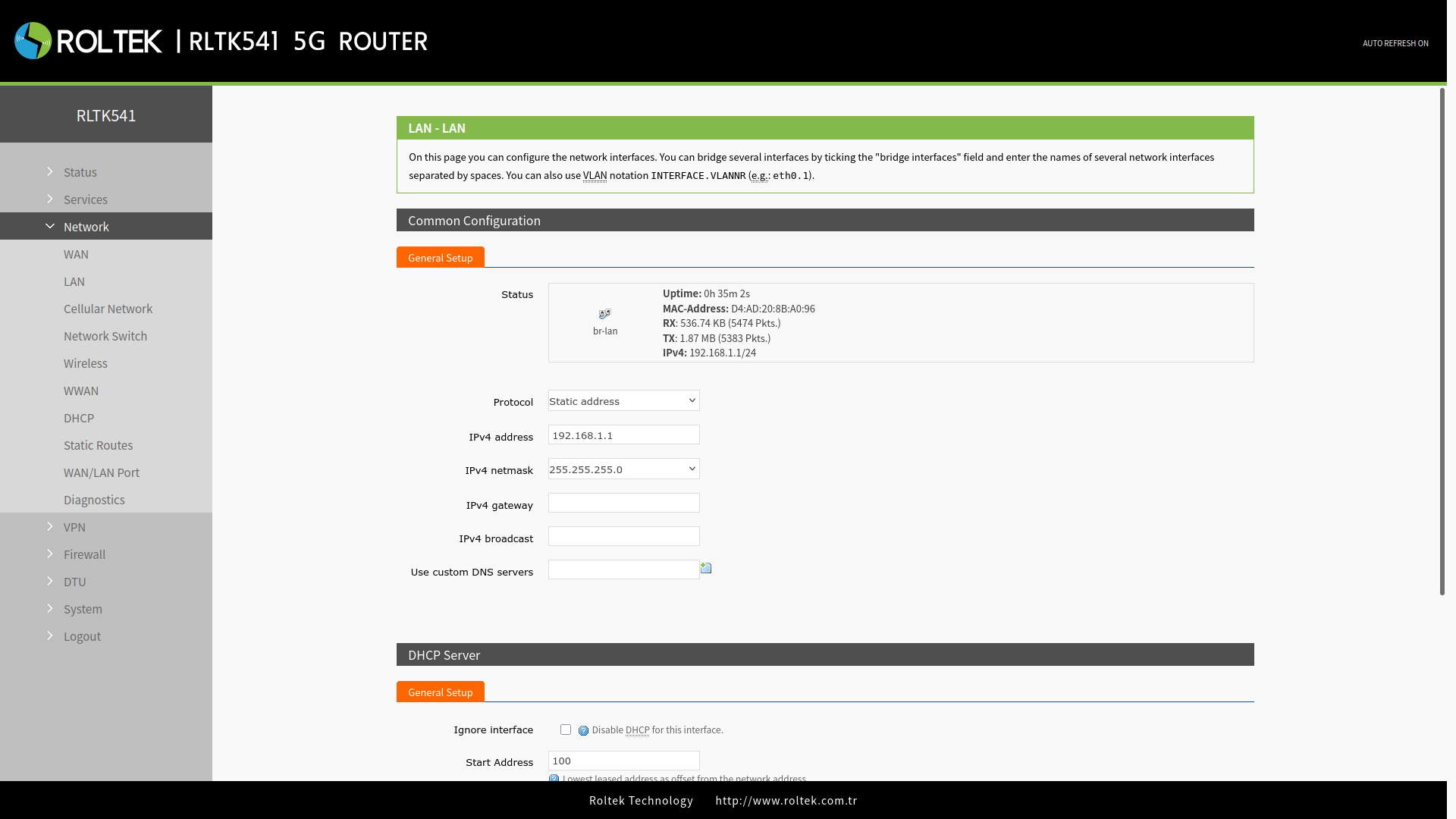
The DHCP server function is enabled by default, and all devices connected to the LAN port automatically receive an IP address (if the devices are set as DHCP Clients).
- We can change the starting address and lease time of the DHCP Client.
- DHCP addresses are assigned by default from 192.168.1.100 to 192.168.1.250.
- Start: Starting address.
- Limit: Number of assignable addresses.
- Leasetime: Address lease time. The default lease time is 12 hours.
After entering the settings, you should click the Save & Apply button to save the settings.