Wi-Fi Interface
To configure the Wi-Fi interface:
- Follow the Network
- Wireless
menus. Users can configure the Wi-Fi parameters in the 2.4G Settings and 5.8G Settings sections on the tab. After making your settings, save them using the Save and Apply buttons.
2.4G and 5.8G Settings
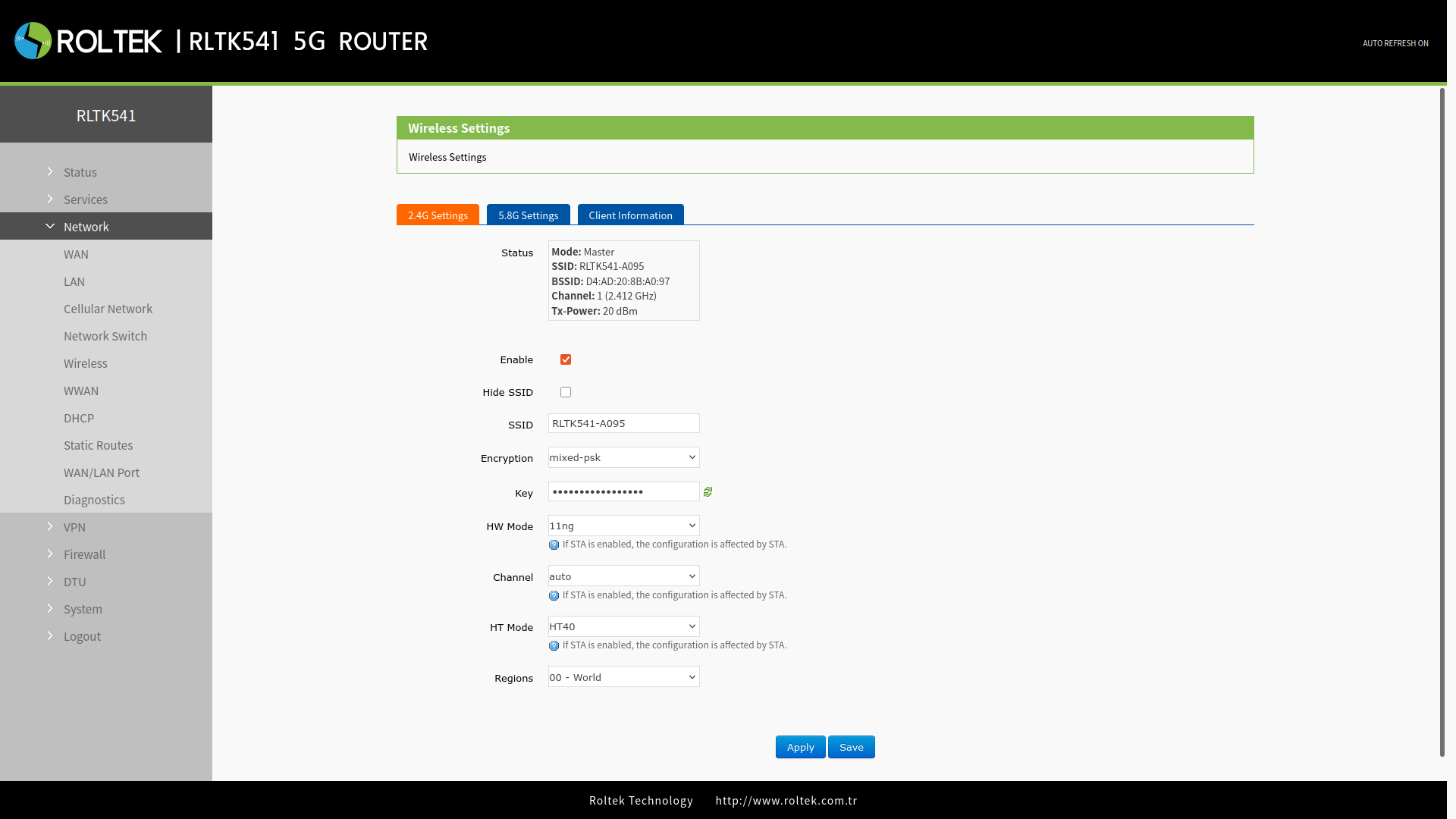
| Parameter | Description | Default Value |
|---|---|---|
| Enable | To select whether to enable or disable the Wi-Fi function. | Enable |
| Hide SSID | To select whether to hide the SSID. If the SSID is hidden, users cannot search for the Wi-Fi name via mobile phone or PC. Users can connect to Wi-Fi by manually entering the SSID. | Disable |
| SSID | The Wi-Fi name, which users can change if necessary. | RLTK541-xxxx/_5.8G |
| Encryption | To select the Wi-Fi encryption method. | Mixed-psk |
| Key | The Wi-Fi password. | www.roltek.com.tr |
| HW Mode | To select the Wi-Fi standard. | 11ng |
| Channel | To select the Wi-Fi channel. | auto |
| HT Mode | For high throughput selection. HT40 / HT20 | HT40 |
| Regions | This option is for 5.8G Wi-Fi. | 00-World |
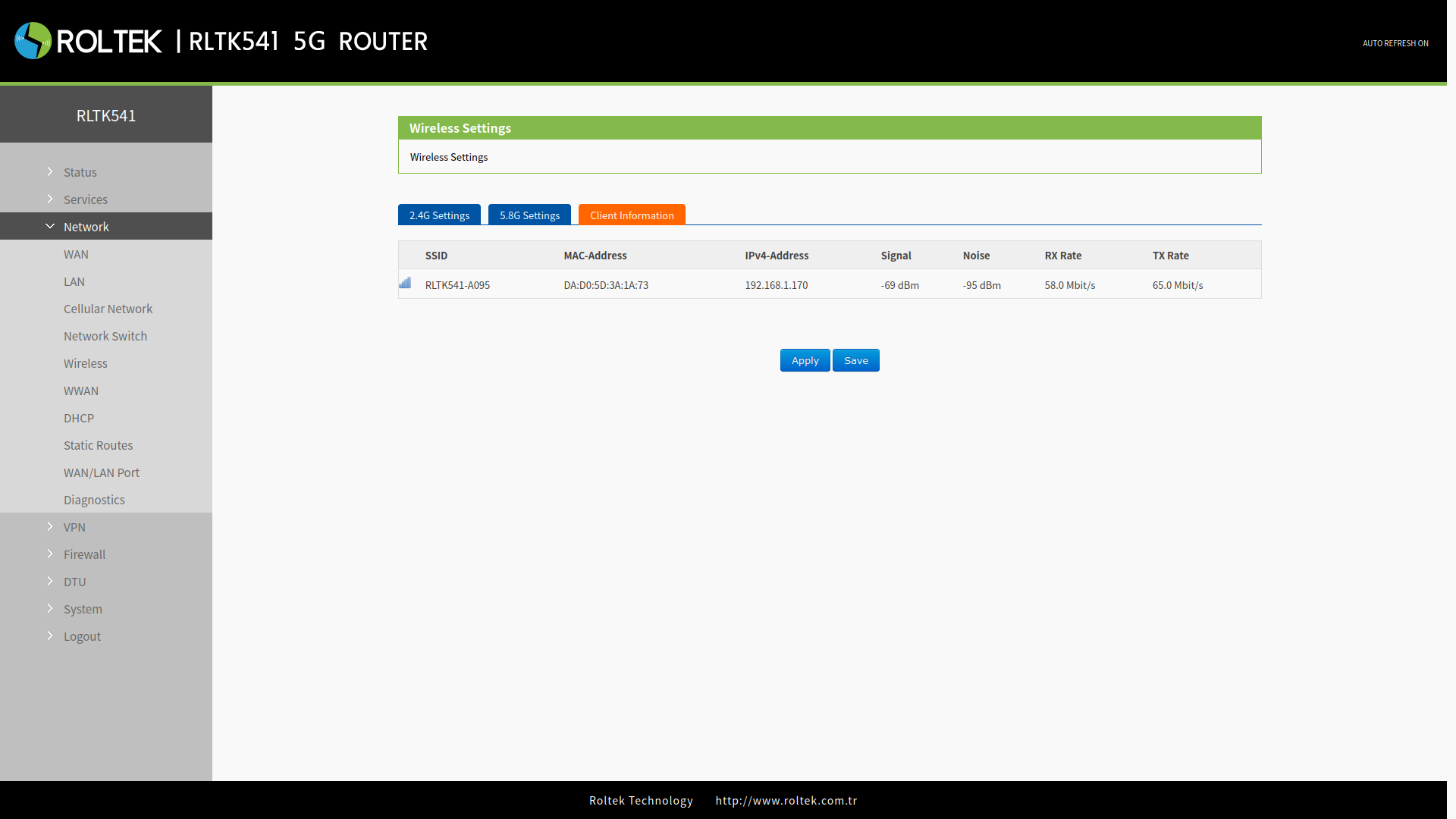
Client Information
This page displays clients connected to the RLTK541 via Wi-Fi.