Cellular Network
RLTK541 has a mobile/cellular interface to access the external network. To view:
- Network
- Cellular Network
the menus must be followed. Alternatively, the settings menu can be accessed by following WAN, WAN_5G, Edit. After making your settings, save your configurations with the Save and Apply buttons.
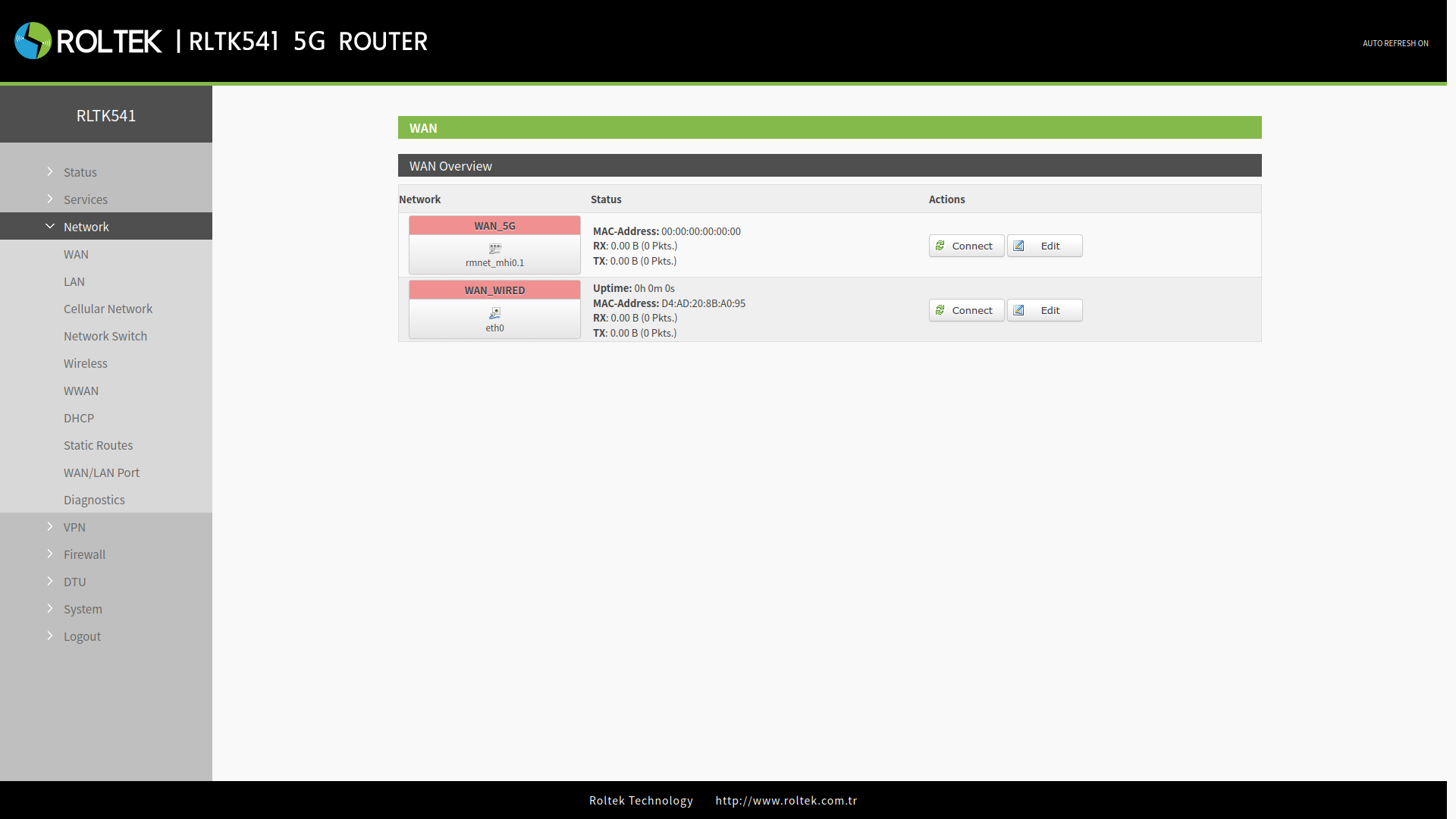
Network Configuration
The basic settings of the cellular network can be configured in the Configuration tab.
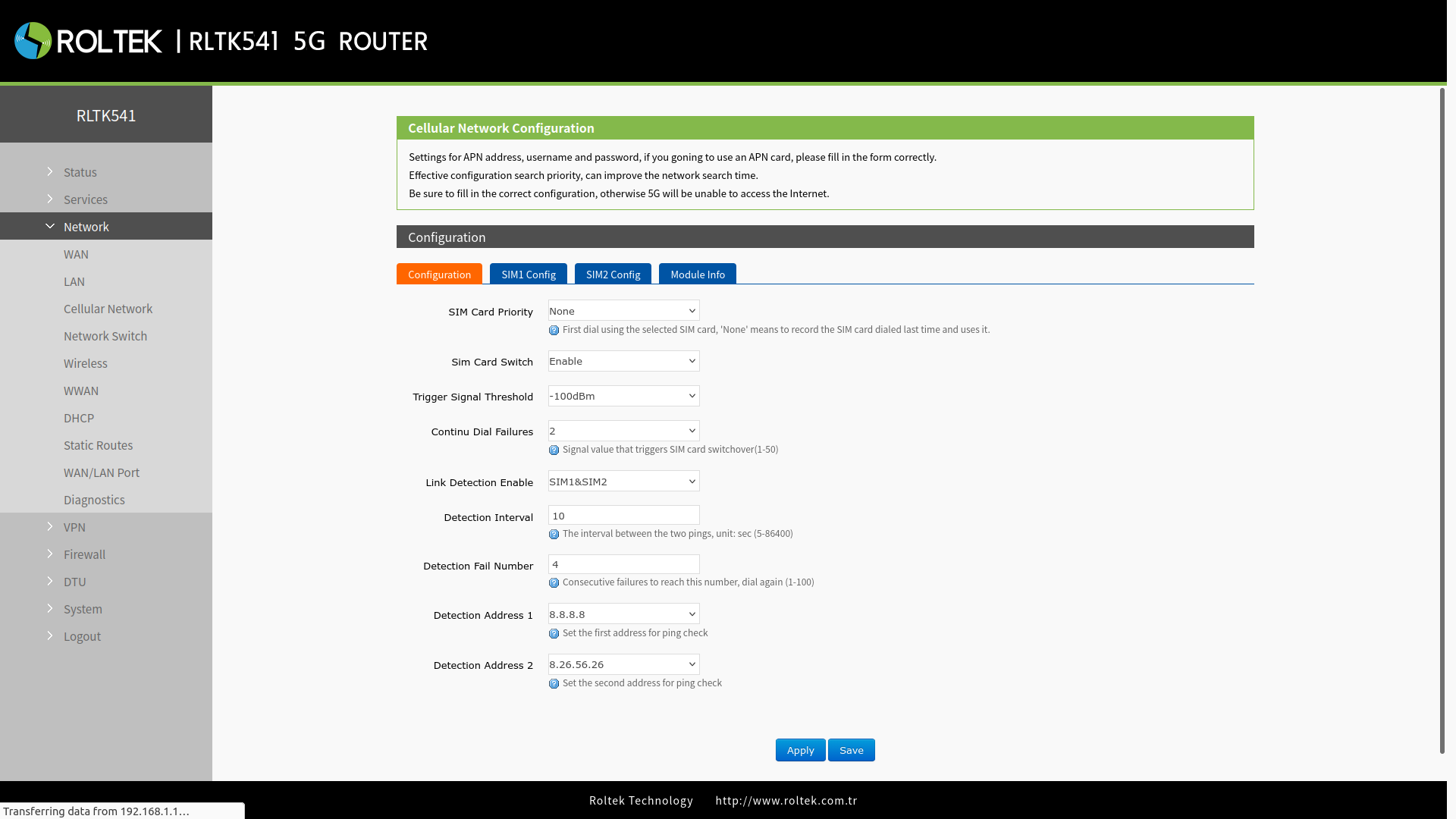
| Parameter | Description | Default Value |
|---|---|---|
| SIM Card Priority | None: Prioritizes the use of the SIM card used in the last call connection. SIM1: Prioritizes making calls using SIM1 to connect to the internet. SIM2: Prioritizes making calls using SIM2 to connect to the internet. | None |
| Sim Card Switch | Enable: Enables automatic SIM switching. Disable: Disables automatic SIM switching. | Enable |
| Trigger Signal Threshold | If the signal value of the currently used SIM card is lower than the set value, RLTK541 automatically switches to another SIM card. | -100dBm |
| Continue Dial Failures | When the number of consecutive connection attempt failures reaches this value, it switches to another SIM card and tries to call again. | 2 |
| Link Detection Enable (Ping detection) | OFF: Disables ping detection. SIM1: Enables PING detection when using SIM1. SIM2: Enables PING detection when using SIM2. SIM1&SIM2: Enables PING detection when using either SIM1 or SIM2. | SIM1&SIM2 |
| Detection Interval | PING detection interval. Unit is seconds | 10 |
| Detection Fail Number | If the number of PING attempts exceeds this value, it will try to call again. | 4 |
| Detection Address 1 | Main target address for PING detection. | 8.8.8.8 |
| Detection Address 2 | Alternative target address for PING detection. | 8.26.56.26 |
SIM Card Settings
The APN and general SIM card settings of the RLTK541 can be configured in this section. SIM1 Config and SIM2 Config have the same settings. To access the settings menu, you need to click on the settings tab of the relevant SIM card.
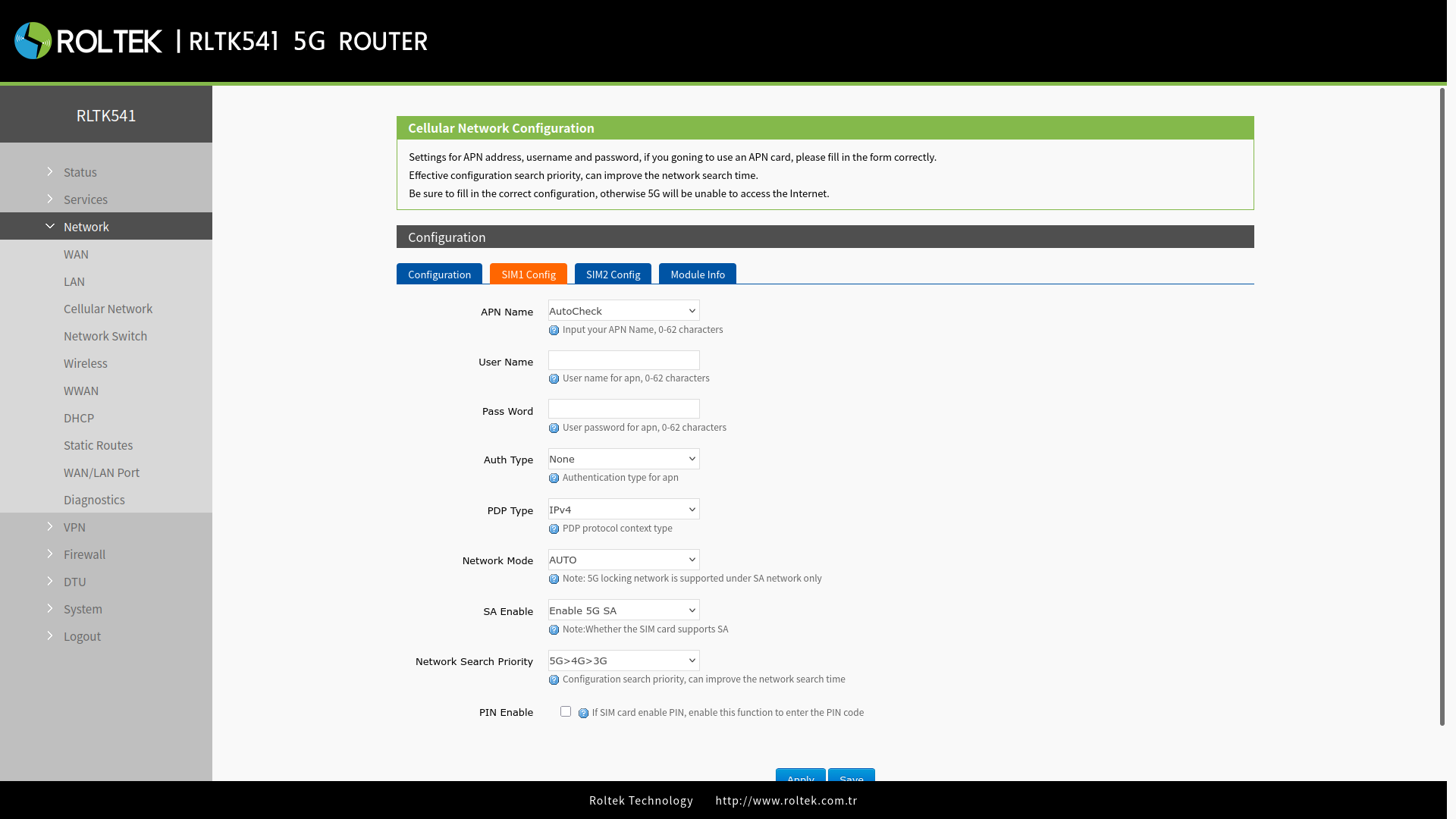
| Parameter | Description | Default Value |
|---|---|---|
| APN Name | Please set the correct APN address provided by the operator. | Autocheck |
| Username | APN username. | None |
| Password | APN password. | None |
| Auth Type | APN authentication type: None / PAP / CHAP. | None |
| PDP Type | PDP protocol context type. | IPv4 |
| Network Mode | Specifies the type of network to be used: AUTO: Automatically selects the network from available networks as 3G / 4G / 5G. 3G: Selects the 3G network. If there is no 3G network available, it does not connect to the network. 4G: Selects the 4G network. If there is no 4G network available, it does not connect to the network. 5G (Only SA): If SA support is available on the SIM card, it selects the 5G network. If there is no 5G network available, it does not connect to the network. | AUTO |
| SA Enable | Enable if the SIM card supports SA, otherwise disable. | Enable 5G SA |
| Network Search Priority | Allows you to set the network search priority. | 5G>4G>3G |
| PIN Enable | Enables the SIM card's PIN code. | Disabled |
Mobile (Cellular) Information
The Mobile Information option should be selected from the tab in the Config section. Users can check detailed information about their SIM card, such as signal strength and ICCID.