Modbus Nodes
In this menu, Modbus nodes can be added to periodically query the target Modbus device. If a Modbus tag is to be assigned to this Modbus node, the user must ensure that both the virtual BACnet device and the Modbus node show the same addresses. Otherwise, even if the readings are correctly updated, the Modbus tags may lead to incorrect operation by pulling device information from the BACnet virtual device to write to the target Modbus device.
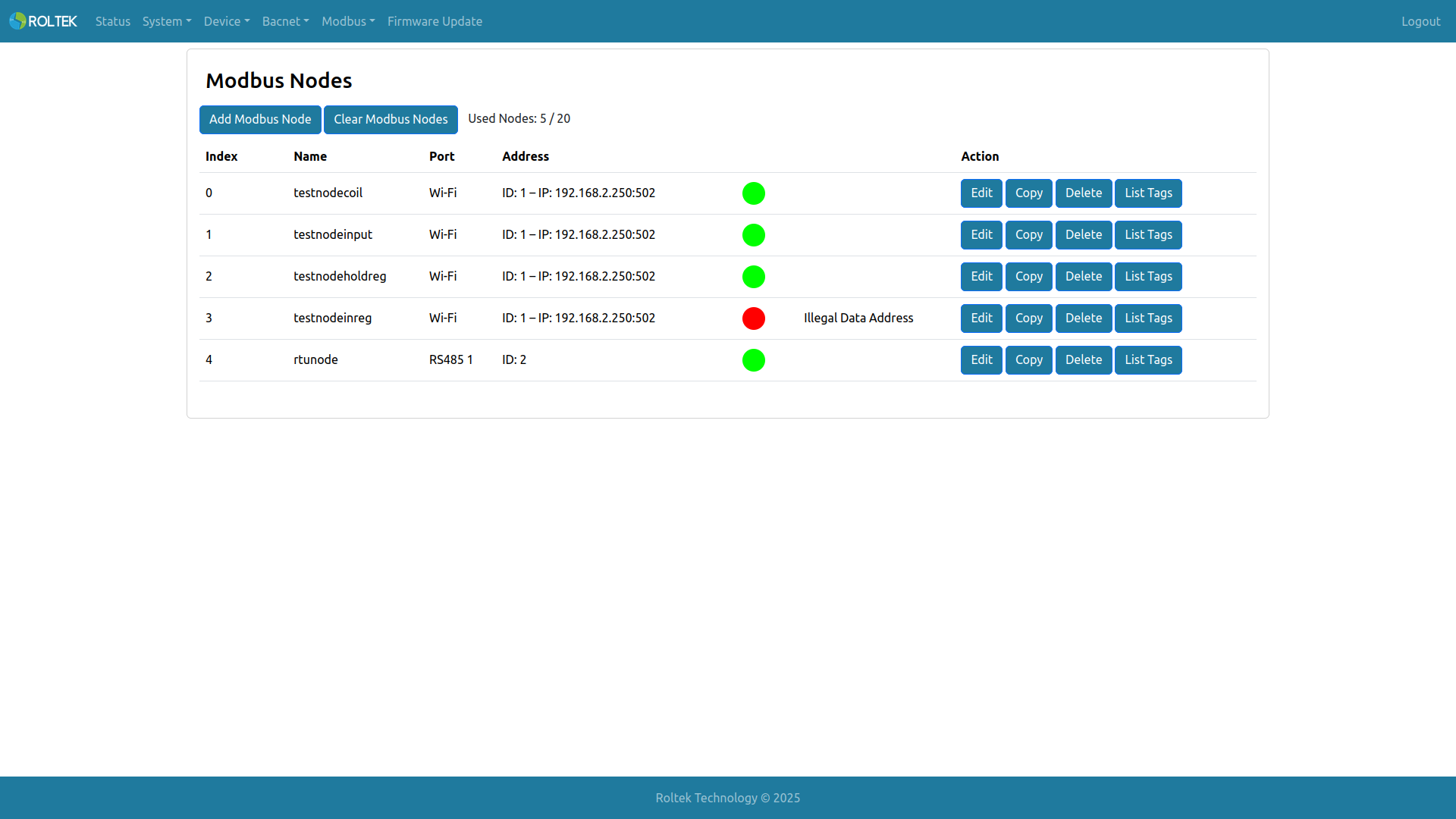
Basic information about Modbus nodes can be seen in the table. If the communication is valid and active, a GREEN icon is displayed. If there is a problem with the communication, a RED icon is shown. If there is an issue, the exception code is displayed.
- Add Modbus Node: Adds a new Modbus Node.
- Clear Modbus Nodes: Clears all Modbus Nodes; all Modbus Tags lose their associated Modbus Node.
- Used Nodes: Shows how many Modbus Nodes are used within the maximum limit.
- Edit: Edits the selected Modbus Node.
- Copy: Copies the values of the selected Modbus Node and opens the Add Modbus Node screen to add a new Modbus Node.
- Delete: Deletes the selected Modbus Node.
- List Tags: Shows which Modbus Tags belong to the selected Modbus Node.
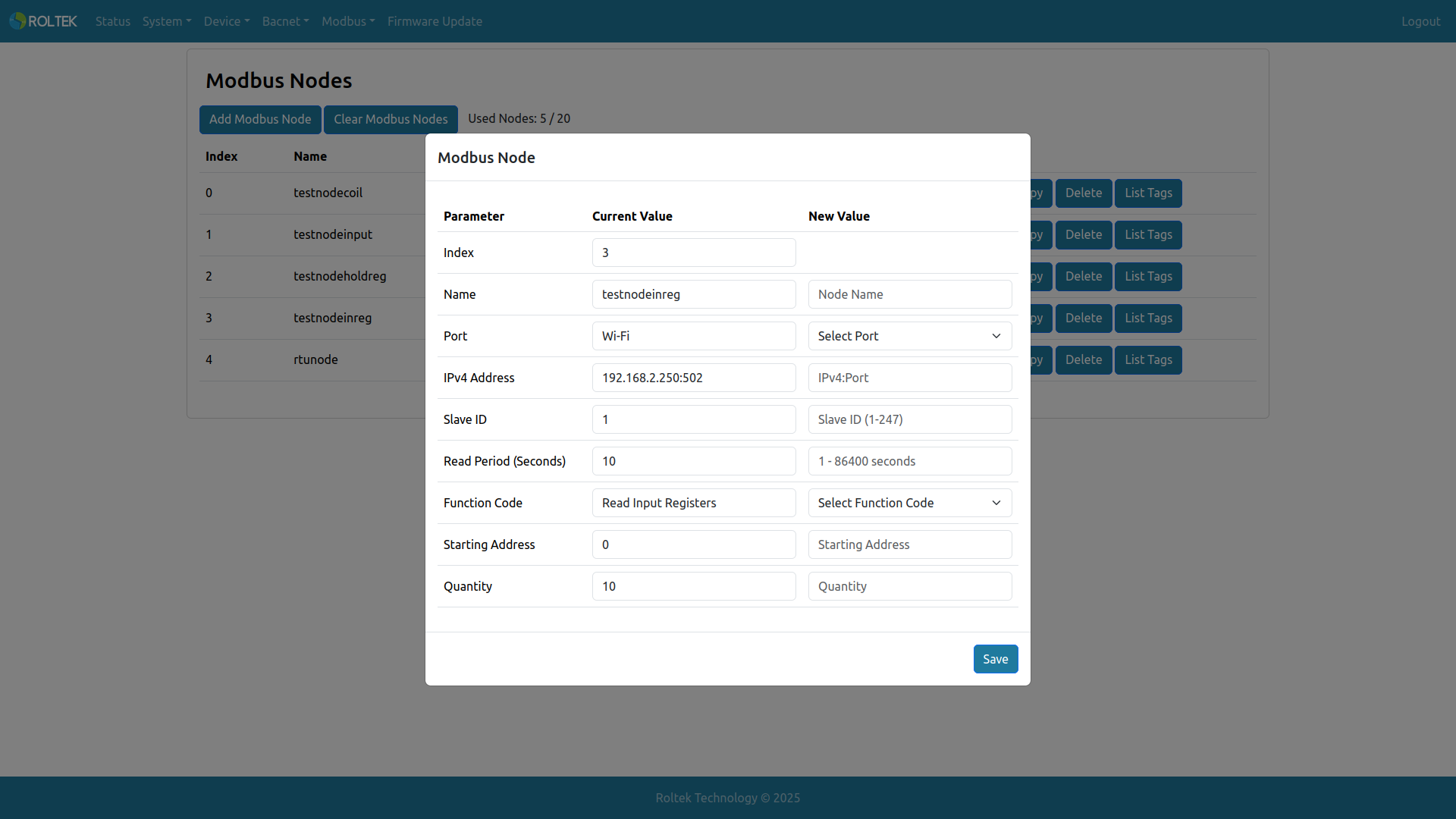
- Name: The name of the Modbus Node. Allowed length is 1-31. Only uppercase letters, lowercase letters, digits 0-9, space, comma, and period can be used.
- Port: The communication port of the Modbus Node. Options: RS485 1, RS485 2, Ethernet, Wi-Fi.
- IPv4 Address: The IPv4 address of the Modbus TCP Server. Valid when Port is Ethernet or Wi-Fi. XXX.XXX.XXX.XXX:XXXXX (e.g., 192.168.0.100:502)
- Slave ID: The Slave ID of the Modbus Node. Valid range is 1 - 247.
- Read Period (Seconds): The reading period of the Modbus Node in seconds. Valid range is 1 - 86400.
- Function Code: The function code to be read from the Modbus device. Options: Read Coils, Read Discrete Input, Read Holding Register, Read Input Register.
- Starting Address: The starting address to be read from the Modbus Node. Valid range is 0 - 65535.
- Quantity: The maximum number of registers or bits to be read from the Modbus Node. Valid range for registers is 1 - 125, for bits is 1 - 2000.
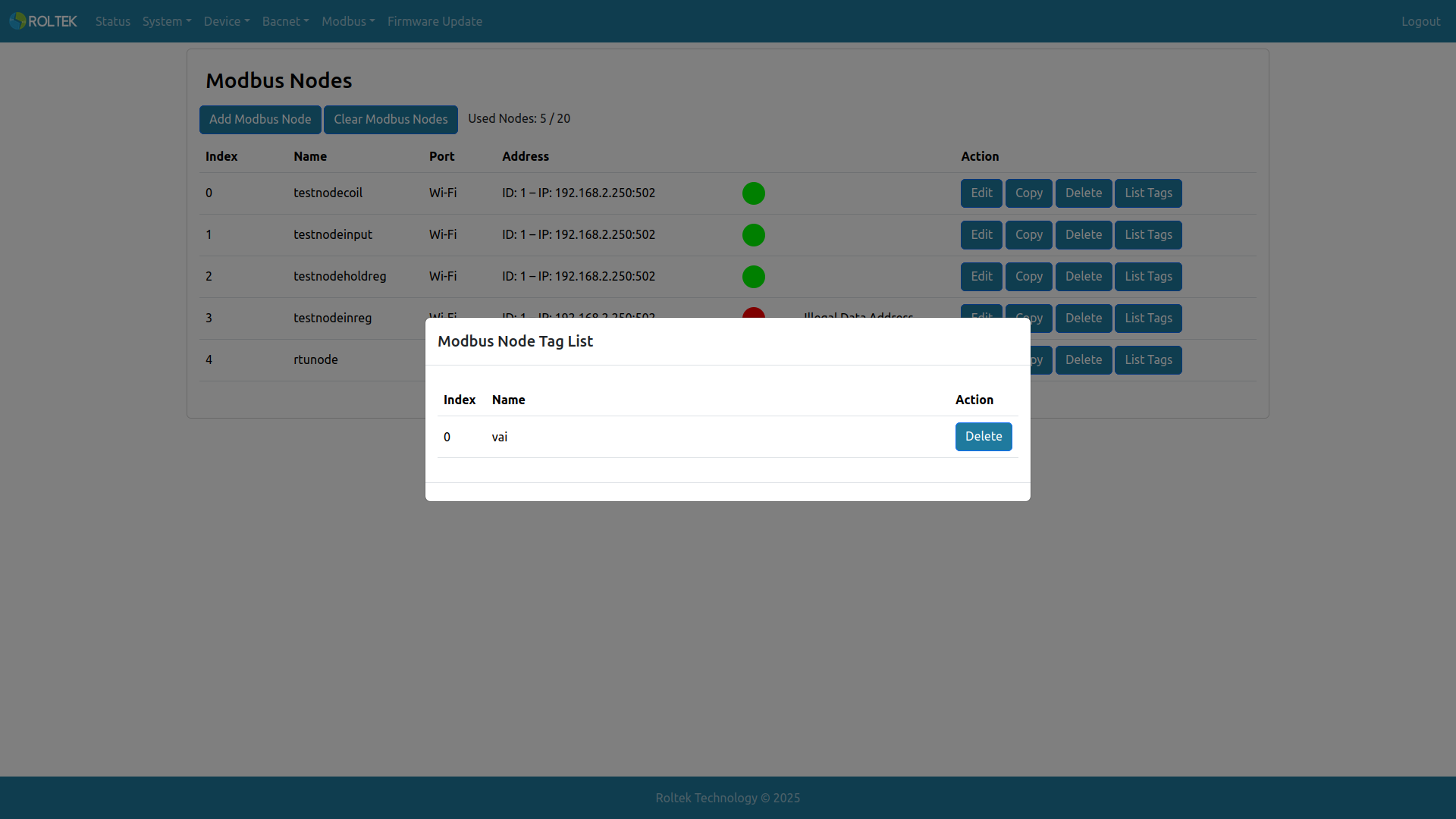
Here, List Tags shows which Modbus Tags belong to the selected Modbus Node. The Modbus Tag Index number and the name of the Tag are displayed. The Tag can be deleted from this Node using the Delete button.