Modbus Tags
In this menu, Modbus tags can be created and assigned to virtual BACnet objects and virtual BACnet devices. Communication can be established from BACnet to Modbus using these virtual devices.
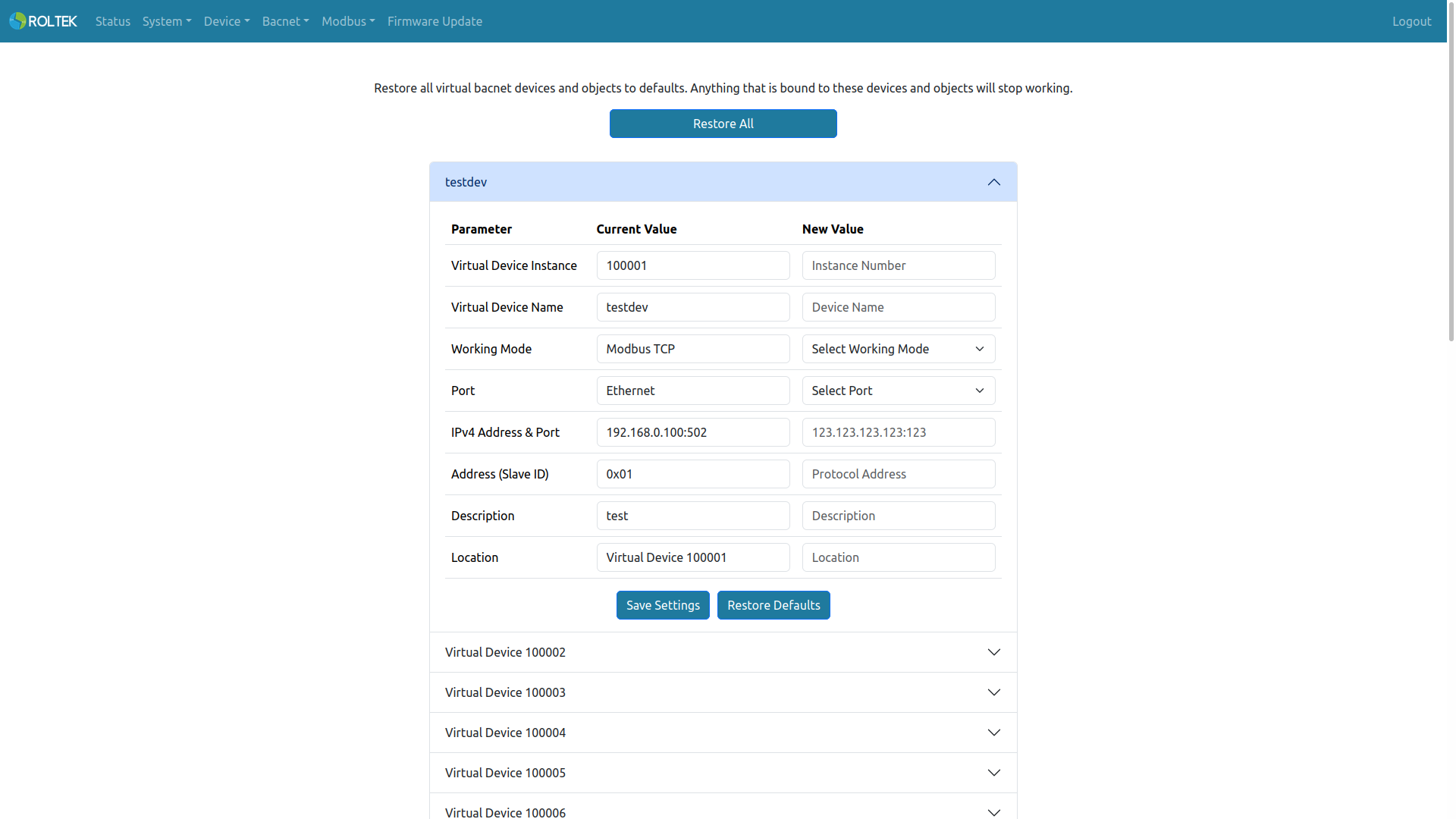
First, a Virtual Device should be activated using the correct configuration to show the actual Modbus device. Details on how to configure this virtual device can be found in the BACnet Virtual Devices section.
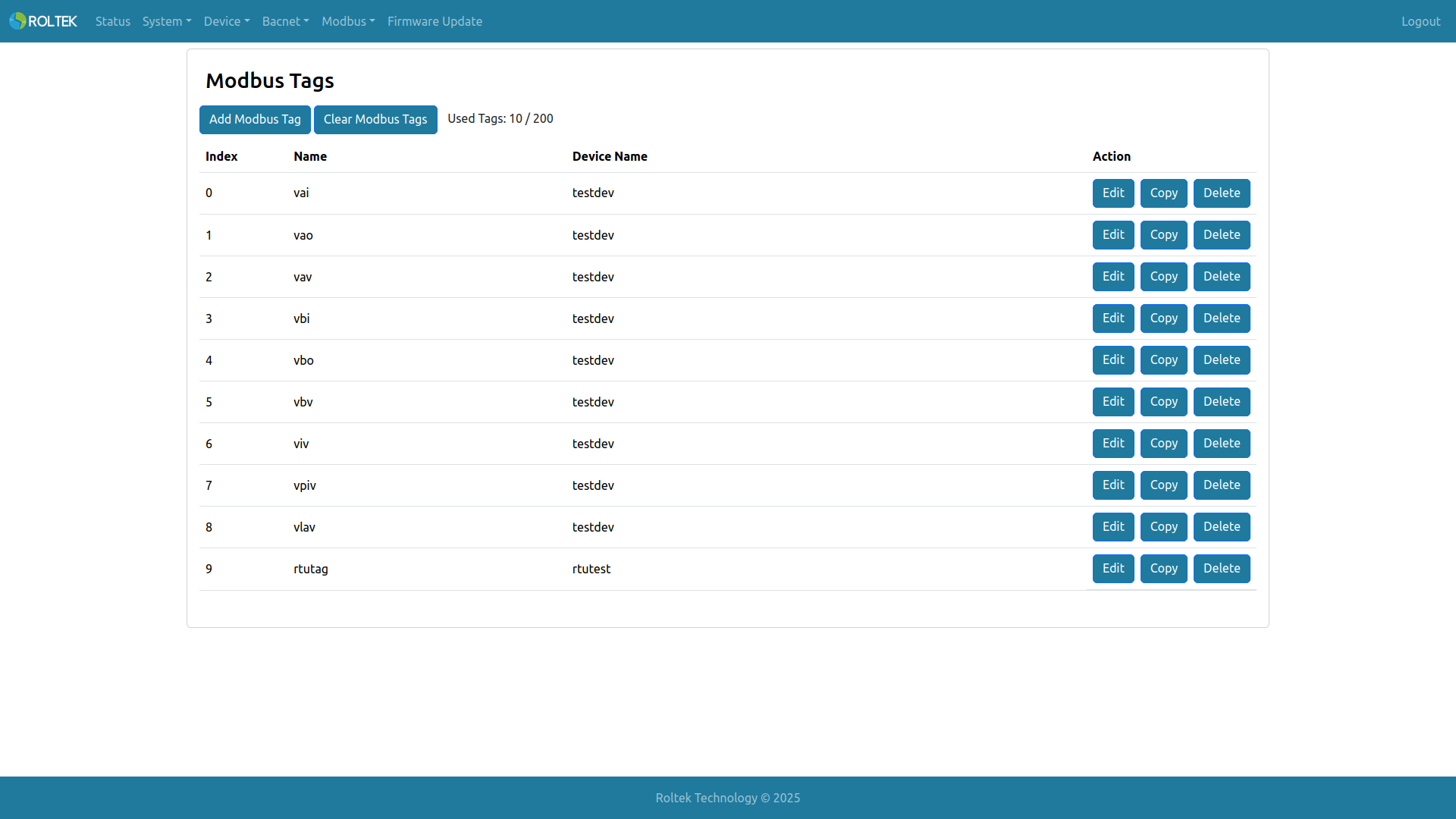
Basic information about Modbus tags can be seen in the table. This table shows the tag's Index, its name (which is also the name of the BACnet virtual object), and which virtual BACnet device this tag belongs to.
- Add Modbus Tag: Adds a new Modbus Tag.
- Clear Modbus Tags: Clears all Modbus Tags and all related Virtual BACnet Objects.
- Used Tags: Shows how many Modbus Tags are used within the maximum limit.
- Edit: Edits the selected Modbus Tag.
- Copy: Copies the values of the selected Modbus Tag and opens the Add Modbus Tag screen to add a new Modbus Tag.
- Delete: Deletes the selected Modbus Tag.
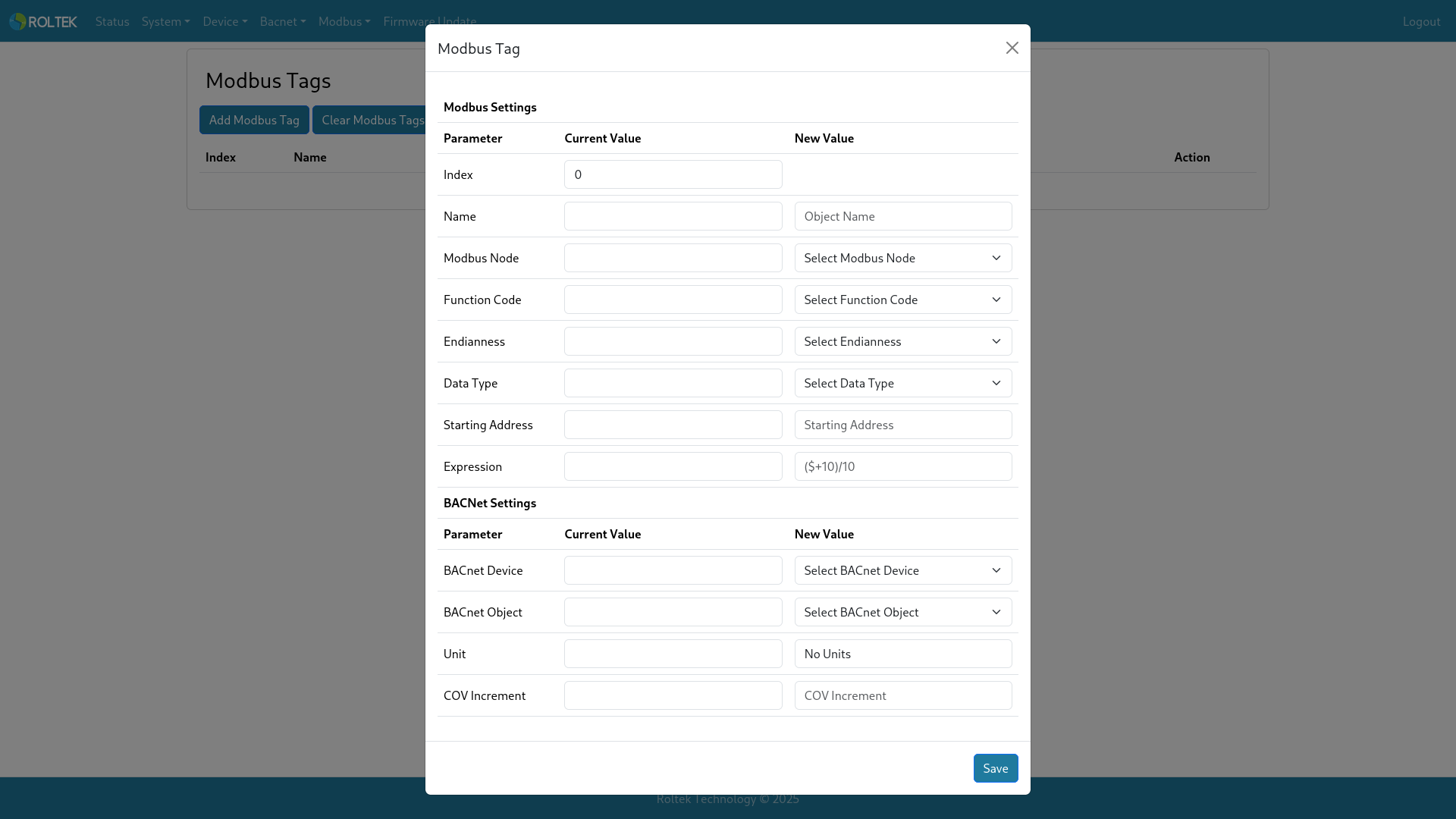
- Name: The name of the Modbus Tag. This name is used as the object name of the associated virtual BACnet object. The allowed length is 1-31. Only uppercase letters, lowercase letters, digits from 0-9, space, comma, and period can be used.
- Modbus Node: If periodic reading is desired, one of the active Modbus Nodes can be selected from here. Otherwise, if Modbus Node None is selected, all Modbus read requests will be made when the virtual BACnet device receives a read property service. If a Modbus node is selected, the user must ensure that the virtual device and Modbus node addresses match; otherwise, write attempts will fail.
- Function Code: The function code to be read from the Modbus device. Options: Read Coils, Read Discrete Input, Read Holding Register, Read Input Register.
- Endianness: The endianness of the Data Type. Options: ABCD, DCBA, BADC, CDAB.
- Data Type: The data type to which the reading will be converted. Not all types can be used for all Function Codes and BACnet Objects. Options: Boolean, Unsigned/Signed 16-bit, Unsigned/Signed 32-bit, Unsigned/Signed 64-bit, Float 32-bit, Double 64-bit.
- Starting Address: The starting address to be read from the Modbus device. The valid range is 0 - 65535.
- Position: The bit position of the value. The valid range is 0 - 15.
- Expression: To write a mathematical operation for the added Modbus tag. Parentheses, addition (+), subtraction (-), multiplication (*), division (/), and exponentiation (^) operations are supported. The $ expression can be used to utilize the tag's own value. For example, the expression
($+10)/10will first add 10 to the tag value and then divide it by 10. If the read value is 10, the final value will be 2. - BACnet Device: One of the virtual BACnet devices can be selected from here.
- BACnet Object: One of the virtual BACnet objects can be selected from here.
- Unit: If the BACnet object's unit property is supported, the unit can be selected from the list.
- COV Increment: If the BACnet object supports the COV increment property, it can be entered here.
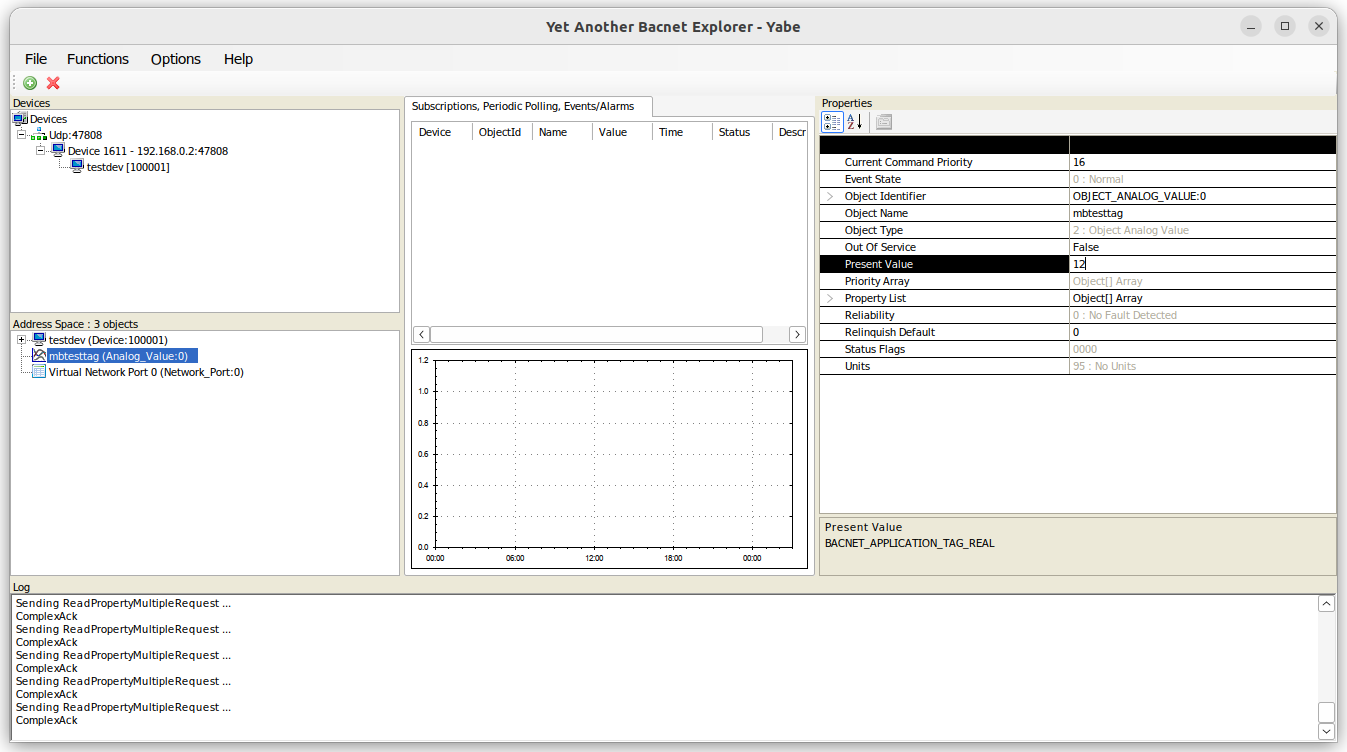
Here is an example reading taken from a Modbus device and converted to a virtual BACnet device.