- Insert a SIM card and antenna that support SMS functionality into the device.
- Connect the digital input.
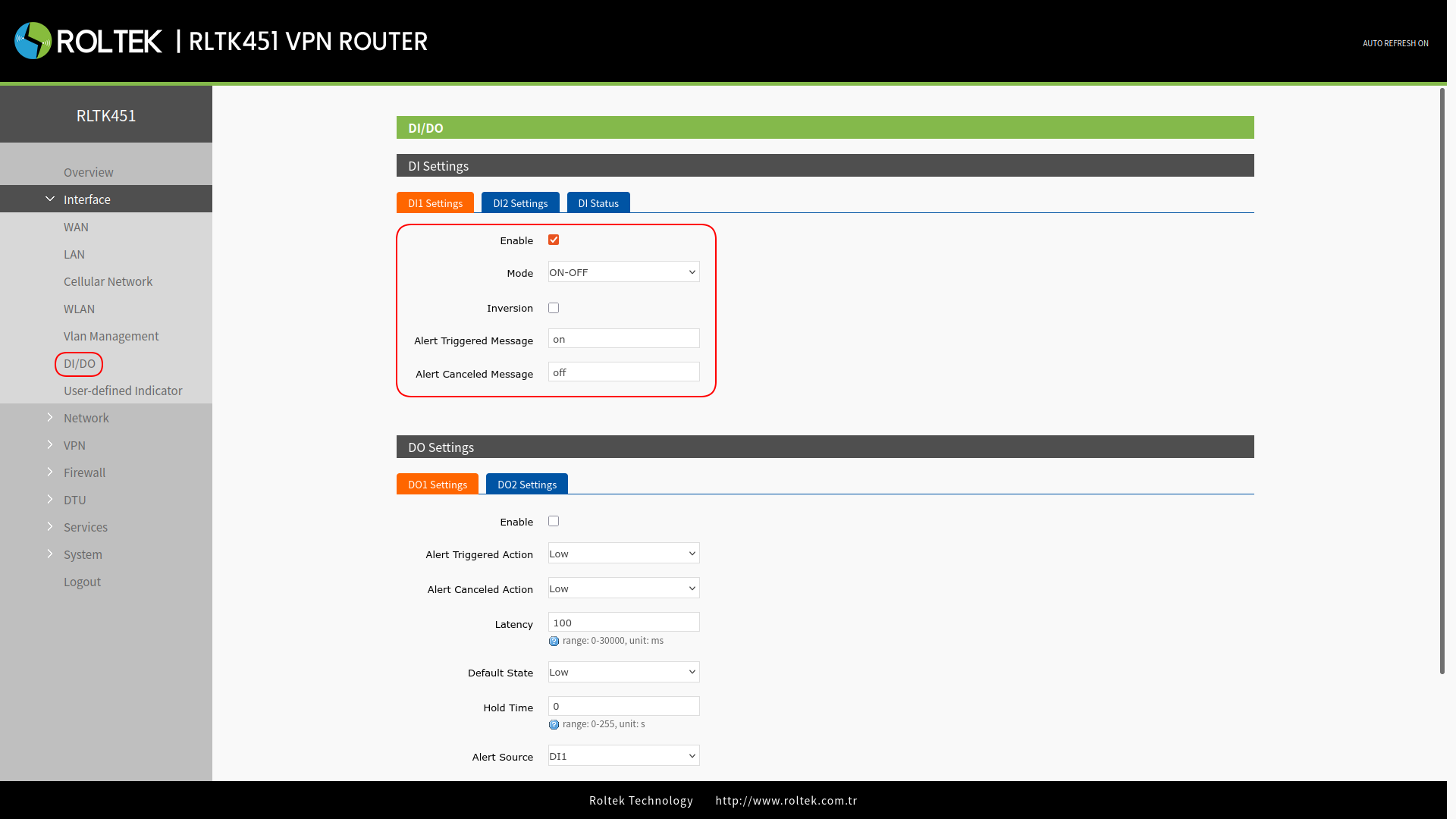
- Activate DI1, set the mode to ON-OFF.
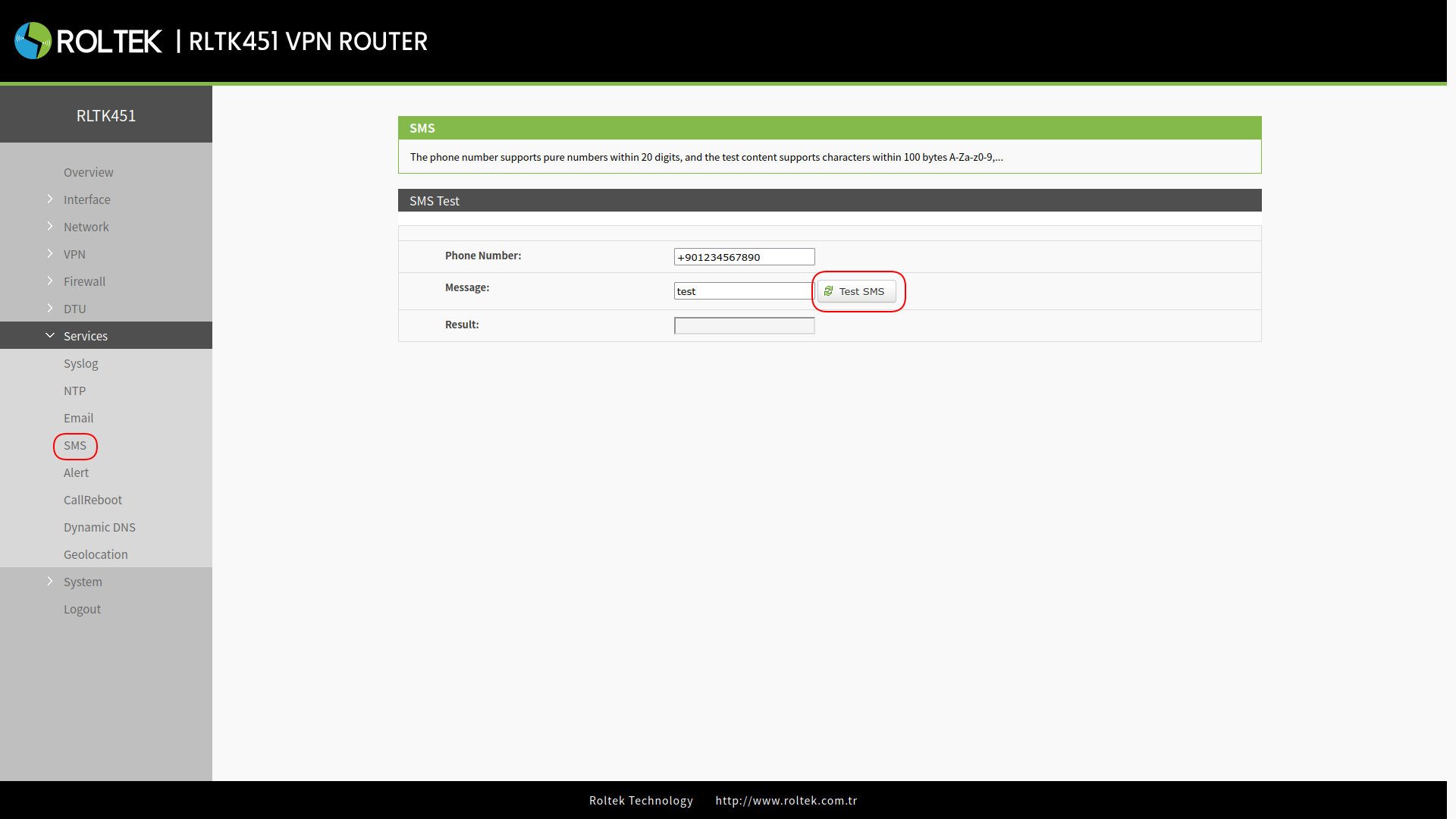
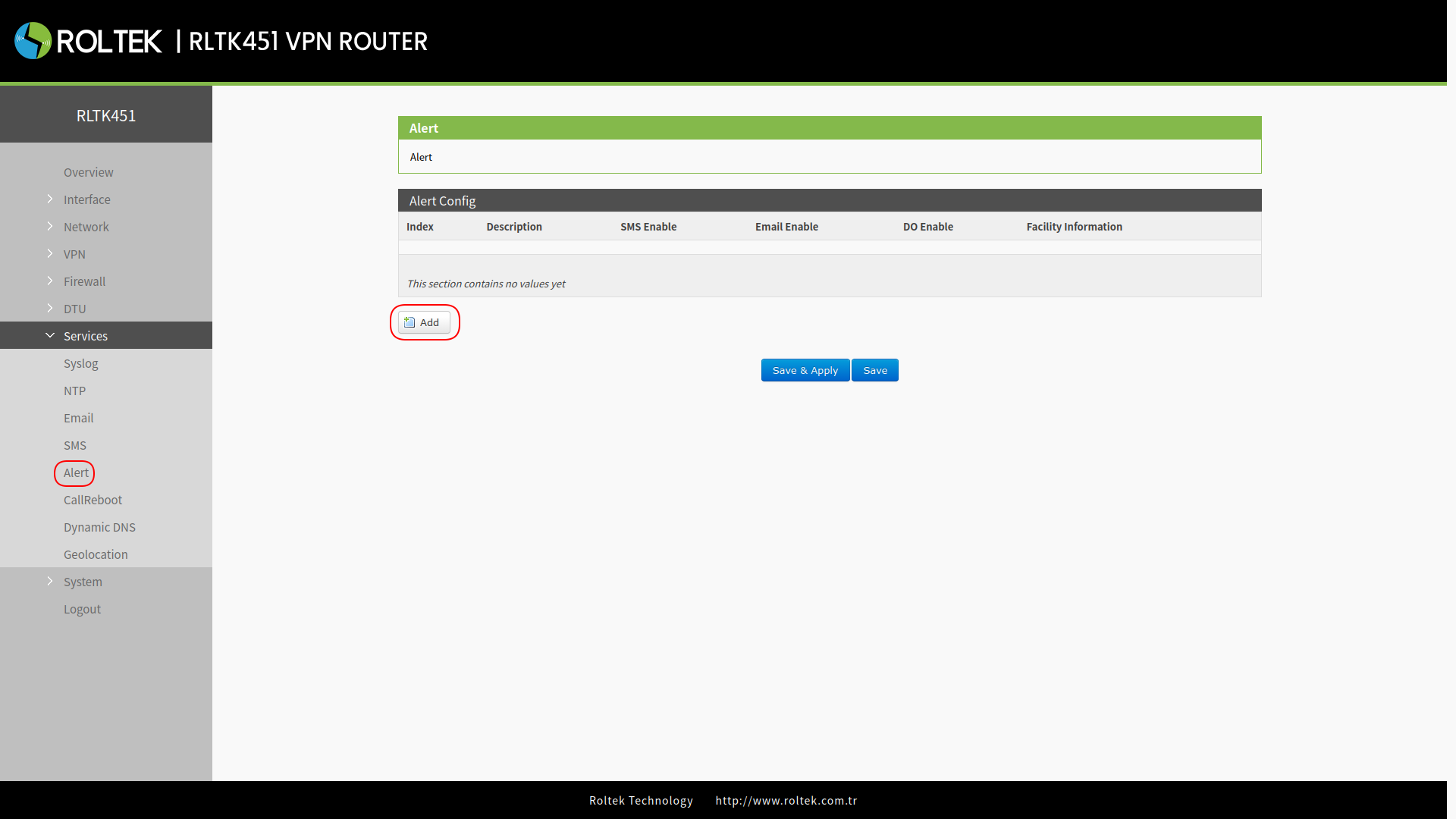
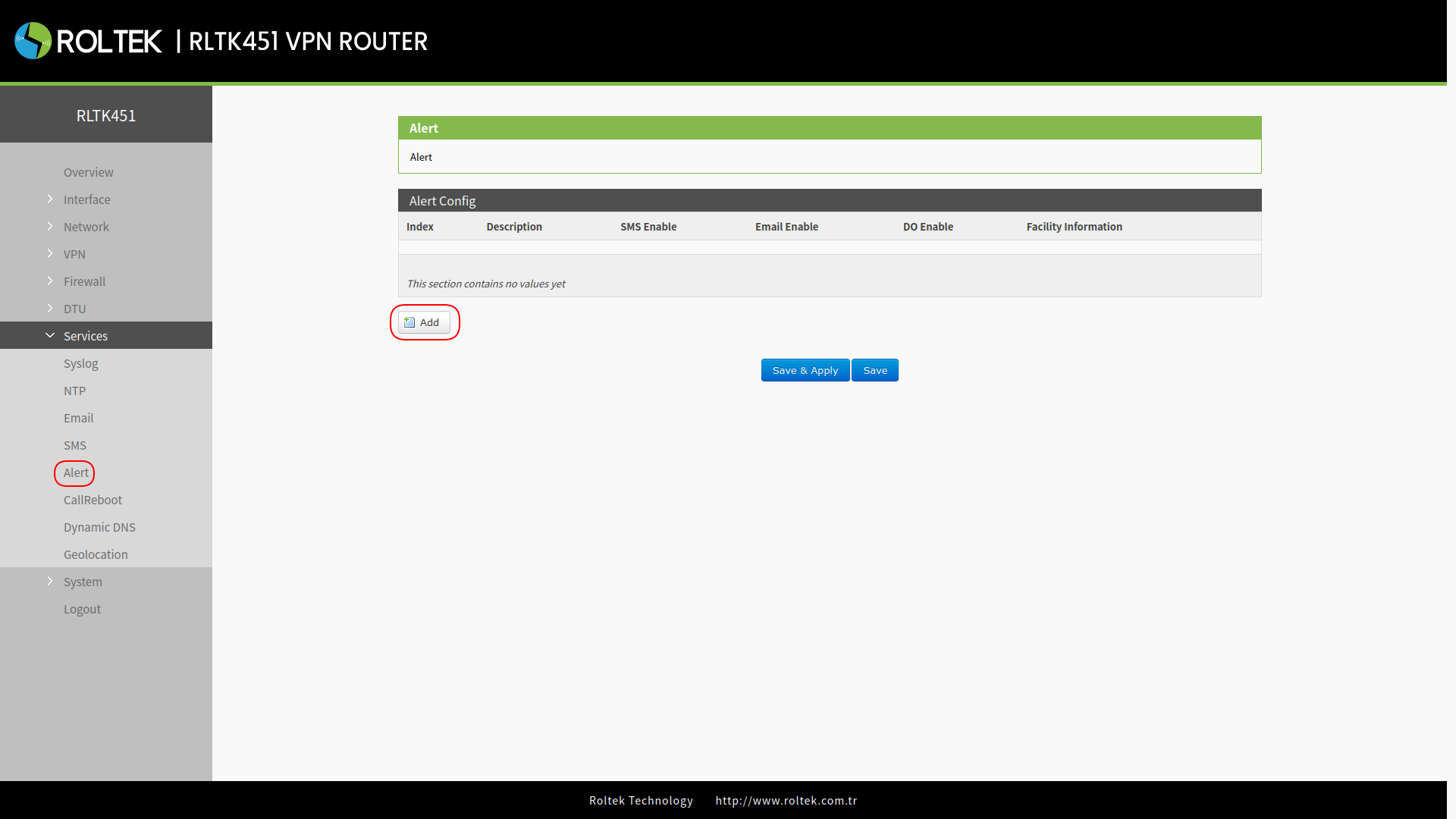
- Enable the SMS alarm and add an alarm to the device.
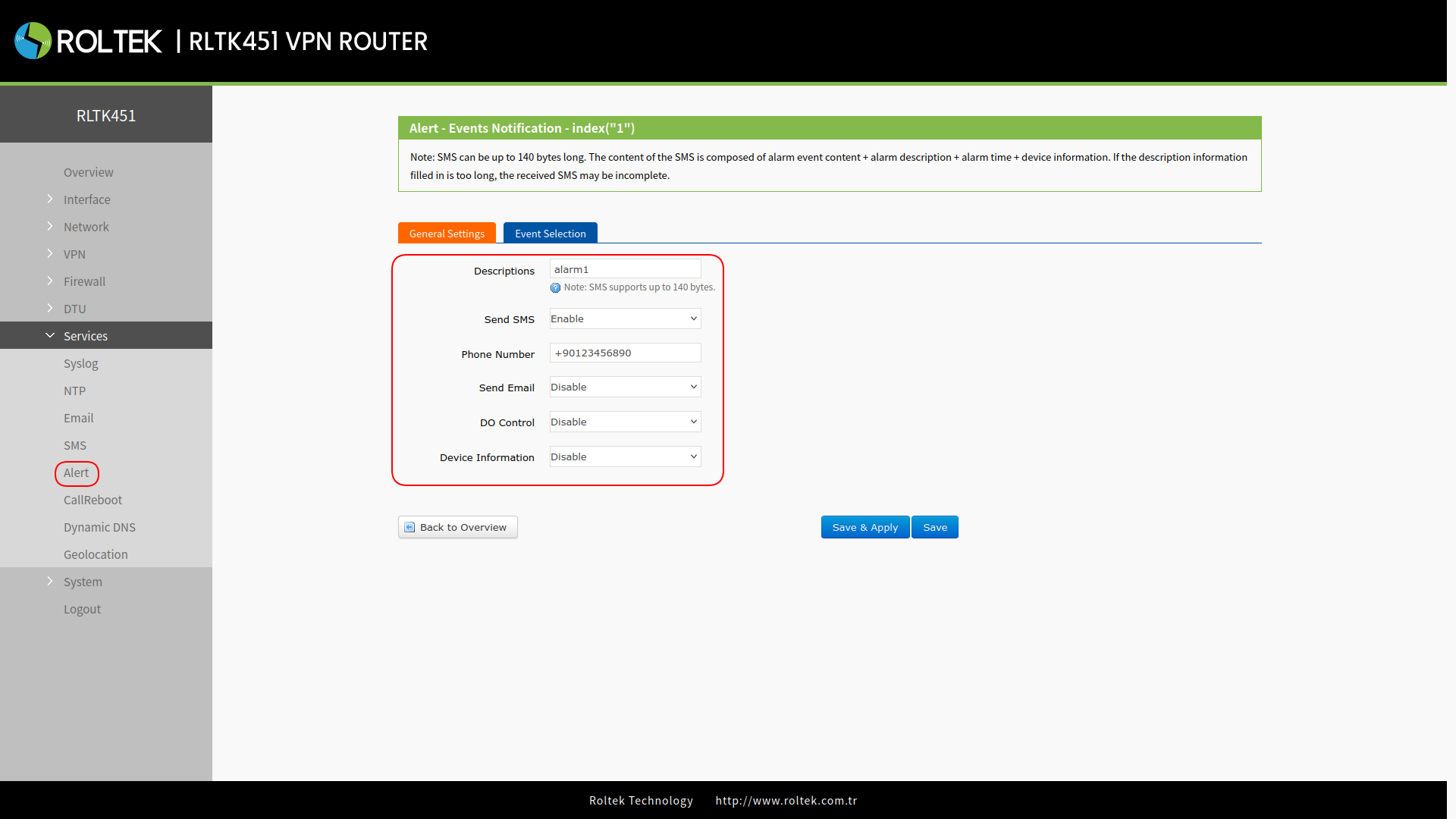
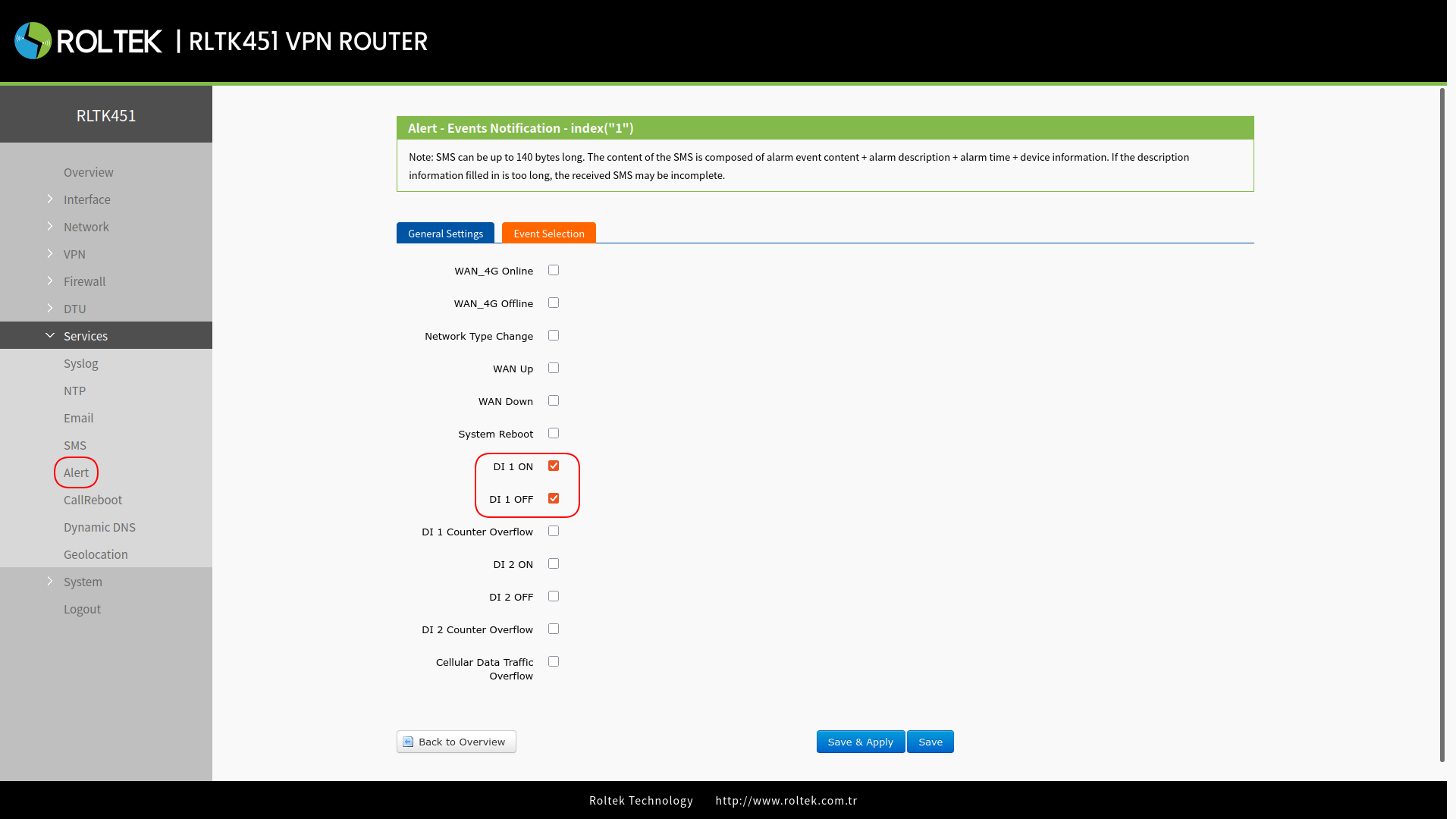
- In the Event Selection section, select the DI 1 ON and DI 1 OFF events. The SMS alarm will be sent according to the settings when DI1 is triggered.
Digital Output Triggering for 4G Connection / Disconnection
- Insert a SIM card and antenna that support SMS functionality into the device.
- Connect the digital input.
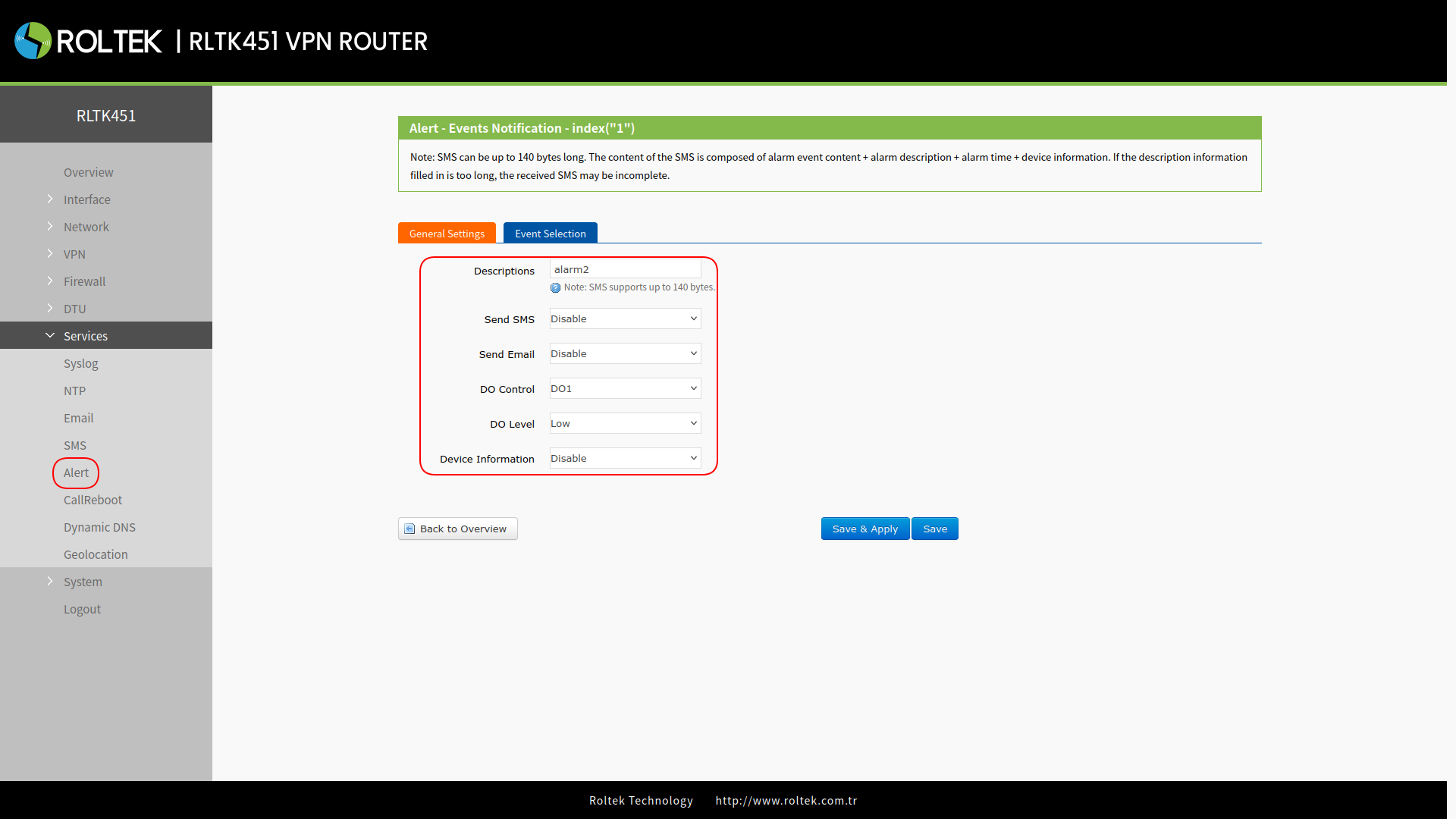
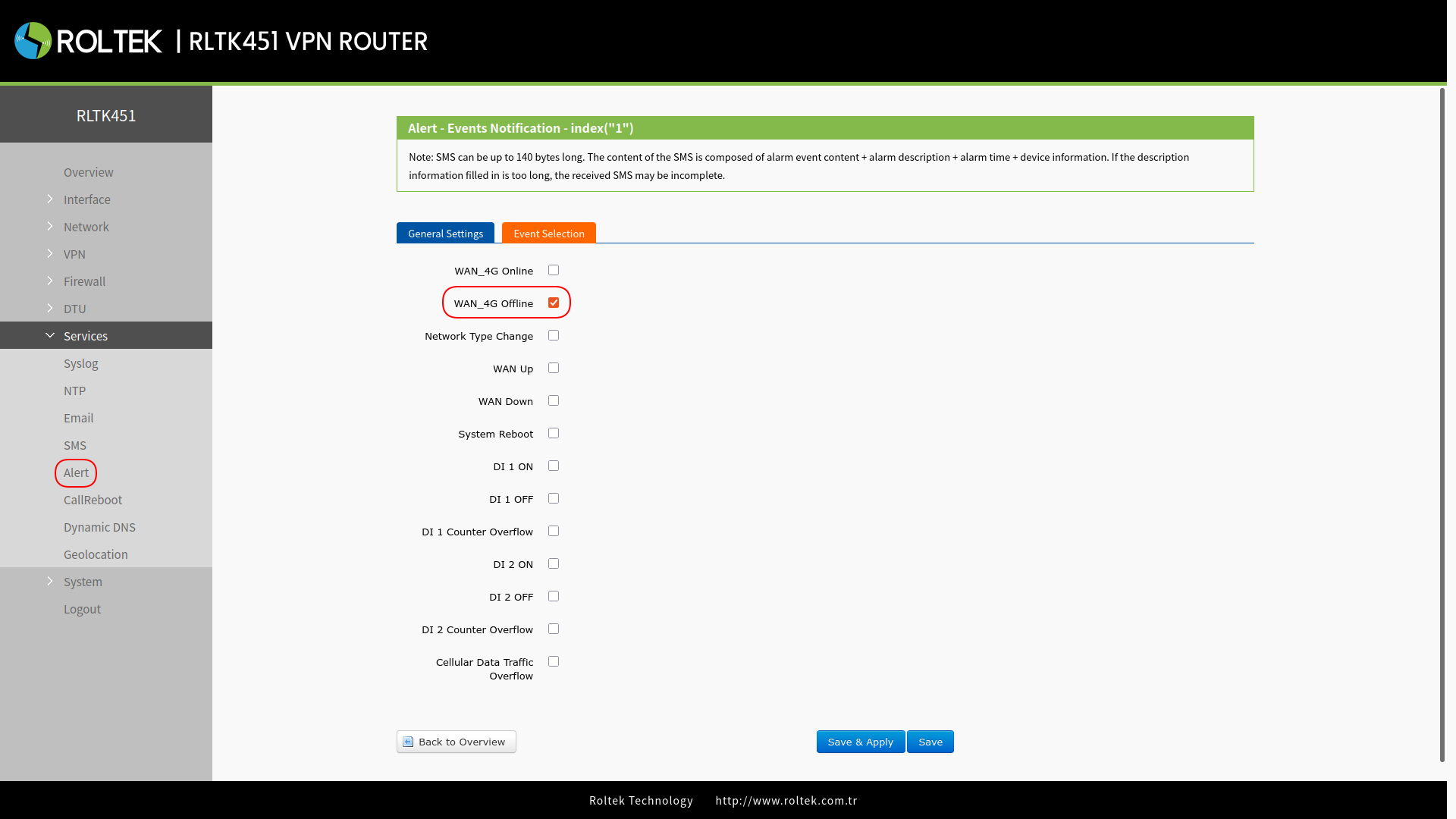
- Activate DO Control as DO1, set DO Level to High. In the Event Selection section, select the WAN_4G Online event.
- While enabling the DO1 control, please do not enable DO1 in the DI/DO interface to avoid conflicts.
- Since the triggering target is the DO state, please select only one event.
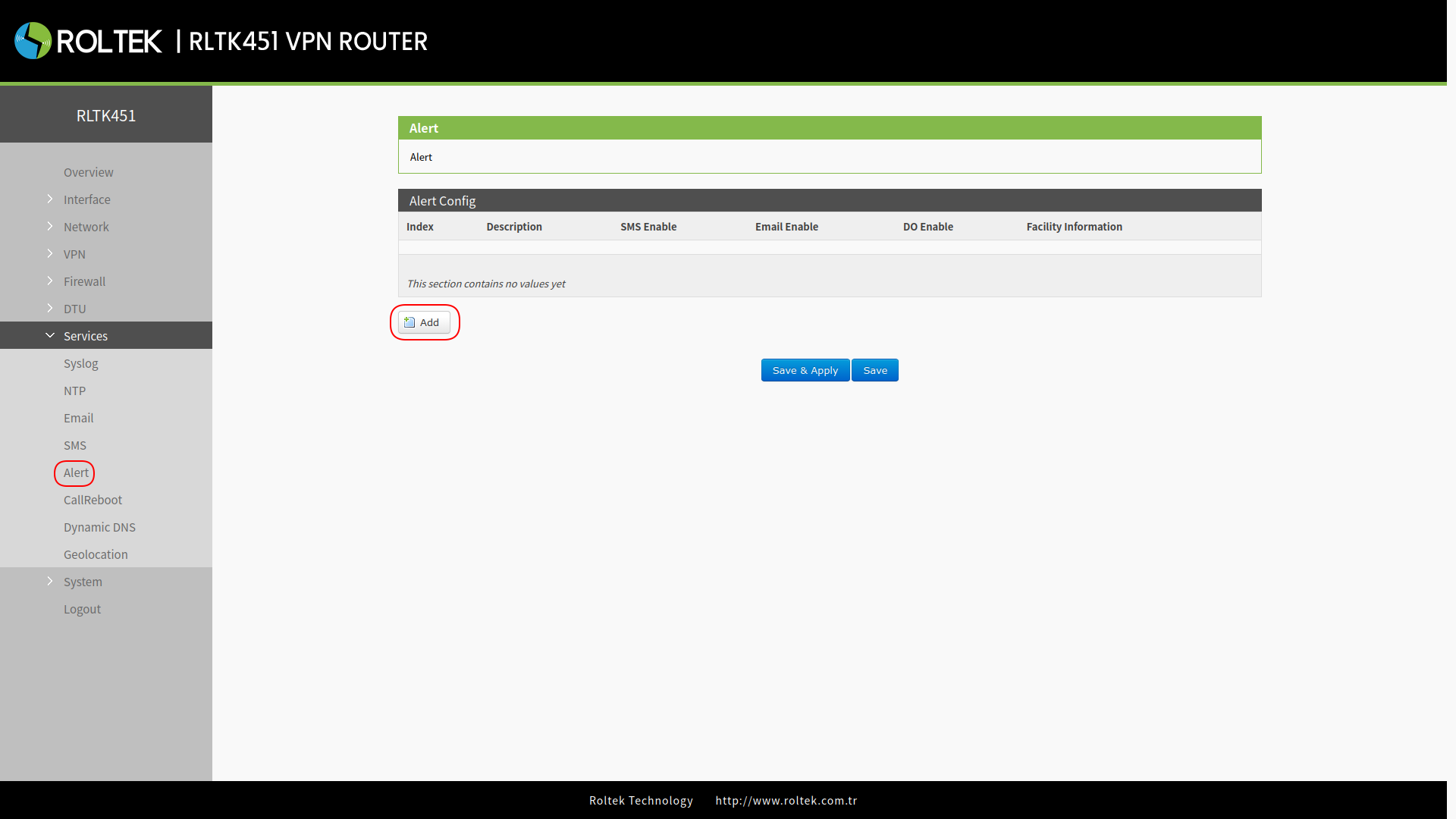
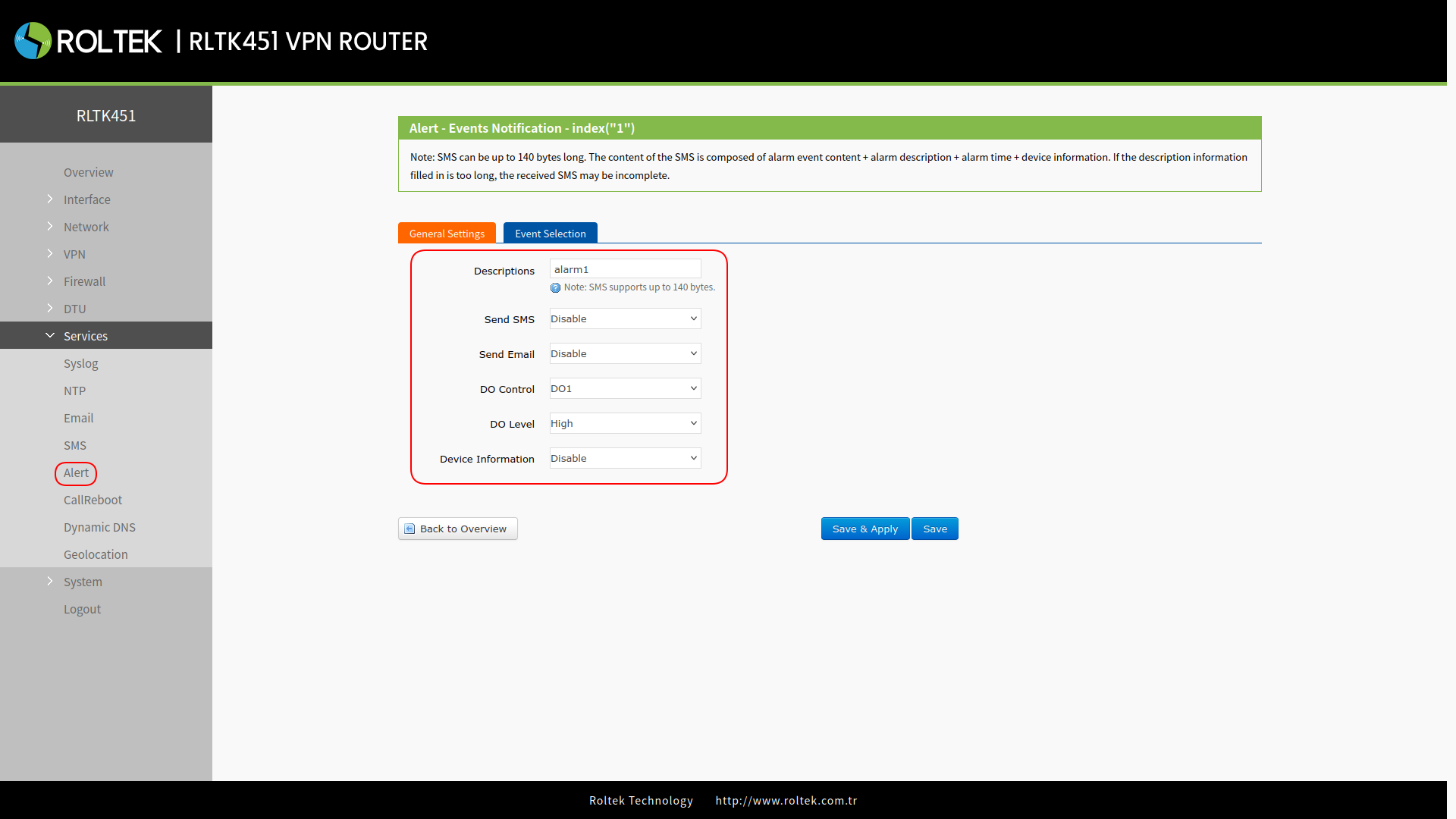
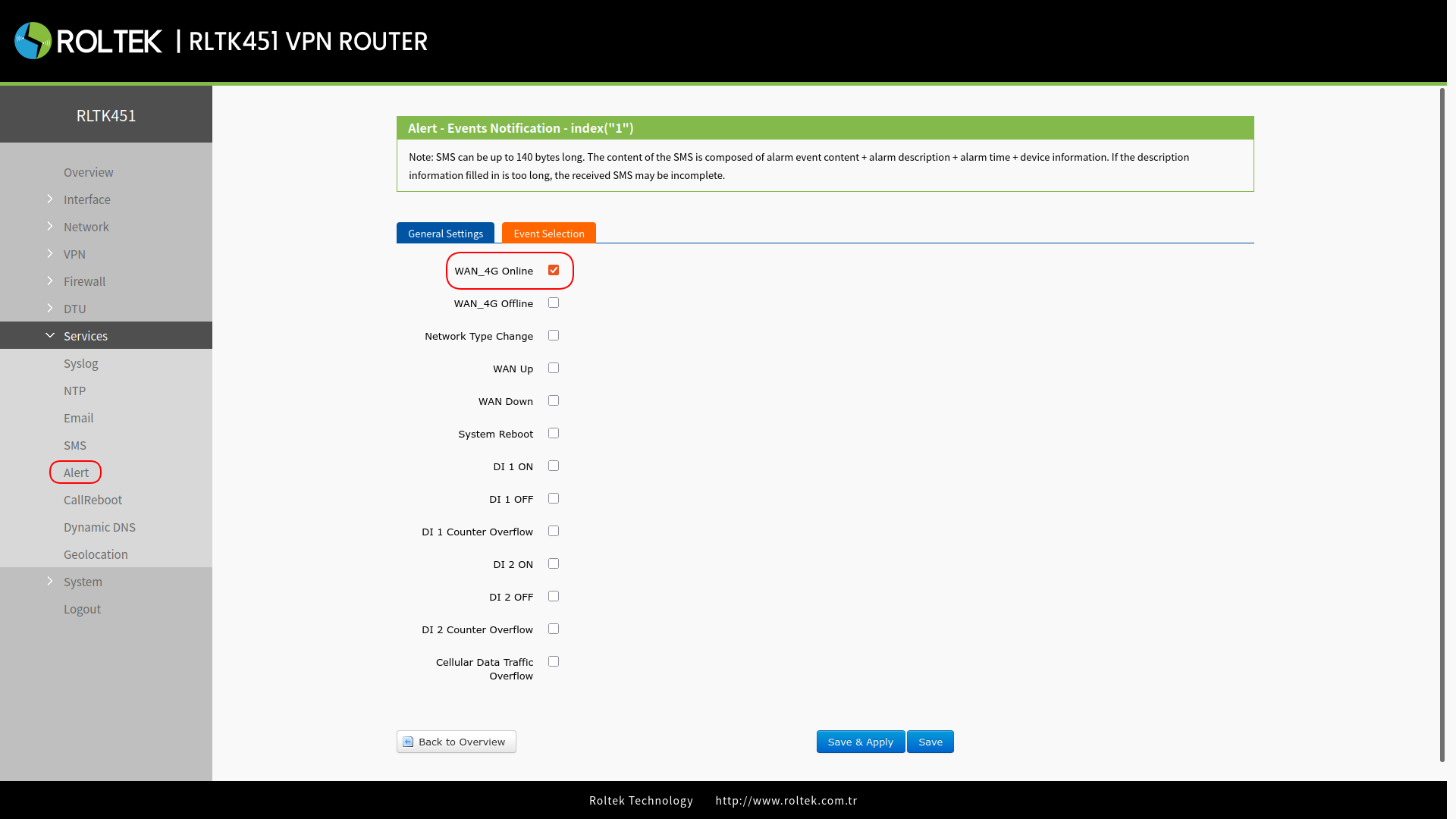
- Add a second alarm, set DO Level to Low. In the Event Selection section, select the WAN_4G Online event.
- When successfully connected to the 4G network, DO1 will always be in a high logical state.
- When the 4G network connection is lost, DO1 will always be in a low logical state.
- When a LED is connected to DO1, the LED light's turning on and off can be observed.