For the device's email settings:
- Services
follow the menus. After the network connection is established, this email account is used as the sender to send alarm emails to the specified address.
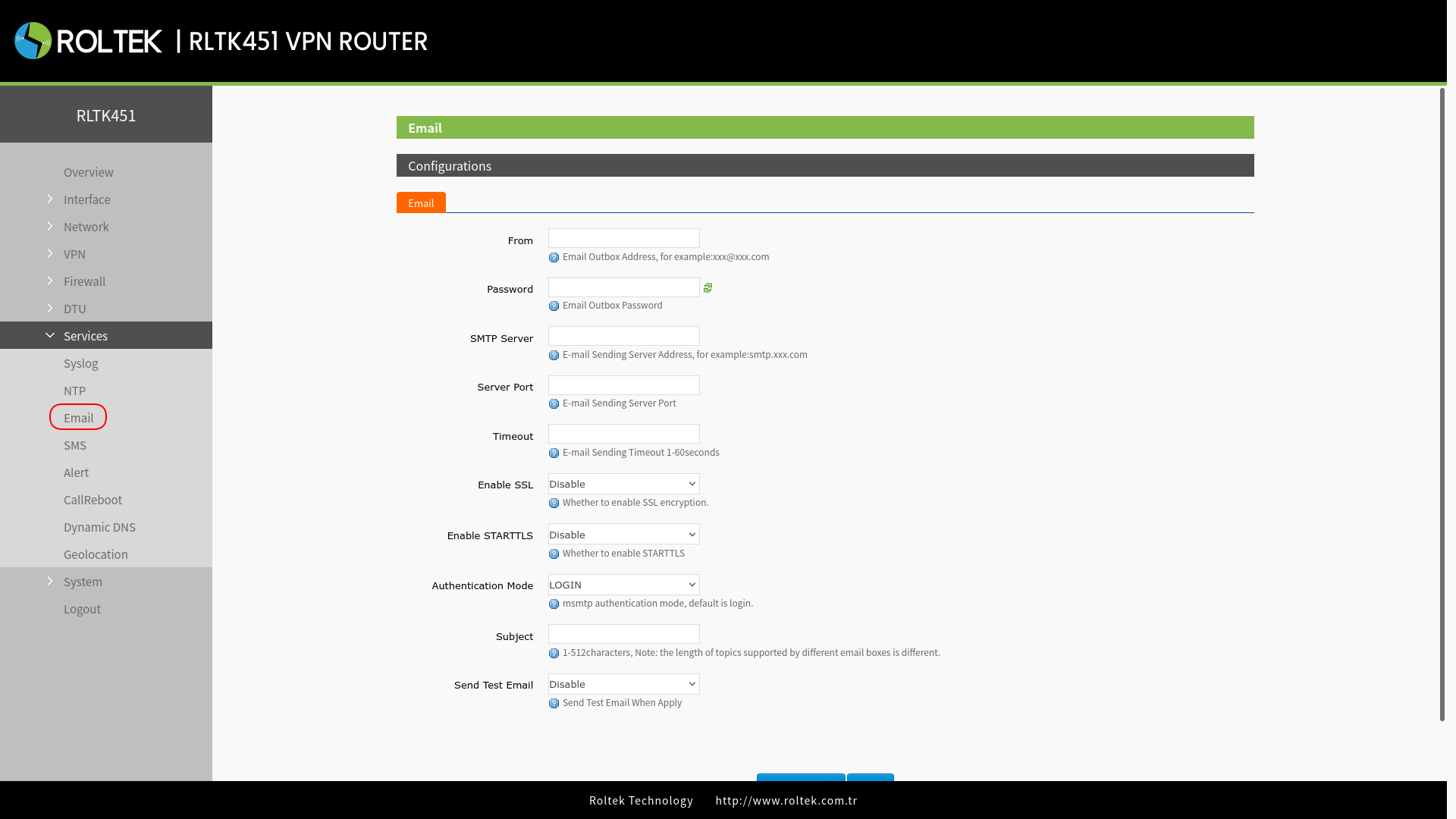
| Parameter | Description | Default Value |
|---|---|---|
| From | Email address from which the alarm is sent (sender) | |
| Password | The authentication code for the configured third-party mailbox, which refers to the password of the person or system sending the email or an API key from a third-party email provider. | |
| SMTP Server | Outgoing mail server. You can check it from the “Set -> Client Settings” section. | |
| Server Port | Outgoing mail server port. You can check it from the “Set -> Client Settings” section. | |
| Timeout (second) | Email sending timeout: 1~60s | |
| Enable SSL | Whether SSL encryption is enabled or not. You can check it from the “Set→Client Settings” section. | Disable |
| Enable STARTTLS | Whether STARTTLS is enabled or not. | Disable |
| Authentication Mode | LOGIN/PLAIN/Custom | LOGIN |
| Subject | Email subject | |
| Send test email | Send test email | Disable |
- If you fail to send the email with the correct configuration, please check whether the authorization code is required. The authorization code is a special password used to log into the third-party mail client.