Log
Local Log
To monitor logs directly from the device:
- Services
- Syslog
- You need to go to the Log To Local tab in the Configurations section.
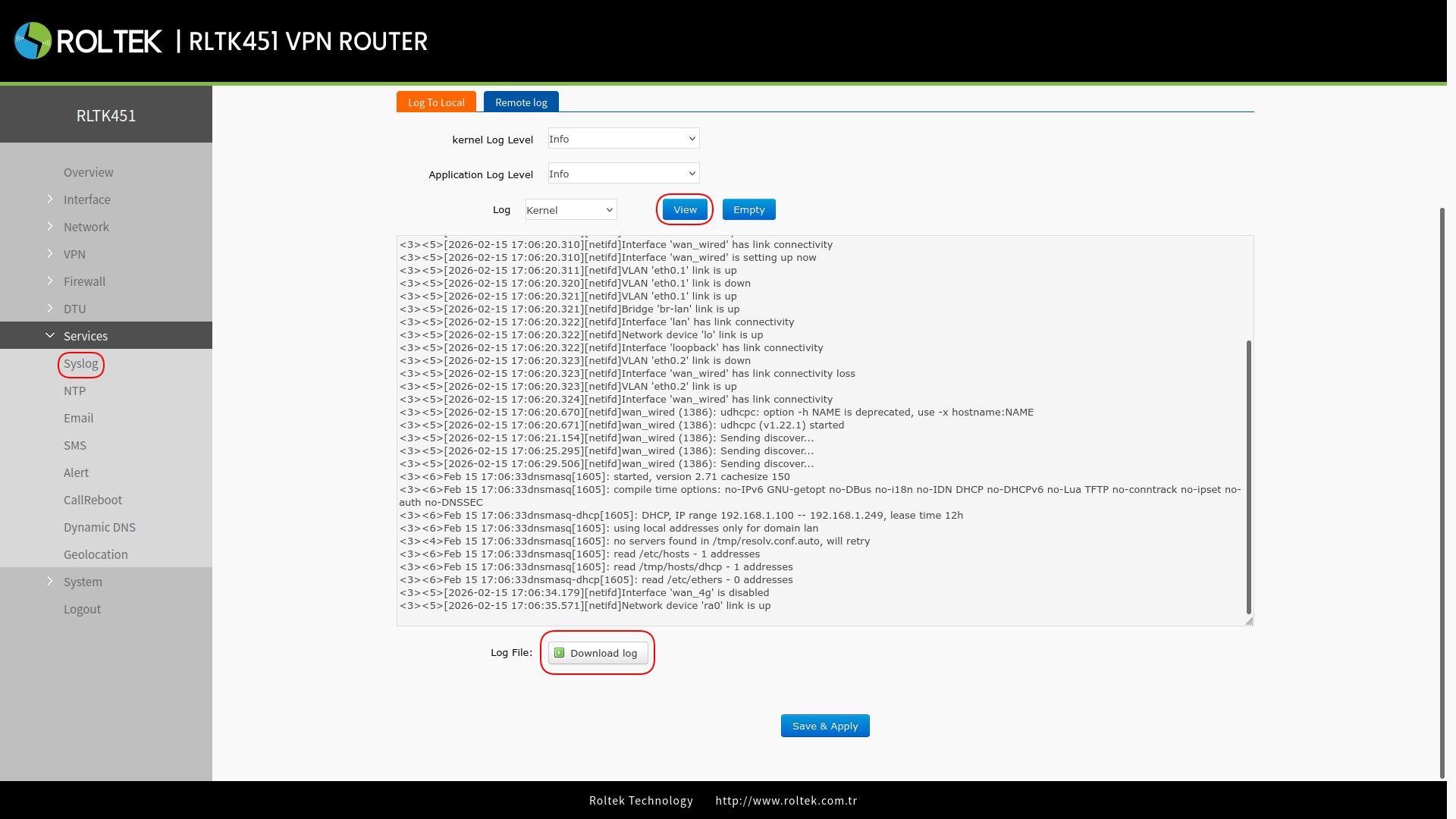
- kernel Log Level: You can change the kernel log level.
- Application Log Level: You can change the application log level.
- Log: You need to select which application's (kernel, vpn, etc.) logs you want to view.
- Download log: You can download the logs.
Remote Log
To monitor logs remotely:
- Services
- Syslog
- You need to go to the Remote log tab in the Configurations section.
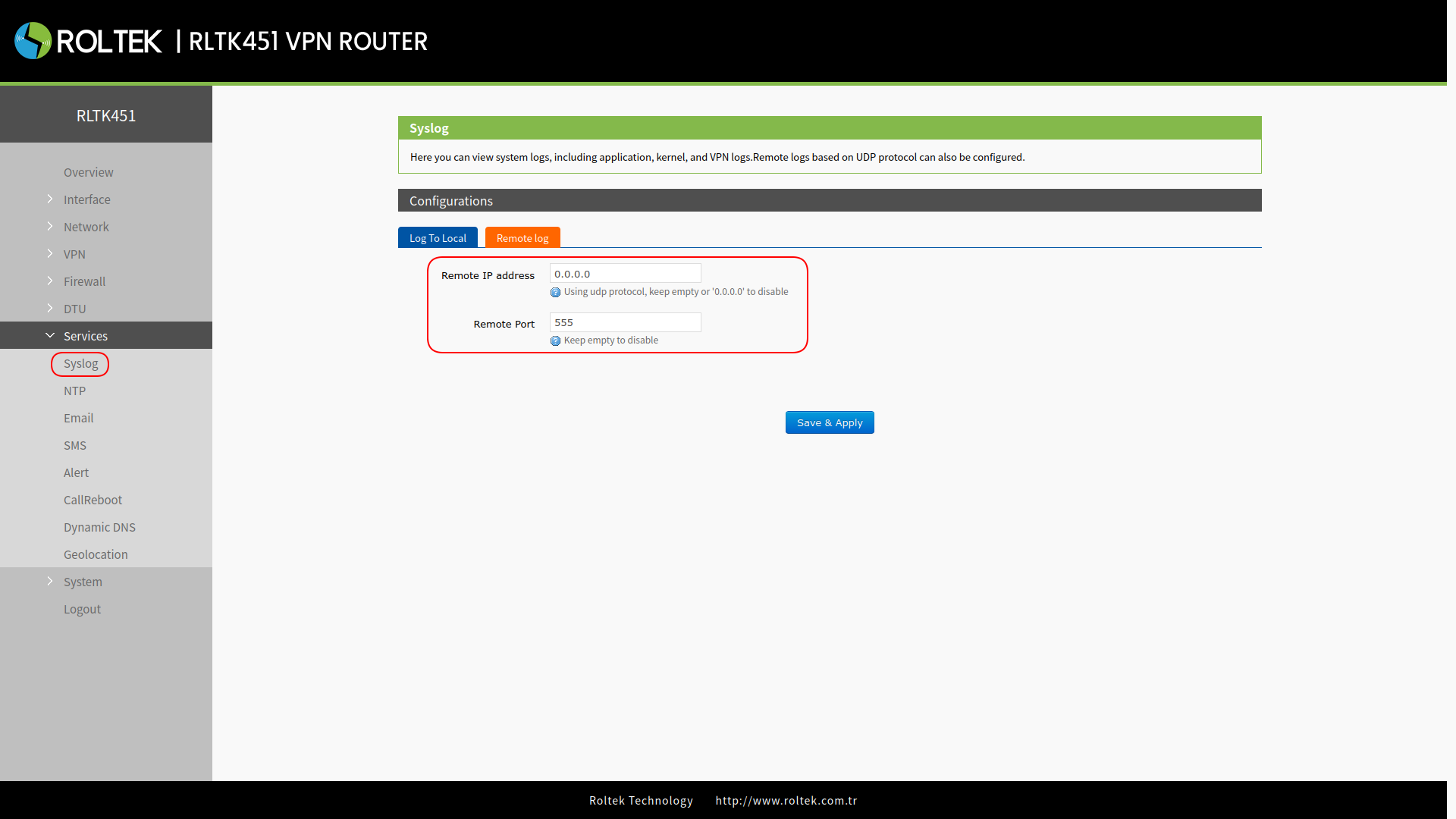
- Remote IP address: The IP address / domain name of the UDP server. It will be disabled if 0.0.0.0 is selected or left blank.
- Remote Port: The port of the UDP server. It will be disabled if left blank.