NTP Settings
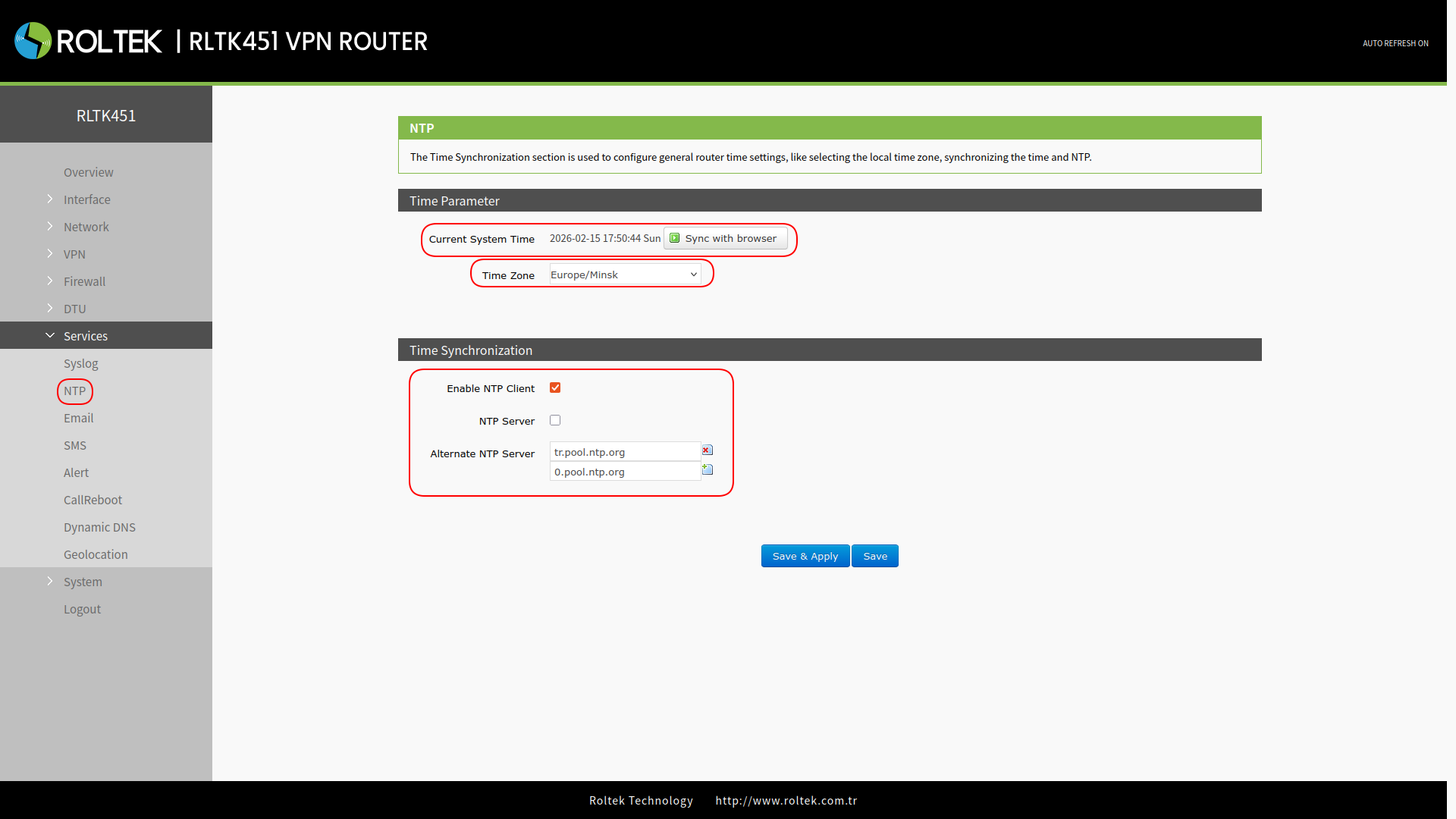
The NTP client is enabled by default and is set to the address tr.pool.ntp.org.
To use a different server:
- Follow the menus
- NTP
You can enter your preferred server in the Alternate NTP Server section to use the desired server.
By using the Sync with browser button, you can synchronize the time with the browser's time, and you can set the time zone from the Time Zone section.
Then, you can save your preferences by clicking the Save & Apply button.