LTE Settings
Follow the Settings and LTE tabs. This page allows the user to configure LTE settings.
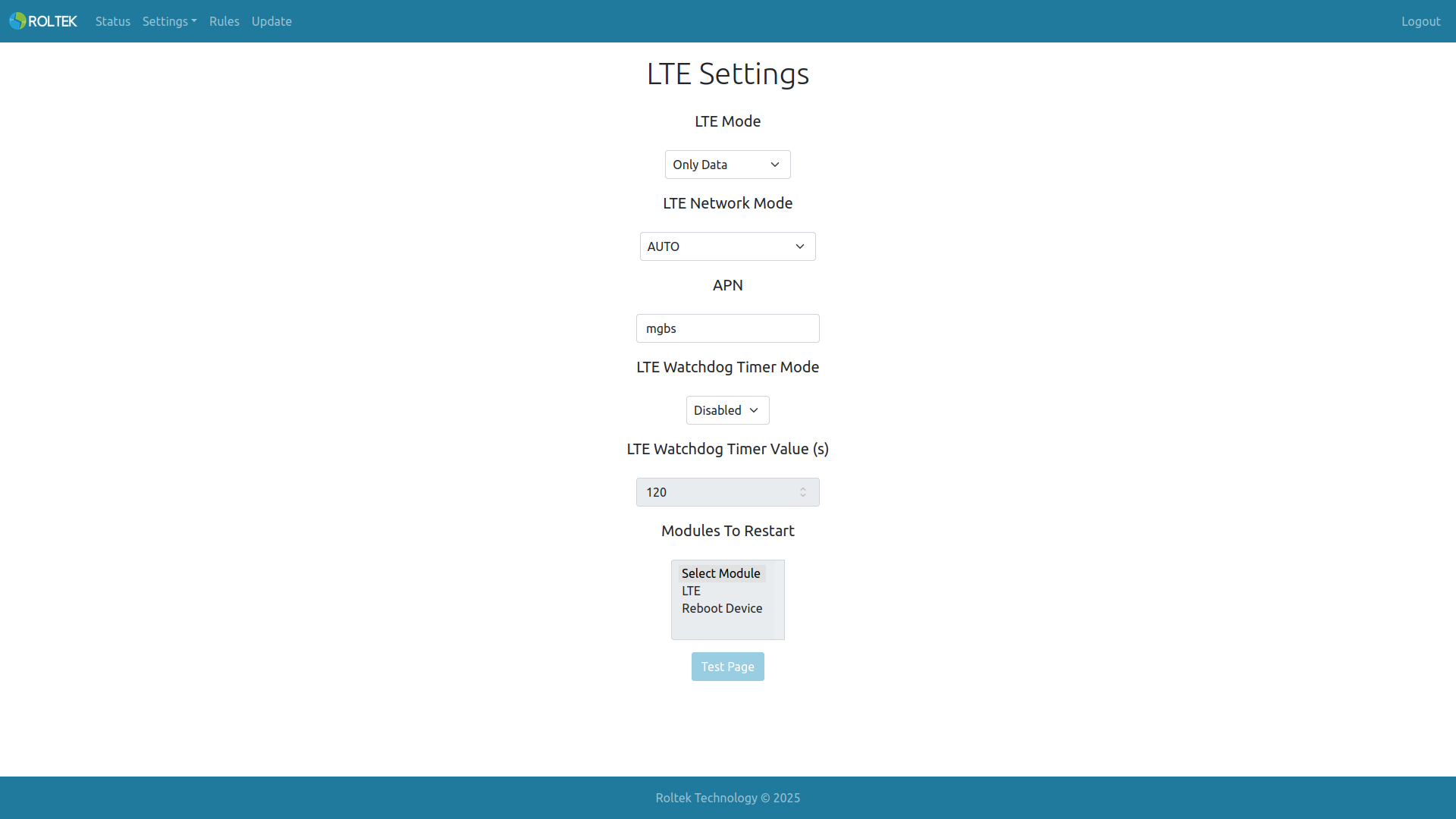
| Parameter | Description | Default Value |
| LTE Mode | The LTE mode in which the device will operate. Only Data: The LTE module operates only in data mode, receives IP but does not support SMS. MQTT and web UI access are possible. Data & SMS: The LTE module operates in both data and SMS modes. Only SMS: The LTE module operates only in SMS mode, IP acquisition and data features are disabled. Test Mode: The LTE module operates in test mode, AT commands can be sent and received via the Test Page. | Data & SMS |
| LTE Network Mode | LTE network mode. AUTO: Automatic selection. LTE (4G): Only LTE is used. GSM (2G): Only GSM is used. | AUTO |
| APN | The APN name provided by the mobile network operator. | mgbs (Turkcell) |
| LTE Watchdog Timer Mode | Enables or disables the LTE watchdog timer. It is triggered when the device cannot obtain an IP or when the LTE connection drops. Enabled: Active. Disabled: Inactive. | Disabled |
| LTE Watchdog Timer Value (s) | Duration of the LTE watchdog timer (in seconds). | 120 |
| Modules To Restart | Modules to be restarted when the watchdog is triggered. LTE: Restarts only the LTE module. Reboot Device: Restarts the entire device. | LTE |