SMS Settings
Follow the Settings and SMS tabs. SMS settings can be configured on this page.
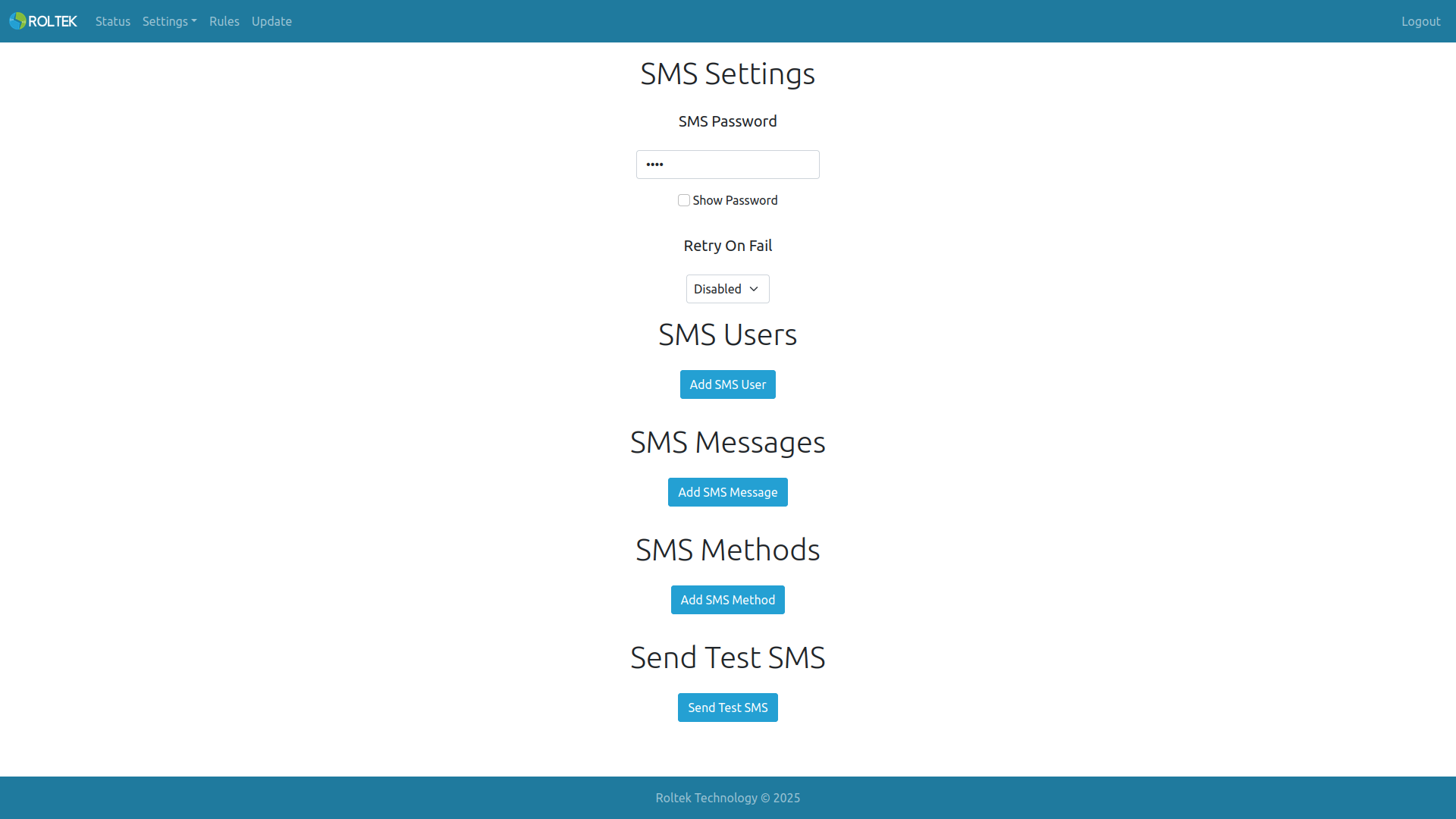
Note: To use SMS, the LTE Mode section must be selected as Data & SMS or Only SMS.
- SMS Password: Password for accessing the device via SMS. Default value: 0000.
SMS Users
Users can add an SMS user using the Add SMS User button. The maximum number of users that can be added is 10.
- Name: The name of the user. (Maximum 15 characters).
- Number: The user's phone number (Maximum 15 characters).
SMS Messages
Users can add an SMS user using the Add SMS User button. The maximum number of messages that can be added is 10.
- Message: The SMS message to be sent to the user. (Maximum 139 characters). Templates specified in the Payload section can be used.
SMS Methods
Users can add an SMS user using the Add SMS User button. The maximum number of SMS methods that can be added is 10.
- Users: Users added in the SMS Users section can be selected here. Multiple selections are possible.
- Message: Messages added in the SMS Messages section can be selected here.
Sending Test SMS
Users can send a test SMS by clicking the Send Test SMS button.
- Number: The phone number to which the SMS will be sent (Maximum 15 characters).
- Message: The SMS message to be sent (Maximum 139 characters).
SMS Commands
Users can send commands to the device via SMS. Users must send commands in the format of SMSPassword Command. The default password 0000 is used in the usage examples.
INFO:
Retrieve device information.
Usage:
0000 INFO
Response:
EdgePro_LTE8421

Serial:2403XXXXXX

FW:X.X.X.X

Operator name

RSSI:-XX dBm

IMEI:XXXXXXXXXXXXXXX

IP:XXX.XXX.XXX.XXX

Uptime:XXh XXm XXs
RESET
Reset the device.
Usage:
0000 RESET
Response: No response is sent for this command.
IOSTATUS
Retrieve the status of the device's Digital and Analog inputs/outputs.
Usage:
0000 IOSTATUS
Response:
IN1: PASSIVE

IN2: PASSIVE

IN3: PASSIVE

IN4: PASSIVE

IN5: PASSIVE

IN6: PASSIVE

IN7: PASSIVE

IN8: PASSIVE

OUT1: PASSIVE

OUT2: PASSIVE

OUT3: PASSIVE

OUT4: PASSIVE

AIN1C: 0

AIN1V: 0

AIN2C: 0

AIN2V: 0

AOUT: 0
TAGSTATUS
Retrieve the status of the tags. It is possible to query multiple tags (up to 8). Tag names are case-sensitive.
Usage:
0000 TAGSTATUS TAGNAME
Example:
0000 TAGSTATUS Out1 Out2
Response:
Out1:0 PASSIVE

Out2:0 PASSIVE
SETTAG
The value of a tag can be set. Tag names are case-sensitive.
Note: If the user wants to add a pulse with a timeout to the outputs, the timeout value should be written after the value. The unit of the timeout is 100ms. For example, for a pulse with a 5-second timeout, 50 should be written after the value.
Usage:
0000 SETTAG TAGNAME VALUE PULSETIME(Optional).
Example:
0000 SETTAG Out1Lock 1
Response:
SETTAG Out1Lock to 1 successfully
Example:
0000 SETTAG Out1 1 50
Response:
SETTAG Out1 to 1 successfully
SETAPN
Used to set the device's APN.
Usage:
0000 SETAPN APNNAME
Response:
APN set to XXXX successfully.
SETSMSPWD
Used to set the device's SMS password.
Usage:
0000 SETSMSPWD PASSWORD
Response:
SMS password set to XXXX successfully.