Modbus Settings
Follow the Settings and Modbus tabs. On this page, the user can configure the Modbus settings.
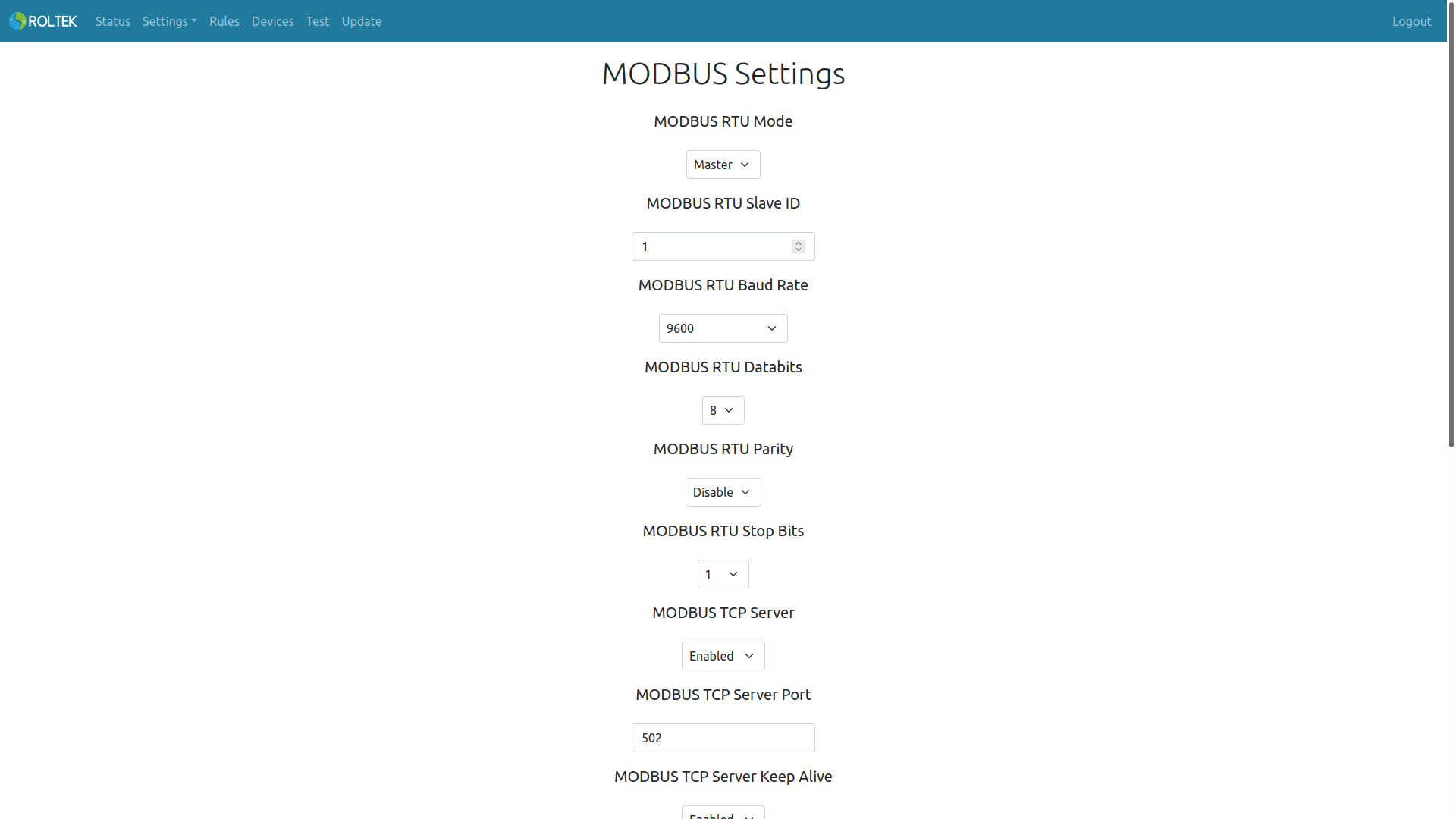
| Parameter | Description | Values |
|---|---|---|
| Modbus Mode | The Modbus mode of the device. | Master: The device will operate as a Modbus RTU and Modbus TCP Master.
Slave: The device will operate as a Modbus RTU and Modbus TCP Slave. |
| Modbus RTU Slave ID | The Slave ID of the device. | |
| Modbus RTU Baud Rate | The baud rate of the RTU connection. | 300, 600, 1200, 2400, 4800, 9600, 19200, 83400, 57600, 115200 |
| Modbus RTU Databits | The number of data bits in RTU. | 5, 6, 7, 8 |
| Modbus RTU Parity | The parity bit of the RTU. | Odd, Even, None |
| Modbus RTU Stop Bits | The stop bit of the RTU transmission. | 1, 1.5, 2 |
| Modbus TCP Server | Enable or disable the Modbus TCP to RTU gateway. | |
| Modbus TCP Server Port | The port number of the Modbus TCP to RTU gateway. | |
| Modbus TCP Server Keep Alive | Enable or disable the keep alive feature in the Modbus TCP to RTU gateway. | |
| Modbus TCP Server Keep Alive Idle Time | The waiting time for the keep alive message from the client in the Modbus TCP - RTU gateway. If the values of Modbus TCP Server Keep Alive Interval and Modbus TCP Server Keep Alive Count are equal to zero, the gateway waits for the Modbus TCP Server Keep Alive Idle Time duration to expire, and if no keep alive message or data is received from the client, the gateway closes the connection. If the values of Modbus TCP Server Keep Alive Interval and Modbus TCP Server Keep Alive Count are different from zero, the gateway waits for the Modbus TCP Server Keep Alive Idle Time duration to expire, and if no keep alive message or data is received from the client, the gateway waits for the Modbus TCP Server Keep Alive Count number of Modbus TCP Server Keep Alive Interval durations to expire and then closes the connection. | |
| Modbus TCP Server Keep Alive Interval | ||
| Modbus TCP Server Keep Alive Count | ||
| Modbus TCP Server Watchdog Timer Mode | Enable or disable the Modbus TCP Server watchdog timer. This watchdog timer is triggered if a client cannot connect to the Modbus TCP Server within the specified time. | Enabled Disabled |
| Modbus TCP Server Watchdog Timer Value | The duration of the Modbus TCP Server watchdog timer. The unit is seconds. | 120 |
| Modules To Restart | Modules to be restarted when the Modbus TCP Server watchdog timer is triggered. Multiple selections can be made. | - Wi-Fi - Ethernet - Modbus TCP Server - Reboot Device |