Device Settings
Follow the Settings and Device tabs. On this page, the user can change the Device Mode, Web Interface Password, download or upload the device's configuration and rules files.
- Device Name: The name of the device. The default value is ISM842.
- Web UI Password: The password for the device's web interface login. The default value is admin.
- Web UI Session Timeout: The timeout duration for the web interface. The unit is seconds. The default value is 300.
- Web UI Port: The HTTP port of the device's web interface. The default value is 80.
- Configuration Files: The configuration file can be downloaded with the Download button, and the file can be deleted with Delete.
- Upload Configuration File: Configuration files to be uploaded are selected with Browse, and then the files are uploaded with Upload.
- Reboot Device: The device can be restarted by clicking the Reboot button.
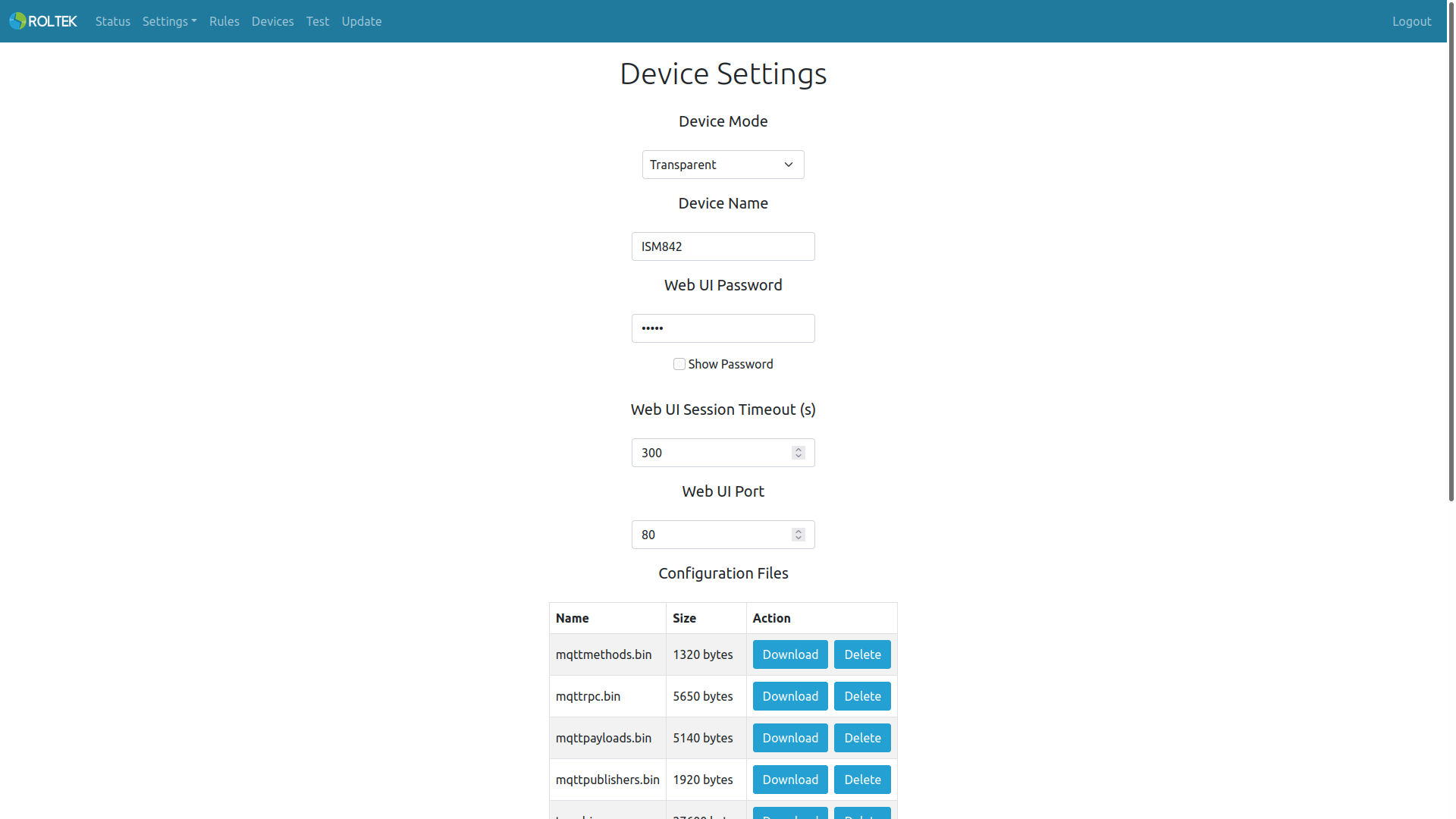
The device has four Device Modes (operating modes):
- Transparent Mode
- Master Mode
- Master - Data Collector Mode
- Slave Mode
Transparent Mode
In this mode, the device sends data coming from RS485 or the TCP server to other ModProBus devices. It sends data coming from other ModProBus devices to both RS485 and the TCP server.
-
If the RF Address Mode value on the RF page is Address Mode 0, all devices in the network receive all packets.
-
If the RF Address Mode value on the RF page is Address Mode 1, users can send packets to specific devices in the network by writing #RF Device ID# at the beginning of the packet. The receiving device receives this packet with the sender device's RF Device ID value starting with #RF Device ID#. If the recipient's RF Device ID is not specified in the packet, the packet is broadcasted to all devices in the network.
-
If the RF Address Mode value on the RF page is Address Mode 2, users can send packets to specific devices in a specific network by writing #RF Net ID#RF Device ID# at the beginning of the packet. The receiving device receives this packet with the sender device's RF Net ID and RF Device ID information starting with #RF Net ID#RF Device ID#. If the recipient's RF Device ID or RF Net ID is not specified in the packet, the packet is broadcasted to all devices in the network.
Master Mode
In this mode, the device sends Modbus data coming from RS485 or the Ethernet port to the ModProBus devices registered in Devices Settings. The Slave device(s) send the data received from the Master device to the Modbus devices stored in it via RS485 or the Ethernet port. After the Slave device(s) receive data from RS485 or the Ethernet port, they send a response to the master device. On the Ethernet side, the device behaves like a TCP server (if enabled in Modbus Settings), and users can connect to this server as clients.
Important: Only one device can be Master on the same network.
Important: All Modbus devices' Slave ID values must be unique.
Master - Data Collector Mode
In this mode, the device can collect data from other slave Modbus devices on the network (including its own RS485 port, Ethernet port, WiFi port) that are registered on the Devices page. The device can do the following:
- It can collect data through the Nodes defined on the Rules page.
- It can write data to other devices as defined on the Rules page.
- It can publish data via MQTT as defined on the Rules page.
- It can write data to other devices via MQTT as defined on the Rules page.
Important: Only one device can be Master - Data Collector on the same network.
Slave Mode
In this mode, the device receives data from the Master device and queries according to the registered configuration in Devices Settings, sending the response back to the Master device via RS485 and the Ethernet port. There can be multiple slaves on the same network. On the Ethernet side, the device behaves like a TCP server (if enabled in Modbus Settings), and users can connect to this server as clients. The device can do the following:
- If the incoming packet belongs to its own Slave ID, it forwards its own Modbus registers.
- It can send and receive packets over RS485 port (Modbus RTU) or Ethernet & WiFi (Modbus TCP/IP) according to the registered ModProBus devices on the Devices page and forwards them back to the Master or Master - Data Collector device.