Serial Port Operating Modes
To set the operating modes of the device's serial port:
- DTU
- General Settings
follow the menus. The operating mode can be selected from the Type section under Protocol Format Select. The RLTK541 supports three different operating modes:
- NET (Transparent data transmission),
- MODBUS (MODBUS RTU → MODBUS TCP conversion),
- HTTPD (HTTP client mode).
The RLTK541 supports 4 independent socket connections. These sockets are numbered from socket A to socket D. To configure the sockets:
- DTU
- SOCKET
follow the menus.
Socket A supports the following configurations:
- TCP client: RLTK541 acts as a client to connect to a TCP server.
- TCP server: RLTK541 acts as a server to listen for incoming TCP client connections.
- UDP client: RLTK541 acts as a client to send UDP packets to a remote UDP server.
- UDP server: RLTK541 acts as a server to receive UDP packets from remote UDP clients.
Sockets B, C, and D support the following configurations:
- TCP client: RLTK541 acts as a client to connect to a TCP server.
- UDP client: RLTK541 acts as a client to send UDP packets to a remote UDP server.
- UDP server: RLTK541 acts as a server to receive UDP packets from remote UDP clients.
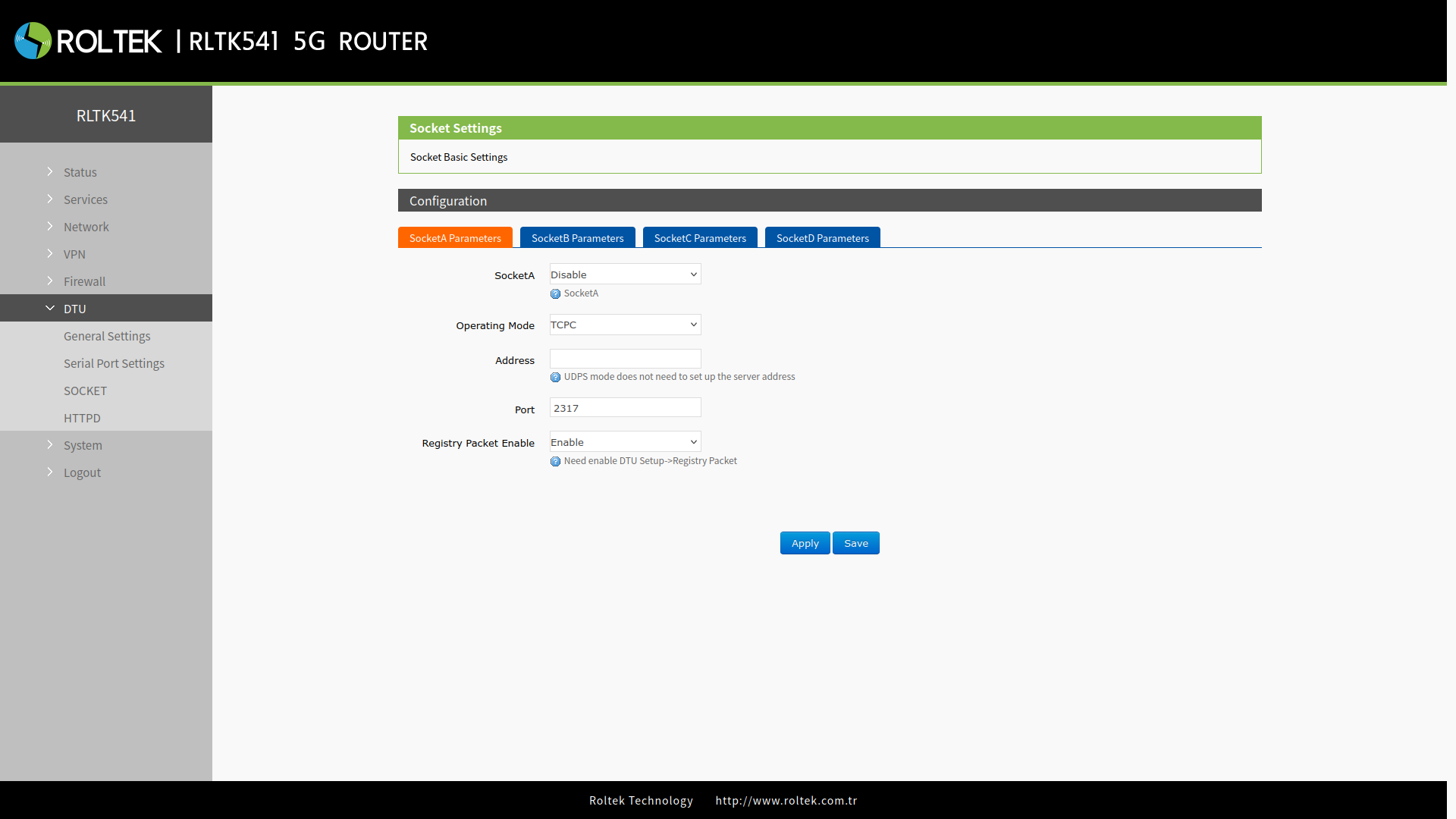
| Parameter | Description | Default Value |
|---|---|---|
| SocketA | Enable: Enable Socket A communication. Disable: Disable Socket A communication. | Disable |
| Operating Mode | TCPC: TCP client mode.
TCPS: TCP server mode, Up to 8 clients can connect simultaneously (Valid only for SocketA). UDPC: UDP client mode. UDPS: UDP server mode. | TCPC |
| Address | IP address of the remote server for TCPC and UDPC modes.
No function for TCPS and UDPS modes. | |
| Port | Listening port of the remote server for TCPC and UDPC modes.
TCPS and UDPS modes refer to the listening port of the RLTK541. | 2317 |
| Registry Packet Enable | This switch button is used together with the function in General Settings.
Enable: Enables the registration packet function corresponding to the socket. Disable: Disables the registration packet function corresponding to the socket. | Enable |
NET Mode
In this mode, the user can provide transparent data transmission between the serial device and the network server with simple parameter settings.
- Select NET in the Type section under DTU, General Settings, Protocol Format Select. Click Save and Apply.
- Then configure the serial port parameters. Click Save and Apply.
- Set the device as TCP Client (TCPC), enter the server address and port. Click Save and Apply.
- After setting all parameters, restart the device for the parameters to take effect.
- After the device restarts, the data transmitted from the serial port will be readable by your server.
Modbus Mode
In this mode, the RLTK541 can perform bidirectional protocol conversion between serial MODBUS RTU data and MODBUS TCP data over the network. The MODBUS mode supports 4 socket connections, and these connections are independent of each other. Socket A provides TCP client/server support, while sockets B/C/D operate only as TCP clients.
- Select MODBUS in the Type section under DTU, General Settings, Protocol Format Select. Click Save and Apply.
- Set the device as TCP Server (TCPS), enter the server port. Click Save and Apply.
HTTPD Mode
In this mode, the user can send request data from the serial device to the HTTP server. The RLTK541 processes the data received from the server and then transmits it to the serial device. By default, the HTTP header in the server data is removed. Users can set whether this feature is enabled or not via AT commands.
- Select HTTPD in the Type section under DTU, General Settings, Protocol Format Select. Click Save and Apply.
When the RLTK541 operates in HTTPD mode, the relevant parameters need to be configured. To make these settings:
- DTU
- HTTPD
follow the menus.
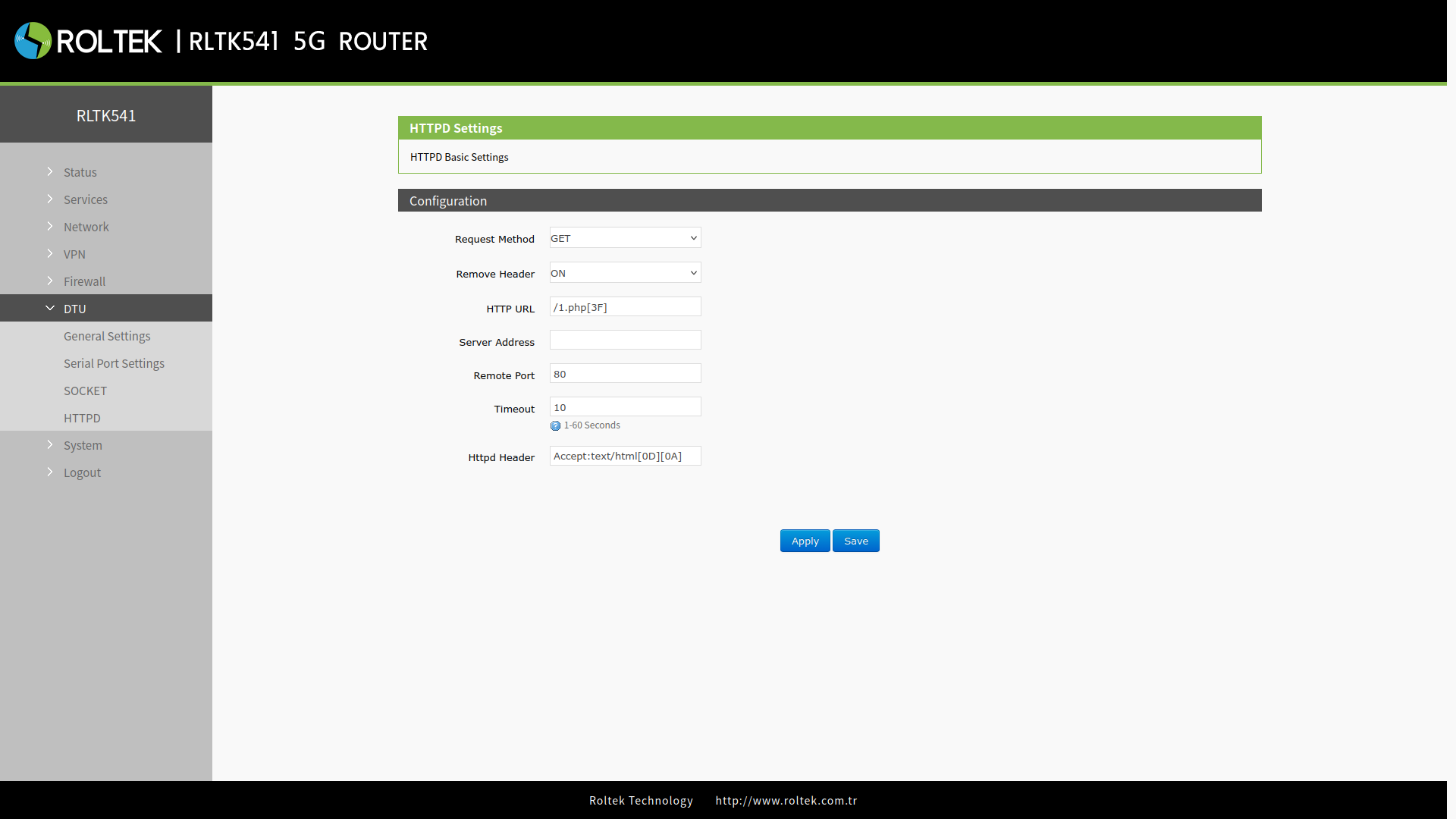
| Parameter | Description | Default Value |
|---|---|---|
| Request Method | Supports GET and POST methods. | GET |
| Remove Header | ON: Parses the HTTP message received from the server, then sends the payload to the serial port.
OFF: Sends the HTTP message received from the server directly to the serial port. | ON |
| HTTP URL | URL information of the HTTP server. | /1.php[3F] |
| Server Address | HTTP server address. | |
| Remote Port | Listening port of the HTTP server. | 80 |
| Timeout | If unable to connect within the specified time, the connection with the server will be terminated. It can take a value between 10 - 60, and the unit is seconds. | 10 |
| Httpd Header | HTTP protocol header. | Accept:text/html[0D][0A] |