General Functions
For the device's serial port packet settings:
- DTU
- General Settings
follow the menus.
Protocol Format Select
Click on Protocol Format Select under the Configurations tab.
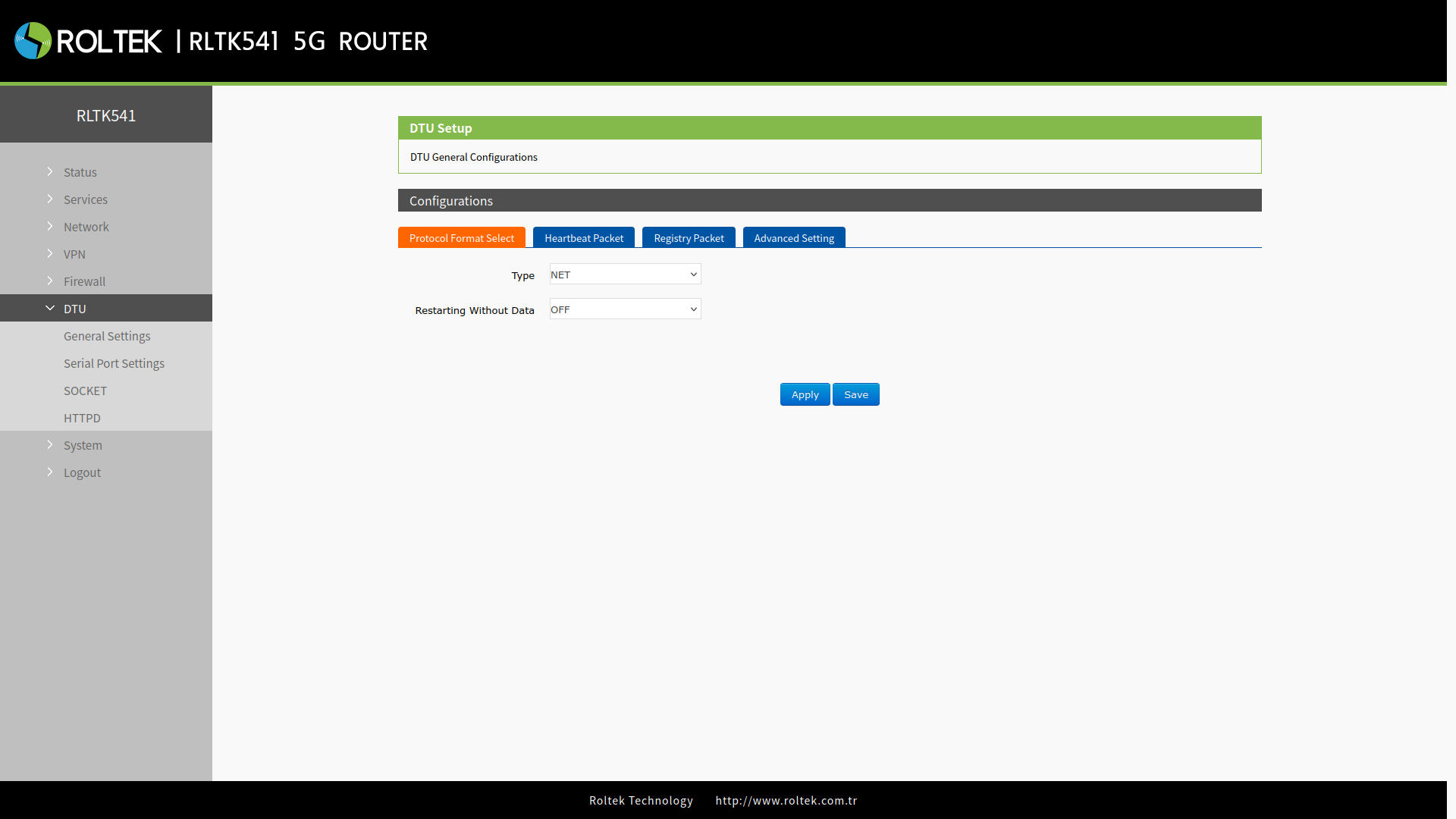
| Parameter | Description | Default Value |
|---|---|---|
| Type | Operating mode of the port. NET, HTTPD, MODBUS can be selected. | NET |
| Restarting Without Data | If no data is received from the network during the reconnection detection interval, it actively disconnects the connection with the server and can reconnect. | OFF |
| Reconnect Detection Interval(s) | Activates if Restarting Without Data is ON. If the RLTK541 cannot receive data sent by the server for longer than the pre-set second value, it actively reconnects to the server. A value between 1-3600s can be entered. | 3600 |
| Restart Detection Interval(s) | Activates if Restarting Without Data is ON. If the RLTK541 cannot receive data sent by the server for longer than the pre-set second value, it restarts. A value between 60-36000s can be entered. | 36000 |
Restarting Without Data is disabled by default. When enabled, if no data is received from the network during the reconnection detection interval, the device actively disconnects the connection with the server and can reconnect. This helps to prevent false connections due to abnormal socket connections.
When the time reaches the restart detection interval, the device automatically restarts and the connection is re-established. This aims to ensure the proper functioning of the device and the reliability of the connection.
Heartbeat Packet
Click on Heartbeat Packet under the Configurations tab.
The heartbeat packet can be sent to maintain a stable connection to the network or serial port device and to let the server see that the RLTK541 is online.
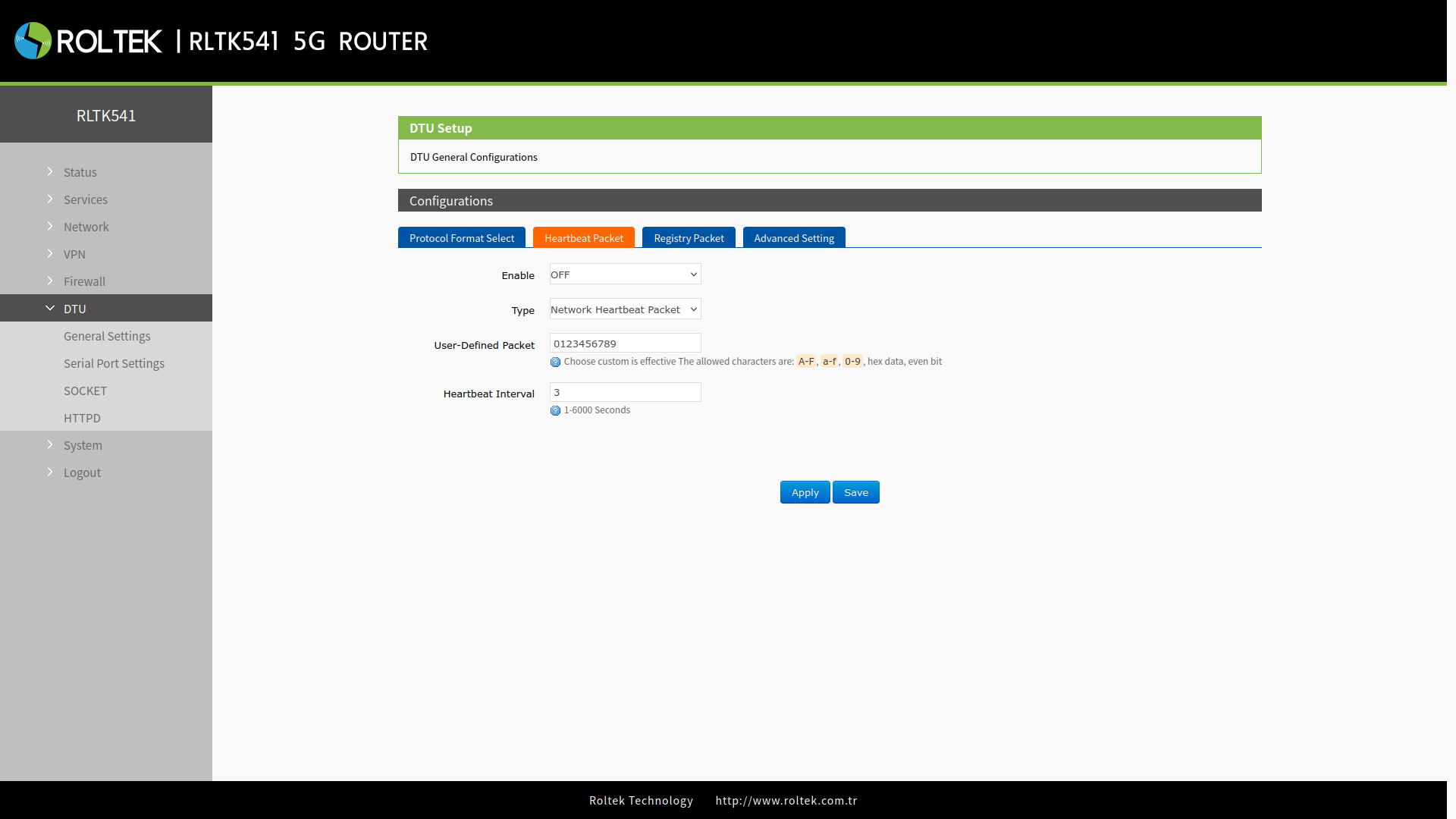
| Parameter | Description | Default Value |
|---|---|---|
| Enable | ON/OFF | OFF |
| Type | Serial heartbeat packet / Network heartbeat packet | Network heartbeat packet |
| User-defined packet | A–F, a–f, 0–9, hex data, even bit | 0123456789 |
| Heartbeat interval (s) | 1–6000 s | 3 |
Note: Heartbeat Packet is only valid in TCPC and UDPC modes.
Registry Packet
Click on Registry Packet under the Configurations tab.
The Registry Packet is designed to allow the server to determine which device the data is coming from or to be used as a password for authorizing the server's functions. The registry packet can be sent when the module establishes a connection with the server or can be prefixed to each data packet.
The data in the registry packet can be the ICCID code, IMEI code, or user-defined data. This information helps the server uniquely identify the device and allows access to specific functions.
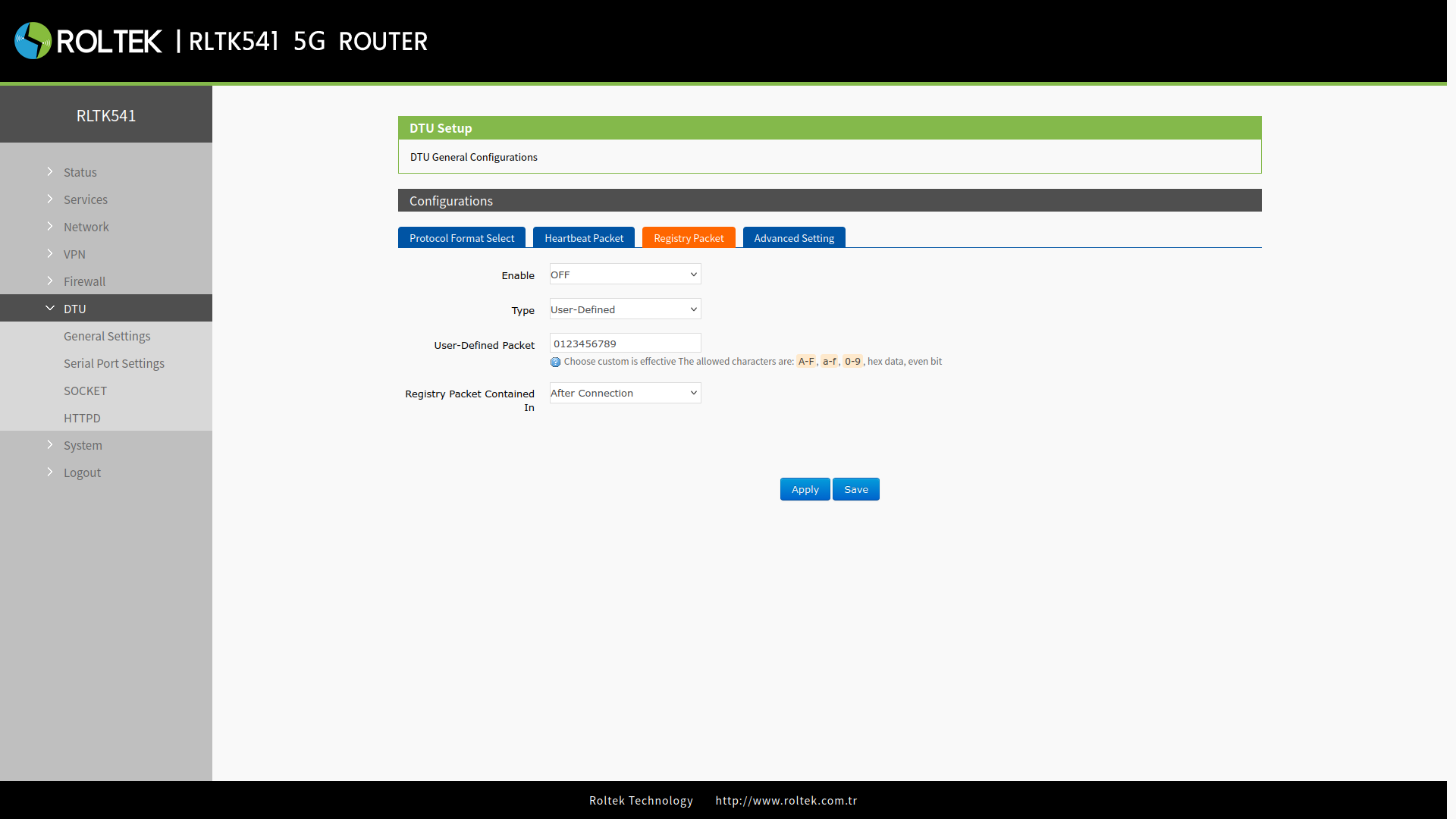
| Parameter | Description | Default Value |
|---|---|---|
| Enable | ON/OFF | OFF |
| Type | IMEI, ICCID, User-Defined | User-Defined |
| User-Defined Packet | A–F, a–f, 0–9, hex data, even bit | 0123456789 |
| Registry packet contained in | After connection: Sent once when a connection is established with the server. Prefix of data: The registry packet is added as a prefix to each data packet. | After connection |
Note: Registry Packet is only valid in TCPC and UDPC modes.