PPTP Client
To configure the PPTP server parameters:
- Follow the VPN
- PPTP
menus. To activate, the Enable option must be selected in the PPTP Client section.
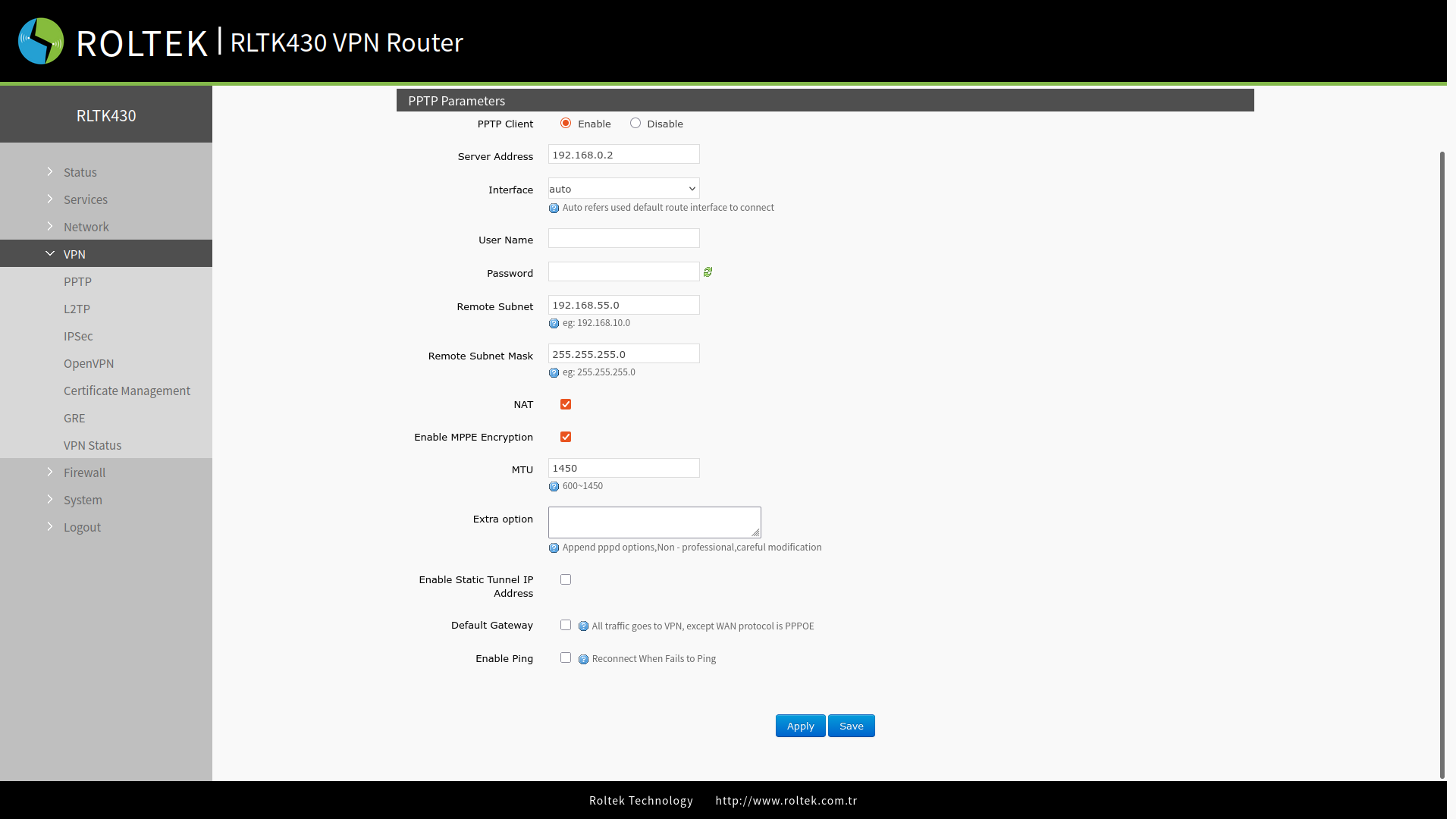
| Parameter | Description | Default Value |
|---|---|---|
| Server address | VPN server address or domain name | 192.168.0.2 |
| Interface | wan_wired, sta, cellular or auto | auto |
| Username/Password | Must be obtained from the VPN server | Null |
| Remote Subnet/Mask | Configured for subnet communication under VPN | 192.168.55.0/255.255.255.0 |
| NAT | Provided by RLTK430, the source IP address of the host behind it will be hidden before accessing the remote IP address. When NAT is enabled, subnet communication under VPN can be provided. | Enable |
| Enable MPPE Encryption | Enable Disable | Enable |
| MTU | Compatible with the VPN server | 1450 |
| Extra Options | Add "pppd" parameters, "magic number" | Null |
| Enable Static Tunnel IPAddress | When disabled, the VPN server IP address will be assigned dynamically. | Disable |
| Default Gateway | All traffic will pass through the VPN when the WAN protocol is not PPPOE. | Disable |
| Enable ping | Real-time VPN connection detection and reconnection mechanism. It ensures continuous monitoring of the VPN connection and automatically reconnects in case of disconnection. | Disable |
After connecting to the PPTP server,
- You can check the connection status through the VPN
- VPN Status
menu.
After entering the settings, you must click the Save and Apply buttons to save the settings.