GRE
To access the settings:
- Follow the menus for VPN
- GRE
In the GRE section, Enable must be selected to activate.
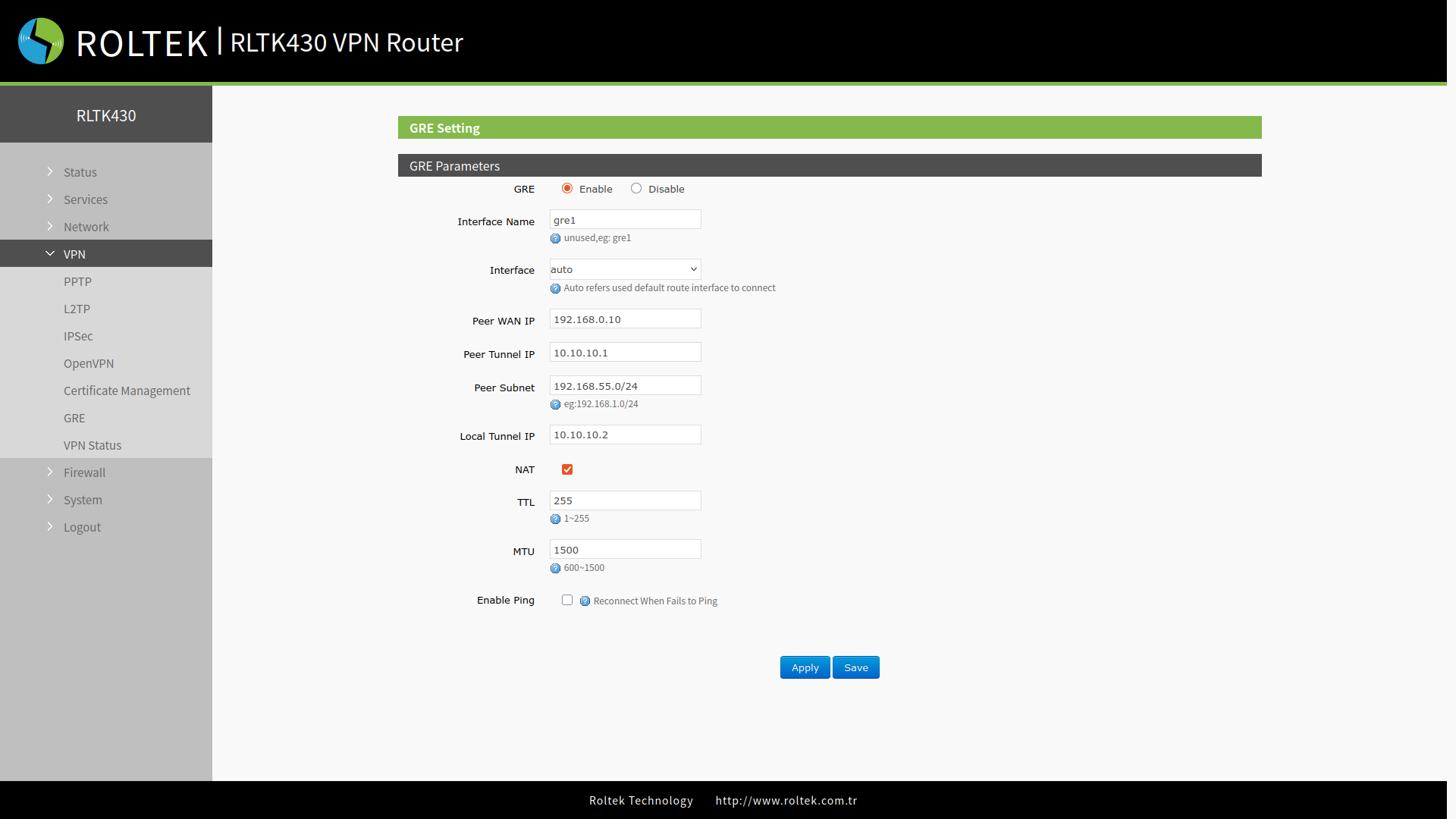
| Parameter | Description | Default Value |
|---|---|---|
| Interface Name | Interface name. | gre1 |
| Interface | wan_wired, sta, cellular or auto | auto |
| Peer WAN address | Remote GRE WAN IP address | 192.168.0.10 |
| Peer Tunnel Address | Remote GRE tunnel IP address | 10.10.10.1 |
| Peer Subnet | IP/Subnet mask: 255.255.255.0: IP/24, 255.255.255.255: IP/32 | 192.168.55.0/24 |
| Local Tunnel Address | Local GRE tunnel IP address | 10.10.10.2 |
| TTL | Set the TTL parameter (1~255) | 255 |
| MTU | Set the MTU value (600~1450) | 1450 |
| Enable ping | Real-time VPN connection detection and reconnection mechanism. | Disable |
After entering the settings, you must click the Save and Apply buttons to save the settings.