L2TP
L2TP is a layer 2 tunneling protocol similar to PPTP. The RLTK430 supports tunnel password authentication, MPPE, and L2TP encryption over IPSEC. To access the settings:
- Follow the menus for VPN
- L2TP
To enable it, Enable must be selected in the L2TP Client section.
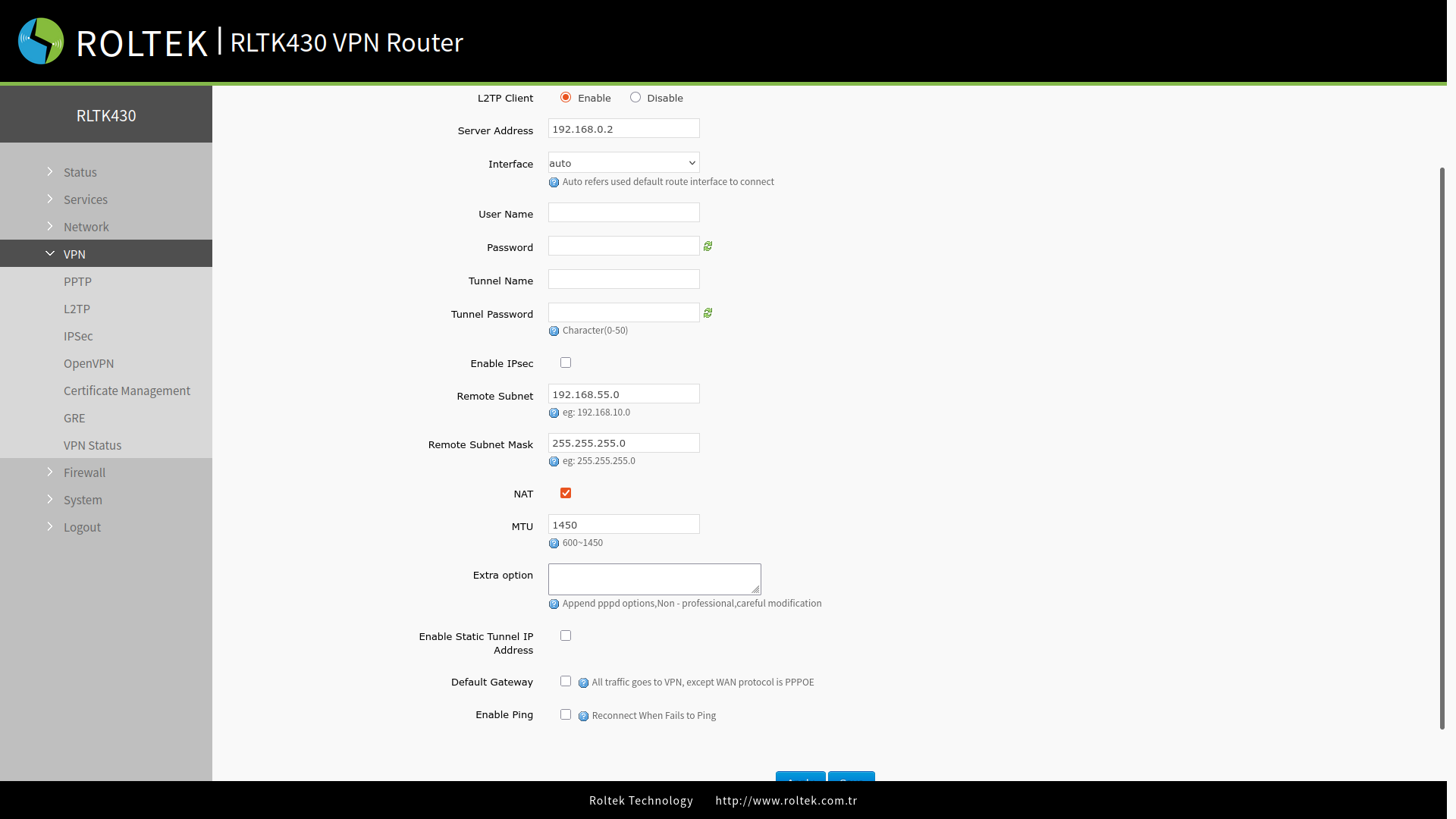
| Parameter | Description | Default Value |
|---|---|---|
| Server address | VPN server address or domain name | 192.168.0.2 |
| Interface | wan_wired, sta, cellular or auto | auto |
| Username/Password | Obtain from VPN Server | Null |
| Tunnel Name/Password | Tunnel username/password | Null |
| Remote Subnet/Mask | Configured for subnet communication under VPN | 192.168.55.0/255.255.255.0 |
| NAT | The source IP address of the host behind the RLTK430 will be hidden first over the remote address. | Enable |
| MTU | Compatible with the VPN server | 1450 |
| Extra Options | Add ppd parameters, "magic number". | Null |
| Enable Static Tunnel IP Address | When disabled, the VPN server will dynamically assign the IP address. | Disable |
| Default Gateway | When the WAN protocol is not PPPOE, all traffic will pass through the VPN. | Disable |
| Enable ping | Real-time VPN connection detection and reconnection mechanism. | Disable |
After entering the settings, you must click the Save and Apply buttons to save the settings.