OpenVPN
To access the settings:
- Follow the menus for VPN
- OpenVPN
Select an available client (for example, CLIENT_1) and start configuring by clicking the Edit button.
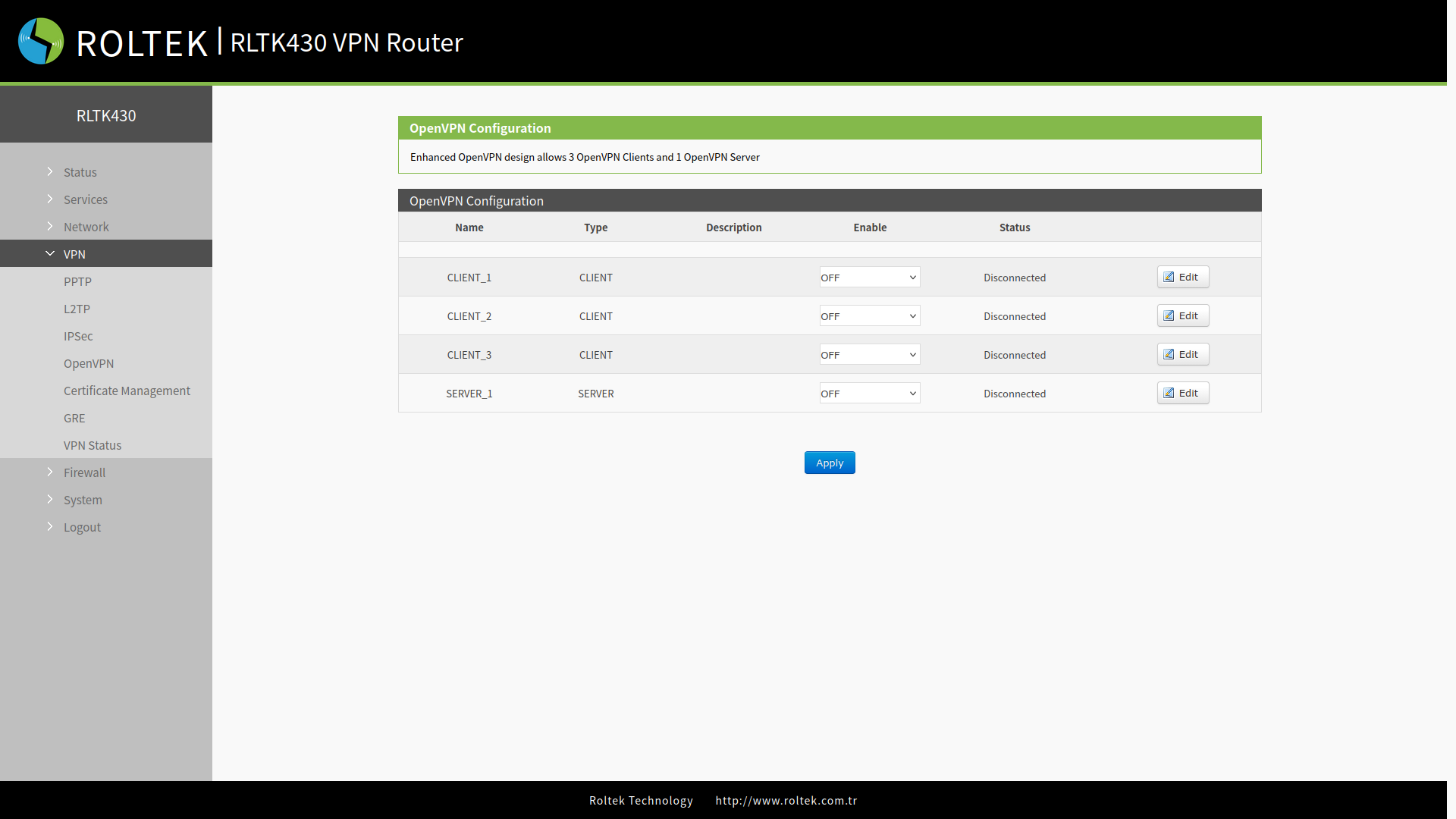
To enable it, the Enable option must be selected in the OpenVPN section.
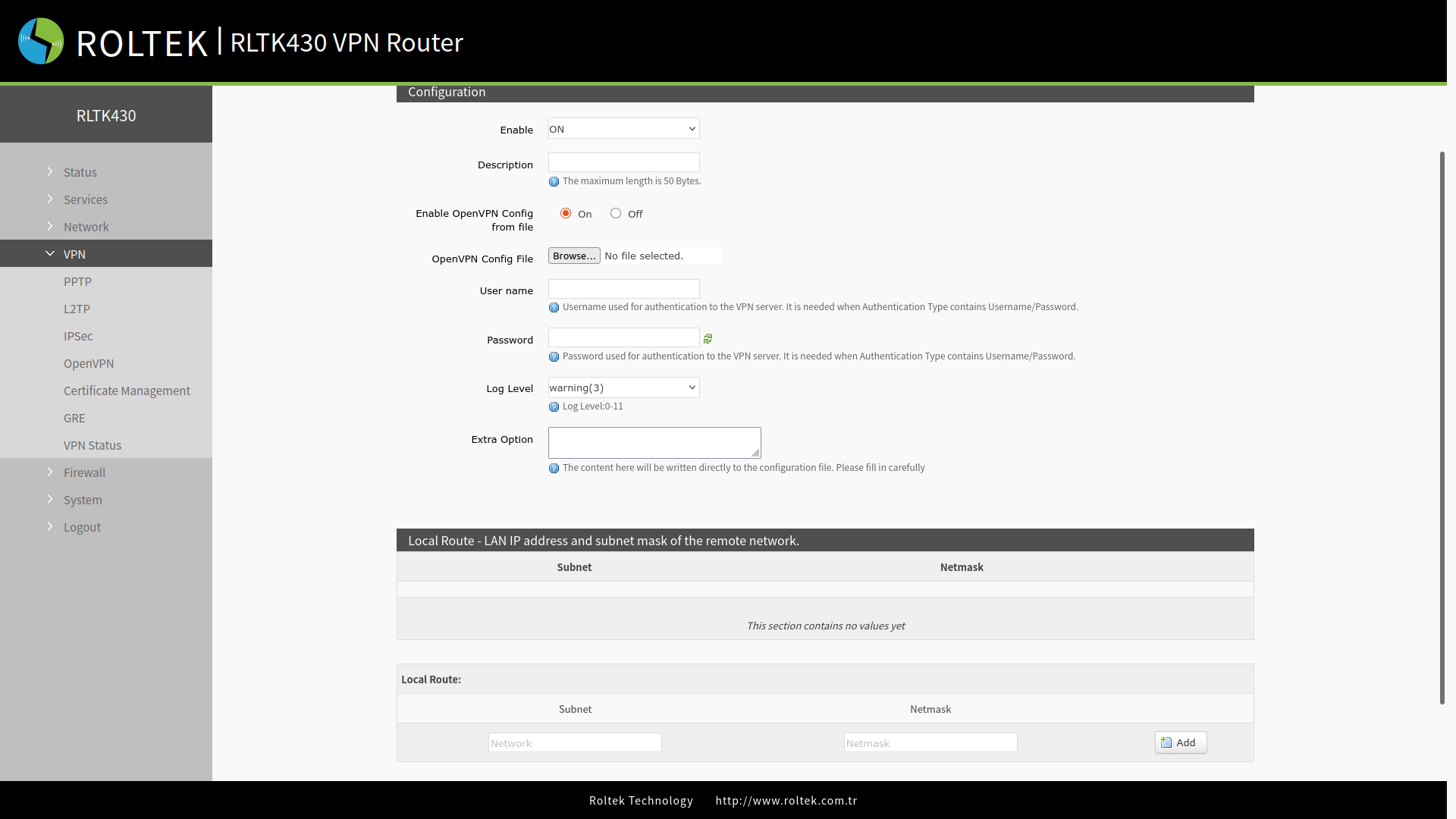
| Parameter | Description | Default Value |
|---|---|---|
| Description | Description about it. | None |
| Enable OpenVPN Config from file | Configuration from file. | On |
| OpenVPN Config File | OpenVPN configuration file. | |
| Username | Username for VPN server authentication. | |
| Password | Password for VPN server authentication. | SSL/TLS |
| Log Level | error(0), warning(3), error(5), debug(11) | warning(3) |
| Extra Options | This section will be added directly to the configuration file. | Null |
After connecting to the OpenVPN server,
- You can check the connection status through the menu
- VPN Status
After entering the settings, you must click the Save and Apply buttons to save the settings.