WAN Interface
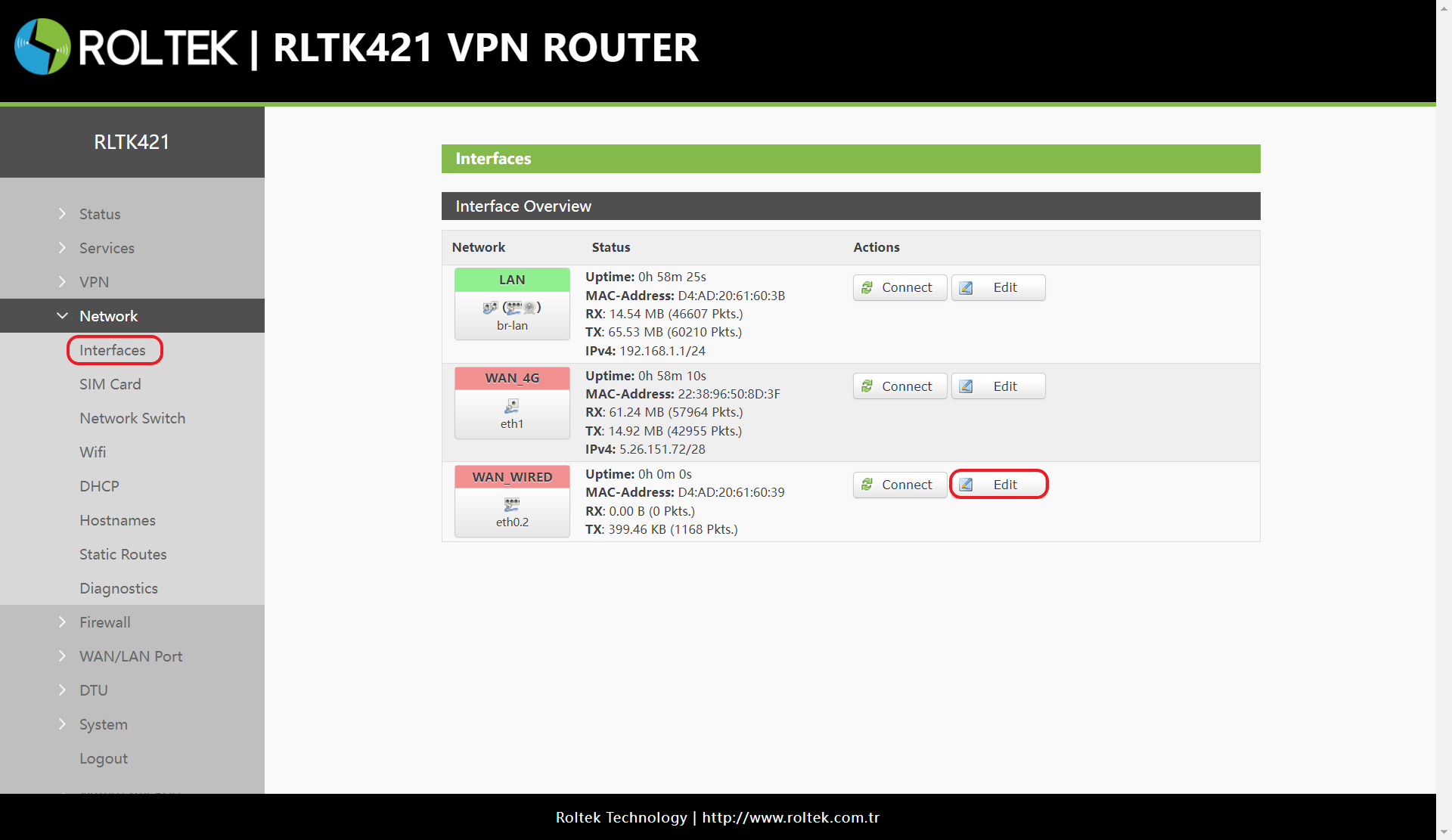
To view WAN settings:
- Network
- Interfaces
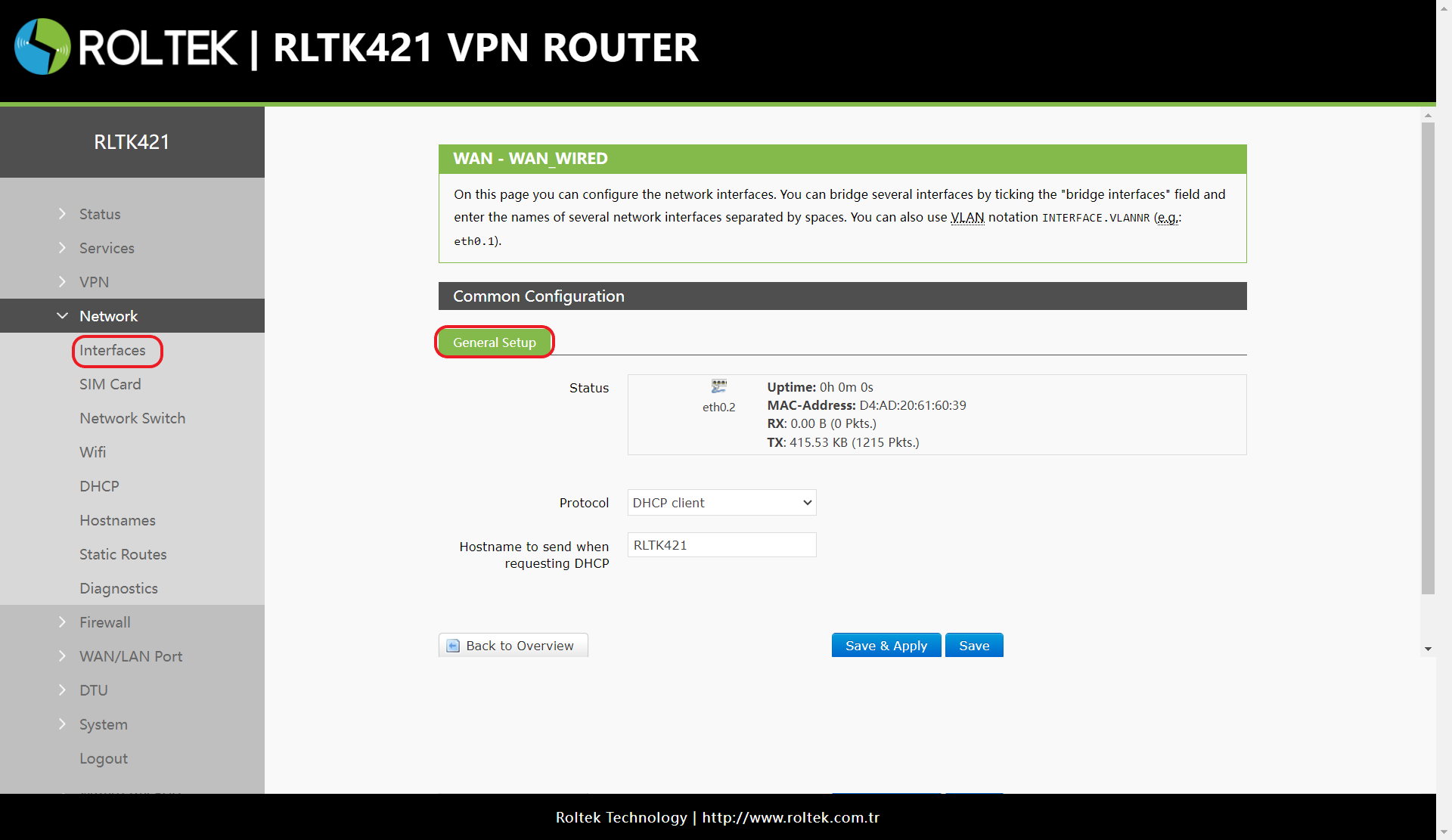
menus should be followed. WAN_WIRED is the relevant section. It corresponds to the wired WAN interface. The Connect button can be used to attempt reconnection. The WAN network settings can be configured by clicking the Edit button.
- It supports DHCP Client, static address, and PPPoE, and is set to DHCP Client by default.
- This WAN interface can be configured as LAN.
After entering the settings, the Save & Apply button should be clicked to save the settings.