User LED Settings
You can configure the USR LED located on the device according to user needs. To access the settings:
- Interface
- User-defined Indicator
follow the menus.
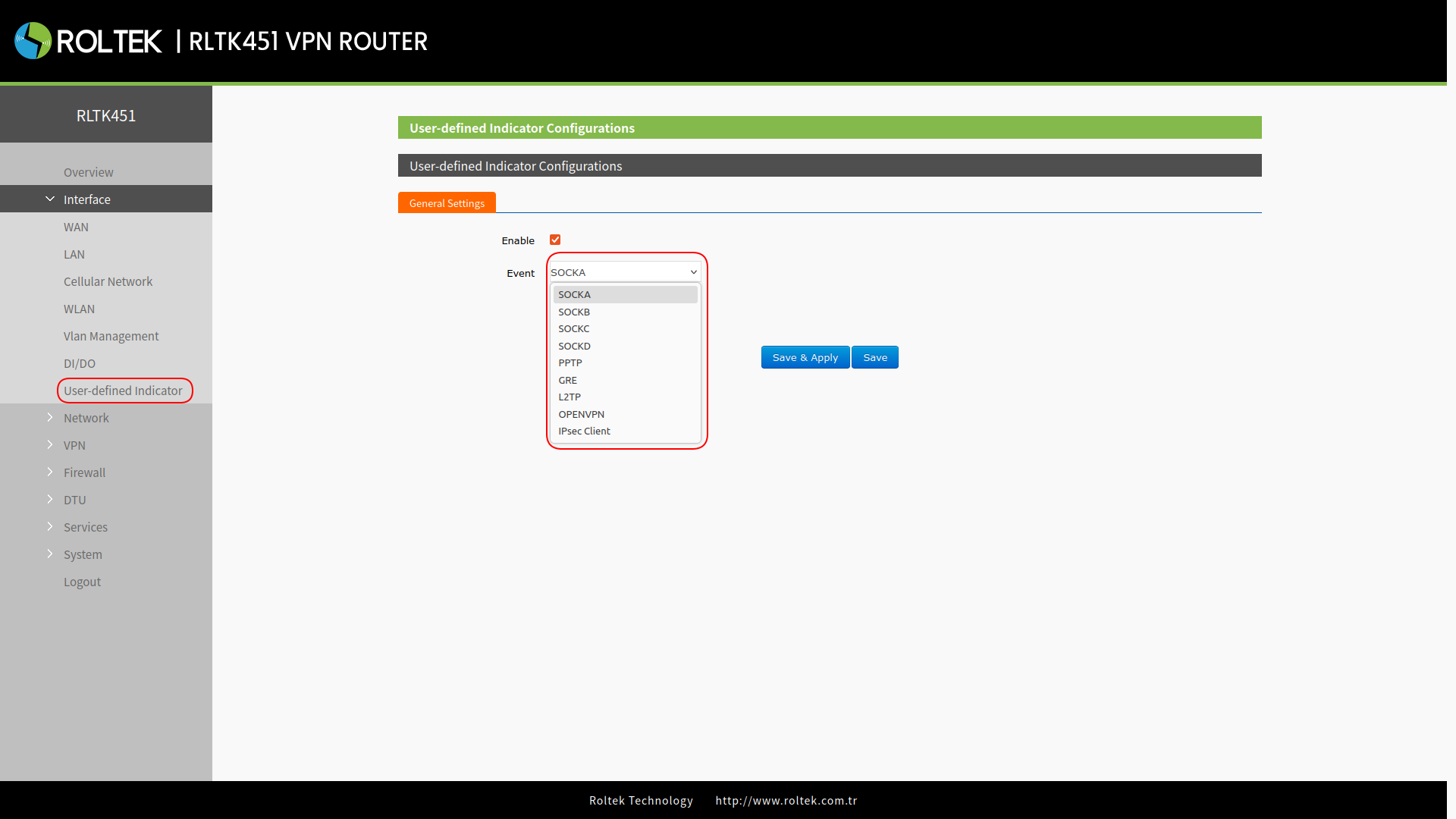
| Parameter | Description | Default Value |
|---|---|---|
| Enable | Enable/Disable | Disable |
| Event | SOCKA, SOCKB, SOCKC, SOCKD, PPTP, GRE, L2TP, OPENVPN, IPSEC client | SOCKA |
- SOCK: The LED will light up when a socket connection is established.
- VPN: The LED will light up when a VPN connection is established, valid only in Client mode (IPSEC).
- TCPS: The LED will light up when connected to clients.
- TCPC/HTTPD: The LED will light up when connected to the server.
- UDPC/UDPS: The LED will light up when a socket connection is established.