General Settings
For the device's general firewall settings:
- Firewall
- General Settings
follow the menus.
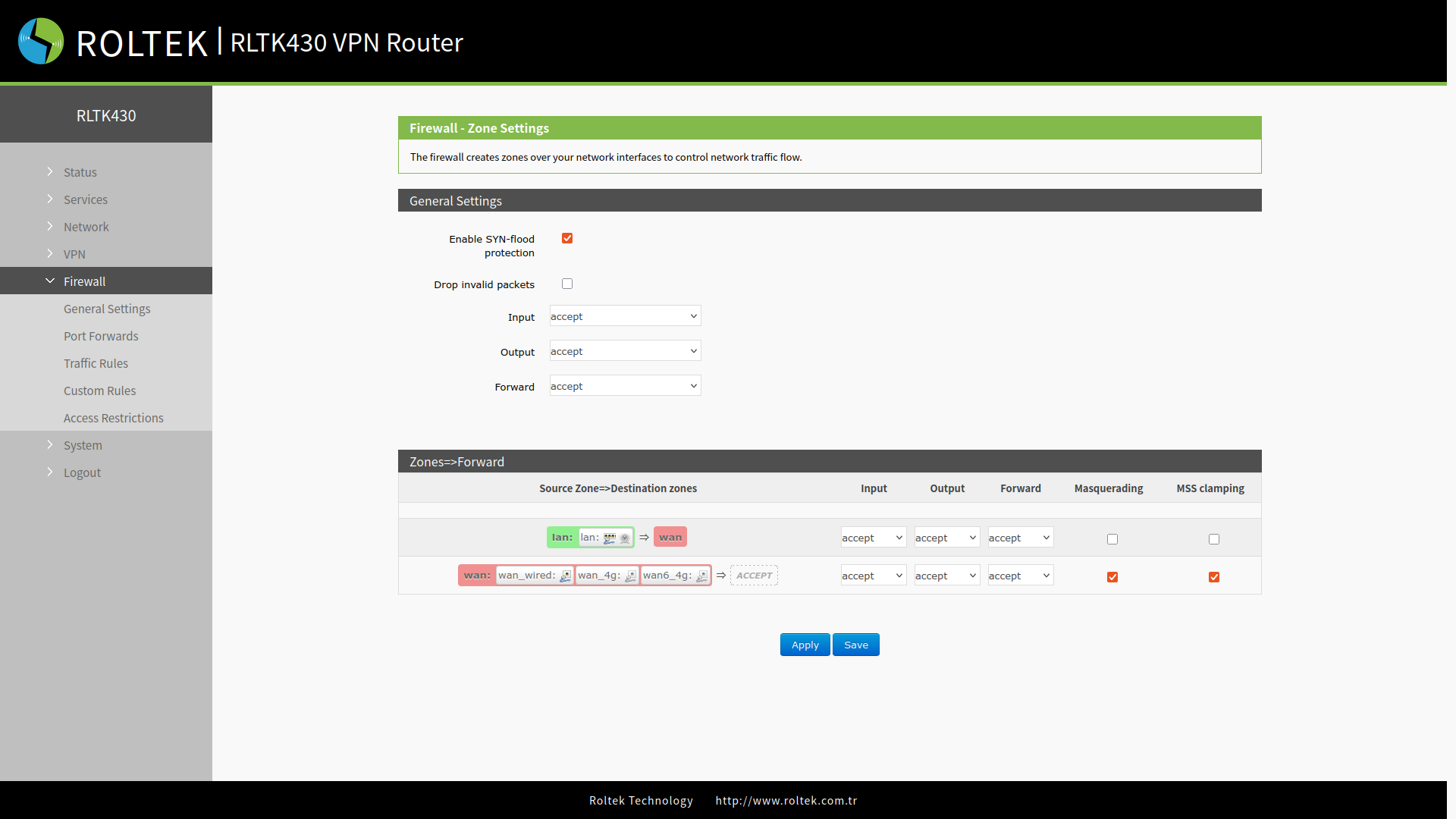
General Settings
Universal settings.
- Enable SYN-flood protection: Provides protection against SYN flood attacks. It prevents the exhaustion of the device's resources by limiting incomplete TCP connections.
- Drop invalid packets: Increases network security by dropping invalid or erroneous packets (e.g., corrupted header, unexpected state) and prevents unnecessary traffic.
- Input: Allows data packets to access the router's IP.
- Output: Data packets sent by the router's IP.
- Forward: Data transmission between interfaces occurs without passing through the router.
Zones=>Forward
Interface-specific settings.
- Input: Allows data packets to access the router's IP.
- Output: Data packets sent by the router's IP.
- Forward: Data transmission between interfaces occurs without passing through the router.
- Masquerading: Used for WAN and 4G interfaces. The source IP address is hidden before accessing the external network.
- MSS Clamping: Limits MSS (Maximum Segment Size) packets, typically set to 1460.