MQTT Settings
Follow the Settings and MQTT tabs. This page allows the user to configure MQTT settings.
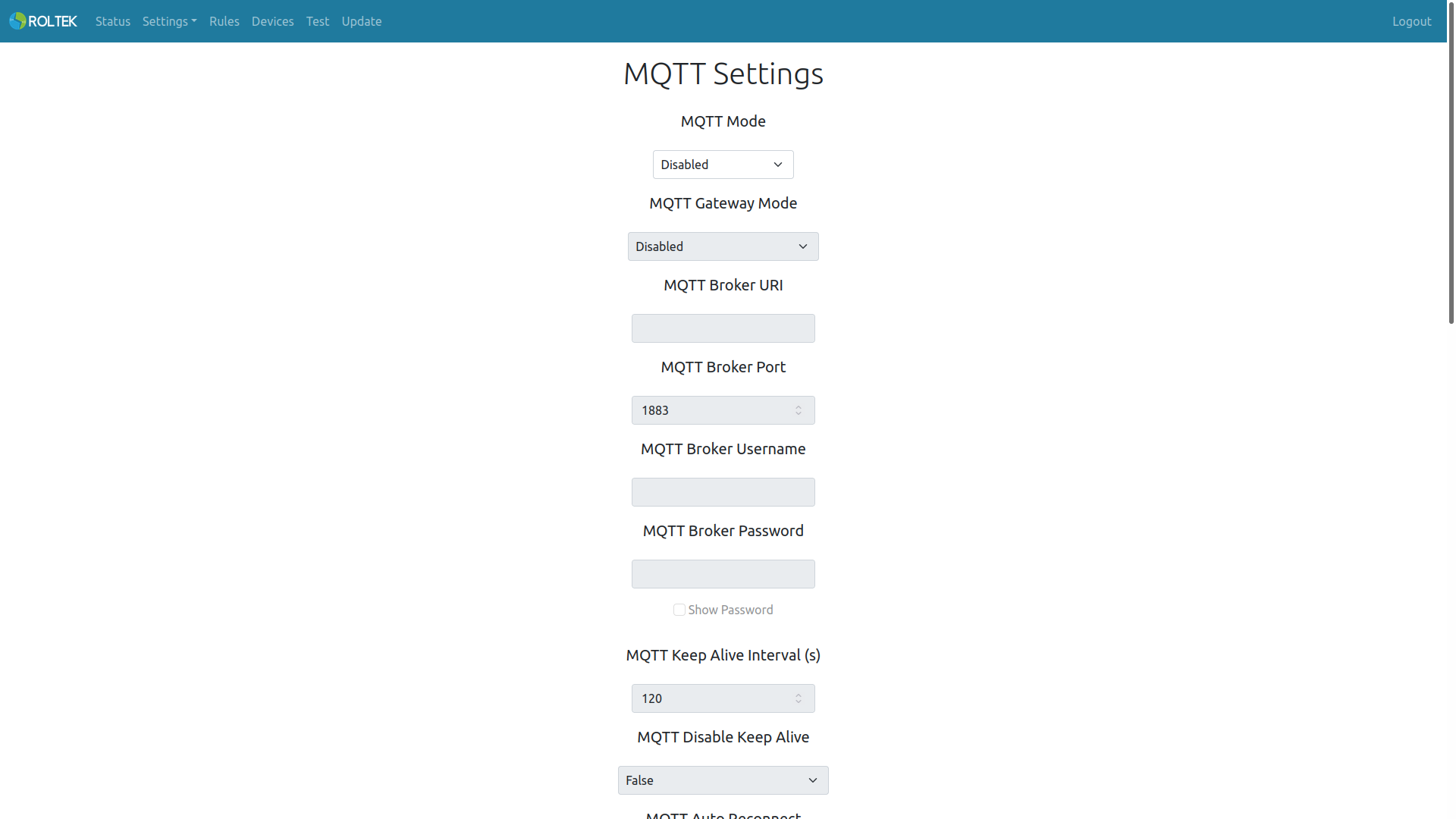
| Parameter | Description | Values |
|---|---|---|
| MQTT Mode | Enable or disable the MQTT client. | Enabled Disabled |
| MQTT Gateway Mode | Enable or disable the MQTT gateway mode. | Enabled Disabled |
| MQTT Broker URI | The URI information of the MQTT broker to connect to (Maximum length 256). | |
| MQTT Broker Port | The port number of the MQTT broker to connect to. | |
| MQTT Broker Username | If the MQTT broker requires a username (e.g., as an access token) (Maximum length 32). | |
| MQTT Broker Password | If the MQTT broker requires a password for the username (Maximum length 32). | |
| MQTT Keep Alive Interval (s) | The keep alive interval for the MQTT connection. | |
| MQTT Disable Keep Alive | Disable or enable the keep alive feature. | |
| MQTT Auto Reconnect | Disable or enable the auto reconnect feature. | |
| MQTT Reconnect Timeout (ms) | The timeout value for the reconnect feature. | |
| MQTT LWT Topic | The topic for the Last Will Message (Maximum length 128). | |
| MQTT LWT Message | The payload value for the Last Will Message (Maximum length 256). | |
| MQTT LWT QoS | The Quality of Service value for the Last Will Message. | 0, 1, 2. |
| MQTT LWT Retain | The retain value for the Last Will Message. | True, False. |
| MQTT Update Firmware | Update the device's firmware via the Fast IOT platform. | |
| MQTT Telemetry Topic | Telemetry topic to send the update status. | |
| MQTT Attribute Topic | Attribute topic for firmware update. | |
| MQTT Firmware Update Topic | Topic to download the firmware update. | |
| MQTT Watchdog Timer Mode | Enable or disable the MQTT watchdog timer. This watchdog timer is triggered if it is not connected to the MQTT broker for the specified duration. | |
| MQTT Watchdog Timer Value | The value of the MQTT watchdog timer. The unit is seconds. | 120 |
| Modules To Restart | Modules to be restarted when the MQTT watchdog timer is triggered. Multiple selections can be made. | - WiFi - Ethernet - MQTT - Reboot Device |