Tags
Rules, Tags tabs redirect to this page.
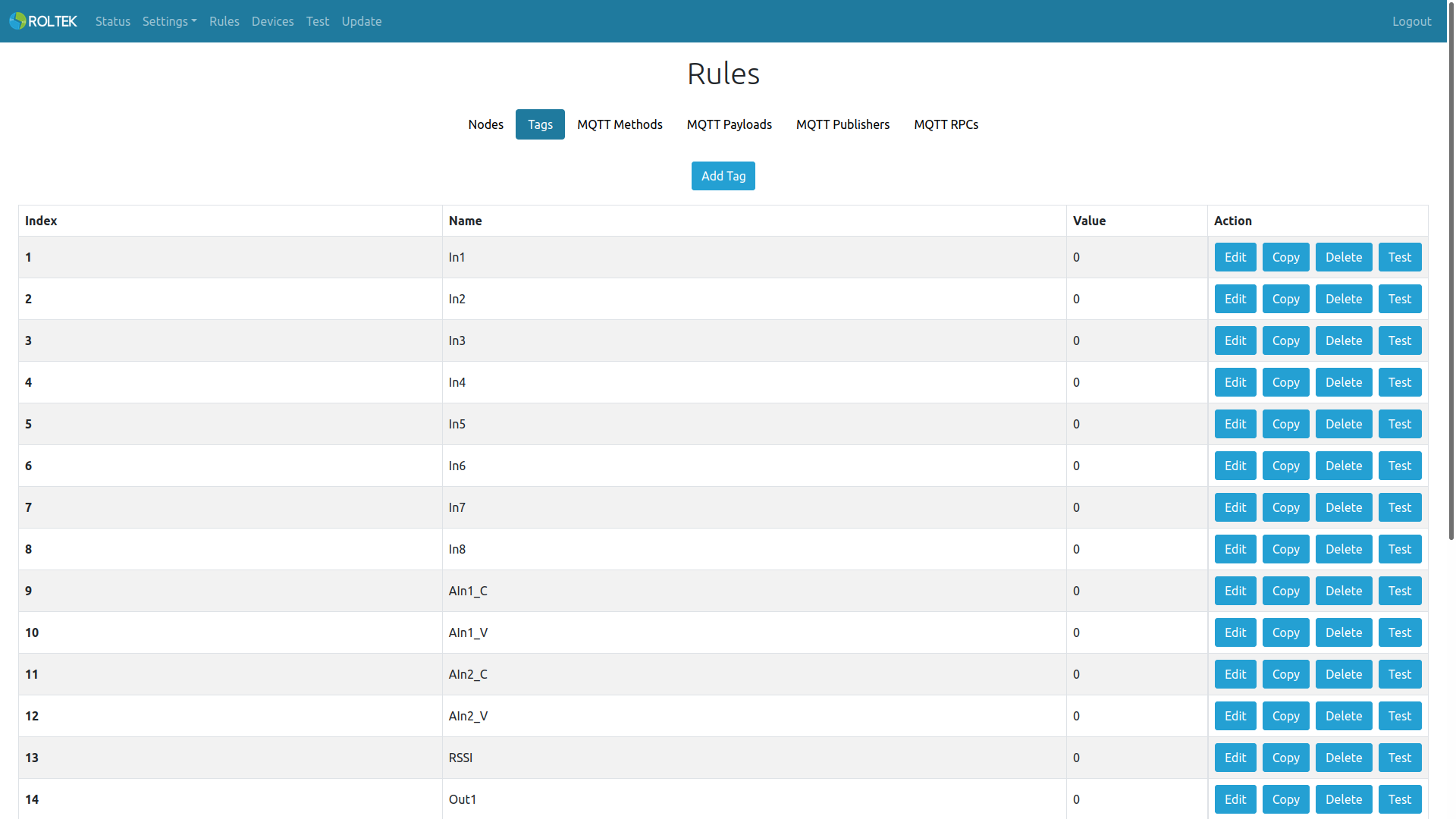
Tag corresponds to the register value in the Node. In the default configuration, the tags shown in the image below are saved to the device. The tags belong to the device itself and obtain their register values from the CloudIO Node.
The maximum number of configurable Tags is 50.
Users can add new tags by clicking the Add Tag button.
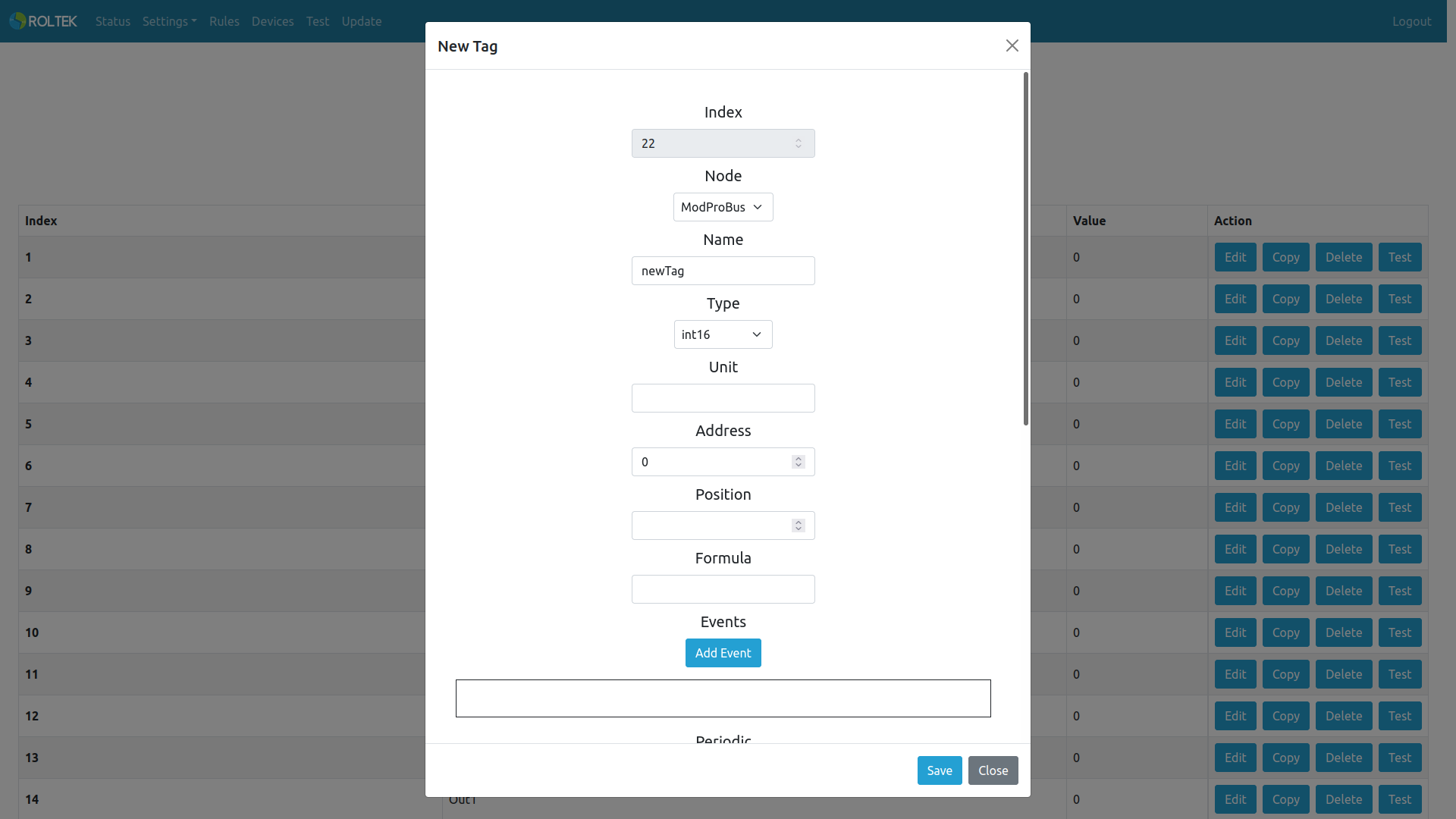
- Index: The index value of the tag. It is automatically assigned by the device and cannot be changed.
- Node: To determine from which Node the tag's value will be obtained.
- Name: The name of the tag (Maximum length 16).
- Type: Determines the data type of the tag. Options:
- bool
- int8
- uint8
- int16
- uint16
- int32
- uint32
- int64
- uint64
- float double
- Unit: The name of the data type. This option is optional.
- Address: The address of the tag. The address value must be equal to or greater than the Node's address value and must be equal to or less than the sum of the Node's address and quantity values.
- Position: If the selected tag type is bool, this setting determines which bit will be read from the tag.
- Formula: A designated tag for performing mathematical and logical operations.
- Example formulas:
- counter1*100/5
- (tag1+7.65)*100
- Example formulas:
- Events: Users can add Event to tags using the Add Event button. If the given Expression is evaluated, the tag value will be written to the selected tag. If Constant is enabled, the constant Value will be written to the selected tag. The maximum number of configurable events per tag is 5.
- Example Expressions:
- In1==1
- (tag1>40)&&(tag1<90)
- tag1!=0
- tag1>tag46
- Important: The Write Enable option of the selected Tag must be enabled, and the Function Code and Address value must be entered.
- Users can delete events by clicking the Delete Event button.
- Example Expressions:
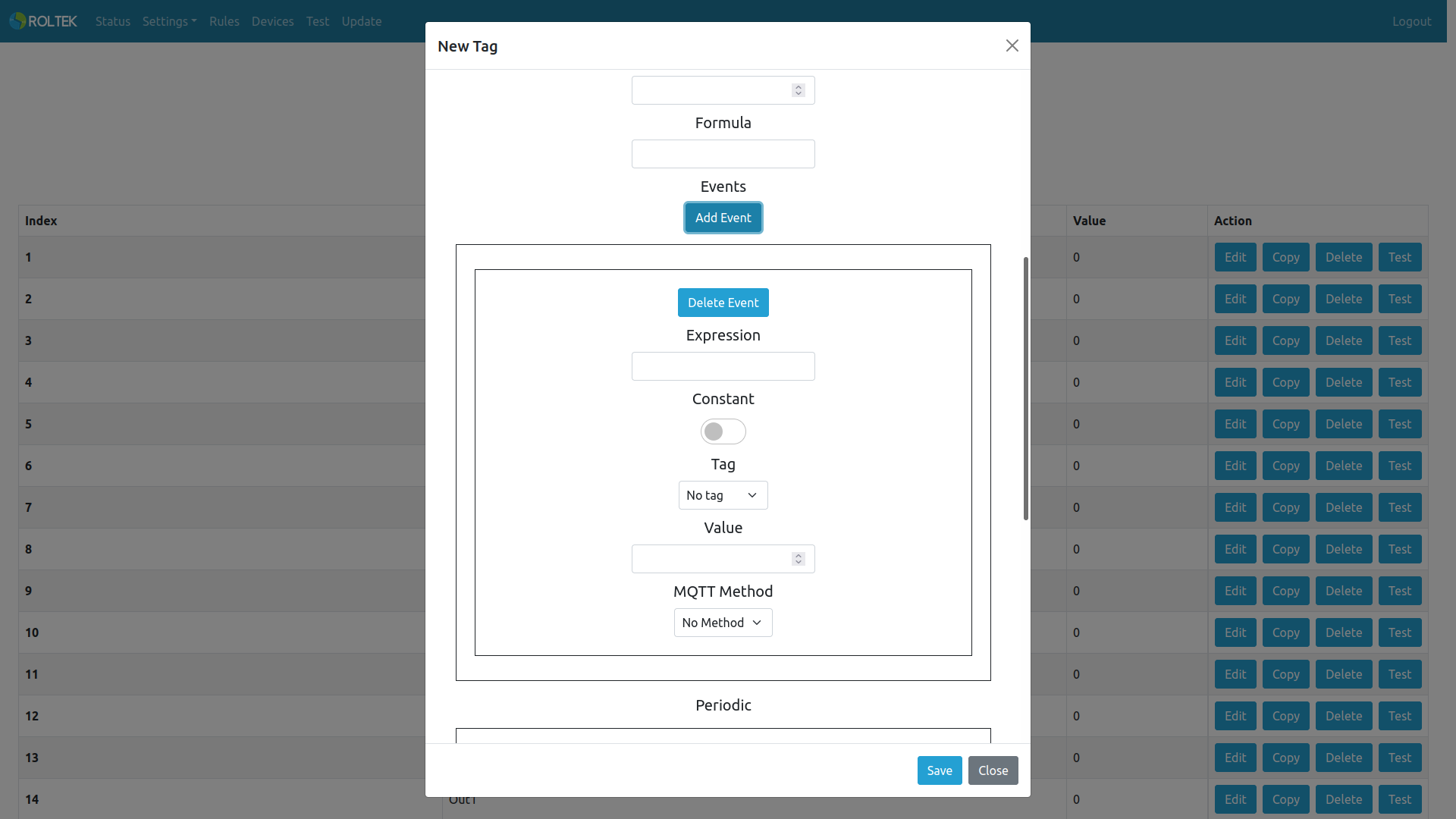
- Periodic: If the Enable Periodic option is enabled and the given Expression can be evaluated, the value of the tag will be transmitted periodically through the Method in the Event with the given Period (seconds) value. If the Enable No Event option is selected, the value of the tag will be transmitted periodically with the given Period (seconds) value regardless of whether the Expression can be evaluated.
- Write: Enables writing for the tag.
- Enable Write: Enables writing for the tag.
- Function Code: Modbus function code for writing to the tag.
Options:
- 05 Write Single Coil
- 06 Write Single Register
- 15 Write Multiple Coils
- 16 Write Multiple Registers
- Address: The address to be written.