OpenVPN
RLTK541 supports 3 OpenVPN clients and 1 OpenVPN server. To access the settings:
- Follow the menus for VPN
- OpenVPN
To enable, the Enable option in the OpenVPN section must be set to ON.
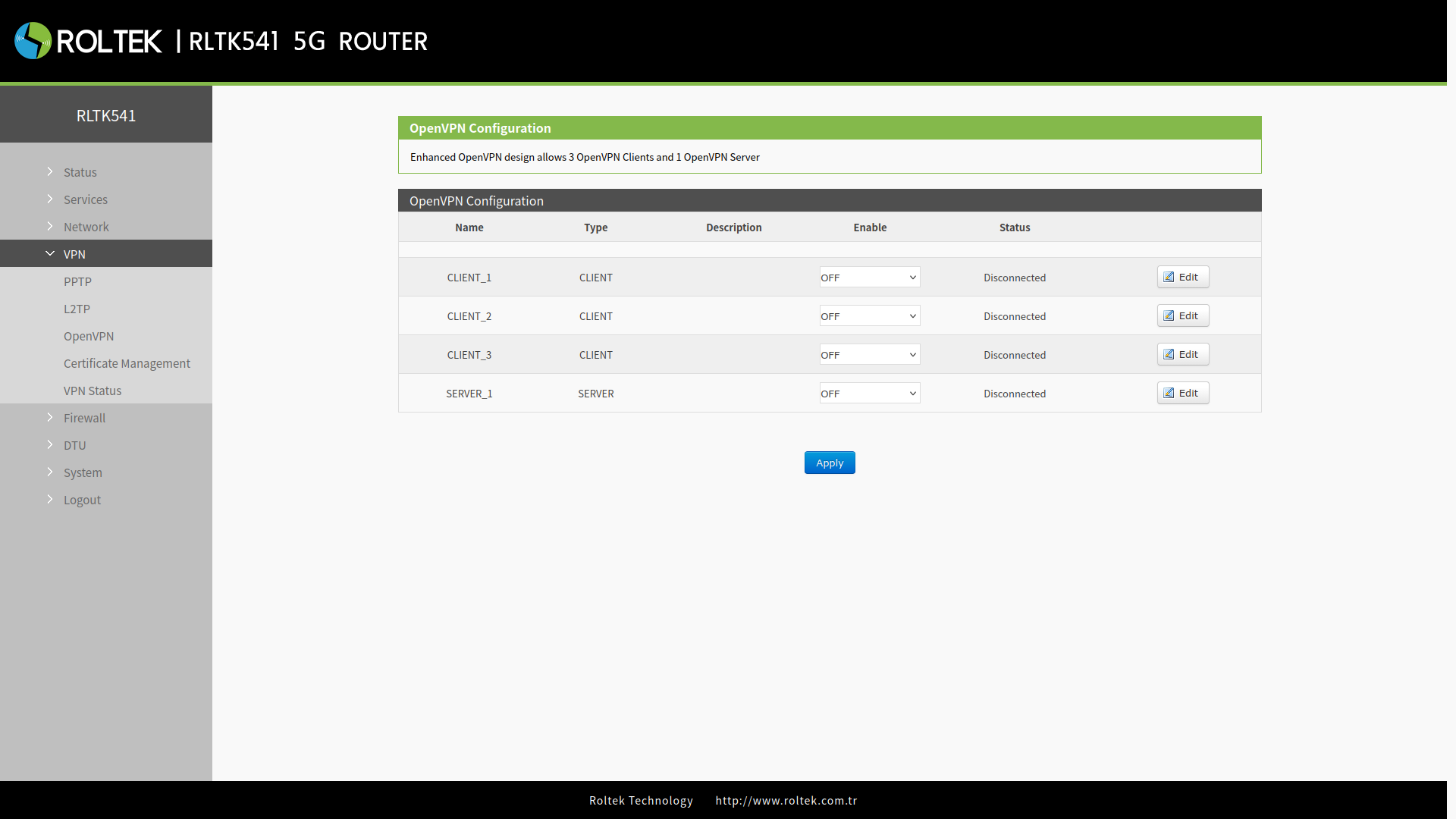
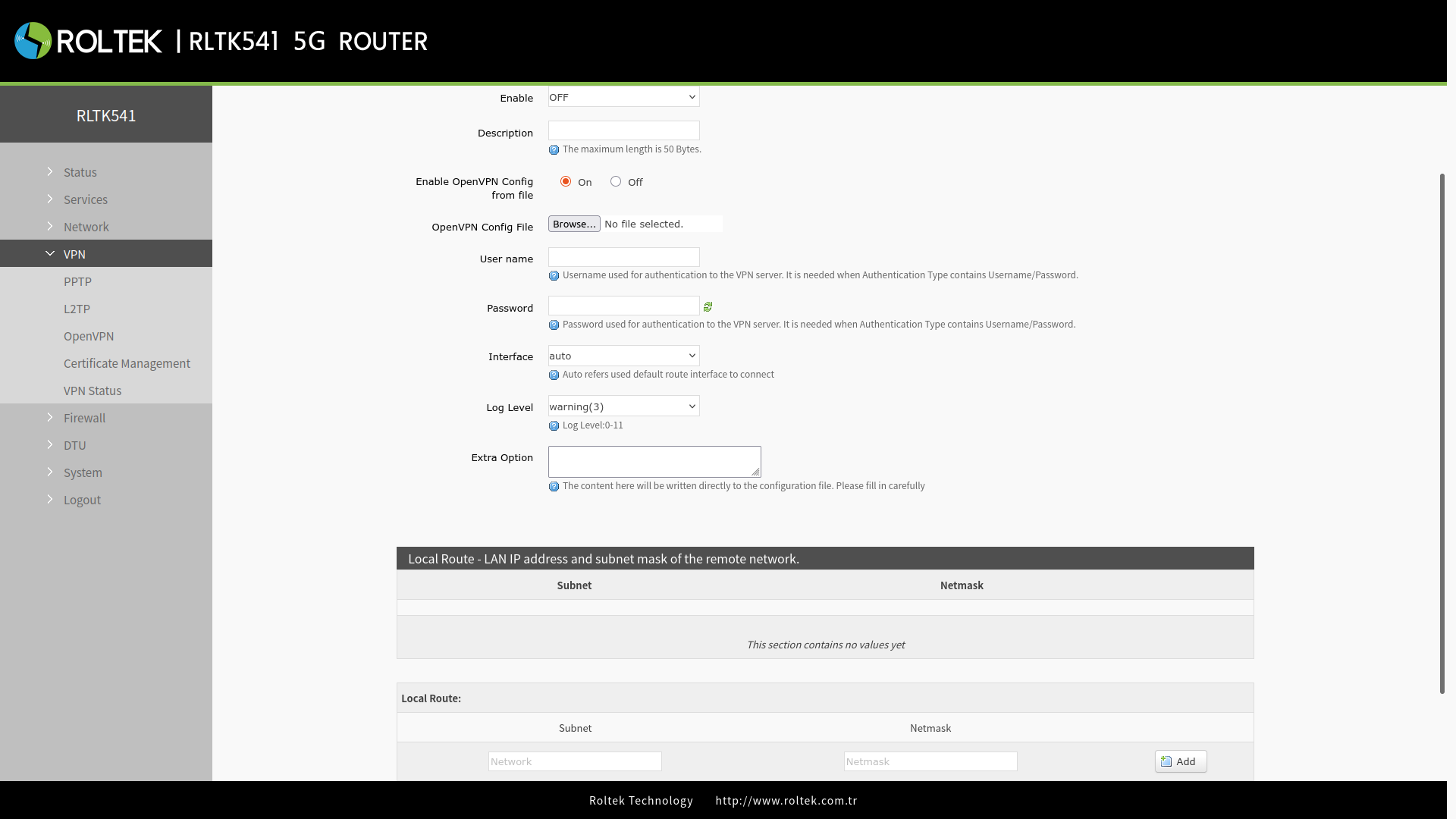
| Parameter | Description | Default Value |
|---|---|---|
| Description | Description about. | None |
| Enable OpenVPN Config from file | Configuration from file. | On |
| OpenVPN Config File | OpenVPN configuration file. | |
| Username | Username for VPN server authentication. | |
| Password | Password for VPN server authentication. | SSL/TLS |
| Interface | Interface for OpenVPN. | auto |
After entering the settings, you should click the Save & Apply button to save the settings.
After connecting to the OpenVPN server,
- You can check the connection status through the menus for VPN
- VPN Status