L2TP
L2TP, also known as Layer 2 Tunneling Protocol, is a tunneling protocol used to create VPN connections. Its main purpose is to securely transport data over shared networks. To access the settings:
- VPN
- L2TP
you need to follow these menus. To enable it, Enable must be selected in the L2TP Client section.
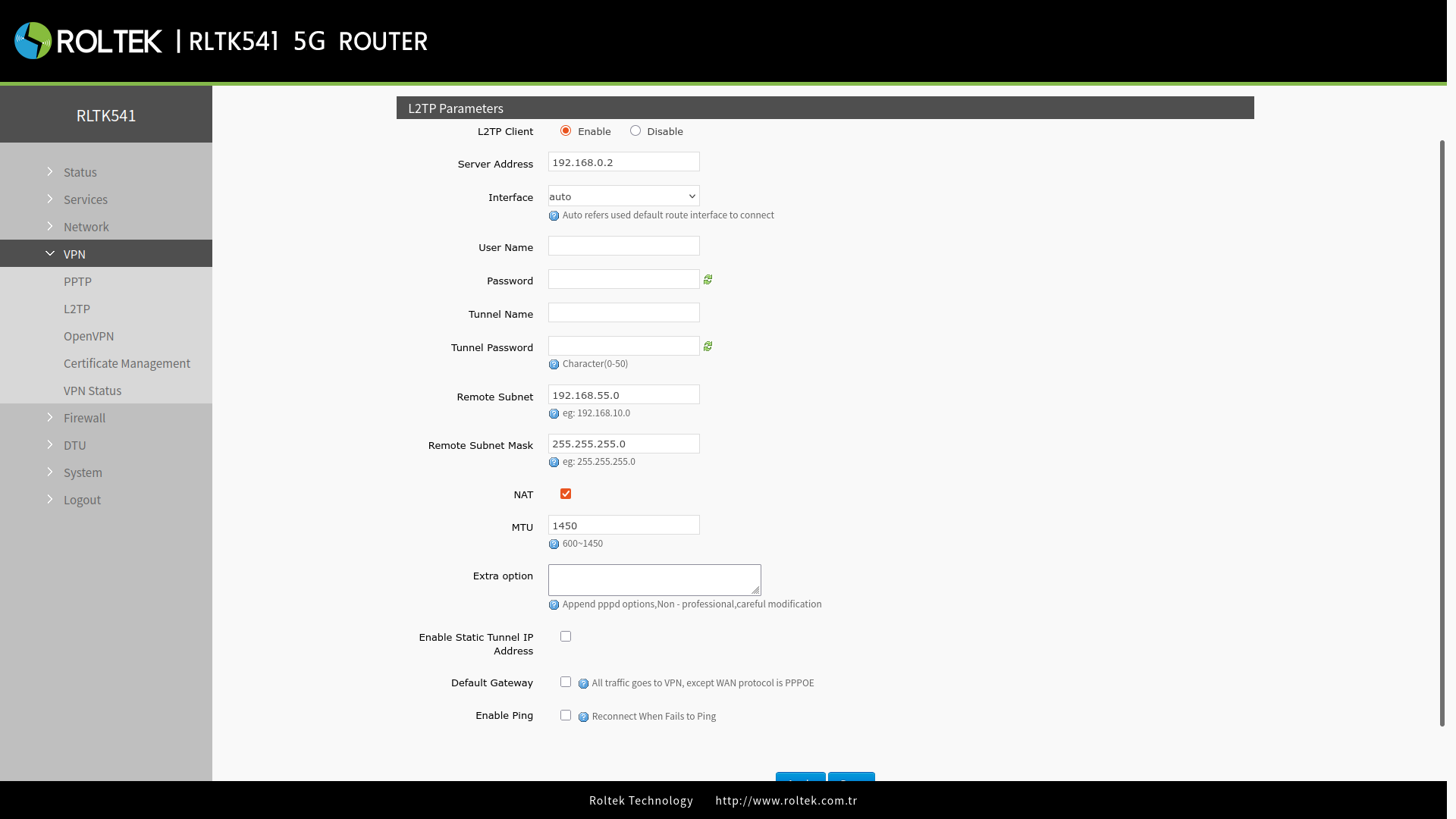
| Parameter | Description | Default Value |
|---|---|---|
| Server Address | Set the L2TP server IP or domain name. | 192.168.0.2 |
| Interface | Select the interface according to different network methods. | auto |
| Username/ Password | The username used for authentication to the PPTP server. Provided by the VPN server. | 192.168.55.0 |
| Tunnel Name | The name of the L2TP tunnel. | None |
| Tunnel Password | The password for the L2TP tunnel. | None |
| Remote Subnet | These are the IPv4 client-side networks and are routed specifically to this client using a route, allowing for site-to-site VPN setup. | 192.168.55.0 |
| Remote Subnet Mask | The subnet mask of the remote client network. | 255.255.255.0 |
| NAT | Network address translation. A way to map multiple private addresses within a local network to a public IP address before sending data over the internet. | Enabled |
| MTU | The MTU value of the PPTP channel must be compatible with the VPN server. | 1450 |
| Extra Option | Additional pppd parameters are added, not recommended for non-professional users. | None |
| Enable Static Tunnel IP Address | When this option is enabled, users must manually enter the static IP address. | Disabled |
| Default Gateway | Routes all traffic created by the client through the tunnel, except for the WAN protocol PPPoE. | Disabled |
| Enable Ping | If the PING command fails more than the specified number, it reconnects to the RLTK541 PPTP server. | Disabled |
| Ping Period | The time interval between two ping commands. | 10 |
| Ping times | The number of ping attempts. | 3 |
After entering the settings, you should click the Save & Apply button to save the settings.
After connecting to the L2TP server,
- VPN
- VPN Status
you can check the connection status through the menu.