Access Settings
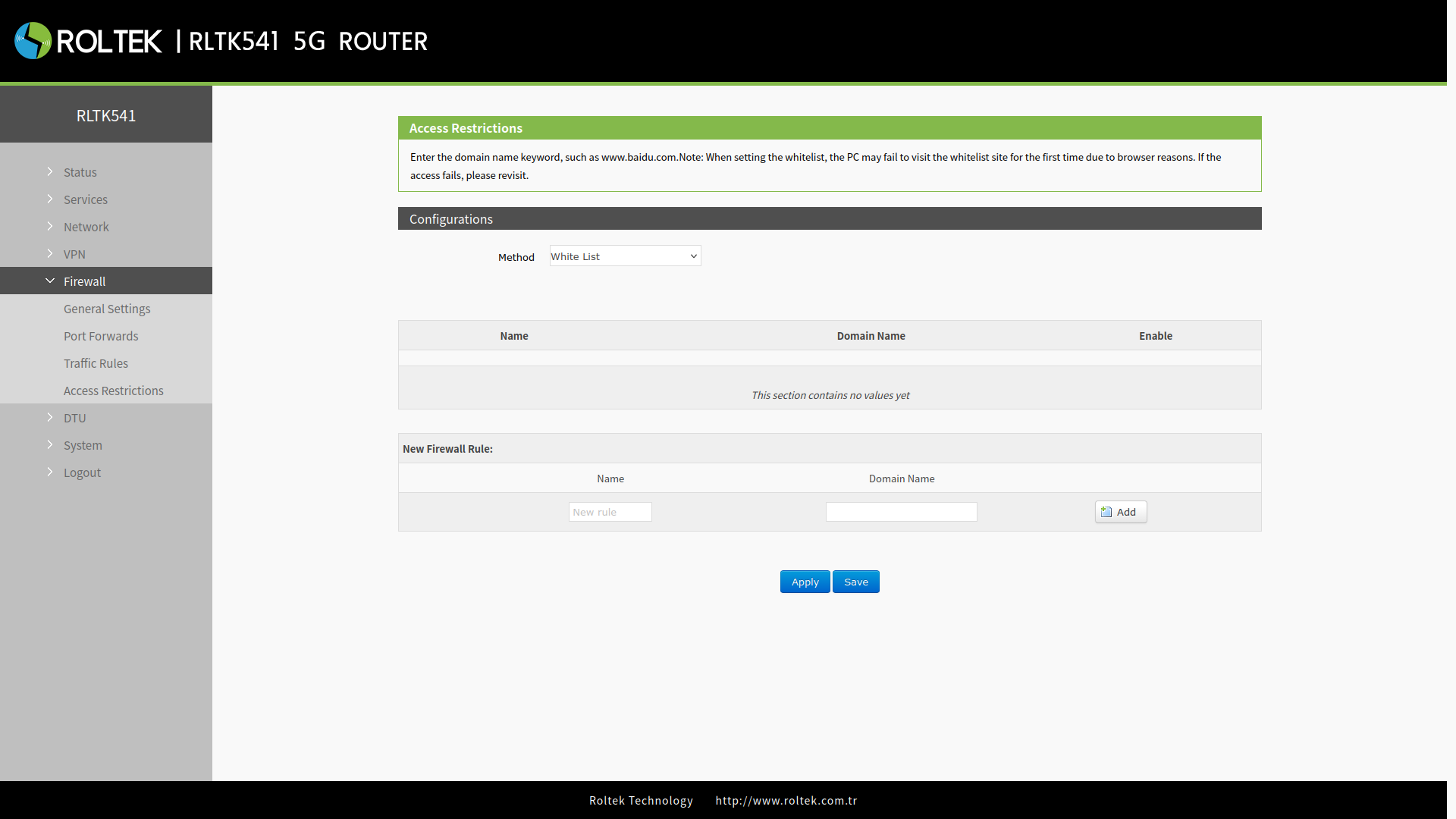
To configure access restrictions:
- Firewall
- Access Restrictions
follow the menus.
- Method: close, Black List, White List can be selected.
- Name: The name of the rule.
- Domain Name: The domain name to be blocked/allowed.
After filling in both sections, use the Add button to add the rule. After making your settings, save your changes with the Save and Apply buttons.
Blacklist
When you select the Black List mode, devices connected to the router cannot access the domain names on the blocked list, but they can continue to access all other domain names.
Whitelist
After enabling the White List mode, devices connected to the router can only access the domain names on the allowed list. If you enable the White List but forget to add the relevant rules, devices will not be able to access any domain names.