Software Update
To update the device firmware:
- System
- Backup/Upgrade
follow the menus.
In the Firmware Image section, the Browse button is used to select the firmware file, and the Flash button is used to upload the firmware to the device.
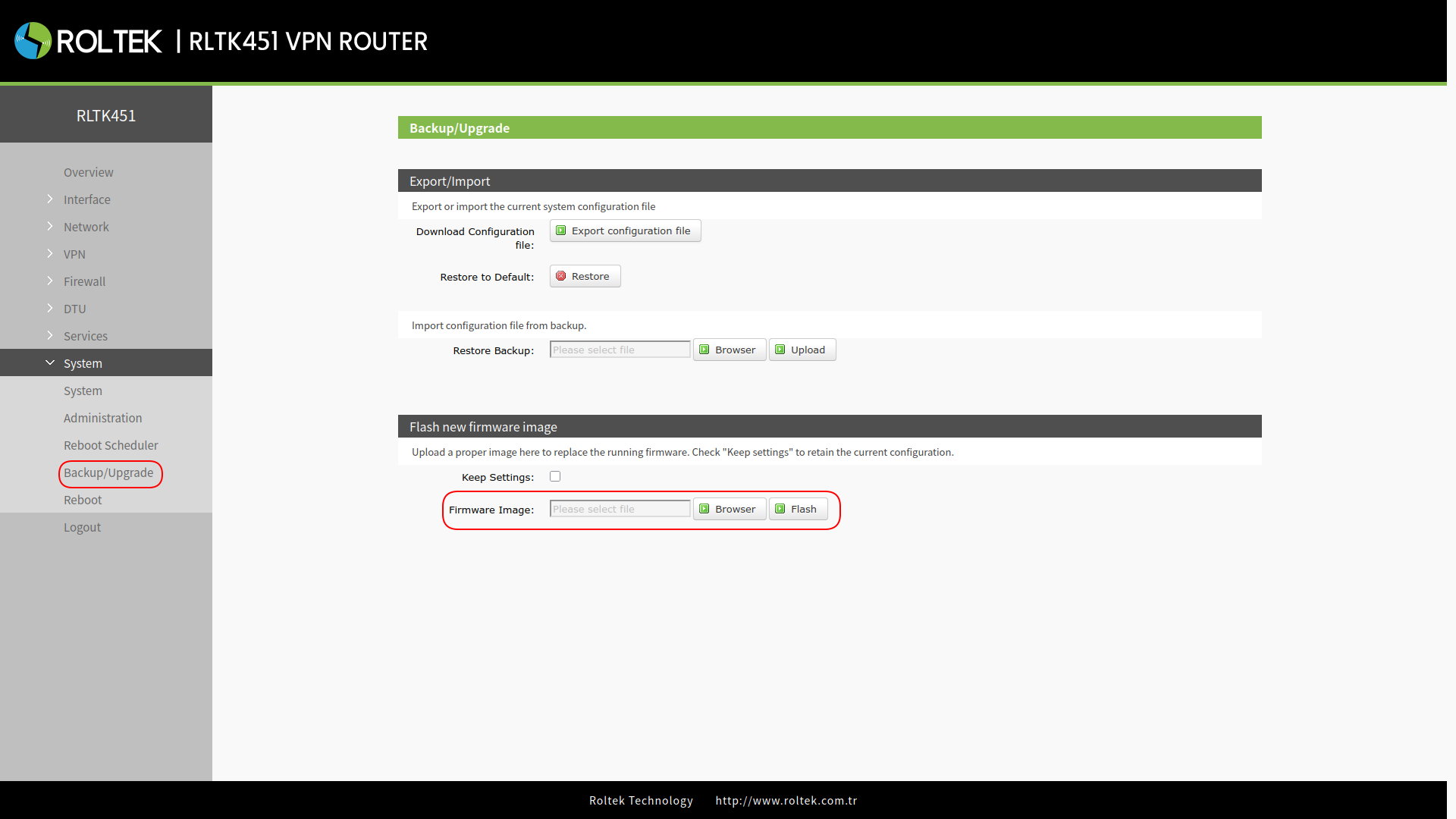
- The software update will take approximately 3-4 minutes.
- If the Keep Settings option is selected, the current settings will be preserved.
- During the update process, please do not turn off the device or disconnect the network connection.
Resetting the Firmware with the Reload Button
In addition to resetting from the interface, there is a Reload button on the device. Before powering on the RLTK451 device, press and hold the Reload button. After powering on the device, keep holding the button until the NET LED starts blinking rapidly. When the NET LED starts blinking, release the button; when all LEDs start blinking, the firmware reset will begin. When the device restarts, the WORK LED will start blinking at 1-second intervals.