Backup and Reset of Settings
For backing up, restoring, or resetting device settings:
- System
- Backup/Upgrade
follow the menus.
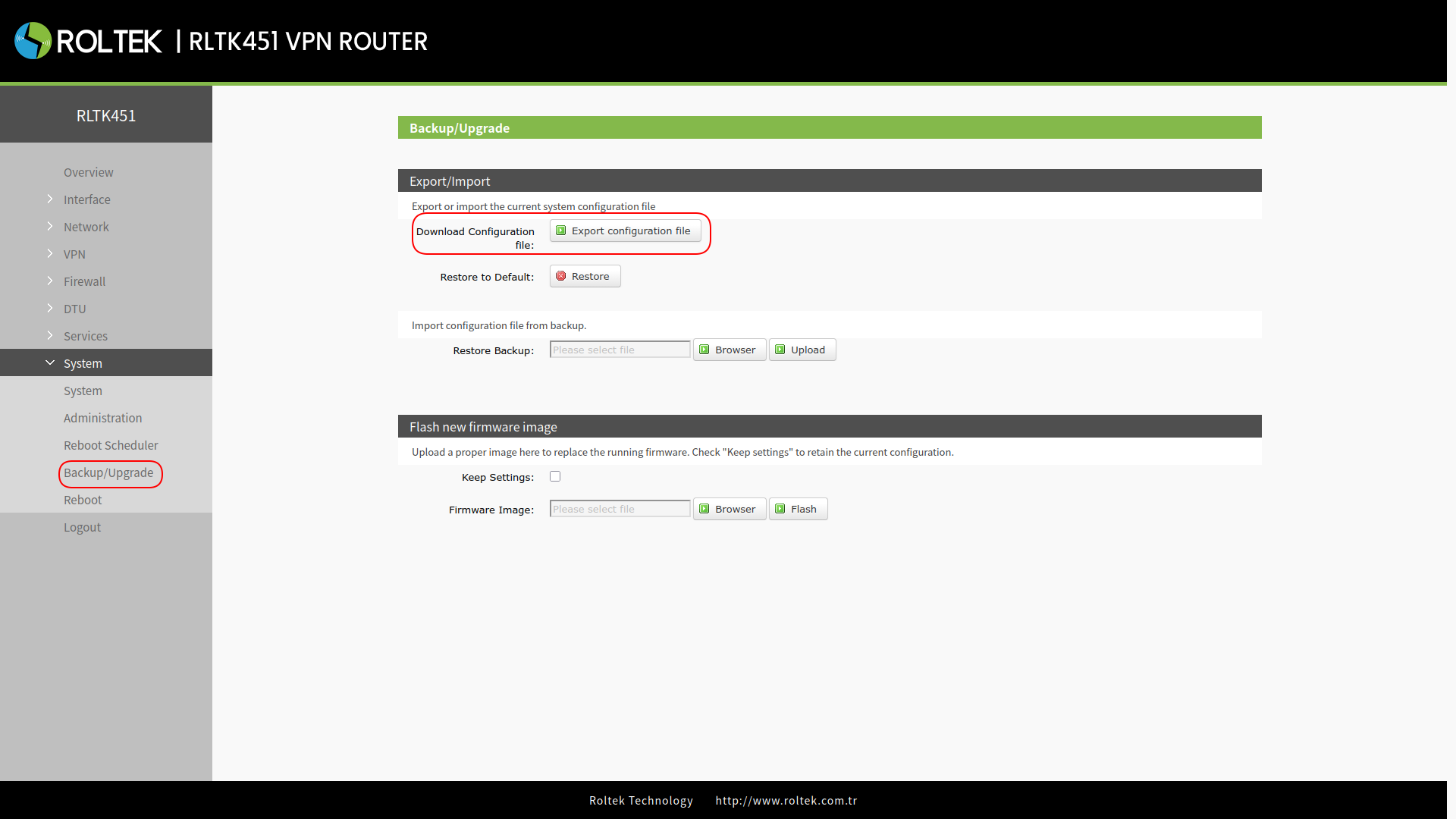
Downloading the Configuration File
The current settings of the device can be downloaded by clicking the Export configuration file button.
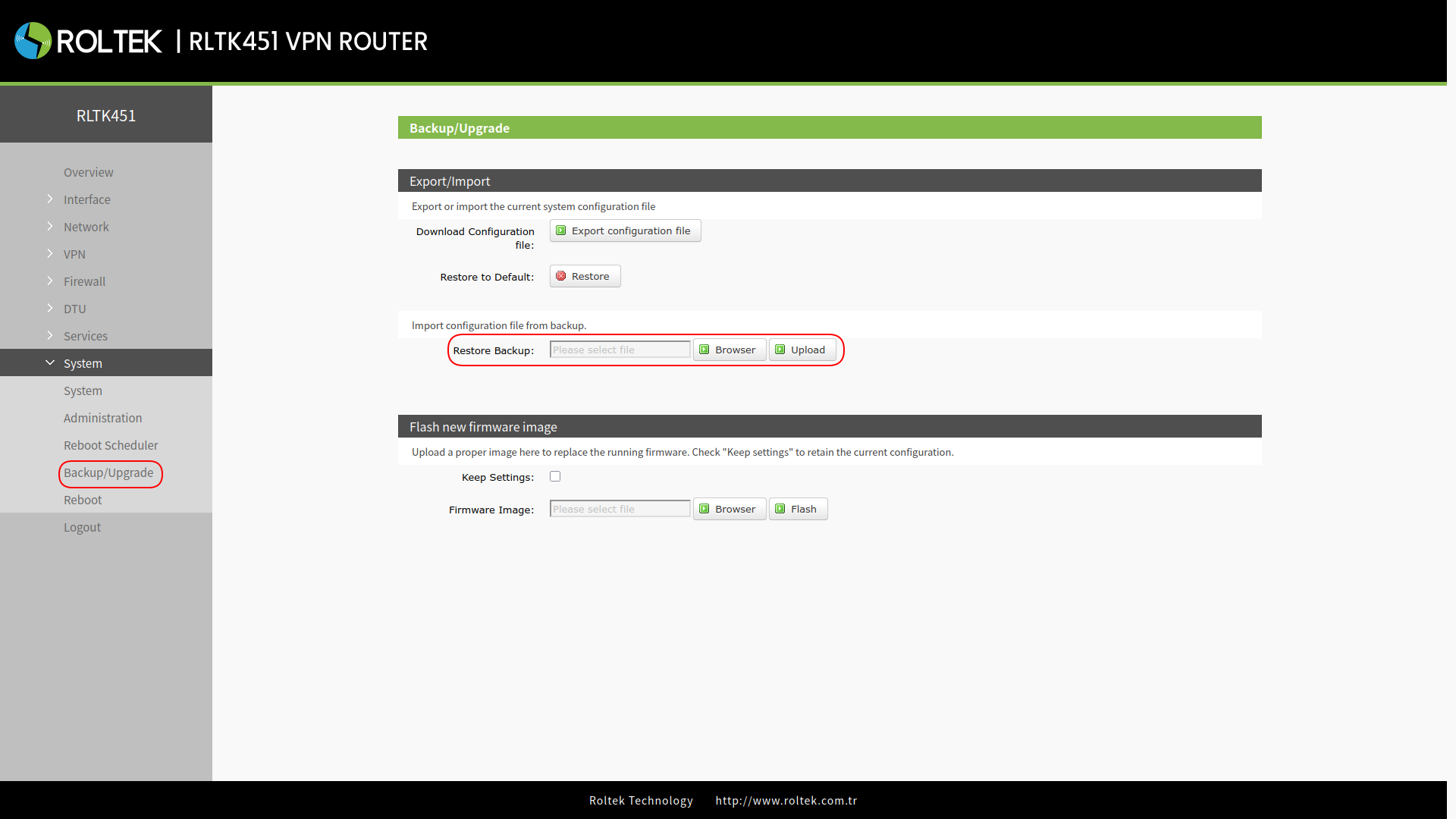
Uploading the Configuration File
The configuration file is selected using the Browse button in the Restore Backup section, and the settings are uploaded to the device with the Upload button.
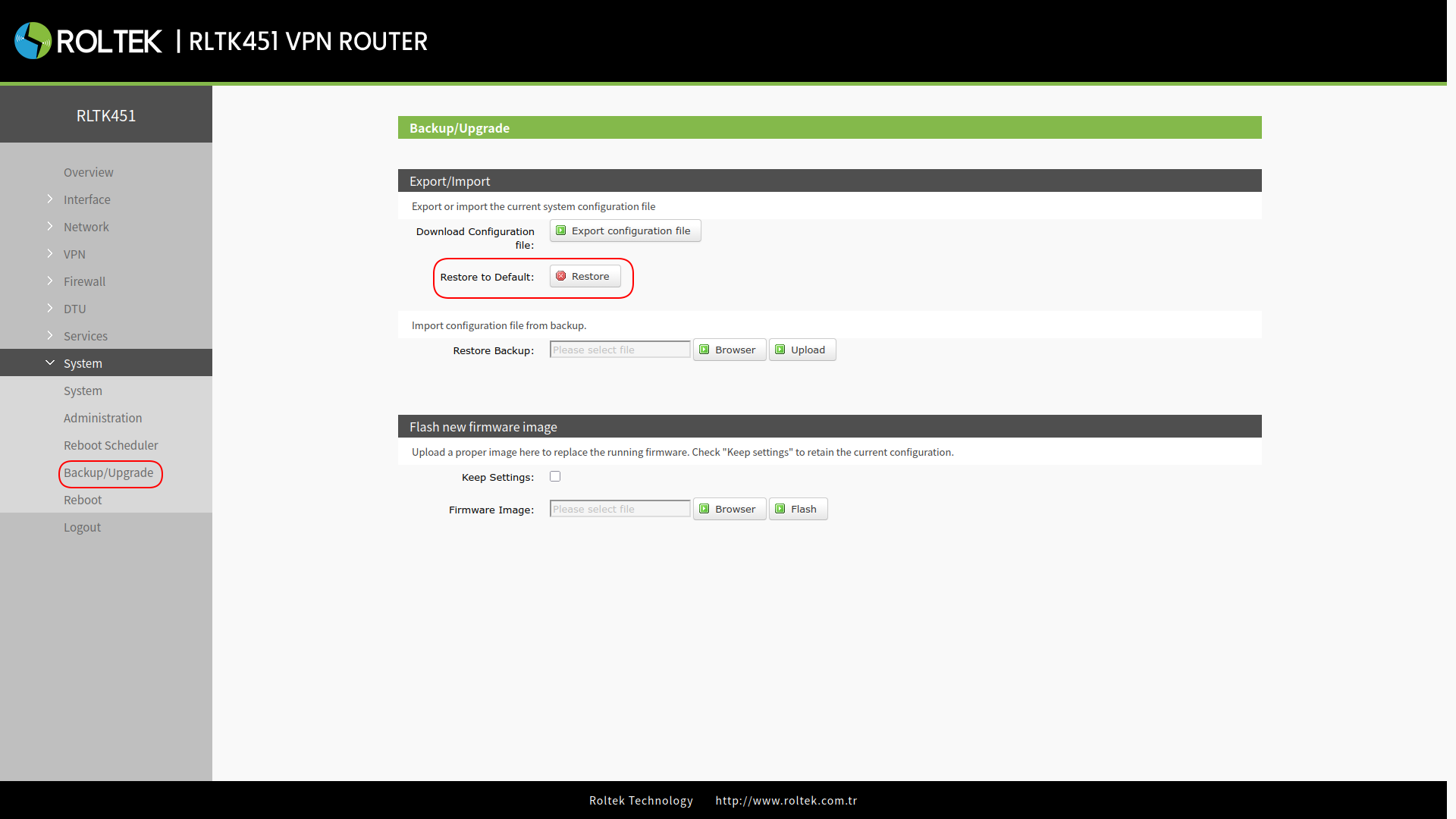
Resetting the Settings
The device can be returned to factory settings using the Restore button in the Restore to Default section.
Resetting the Settings with the Reload Button
In addition to resetting from the interface, there is a Reload button on the device. After powering on the RLTK451 device and seeing the WORK LED start to blink at 1-second intervals, press and hold the Reload button for more than 5 seconds, then release it. The device will return to factory settings and will automatically restart. When the device restarts, all LEDs will blink once and then turn off (PWR LED will remain on). When the device restarts, the WORK LED will start blinking at 1-second intervals.