DDNS
For the device's Dynamic DNS settings:
- Services
- DDNS
follow the menus. The DDNS (Dynamic Domain Name System) function provides remote access to the router via a domain name instead of your occasionally changing dynamic IP address. This way, remote access operations are not affected by changes in your IP address.
Supported Services
If you can select your DNS service provider from the Services Provider section, you can configure it as follows:
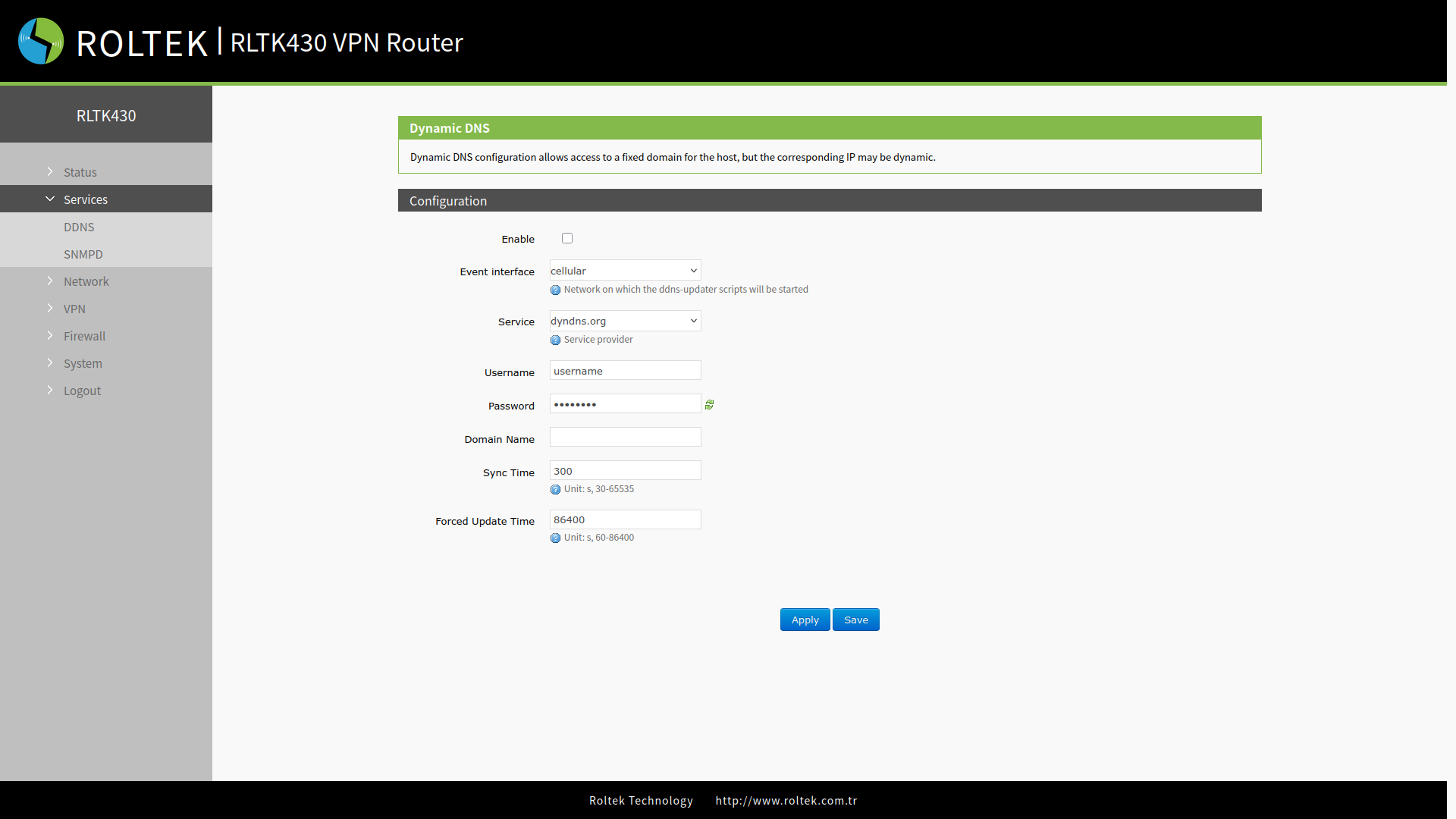
| Parameter | Description | Default Value |
|---|---|---|
| Enable | On/Off | Off |
| Event Interface | cellular/wan_wired/sta | cellular |
| Service Provider | DDNS server address | dyndns.org |
| Username | Enter the username provided by the DDNS server | username |
| Password | Enter the password provided by the DDNS server | password |
| Domain Name | Domain name. | |
| Sync Time | Synchronization time (30-65535 seconds). | 300 |
| Force Update Time | Interval for forced updates (60-86400 seconds). | 86400 |
Custom Services
If your DNS service provider is not listed in the Service Provider section, select the Custom option:
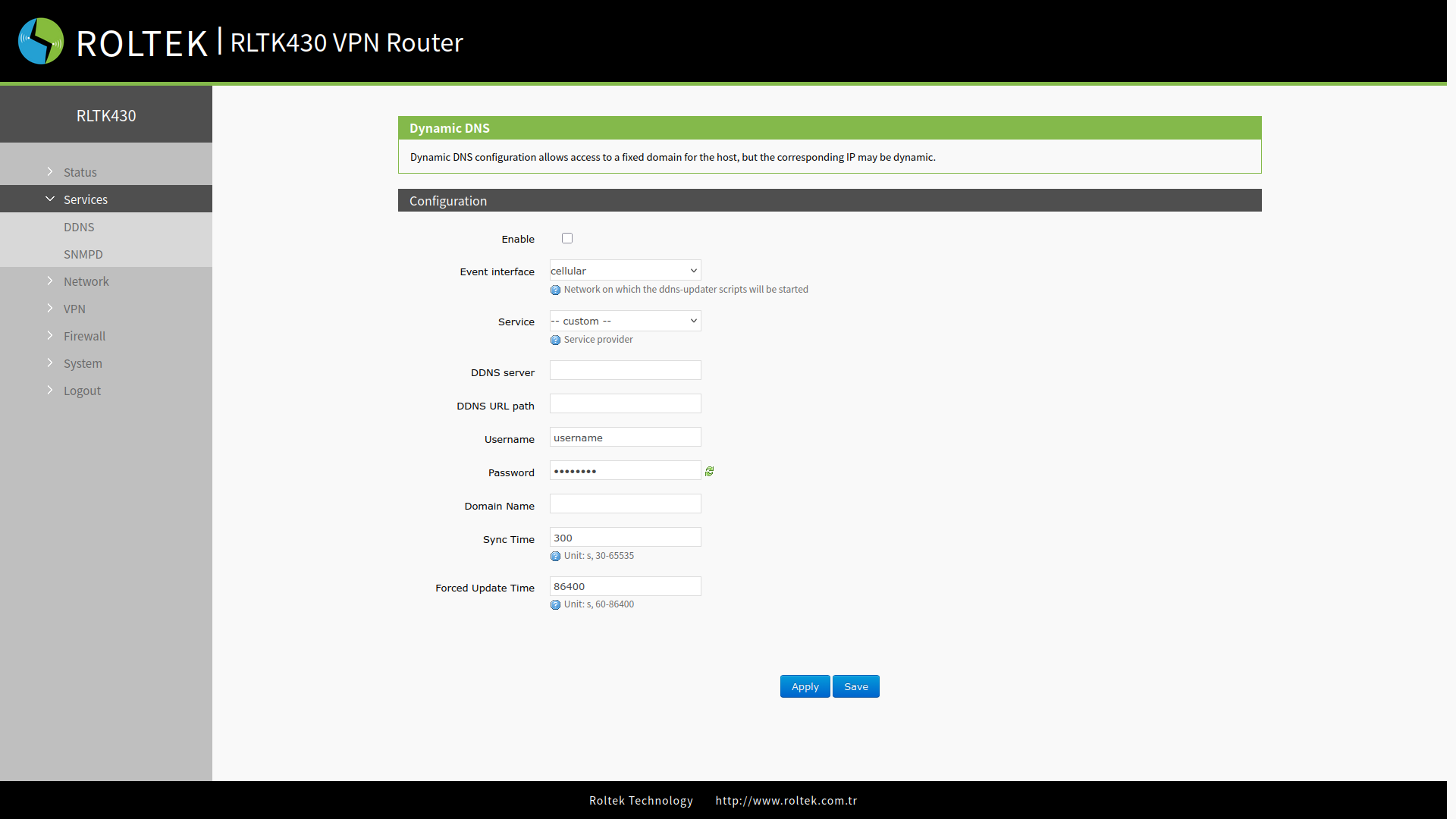
In this section, the ddns.oray.com service is used as an example.
- Hostname: mypersonaldomain.ddns.oray.com
- Username: myusername
- Password: mypassword
| Parameter | Description | Default Value |
|---|---|---|
| Enable | On/Off | Off |
| Event Interface | cellular/wan_wired/sta | cellular |
| Service Provider | Custom | --- |
| DDNS server | Server name. | |
| DDNS URL path | DDNS server URL | |
| Username | Enter the username provided by the DDNS server | username |
| Password | Enter the password provided by the DDNS server | password |
| Domain Name | Domain name. | |
| Sync Time | Synchronization time (30-65535 seconds). | 300 |
| Force Update Time | Interval for forced updates (60-86400 seconds). | 86400 |
- After setting all parameters, do not forget to restart the device for the parameters to take effect.
- Dynamic domain names work even if the router is on a subnet.
- DDNS + port forwarding can provide remote access to the router's subnet.
- A separate public IP address must be assigned to the router's network for this function.
- You can add multiple DDNS domain names to this router.