OpenVPN
To access the settings:
- Follow the menus for VPN
- OpenVPN
In order to activate it, the Enable option must be selected in the OpenVPN section.
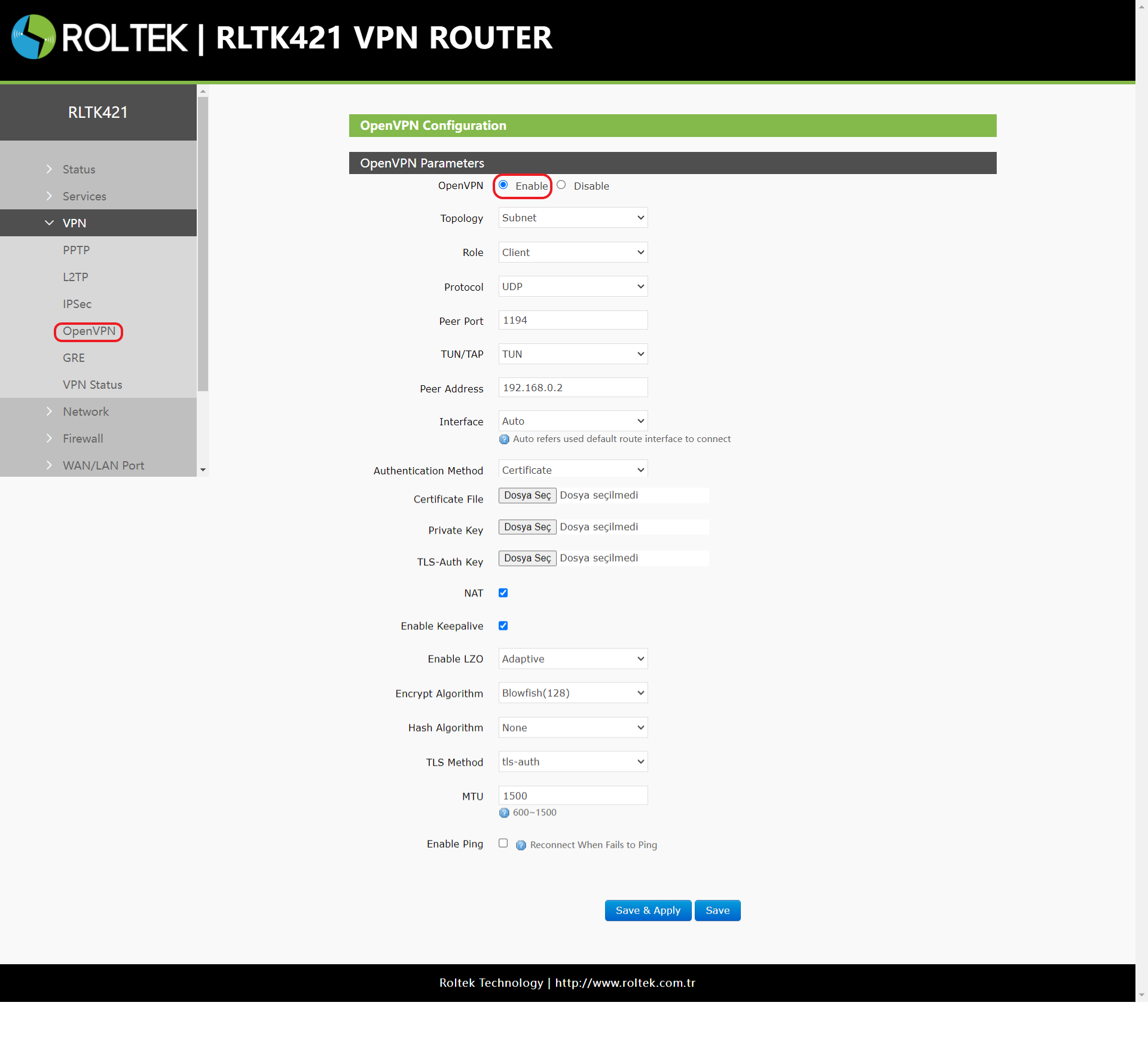
| Parameter | Description | Default Value |
|---|---|---|
| TUN/TAP | TUN/TAP | TUN |
| Protocol | TCP/UDP | UDP |
| Peer Port | Listening port of the OpenVPN server | 1194 |
| Peer Address | IP address / Domain name of the OpenVPN server | 192.168.0.2 |
| Interface | Auto/wan_wired/wan_4g | Auto |
| Root CA | Upload the CA root file to the router | Null |
| Certificate File | Upload the client certificate file to the router | Null |
| Private Key | Upload the client private key file to the router | Null |
| TLS-Auth Key | Upload the TLS authentication key to the router | Null |
| Encrypt Algorithm | None/Blowfish-128/DES-128/3DES-192/AES-128/AES-192/AES-256 | Blowfish-128 |
| Hash Algorithm | None/SHA1/SHA256/SHA512/MD5 | None |
| Enable LZO | Yes/No/Adaptive | Adaptive |
| Enable Keepalive | The default value is 10, consistent with the VPN server | On |
| MTU | Consistent with the VPN server | 1500 |
| Enable Ping | Attempts to reconnect when ping fails | Off |
After connecting to the OpenVPN server, you can check the connection status through the
- VPN
- VPN Status
menu.
After entering the settings, you must click the Save & Apply button to save the settings.