NAT (Network Address Translation)
Masquerading (Address Masking)
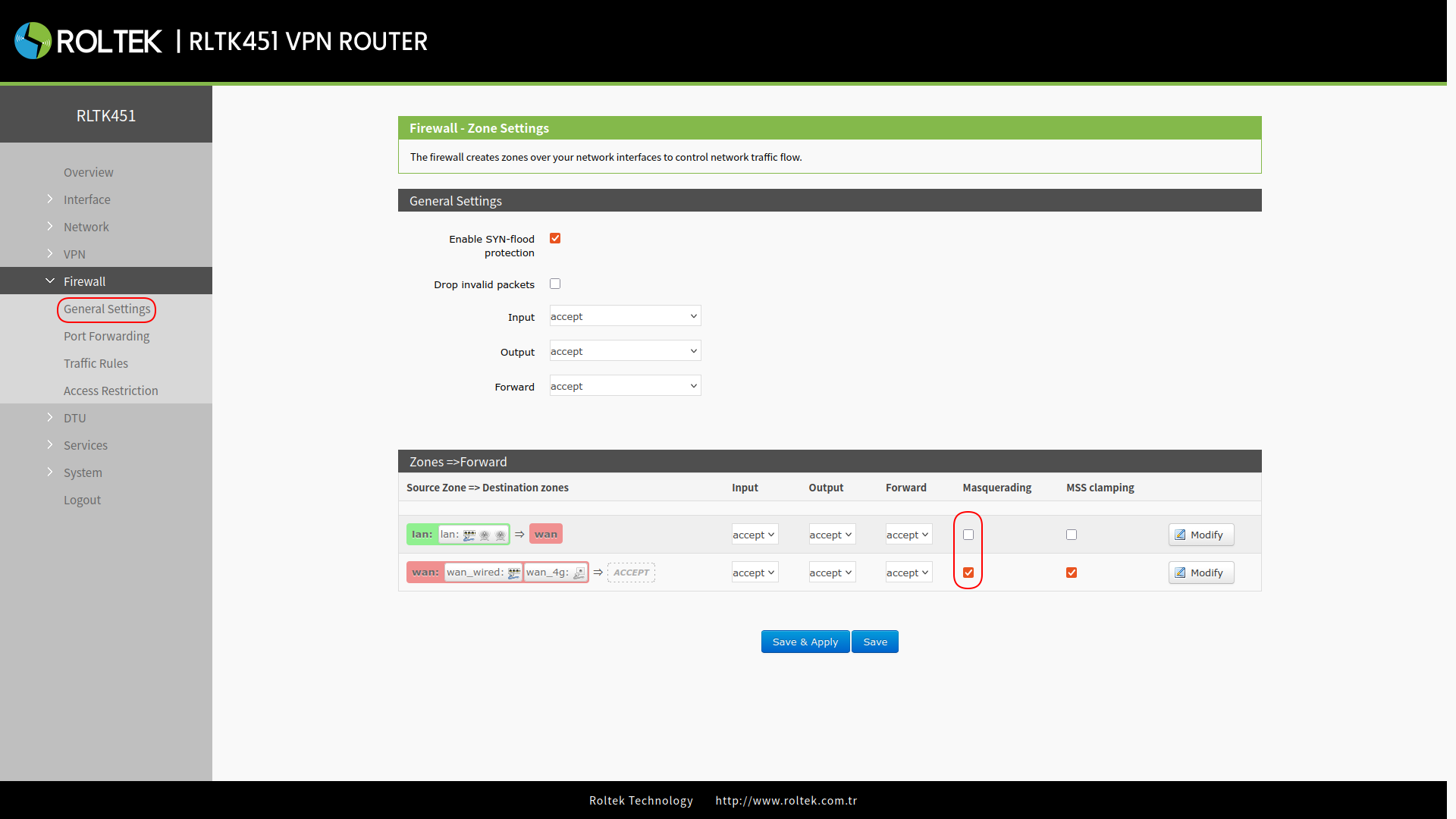
To set up address masking:
- Firewall
- General Settings
follow the menus. The Masquerading checkboxes in the table under Zones=>Forward on the incoming page can be configured. Masquerading hides the source IP address of data packets by using the router's WAN IP address. The masquerading and MSS compression feature of the WAN interface must be enabled, but it should be disabled on the LAN interface.
Port Forwarding
To add a port forwarding rule:
- Firewall
- Port Forwards
follow the menus. Port forwarding rules can assign a specific port number of the WAN network to a device belonging to a selected internal network.
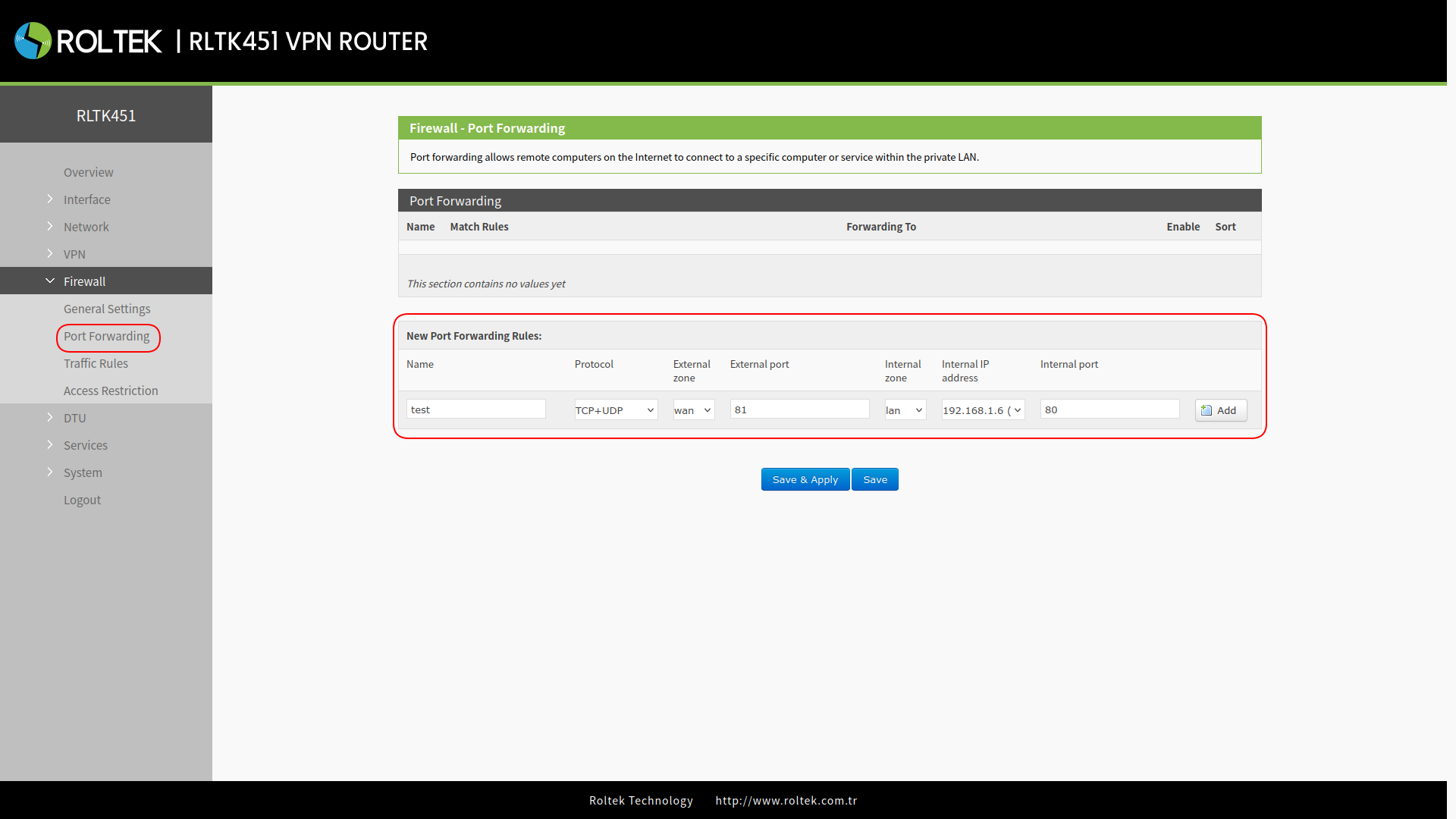
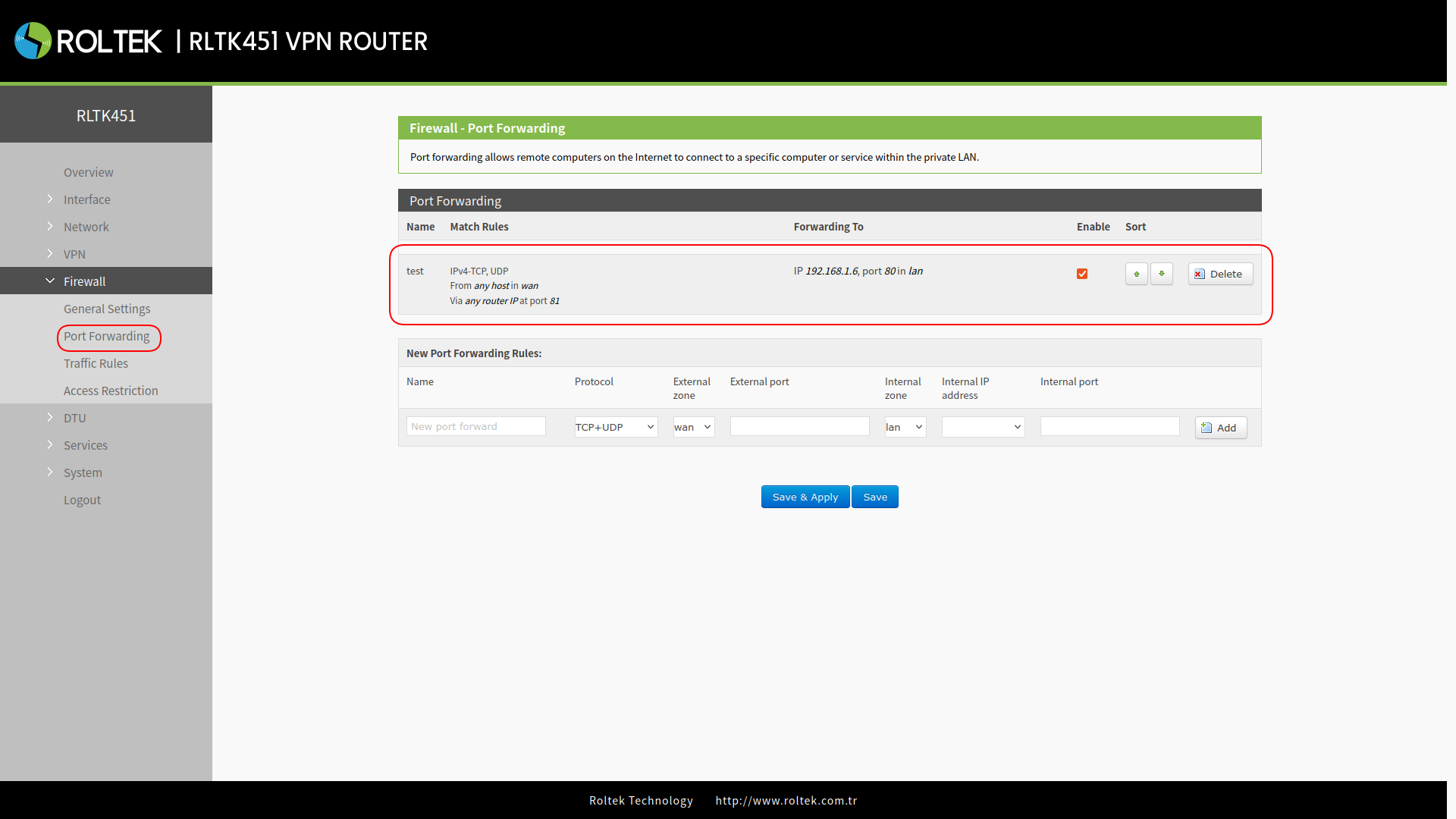
| Parameter | Description | Default Value |
|---|---|---|
| Name | Name of the Rule | Null |
| Protocol | TCP+UDP/TCP/UDP | TCP+UDP |
| External zone | Wired WAN, 4G, VPN | wan |
| External Port | This can be a port or a range of ports, for example, 8000-9000. When both external and internal ports are empty, this indicates a DMZ (Demilitarized Zone) function. | Null |
| Internal Zone | LAN Name | lan |
| Internal IP address | IP address of the device | Null |
| Internal Port | This can be a port or a range of ports, for example, 8000-9000. When both external and internal ports are empty, this indicates a DMZ (Demilitarized Zone) function. | Null |
NAT DMZ
While port forwarding rules redirect a specified WAN port to an internal network device, DMZ (Demilitarized Zone) rules redirect all ports belonging to the WAN interface to an internal network device. DMZ rules are set in the port forwarding interface, and in DMZ mode, there is no need to configure external and internal ports.
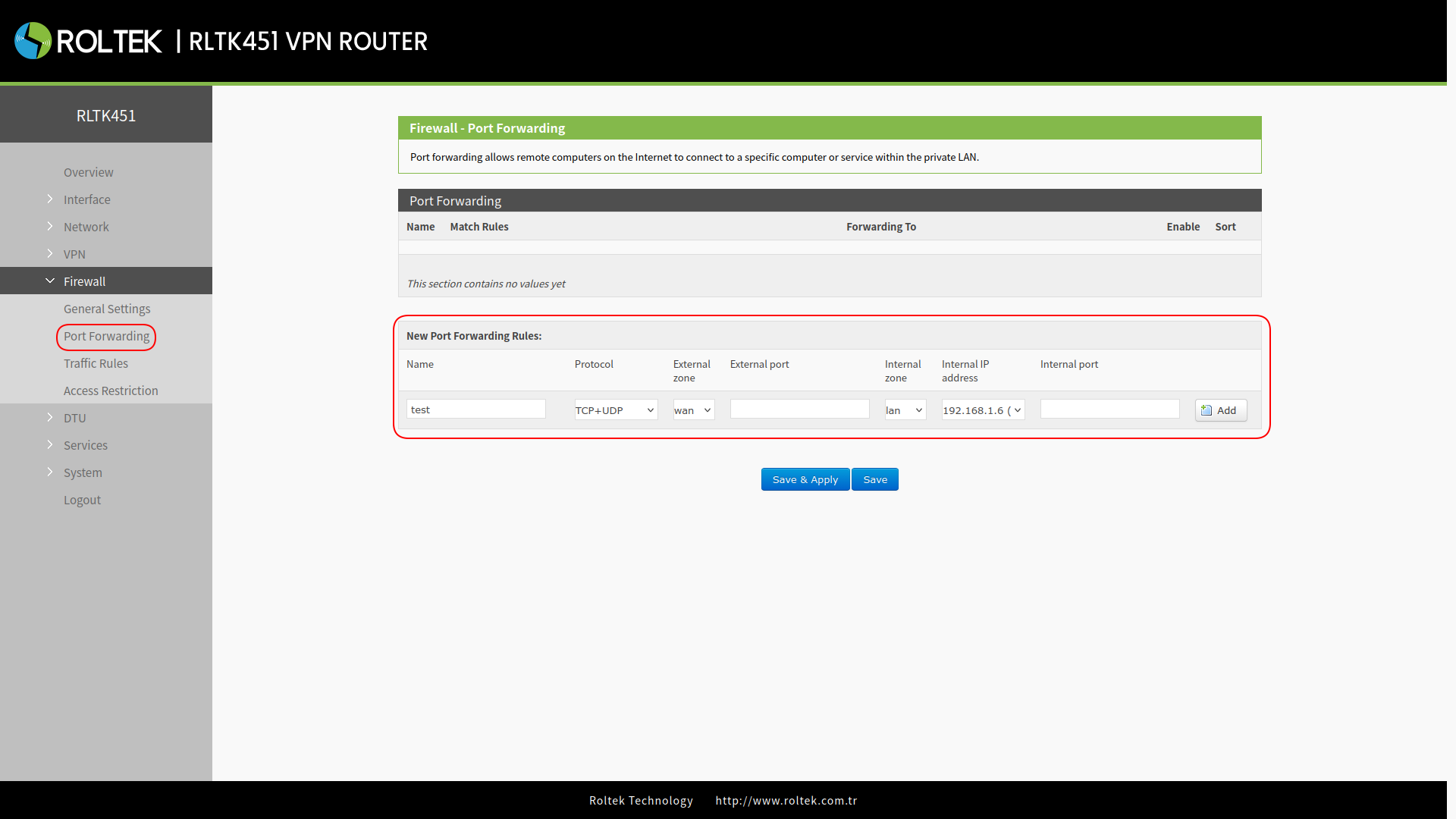
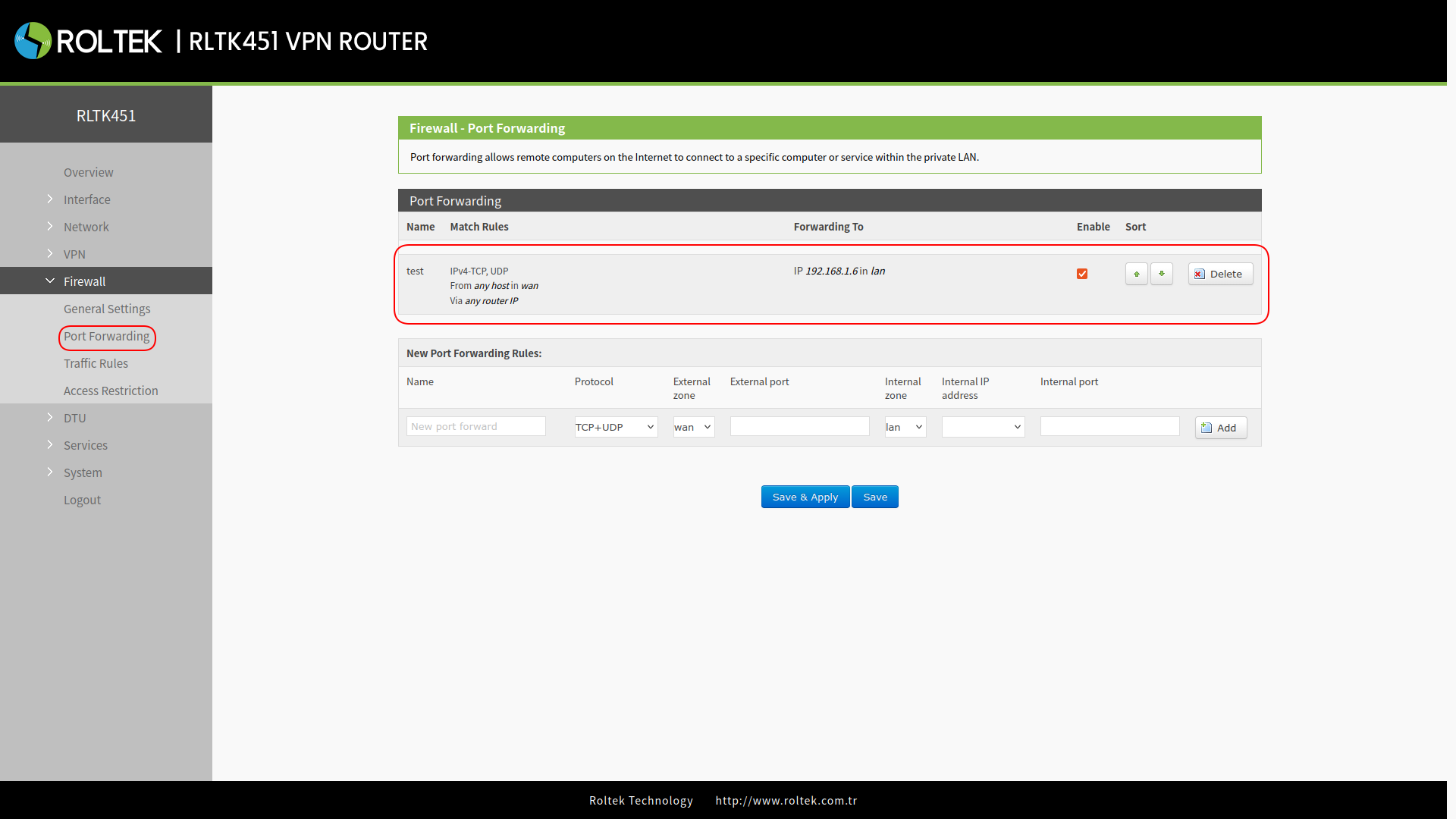
All ports belonging to the WAN address will be redirected to the internal network device 192.168.1.6.
- Port forwarding and DMZ cannot be used simultaneously.