Physical Interface
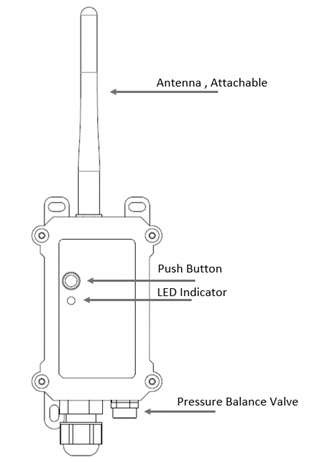
| ACT States | Function | Description |
|---|---|---|
| Pressing the button for 1 to 3 seconds | Send data | If the device is already connected to the NB-IoT network, it sends one data packet and the blue LED lights up once. Additionally, the BLE module is activated, and the user can connect to the device via BLE and configure it. |
| Pressing the button for more than 3 seconds | Activate the device | The green LED blinks quickly 5 times, and the device enters OTA mode for 3 seconds. Then it connects to the NB-IoT network. After connecting to the network, the green LED stays on for 5 seconds. When the device is activated, the BLE module is also activated, and the user can connect to the device via BLE and configure it regardless of whether they are connected or not. |
| Pressing the button 5 times in succession | Deactivate the device | The red LED stays on for 5 seconds. The device enters Deep Sleep Mode. |