IPSec
To access the settings:
- Follow the menus for VPN
- IPSec
The Enable option must be selected in the IPSec section to activate it.
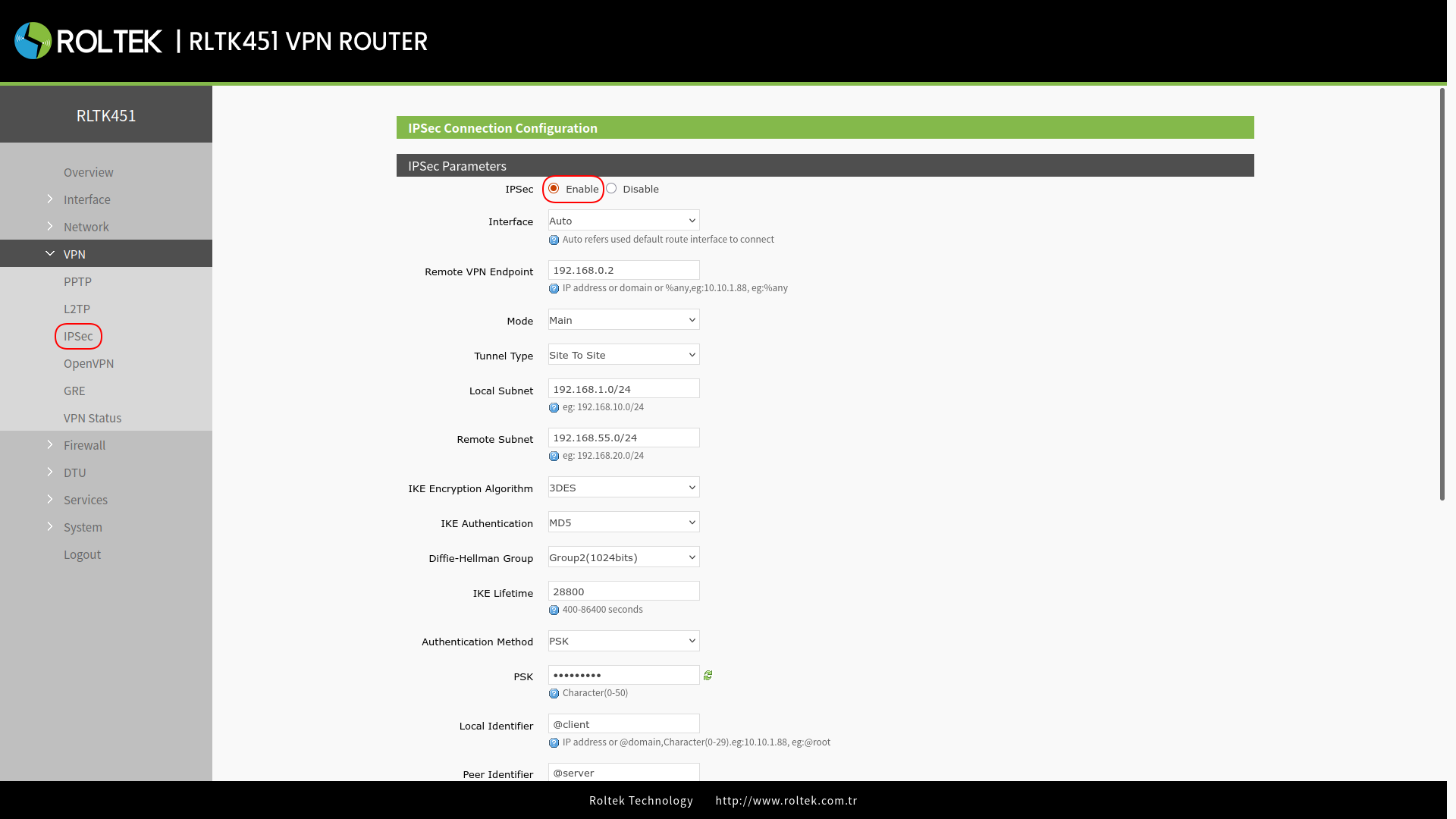
| Parameter | Description | Default Value |
|---|---|---|
| Interface | wan_4G, wan_wired or auto | auto |
| Remote VPN Endpoint | VPN Client/Server, remote endpoint IP address or domain name | 192.168.0.2 |
| Mode | main or aggressive | main |
| Tunnel type | Site to site, site to host, host to host, host to site | Site to site |
| Local subnet | IPSec local subnet and mask | 192.168.1.0/24 |
| Remote subnet | IPSec remote subnet and mask | 192.168.55.0/24 |
| Local Identifier | IP address or FQDN, with @ prefix, e.g., @domain | @client |
| Peer Identifier | IP address or FQDN, with @ prefix, e.g., @domain | @server |
| IKE Encryption | Phase 1 IKE encryption algorithm, authentication, and DH group settings | 3DES/MD5/Group2 |
| IKE Lifetime | Setting the lifetime in the IKE phase, can take values between 400 - 84600 s. | 28800 |
| Authentication Method | Pre-shared key | PSK |
| ESP Encryption | 3DES/AES-128/AES-192/AES-256 | AES-128 |
| ESP Authentication | SHA-1/SHA-256/MD5 | SHA-1 |
| ESP Lifetime | ESP lifetime (seconds) | 3600 |
| PFS Group | None/DH1/DH2/DH5 | DH2 |
| DPD Interval | While DPD detection is ongoing, the time for IPSec protected packet exchange is set | 60 |
| DPD Timeout | Timeout settings for DPD packets | 60 |
| DPD Action | Actions defined for connection detection: 1. None: None 2. Clear: Clear 3. Hold: Wait 4. Restart: Restart | Restart |
After entering the settings, you should click the Save & Apply button to save the settings.
After connecting to the IPSec server, you can check the connection status through the
- VPN
- VPN Status
menu.